Skip to content

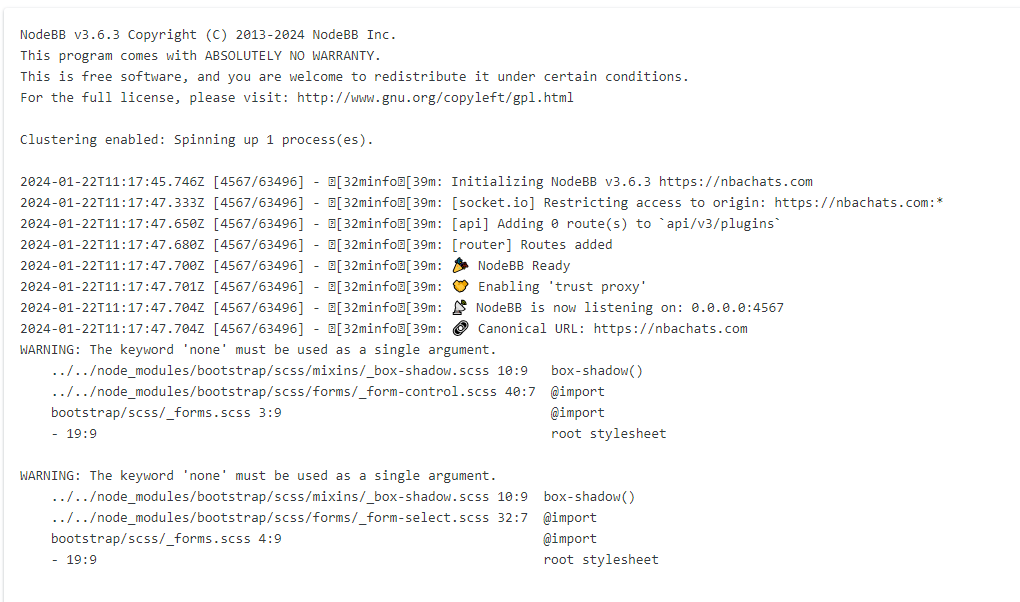
nodebb error logs

Bugs
6 2 1.2k 1

Related Topics
  • NodeBB v4.0.0

    General nodebb sudonix version 4
    28
    4 Votes
    28 Posts
    3k Views
    @Panda said in NodeBB v4.0.0: the workings of World aren’t intuitive Its not easy to get World populating when a forum is new to it This is a good point and one I’ve considered also. It’s a little confusing to be honest.
  • Custom html in nodebb to prevent cache

    Unsolved Configure nodebb
    18
    2 Votes
    18 Posts
    2k Views
    @Panda You’ll need to do that with js. With some quick CSS changes, it looks like this [image: 1690796279348-d619844f-fbfe-4cf1-a283-6b7364f6bf18-image.png] The colour choice is still really hard on the eye, but at least you can now read the text
  • Nodebb 3.2.2

    Bugs nodebb 3.2.2
    27
    1
    11 Votes
    27 Posts
    6k Views
    @crazycells yes, I’ve just seen that and modified the post. It seems to only happen if you have a space between the “greater than” symbol and the actual text. Clearly a markdown thing.
  • Composer Zen icon?

    Solved Configure nodebb
    8
    1
    2 Votes
    8 Posts
    938 Views
    @DownPW exactly. Not really a new concept, and in all honesty, not something I’ve ever used. If you consider the need to add links and references, or citations, you’d need to be able to see other parts of the screen!
  • Can you adjust Admin settings on your NodeBB?

    Bugs nodebb
    5
    0 Votes
    5 Posts
    936 Views
    @Panda as, yes, now I understand and that makes 100% sense. It means those who get down voted can still have an opinion and use common services. And yes, you’re right. Rather than down vote, just ignore if you don’t agree.
  • Rotating homepage icons, gifs?

    Solved Configure nodebb
    2
    3 Votes
    2 Posts
    636 Views
    @eveh It’s not a GIF, no. It’s actually a webp file so made much smaller, and uses keyframes to control the rotation on hover. You can easily make your own though The CSS for that is as below @keyframes rotate180 { from { transform: rotate(0deg); } to { transform: rotate(180deg); } } @keyframes rotate0 { from { transform: rotate(180deg); } to { transform: rotate(0deg); } } Your milage may vary on the CSS below, as it’s custom for Sudonix, but this is the class that is used to control the rotate .header .forum-logo, img.forum-logo.head { max-height: 50px; width: auto; height: 30px; margin-top: 9px; max-width: 150px; min-width: 32px; display: inline-block; animation-name: rotate180, rotate0; animation-duration: 1000ms; animation-delay: 0s, 1000ms; animation-iteration-count: 1; animation-timing-function: linear; transition: transform 1000ms ease-in-out; }
  • Error install plugin

    Solved Customisation plugin nodebb
    8
    1
    1 Votes
    8 Posts
    2k Views
    @pobojmoks Not WP plugin but nodeBB but it a known bug
  • Fontawesome 5

    Unsolved Customisation fonts css nodebb
    14
    1 Votes
    14 Posts
    3k Views
    @pwsincd hi. Just following up on this thread (I know it’s old) but was curious to understand if it’s still an issue or not ?