
NodeBB: Privileges for the Announcement channel
-
Hi,
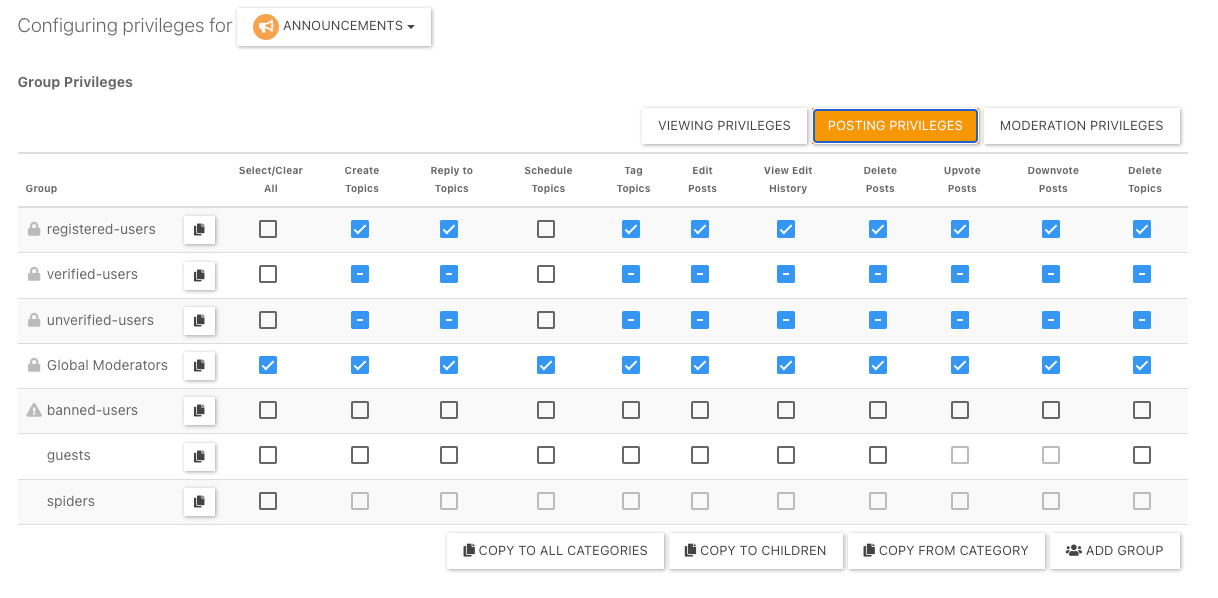
For my forum, I would like the Announcements channel to have posts only from me (the admin). What privileges do I need to tick and untick?
-
Clear all of the select boxes. By default, administrators will get all permissions, but anyone else accessing will be view only.

-
 undefined phenomlab has marked this topic as solved on
-
Thanks @phenomlab! If I ever what to reset to the original settings, is that possible after Save?
Also, do you think my idea of restricting the Announcement section is a good idea? Is that what you would’ve done also? -
Thanks @phenomlab! If I ever what to reset to the original settings, is that possible after Save?
Also, do you think my idea of restricting the Announcement section is a good idea? Is that what you would’ve done also?@mventures I do the same, so yes, good idea. There’s no reason as to why anyone needs to post there except admins (and perhaps mods)
You can’t “reset” the permissions to default, but you can copy from another category that has the default permissions as shown below
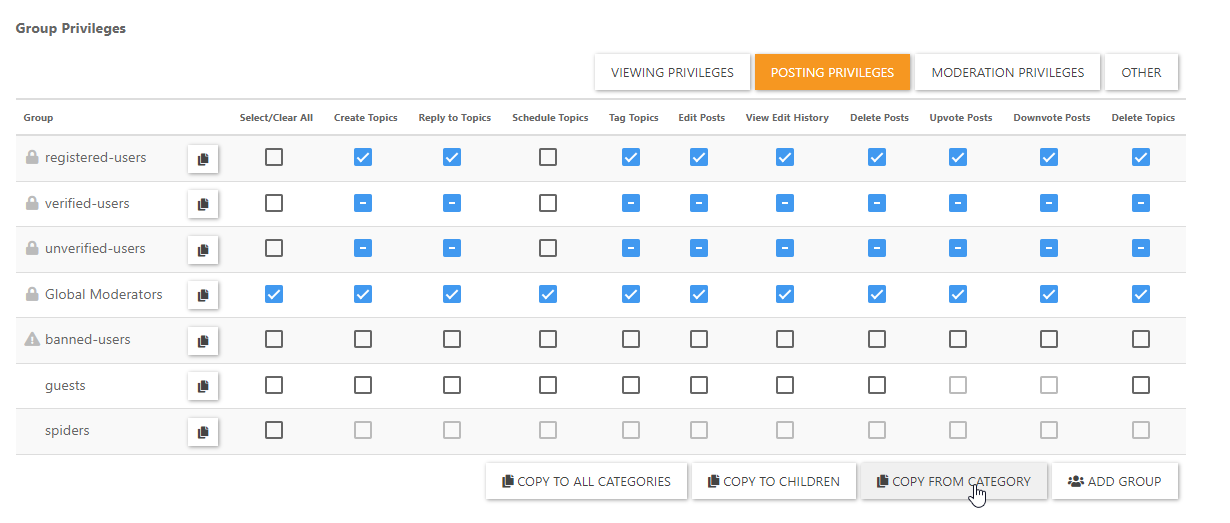
And save.
-
Shouldn’t users be able to reply and vote on Admin topics though? Maybe, those need to stay ticked and all else unticked?
-
Up to you really


Hello! It looks like you're interested in this conversation, but you don't have an account yet.
Getting fed up of having to scroll through the same posts each visit? When you register for an account, you'll always come back to exactly where you were before, and choose to be notified of new replies (either via email, or push notification). You'll also be able to save bookmarks and upvote posts to show your appreciation to other community members.
With your input, this post could be even better 💗
Register LoginDid this solution help you?
Related Topics
-
-
-
Nodebb and emails
Solved Configure -
-
-
NodeBB: Creating pages
Solved Configure -
-




