Skip to content

Issues with v3 alpha and Harmony

Moved Solved Configure
18 3 4.3k
  • @cagatay you should be able to downgrade if you stop your NodeBB instance, run the following commands

    git fetch    # Grab the latest code from the NodeBB repository
    git checkout v2.x    # Switch to the v2.x branch since we are now upgrading to NodeBB version 2
    git reset --hard origin/v2.x
    

    Then finally run

    ./nodebb upgrade
    

    And then restart NodeBB. That should return you to the v2 train.

    @phenomlab said in NodeBB v3 and Harmony Theme:

    Grab the latest code from the NodeBB repository

    there is eror when upgraded;

    2023-01-21T12:16:27.336Z [4567/1270169] - error: [build]         client side sty                                                                                                                                                             les  build failed
    2023-01-21T12:16:27.336Z [4567/1270169] - error: [build] Encountered error durin                                                                                                                                                             g build step
    FileError: './theme' wasn't found. Tried - ./theme.less,/home/nodes/nodebb/node_                                                                                                                                                             modules/nodebb-theme-harmony/theme.less,/home/nodes/nodebb/node_modules/theme.le                                                                                                                                                             ss,/home/nodes/nodebb/public/less/theme.less,/home/nodes/nodebb/public/vendor/fo                                                                                                                                                             ntawesome/less/theme.less,theme.less in input on line 1, column 1:
    1 @import "./theme";
    2
    
    Error occurred during upgrade: undefined
    (node:1270169) UnhandledPromiseRejectionWarning: Unhandled promise rejection. Th                                                                                                                                                             is error originated either by throwing inside of an async function without a cat                                                                                                                                                             ch block, or by rejecting a promise which was not handled with .catch(). To term                                                                                                                                                             inate the node process on unhandled promise rejection, use the CLI flag `--unhan                                                                                                                                                             dled-rejections=strict` (see https://nodejs.org/api/cli.html#cli_unhandled_rejec                                                                                                                                                             tions_mode). (rejection id: 1)
    (Use `node --trace-warnings ...` to show where the warning was created)
    (node:1270169) [DEP0018] DeprecationWarning: Unhandled promise rejections are de                                                                                                                                                             precated. In the future, promise rejections that are not handled will terminate                                                                                                                                                              the Node.js process with a non-zero exit code.
    
    
  • @phenomlab said in NodeBB v3 and Harmony Theme:

    Grab the latest code from the NodeBB repository

    there is eror when upgraded;

    2023-01-21T12:16:27.336Z [4567/1270169] - error: [build]         client side sty                                                                                                                                                             les  build failed
    2023-01-21T12:16:27.336Z [4567/1270169] - error: [build] Encountered error durin                                                                                                                                                             g build step
    FileError: './theme' wasn't found. Tried - ./theme.less,/home/nodes/nodebb/node_                                                                                                                                                             modules/nodebb-theme-harmony/theme.less,/home/nodes/nodebb/node_modules/theme.le                                                                                                                                                             ss,/home/nodes/nodebb/public/less/theme.less,/home/nodes/nodebb/public/vendor/fo                                                                                                                                                             ntawesome/less/theme.less,theme.less in input on line 1, column 1:
    1 @import "./theme";
    2
    
    Error occurred during upgrade: undefined
    (node:1270169) UnhandledPromiseRejectionWarning: Unhandled promise rejection. Th                                                                                                                                                             is error originated either by throwing inside of an async function without a cat                                                                                                                                                             ch block, or by rejecting a promise which was not handled with .catch(). To term                                                                                                                                                             inate the node process on unhandled promise rejection, use the CLI flag `--unhan                                                                                                                                                             dled-rejections=strict` (see https://nodejs.org/api/cli.html#cli_unhandled_rejec                                                                                                                                                             tions_mode). (rejection id: 1)
    (Use `node --trace-warnings ...` to show where the warning was created)
    (node:1270169) [DEP0018] DeprecationWarning: Unhandled promise rejections are de                                                                                                                                                             precated. In the future, promise rejections that are not handled will terminate                                                                                                                                                              the Node.js process with a non-zero exit code.


    @cagatay that’s telling you that the persona theme is missing. Change the theme back to persona and then retry the upgrade.

  • @cagatay that’s telling you that the persona theme is missing. Change the theme back to persona and then retry the upgrade.

    @phenomlab recent cards not working normally.
    downgrade is done! thank you.
    i thin the problem is the avatar size.
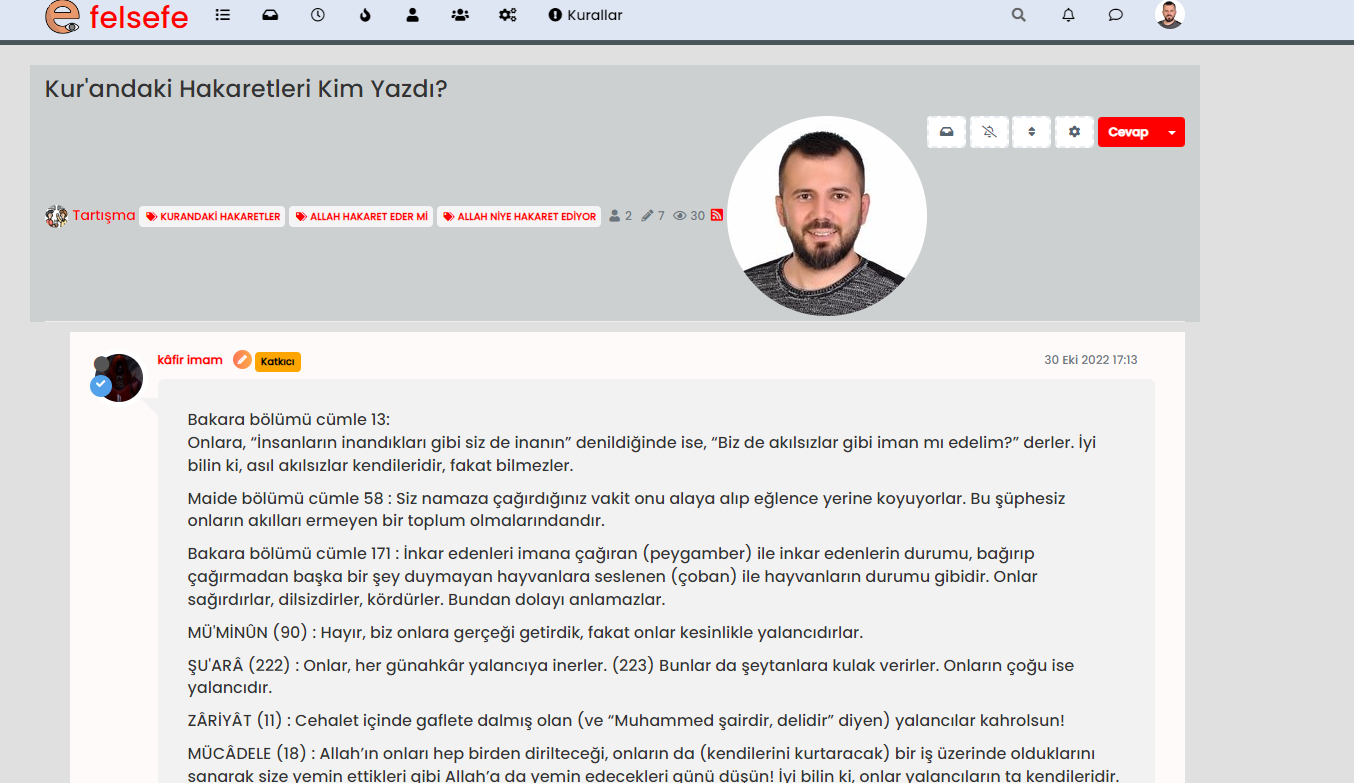
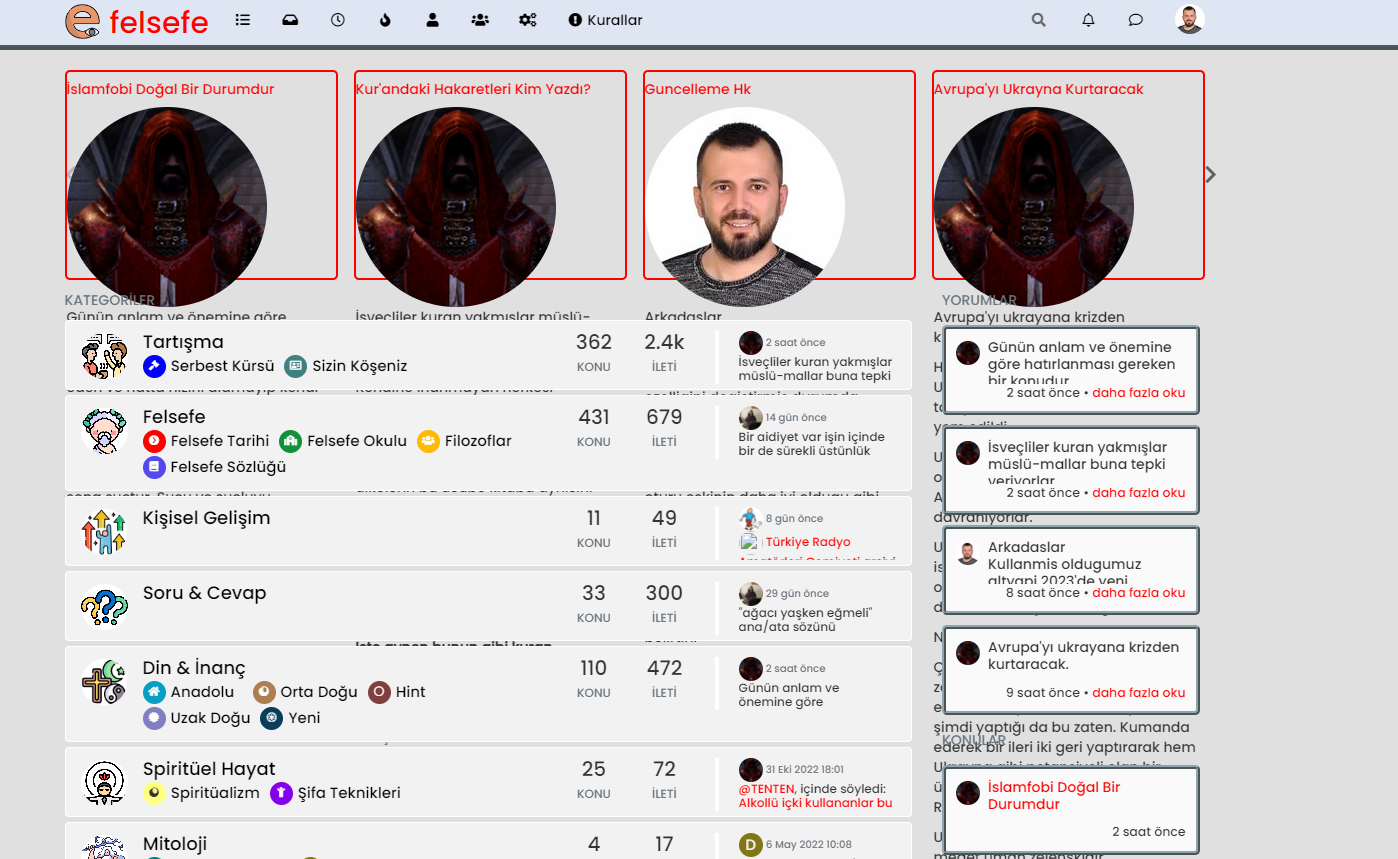
    3ac502e9-9b56-41c7-9a68-c8d9b4305e36-image.png

    269b901e-9cf2-4998-b33a-17fe6fd0d0cc-image.png

  • @phenomlab recent cards not working normally.
    downgrade is done! thank you.
    i thin the problem is the avatar size.

    3ac502e9-9b56-41c7-9a68-c8d9b4305e36-image.png

    269b901e-9cf2-4998-b33a-17fe6fd0d0cc-image.png

    @cagatay remove the recent cards plugin and reinstall it.

  • @cagatay remove the recent cards plugin and reinstall it.

    @phenomlab same result.
    i had deleted and reinstalled recent card but nothing chaged.
    by the way without recent card my current page on topic as below;
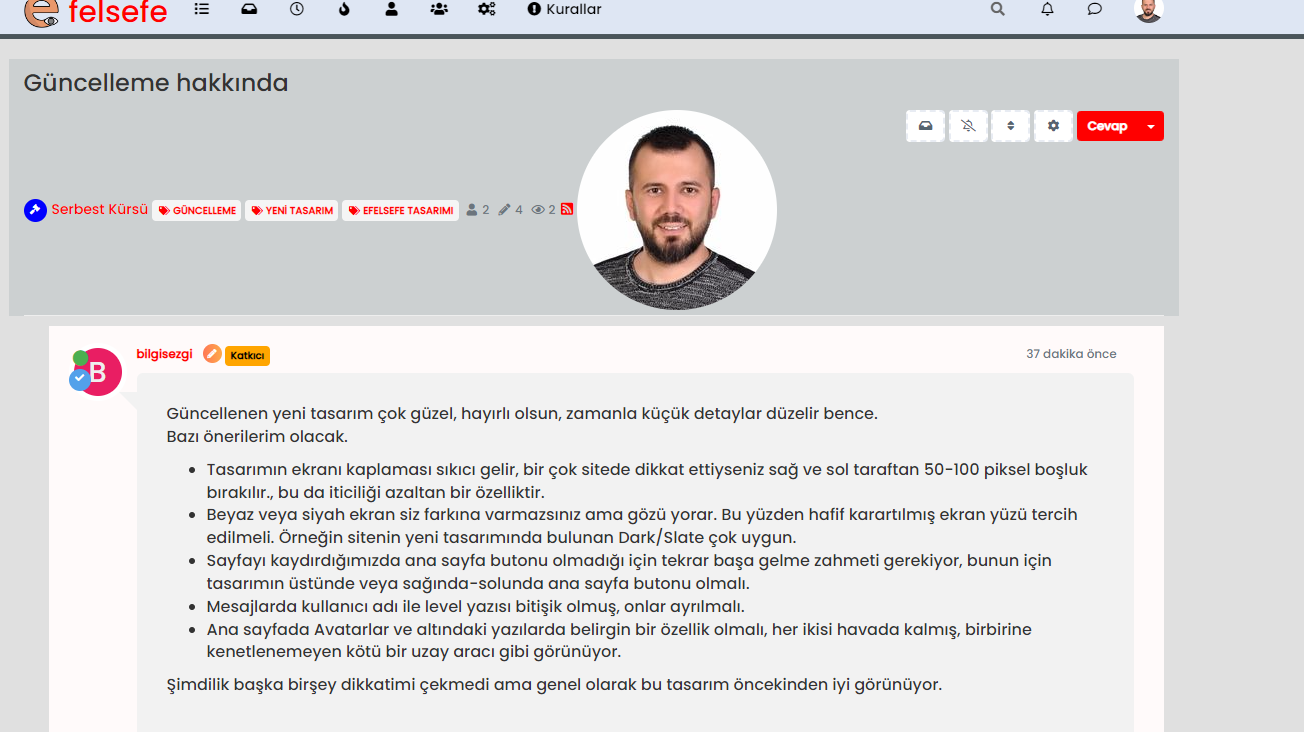
    16eb4dc5-91c1-48d6-9d3f-91c96228942e-image.png

    the avatar size is very big.

  • @phenomlab same result.
    i had deleted and reinstalled recent card but nothing chaged.
    by the way without recent card my current page on topic as below;

    16eb4dc5-91c1-48d6-9d3f-91c96228942e-image.png

    the avatar size is very big.

    @cagatay Did you rebuild and restart after the removal before you re-installed ?

  • @cagatay Did you rebuild and restart after the removal before you re-installed ?

    @phenomlab of course Mark i done.
    this is who is reading post type;
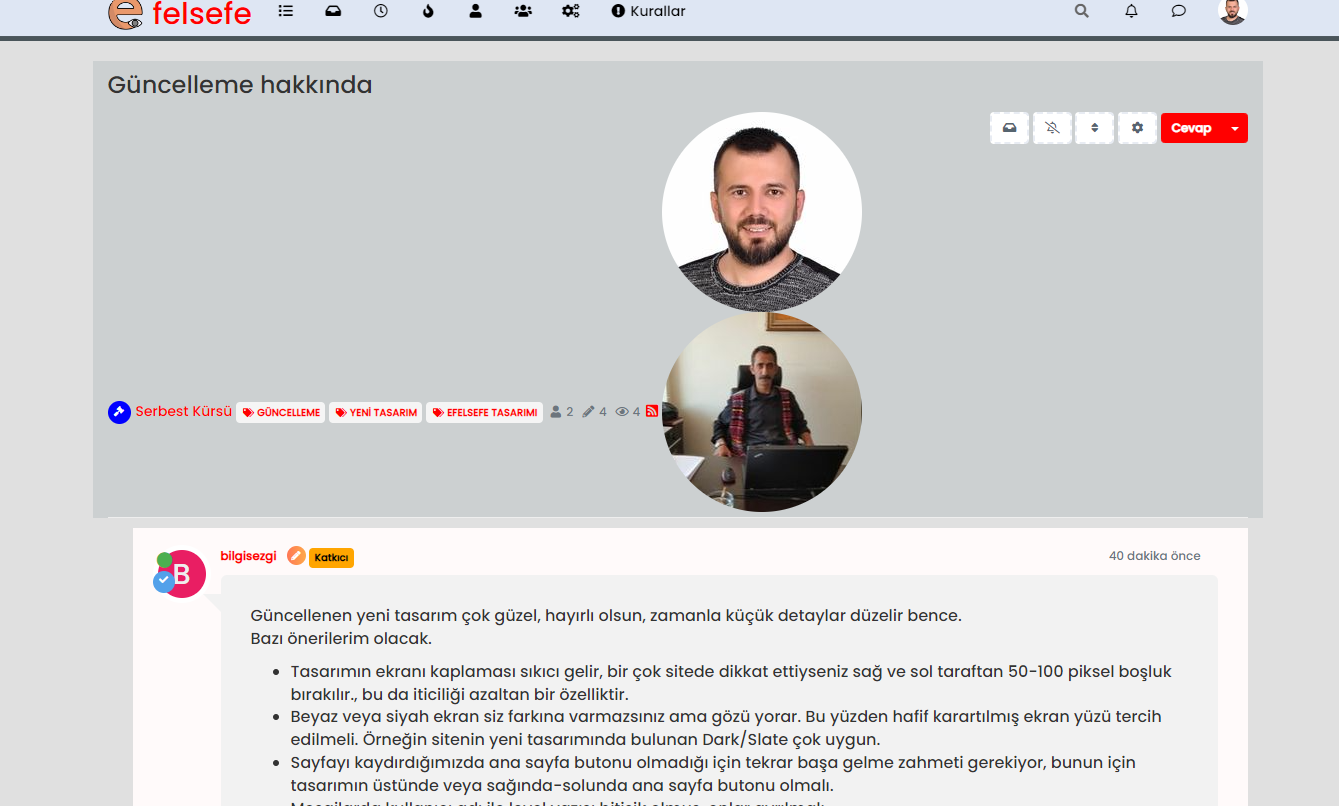
    6c28d201-2ff6-4e97-9ff2-0b34dc06dfc9-image.png

  • @phenomlab of course Mark i done.
    this is who is reading post type;

    6c28d201-2ff6-4e97-9ff2-0b34dc06dfc9-image.png

    @cagatay Are you sure that’s not nodebb-plugin-browsing-users in the screenshot ?

  • @cagatay Are you sure that’s not nodebb-plugin-browsing-users in the screenshot ?

    @phenomlab i had same problem recent card and browsing user…

  • @phenomlab i had same problem recent card and browsing user…

    @cagatay I’m logged into your site now. Taking a look

  • @cagatay I’m logged into your site now. Taking a look

    @phenomlab thank you Mark.

  • @phenomlab i had same problem recent card and browsing user…

    @cagatay I see the issue.

    I’ve removed

    nodebb-plugin-browsing-users
    nodebb-plugin-recent-cards
    

    You need to use the CLI to install the correct versions as below, which I’m doing now

    npm install nodebb-plugin-browsing-users@2.0.4
    npm install nodebb-plugin-recent-cards@2.0.23
    

    The versions you are using now are not compliant with v2 which is why they do not work properly.

  • @phenomlab thank you Mark.

    @cagatay Should be all sorted now 🙂
    Don’t forget to put your language back to Turkish.

  • phenomlabundefined phenomlab has marked this topic as solved on

Did this solution help you?
Did you find the suggested solution useful? Support 💗 Sudonix with a coffee ☕
If your organisation needs deeper expertise around infrastructure, security, or technology leadership, learn more about Phenomlab Ltd. Many of the deeper technical guides behind Sudonix are published there.

Related Topics
  • Upgrade issues

    Solved Configure nodebb
    2
    1
    2 Votes
    2 Posts
    1k Views
    Use this code git fetch # Grab the latest code from the NodeBB repository git checkout v3.x git reset --hard origin/v3.x And you will have the latest version without specifying it https://docs.nodebb.org/configuring/upgrade/
  • 4 Votes
    8 Posts
    2k Views
    @Panda said in Upgrade to NodeBB v3? 2BB or not 2BB, that is the question!: So although thats a plugin it has Widget like element and stopped working on the Theme change Which is normal based on the widgets being reset when you change themes.
  • NodeBB v3 Quick reply

    Solved Configure quick reply button
    4
    1
    2 Votes
    4 Posts
    1k Views
    here is the link: https://app.transifex.com/nodebb/nodebb/translate/#tr
  • NodeBB v3 Android Problem

    Solved Configure nodebb android
    4
    4 Votes
    4 Posts
    2k Views
    thank you fixed.
  • NodeBB: Favicon upload issue

    Solved Configure nodebb favicon
    12
    1
    3 Votes
    12 Posts
    3k Views
    @phenomlab I am on a Mac, so I used the “Option + Command + I”, and then performed the steps. It loaded my favicon! I checked on Firefox which I haven’t used before, and it showed my favicon also! That’s fantastic and thank you for the help!
  • NodeBB: Upgrading to NodeBB v3.x

    Solved Configure nodebb v3.x
    6
    0 Votes
    6 Posts
    2k Views
    @mventures You’d need to connect to the server and execute it directly - not on your local terminal. Review the guide below, which will show you how to gain access via SSH to your server https://docs.ovh.com/gb/en/dedicated/ssh-introduction/ Once you have access, you’ll need to navigate to the actual folder where NodeBB is installed You’ll then need to change to the directory as shown below /home/unbuntu/nodebb [image: 1680448167972-fdffe673-bf63-4b6d-a728-5506fddc1aff-image.png] In most cases, initial access takes you to the root of the file system. You can always issue pwd in a Linux terminal which will show you the Present Working Directory. From there, you can issue the command cd /home/ubuntu/nodebb Once in the NodeBB directory, you’d use the below commands ./nodebb stop git fetch && git checkout develop && git reset --hard origin/develop ./nodebb upgrade ./nodebb start Line 1 stops the NodeBB instance Line 2 gets the latest files from GIT (repository) and then checks out the development branch. It then resets the version you are using to the development branch ready for v3 Line 3 Runs the upgrade once the new branch is set, and code pulled Line 4 Restarts the NodeBB instance after the upgrade has completed Note that when you restart NodeBB and log back in, things will look very different to what you had in v2.
  • 5 Votes
    13 Posts
    3k Views
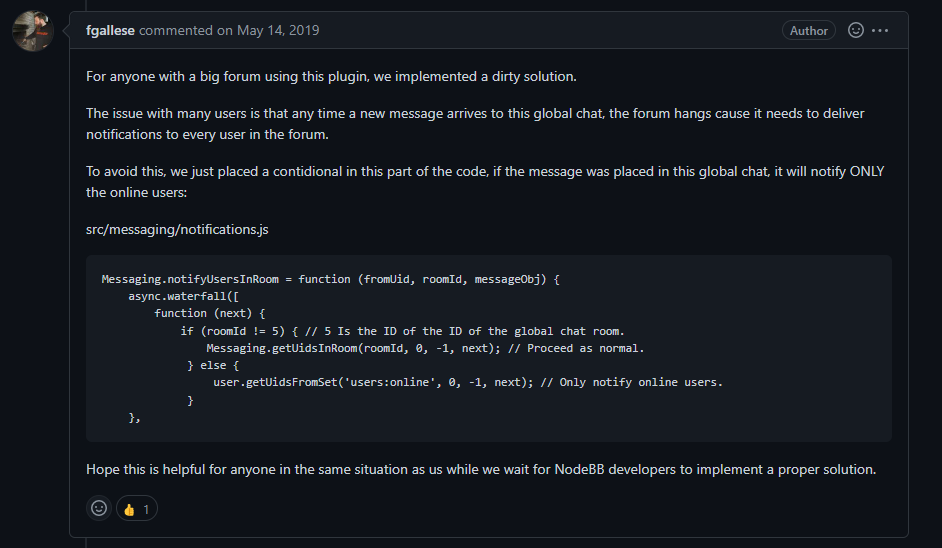
    'use strict'; const winston = require('winston'); const user = require('../user'); const notifications = require('../notifications'); const sockets = require('../socket.io'); const plugins = require('../plugins'); const meta = require('../meta'); module.exports = function (Messaging) { Messaging.notifyQueue = {}; // Only used to notify a user of a new chat message, see Messaging.notifyUser Messaging.notifyUsersInRoom = async (fromUid, roomId, messageObj) => { let uids = await Messaging.getUidsInRoom(roomId, 0, -1); uids = await user.blocks.filterUids(fromUid, uids); let data = { roomId: roomId, fromUid: fromUid, message: messageObj, uids: uids, }; data = await plugins.hooks.fire('filter:messaging.notify', data); if (!data || !data.uids || !data.uids.length) { return; } uids = data.uids; uids.forEach((uid) => { data.self = parseInt(uid, 10) === parseInt(fromUid, 10) ? 1 : 0; Messaging.pushUnreadCount(uid); sockets.in(`uid_${uid}`).emit('event:chats.receive', data); }); if (messageObj.system) { return; } // Delayed notifications let queueObj = Messaging.notifyQueue[`${fromUid}:${roomId}`]; if (queueObj) { queueObj.message.content += `\n${messageObj.content}`; clearTimeout(queueObj.timeout); } else { queueObj = { message: messageObj, }; Messaging.notifyQueue[`${fromUid}:${roomId}`] = queueObj; } queueObj.timeout = setTimeout(async () => { try { await sendNotifications(fromUid, uids, roomId, queueObj.message); } catch (err) { winston.error(`[messaging/notifications] Unabled to send notification\n${err.stack}`); } }, meta.config.notificationSendDelay * 1000); }; async function sendNotifications(fromuid, uids, roomId, messageObj) { const isOnline = await user.isOnline(uids); uids = uids.filter((uid, index) => !isOnline[index] && parseInt(fromuid, 10) !== parseInt(uid, 10)); if (!uids.length) { return; } if (roomId != 11) { // 5 Is the ID of the ID of the global chat room. Messaging.getUidsInRoom(roomId, 0, -1); // Proceed as normal. } else { user.getUidsFromSet('users:online', 0, -1); // Only notify online users. } const { displayname } = messageObj.fromUser; const isGroupChat = await Messaging.isGroupChat(roomId); const notification = await notifications.create({ type: isGroupChat ? 'new-group-chat' : 'new-chat', subject: `email:notif.chat.subject, ${displayname}`, bodyShort: `notifications:new_message_from, ${displayname}`, bodyLong: messageObj.content, nid: `chat_${fromuid}_${roomId}`, from: fromuid, path: `/chats/${messageObj.roomId}`, }); delete Messaging.notifyQueue[`${fromuid}:${roomId}`]; notifications.push(notification, uids); } };
  • Issues getting Flarum to work on new host

    Solved Configure virtualmin
    65
    14 Votes
    65 Posts
    27k Views
    @crazycells huh. Thanks. Will need to check that as well.