Skip to content

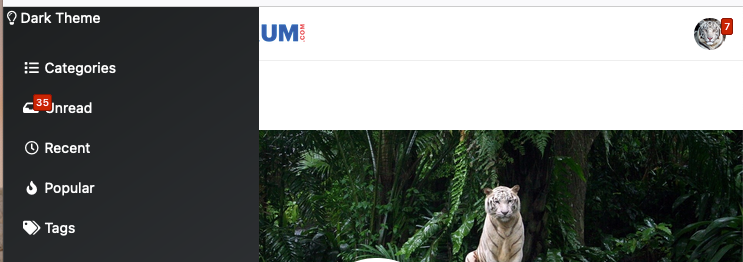
Dark Theme Upper Padding

Solved Customisation
7 2 1.8k

Did this solution help you?
Did you find the suggested solution useful? Support 💗 Sudonix with a coffee
If your organisation needs deeper expertise around infrastructure, security, or technology leadership, learn more about Phenomlab Ltd. Many of the deeper technical guides behind Sudonix are published there.

Related Topics
  • External Links - New Window

    Solved Customisation nodebb links settings
    8
    2 Votes
    8 Posts
    1k Views
    @Sampo2910 search the forum here for ogproxy which is the client side version of that plugin I wrote. It’s in use here on this forum.
  • What’s going on with NodeBB?

    Performance nodebb script die
    20
    8 Votes
    20 Posts
    3k Views
    @cagatay The most reliable way to upgrade Node.js on Ubuntu depends on how you originally installed it. Method 1: Using NVM (Recommended) If you already use Node Version Manager (NVM), upgrading is simple. NVM allows you to keep both versions and switch between them if needed. Install Node 22: nvm install 22 Switch to Node 22: nvm use 22 Set it as your default: nvm alias default 22 Verify the change: node -v Method 2: Using NodeSource (PPA) If you installed Node.js via apt using the NodeSource repository, you need to update the repository script to point to the new version. Remove the old NodeSource list (optional but cleaner): sudo rm /etc/apt/sources.list.d/nodesource.list Download and run the NodeSource setup script for Node 22: curl -fsSL [https://deb.nodesource.com/setup_22.x](https://deb.nodesource.com/setup_22.x) | sudo -E bash - Install/Upgrade Node.js: sudo apt-get install -y nodejs Verify the installation: node -v Method 3: Using the ‘n’ Package If you have npm installed, you can use the n interactive manager. Clear the npm cache: sudo npm cache clean -f Install the ‘n’ helper: sudo npm install -g n Install Node 22: sudo n 22 Update your shell: hash -r Troubleshooting Permission Denied: If you see permission errors using Method 2 or 3, ensure you are using sudo. Path Issues: If node -v still shows version 20 after upgrading via NVM, restart your terminal or run source ~/.bashrc. Conflicts: Avoid mixing these methods. If you switch from apt to nvm, it is best to sudo apt remove nodejs first to avoid path conflicts.
  • Bug Report

    Solved Bugs nodebb bugs
    47
    1
    26 Votes
    47 Posts
    14k Views
    @crazycells Good points, thanks. I completely forgot that classes are added - makes life much simpler! EDIT - seems this is pretty straightforward, and only needs the below CSS .upvoted i { color: var(--bs-user-level) !important; } This then yields [image: 1718028529465-3f072f8a-ebfa-4910-8723-73c493b8e4eb-image.png] However, the caveat here is that the .upvoted class will only show for your upvotes, and nobody else’s. However, this does satisfy the original request however I would love to see my upvoted posts more clearly, because currently, when I upvote, nothing on the post tool is changing, it would be nicer if there is an indication that I have upvoted (like a filled or colored triangle?)
  • Chevron up before & after

    Solved Configure nodebb
    11
    1
    4 Votes
    11 Posts
    3k Views
    @crazycells you are right thank you.
  • optional "snow falling" theme

    Solved Customisation nodebb
    6
    6 Votes
    6 Posts
    2k Views
    @Sala ok, but that’s still the same loop which is going to have an impact on the CPU.
  • Changing Background on NodeBB

    Solved Customisation background image nodebb
    4
    0 Votes
    4 Posts
    2k Views
    @cagatay You’d target the body tag and use the below line of CSS background: url(/assets/customcss/backgrounds/default/default.png) no-repeat center center fixed; Obviously, you need to change the path to suit where your image is being stored. More info around the background property can be found here https://www.w3schools.com/cssref/css3_pr_background.php
  • NodeBB slow after DB recovery

    Solved Performance performance nodebb
    1
    5 Votes
    1 Posts
    768 Views
    No one has replied
  • 4 Votes
    8 Posts
    4k Views
    @DownPW done