Skip to content

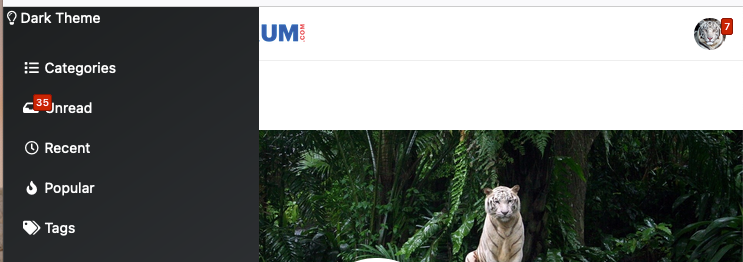
Dark Theme Upper Padding

Solved Customisation
7 2 1.3k

Did this solution help you?
Did you find the suggested solution useful? Support 💗 Sudonix with a coffee
If your organisation needs deeper expertise around infrastructure, security, or technology leadership, learn more about Phenomlab Ltd. Many of the deeper technical guides behind Sudonix are published there.

Related Topics
  • NodeBB v4.0.0

    General nodebb sudonix version 4
    28
    4 Votes
    28 Posts
    3k Views
    @Panda said in NodeBB v4.0.0: the workings of World aren’t intuitive Its not easy to get World populating when a forum is new to it This is a good point and one I’ve considered also. It’s a little confusing to be honest.
  • Block Domain

    Solved Let's Build It code javascript block domain nodebb
    26
    1 Votes
    26 Posts
    5k Views
    Yes ogproxy too is functionnal on dev
  • 11 Votes
    14 Posts
    3k Views
    @dave1904 excellent news. Thanks for the feedback
  • optional "snow falling" theme

    Solved Customisation nodebb
    6
    6 Votes
    6 Posts
    1k Views
    @Sala ok, but that’s still the same loop which is going to have an impact on the CPU.
  • Title on homepage of nodebb forum

    Solved Customisation nodebb
    2
    1 Votes
    2 Posts
    1k Views
    @eveh Welcome board The code you are referring to is custom written as no such functionality exists under NodeBB. However, adding the functionality is relatively trivial. Below are the required steps Navigate to /admin/appearance/customise#custom-header Add the below code to your header, and save once completed <ol id="mainbanner" class="breadcrumb"><li id="addtext">Your Title Goes Here</li></ol> Navigate to /admin/appearance/customise#custom-js and add the below code, then save $(document).ready(function() { $(window).on('action:ajaxify.end', function(data) { // Initialise mainbanner ID, but hide it from view $('#mainbanner').hide(); var pathname = window.location.pathname; if (pathname === "/") { $("#addtext").text("Your Title"); $('#mainbanner').show(); } else {} // If we want to add a title to a sub page, uncomment the below and adjust accordingly //if (pathname === "/yourpath") { //$("#addtext").text("Your Title"); //$('#mainbanner').show(); //} }); }); Navigate to /admin/appearance/customise#custom-css and add the below CSS block .breadcrumb { right: 0; margin-right: auto; text-align: center; background: #0086c4; color: #ffffff; width: 100vw; position: relative; margin-left: -50vw; left: 50%; top: 50px; position: fixed; z-index: 1020; } Note, that you will need to adjust your CSS code to suit your own site / requirements.
  • [NodeBB] greeting message

    Solved Customisation css nodebb javascript
    2
    1
    3 Votes
    2 Posts
    1k Views
    @pwsincd welcome to sudonix, and thanks for the comments. What your looking for is here https://sudonix.com/topic/195/nodebb-welcome-message/3?_=1648295651358
  • IRC Server/Client - Chat App with NodeBB

    Linux nodebb irc server client
    6
    1 Votes
    6 Posts
    2k Views
    @Hari not sure from the consumer perspective, but Skype has been all but completely consumed by Microsoft Teams when it comes to business usage.
  • 4 Votes
    8 Posts
    4k Views
    @DownPW done