Skip to content

NodeBB: The global Search option

Solved Configure
5 2 817 1
  • Hi,
    I noticed both on the NodeBB forum, Sudonix forum, and mine also, there is no Search functionality. I would like this very much because I would like people to search for a past answer before asking for a new one. Maybe, I am looking at the wrong place, or do I need to activate it from admin?

  • My apologies! I have found the Search field on NodeBB and your site. I just need to figure out how to get it on my site. Could it be because I have no posts yet?

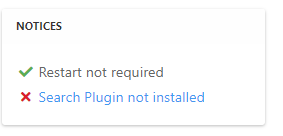
    @mventures Not quite - it’s because of this
    ff0a9849-5815-4c7a-853a-808fd325a779-image.png

    It’s installed, but not activated by default
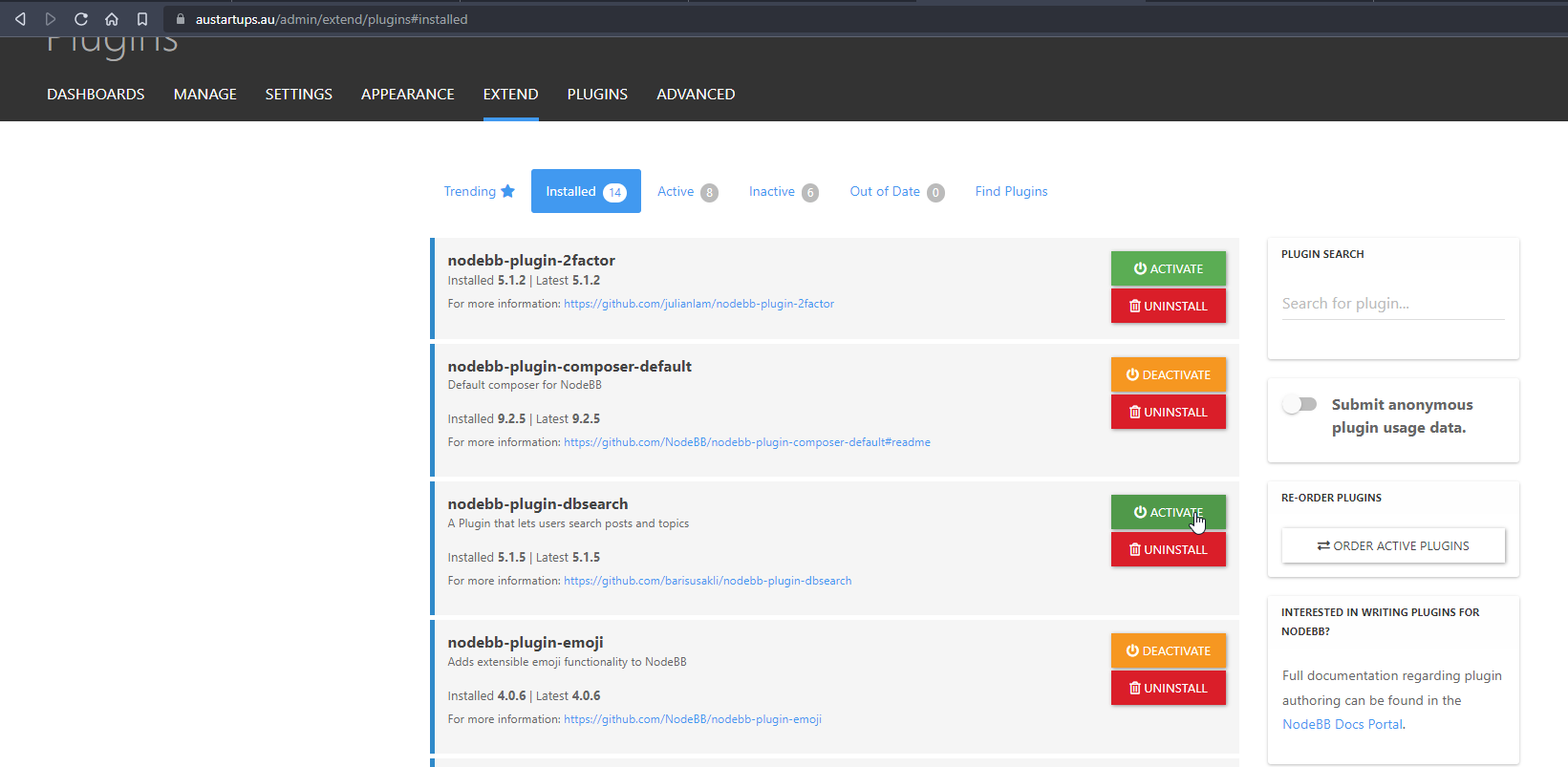
    f6280a04-ace2-43a6-8e9a-4614efecba84-image.png

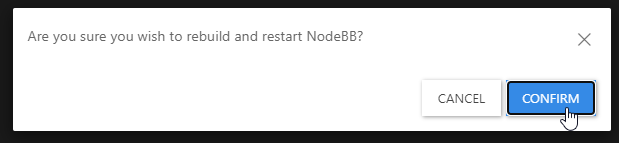
    Every time you install or uninstall a plugin, you need to rebuild NodeBB
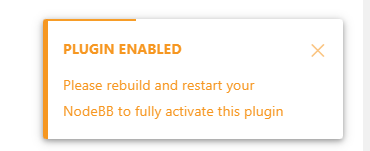
    c638615a-4597-41f6-ad32-b552c8433c06-image.png

    f539df98-cb0c-4875-abf4-b61a60333ad5-image.png

    f311a7a0-05b7-4036-820d-85661410369b-image.png

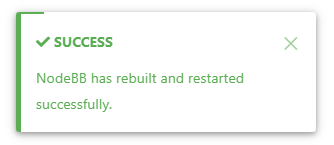
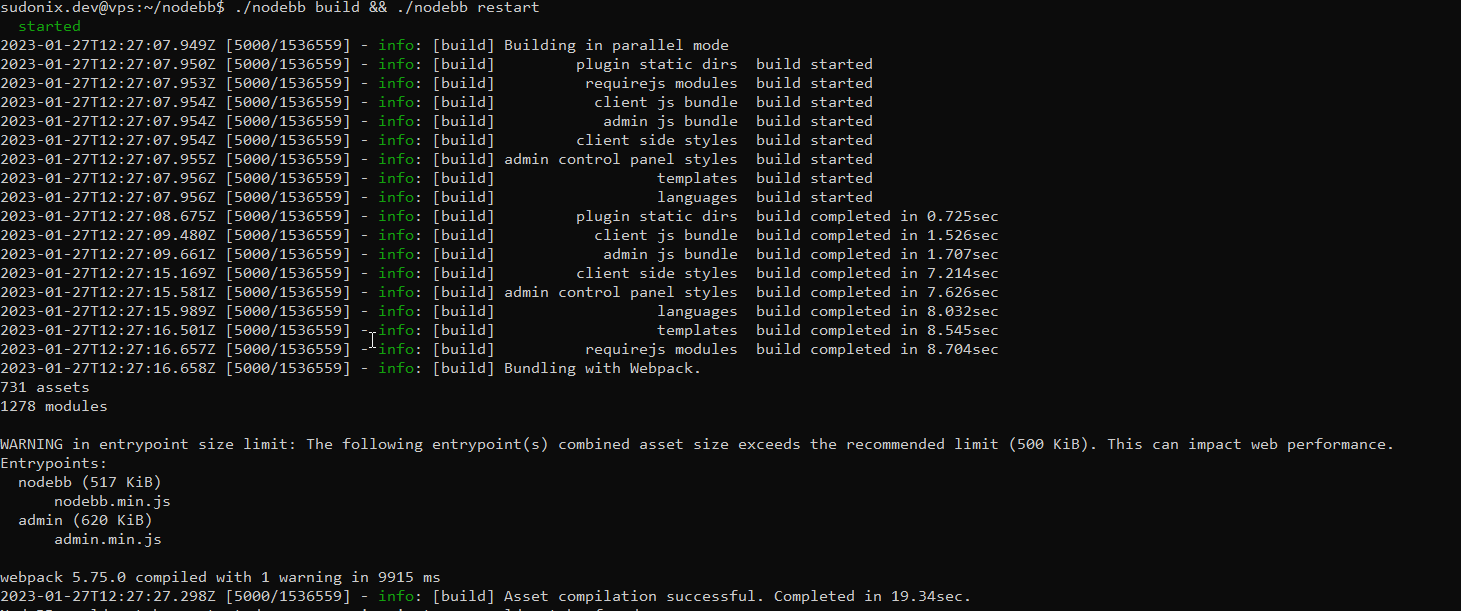
    Confirm, and wait for NodeBB to restart

    bd46bebc-58c6-400a-a3f3-1bd09e17a5b0-image.png

    b1b5263e-f68a-4a34-99b6-5147979fb8af-image.png

    Now go back to your site

    You should see that Search has appeared

    39af2e82-15ec-4add-a758-f422b60c43ba-image.png

    I’ve done all of this for you, so this is for reference.

    Regds

  • My apologies! I have found the Search field on NodeBB and your site. I just need to figure out how to get it on my site. Could it be because I have no posts yet?

  • My apologies! I have found the Search field on NodeBB and your site. I just need to figure out how to get it on my site. Could it be because I have no posts yet?

    @mventures Not quite - it’s because of this

    ff0a9849-5815-4c7a-853a-808fd325a779-image.png

    It’s installed, but not activated by default

    f6280a04-ace2-43a6-8e9a-4614efecba84-image.png

    Every time you install or uninstall a plugin, you need to rebuild NodeBB
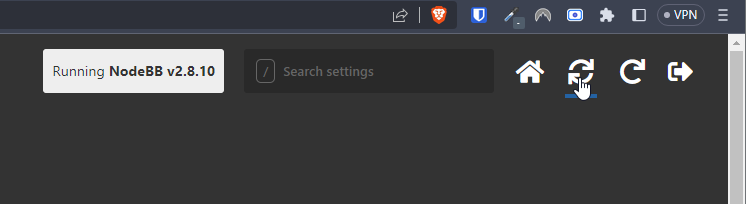
    c638615a-4597-41f6-ad32-b552c8433c06-image.png

    f539df98-cb0c-4875-abf4-b61a60333ad5-image.png

    f311a7a0-05b7-4036-820d-85661410369b-image.png

    Confirm, and wait for NodeBB to restart
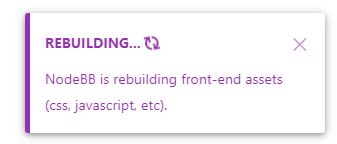
    bd46bebc-58c6-400a-a3f3-1bd09e17a5b0-image.png

    b1b5263e-f68a-4a34-99b6-5147979fb8af-image.png

    Now go back to your site

    You should see that Search has appeared

    39af2e82-15ec-4add-a758-f422b60c43ba-image.png

    I’ve done all of this for you, so this is for reference.

    Regds

  • phenomlabundefined phenomlab has marked this topic as solved on
  • That’s awesome @phenomlab! Thank you. I can see it 🙂

    What did you mean by, “rebuild NodeBB”? And the whole rebuild happens by just clicking that “recycle” button?

  • That’s awesome @phenomlab! Thank you. I can see it 🙂

    What did you mean by, “rebuild NodeBB”? And the whole rebuild happens by just clicking that “recycle” button?

    @mventures Yes, exactly. The other icon will restart NodeBB whilst the first icon I referenced will rebuild (recompile) it.

    The huge strength of NodeBB over Flarum (for example) is that the code is precompiled, and called once at boot. PHP’s code has to repeatedly reload code from source making it much slower.


Did this solution help you?
Did you find the suggested solution useful? Support 💗 Sudonix with a coffee
If your organisation needs deeper expertise around infrastructure, security, or technology leadership, learn more about Phenomlab Ltd. Many of the deeper technical guides behind Sudonix are published there.

Related Topics
  • Getting Eror When Started NodeBB

    Solved Configure bug
    7
    1
    2 Votes
    7 Posts
    1k Views
    @phenomlab yes i did. i deleted one of plugin then it started to work normally.
  • Custom html in nodebb to prevent cache

    Unsolved Configure nodebb
    18
    2 Votes
    18 Posts
    3k Views
    @Panda You’ll need to do that with js. With some quick CSS changes, it looks like this [image: 1690796279348-d619844f-fbfe-4cf1-a283-6b7364f6bf18-image.png] The colour choice is still really hard on the eye, but at least you can now read the text
  • NodeBB socket with CloudFlare

    Unsolved Performance socket cloudflare nodebb
    23
    1 Votes
    23 Posts
    7k Views
    @DownPW it’s your only realistic option at this stage.
  • Composer options on nodebb

    Solved Configure nodebb
    8
    1
    3 Votes
    8 Posts
    1k Views
    @Panda You should be able to expose the CSS for these using F12 to get into console [image: 1686833368846-3591518c-e3a3-4ada-a43c-6b32a5e0359c-image.png] [image: 1686833399483-a2b8ed46-4157-4ff2-85f0-576543380107-image.png] That should then expose the element once selected [image: 1686833431032-89d9c545-a47a-40d1-98f4-80cf3b958e8f-image.png] Here’s the below CSS you need based on the screenshot provided. .composer .formatting-bar .formatting-group li[data-format="picture-o"], .composer .formatting-bar .formatting-group li[data-format="spoiler"] { display: none; }
  • 2 Votes
    6 Posts
    1k Views
    @dave1904 I’d start by adding a console.log function to hookData so you can see what is being returned return hookData; console.log(hookData):
  • restarting nodebb on boot

    Unsolved Configure nodebb
    3
    1 Votes
    3 Posts
    1k Views
    @eeeee said in restarting nodebb on boot: can I just run nodebb under nodemon for auto restarts? It’s a better method. Nodemon just looks for file system changes and would effectively die if the server was rebooted meaning you’d have to start it again anyway. Systemd is the defacto standard which is how the operating system interacts in terms of services, scheduled tasks etc.
  • Blinking text Effect

    Customisation nodebb text effect css
    3
    5 Votes
    3 Posts
    963 Views
    @phenomlab I love it too @phenomlab said in Blinking text Effect: Has that “broken neon light” look that you see in films. It’s exactly that, kind of old neon signs of bar or pubs a bit cyberpunk too
  • NodeBB Design help

    Solved Customisation
    8
    3
    2 Votes
    8 Posts
    2k Views
    @riekmedia I’ve applied some new CSS to your site. Can you reload the page and try again ? For the record, this is what I added #footer { background: #2d343e; border-top: 4px solid #2d343e; font-size: 0.9em; margin-top: 70px; padding: 80px 0 0; position: relative; clear: both; bottom: 0; left: 0; right: 0; z-index: 1000; margin-left: -15px; margin-right: -338px; } The /categories page seems a bit messed up, so looking at that currently EDIT - issued some override CSS in the CATEGORIES widget <!--- CSS fix for overspill on /categories page - DO NOT DELETE --> <style> #footer { margin-right: -45px; } </style> That should resolve the /categories issue.