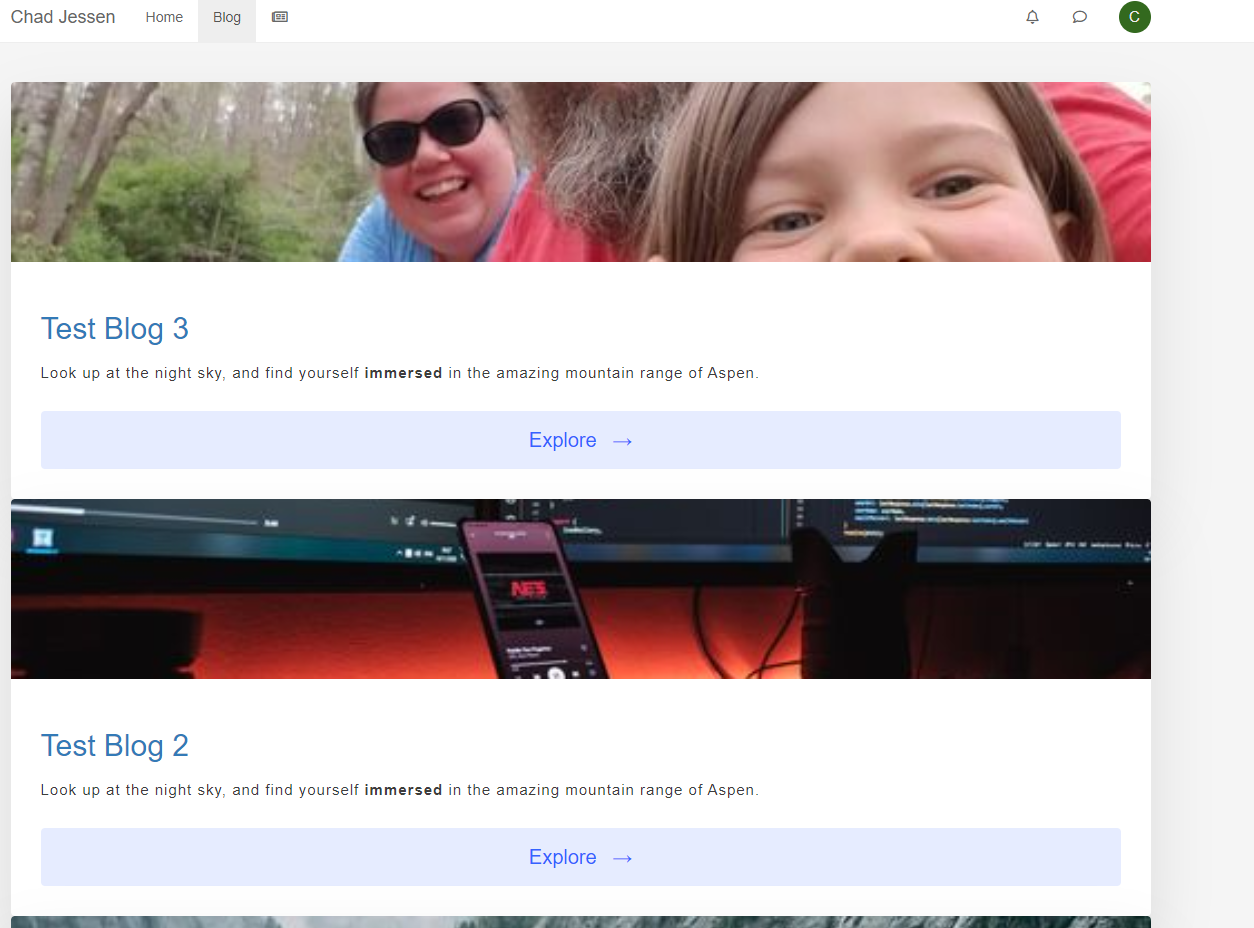
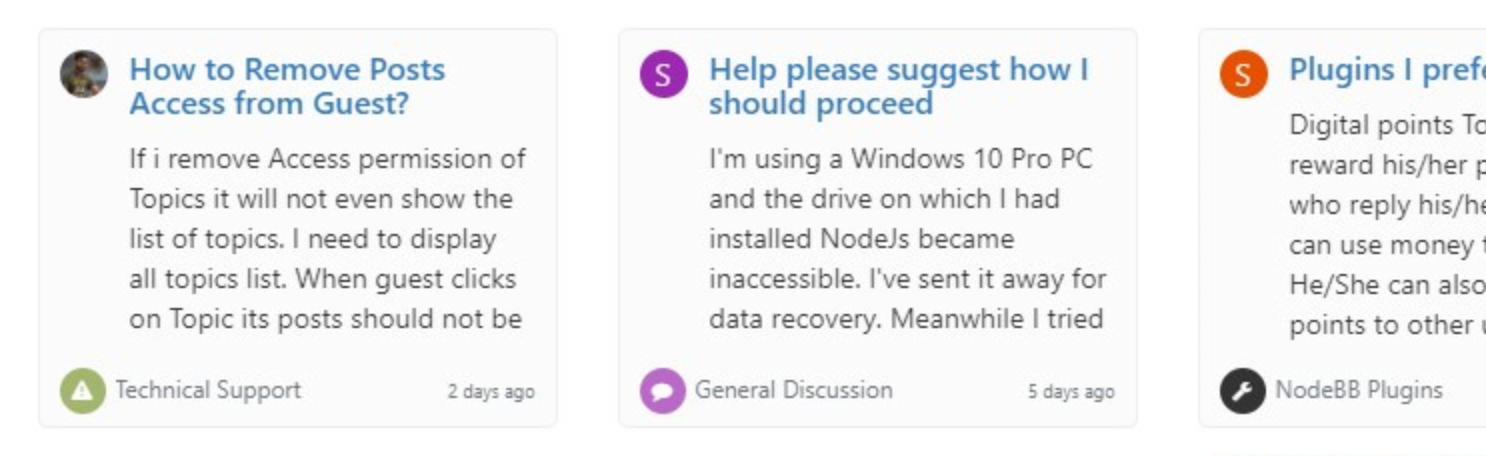
Recent Cards plugin customization
-
@crazycells Dark mode shouldn’t have any impact - can you provide a URL where I can see this ?
@phenomlab Yes, I see the issue. It’s because of lazy CSS classes meaning this below will override everything else when
body.lights-outis appended to the existing CSS class.body.lights-out .recent-cards .recent-card-container .recent-card { background-color: #2E2E2E; border: #848484; }You should be able to work around that by adding this into your custom CSS
body.lights-out .recent-cards .recent-card-container .recent-card {
    border: 1px solid #848484;
}
Let me know how you get on.
Mark Cutting also advises organisations as a Fractional CIO, Fractional CISO and Executive Advisor, helping boards improve technology governance, cyber resilience and executive decision making. Learn more at Gratmore Ltd
-
@phenomlab Yes, I see the issue. It’s because of lazy CSS classes meaning this below will override everything else when
body.lights-outis appended to the existing CSS class.body.lights-out .recent-cards .recent-card-container .recent-card { background-color: #2E2E2E; border: #848484; }You should be able to work around that by adding this into your custom CSS
body.lights-out .recent-cards .recent-card-container .recent-card {
    border: 1px solid #848484;
}
Let me know how you get on.
@phenomlab Yes, I found the lines and fixed them

Thank you very much. Since the recent card plugin-related codes are not included in the night mode plugin; we have previously added some custom codes for recent cards… Apparently, those codes were creating the problem. Now, it is fixed

-
 undefined phenomlab referenced this topic on
-
undefined phenomlab referenced this topic on
-
hi @phenomlab , somehow recent cards are not clickable in my forum after using these codes, however, it works fine here…
Normally, when I click a card it takes me to that topic, however, nothing happens now.
I use this CSS:
li.col-md-3.col-sm-6.col-xs-12.recent-card-container {
    width: 290px !important;
}
this JS code:
$(document).ready(function() {
    $(window).on('action:ajaxify.end', function(data) {
        $('.recent-card-container').each(function(i) {
            var dataId = $(this).attr("data-cid");
            var color = $('[role="presentation"]', this).css("background-color");
            console.log("data-cid " + dataId + " is " + color);
            $('[data-cid="' + dataId + '"] .recent-card').attr("style", "border-color: " + color);
        });
    });
});

$(document).ready(function() {
    $(window).on('action:ajaxify.end', function(data) {
   var categoryColor = $('[role="presentation"].icon').css("background-color");
                $('li.topic-owner-post:nth-child(1)').css('border-color', categoryColor);
    });
});


window.addEventListener("load", () => {
    // CHROME
    if (navigator.userAgent.indexOf("Chrome") != -1) {
        console.log("Google Chrome");
        $(window).on('action:ajaxify.end', function(data) {
            $('.carousel-mode').bxSlider({
                auto: false,
                autoControls: true,
                stopAutoOnClick: true,
                pager: false,
                keyboardEnabled: true,
                touchEnabled: false
            });
        });
    } else {
        console.log("Others");
        $(window).on('action:ajaxify.end', function(data) {
            $('.carousel-mode').bxSlider({
                auto: false,
                autoControls: true,
                stopAutoOnClick: true,
                pager: false,
                keyboardEnabled: true,
                touchEnabled: true
            });
        });
    }
});
and this header:
<script src="https://cdnjs.cloudflare.com/ajax/libs/jquery/3.6.0/jquery.min.js" integrity="sha512-894YE6QWD5I59HgZOGReFYm4dnWc1Qt5NtvYSaNcOP+u1T9qYdvdihz0PPSiiqn/+/3e7Jo4EaG7TubfWGUrMQ==" crossorigin="anonymous" referrerpolicy="no-referrer"></script> <script src="https://cdn.jsdelivr.net/bxslider/4.2.12/jquery.bxslider.min.js"></script> -
hi @phenomlab , somehow recent cards are not clickable in my forum after using these codes, however, it works fine here…
Normally, when I click a card it takes me to that topic, however, nothing happens now.
I use this CSS:
li.col-md-3.col-sm-6.col-xs-12.recent-card-container {
    width: 290px !important;
}
this JS code:
$(document).ready(function() {
    $(window).on('action:ajaxify.end', function(data) {
        $('.recent-card-container').each(function(i) {
            var dataId = $(this).attr("data-cid");
            var color = $('[role="presentation"]', this).css("background-color");
            console.log("data-cid " + dataId + " is " + color);
            $('[data-cid="' + dataId + '"] .recent-card').attr("style", "border-color: " + color);
        });
    });
});

$(document).ready(function() {
    $(window).on('action:ajaxify.end', function(data) {
   var categoryColor = $('[role="presentation"].icon').css("background-color");
                $('li.topic-owner-post:nth-child(1)').css('border-color', categoryColor);
    });
});


window.addEventListener("load", () => {
    // CHROME
    if (navigator.userAgent.indexOf("Chrome") != -1) {
        console.log("Google Chrome");
        $(window).on('action:ajaxify.end', function(data) {
            $('.carousel-mode').bxSlider({
                auto: false,
                autoControls: true,
                stopAutoOnClick: true,
                pager: false,
                keyboardEnabled: true,
                touchEnabled: false
            });
        });
    } else {
        console.log("Others");
        $(window).on('action:ajaxify.end', function(data) {
            $('.carousel-mode').bxSlider({
                auto: false,
                autoControls: true,
                stopAutoOnClick: true,
                pager: false,
                keyboardEnabled: true,
                touchEnabled: true
            });
        });
    }
});
and this header:
<script src="https://cdnjs.cloudflare.com/ajax/libs/jquery/3.6.0/jquery.min.js" integrity="sha512-894YE6QWD5I59HgZOGReFYm4dnWc1Qt5NtvYSaNcOP+u1T9qYdvdihz0PPSiiqn/+/3e7Jo4EaG7TubfWGUrMQ==" crossorigin="anonymous" referrerpolicy="no-referrer"></script> <script src="https://cdn.jsdelivr.net/bxslider/4.2.12/jquery.bxslider.min.js"></script>@crazycells Strange. Are there any errors appearing in the console at your end ? When I look at the console itself, I see

However, this doesn’t seem to have any impact on the recent cards - the links appear to work fine. I think this may be a caching issue at your end ?
Mark Cutting also advises organisations as a Fractional CIO, Fractional CISO and Executive Advisor, helping boards improve technology governance, cyber resilience and executive decision making. Learn more at Gratmore Ltd
-
@crazycells Strange. Are there any errors appearing in the console at your end ? When I look at the console itself, I see
However, this doesn’t seem to have any impact on the recent cards - the links appear to work fine. I think this may be a caching issue at your end ?
@phenomlab hmm, I tried on different browsers with iPhone.
First of all, when I delete this code:
window.addEventListener("load", () => {
    // CHROME
    if (navigator.userAgent.indexOf("Chrome") != -1) {
        console.log("Google Chrome");
        $(window).on('action:ajaxify.end', function(data) {
            $('.carousel-mode').bxSlider({
                auto: false,
                autoControls: true,
                stopAutoOnClick: true,
                pager: false,
                keyboardEnabled: true,
                touchEnabled: false
            });
        });
    } else {
        console.log("Others");
        $(window).on('action:ajaxify.end', function(data) {
            $('.carousel-mode').bxSlider({
                auto: false,
                autoControls: true,
                stopAutoOnClick: true,
                pager: false,
                keyboardEnabled: true,
                touchEnabled: true
            });
        });
    }
});
then, everything is normal, cards are clickable but of course, sliding does not work.
However, when I activate it, I could not click the cards on Safari, but it was working on Firefox. I can slide the cards on both browsers by the way.
So, I guess like Google Chrome, Safari has its own problems with this sliding application?
-
I forgot to write… I do not see any errors on the console.
-
@phenomlab hmm, I tried on different browsers with iPhone.
First of all, when I delete this code:
window.addEventListener("load", () => {
    // CHROME
    if (navigator.userAgent.indexOf("Chrome") != -1) {
        console.log("Google Chrome");
        $(window).on('action:ajaxify.end', function(data) {
            $('.carousel-mode').bxSlider({
                auto: false,
                autoControls: true,
                stopAutoOnClick: true,
                pager: false,
                keyboardEnabled: true,
                touchEnabled: false
            });
        });
    } else {
        console.log("Others");
        $(window).on('action:ajaxify.end', function(data) {
            $('.carousel-mode').bxSlider({
                auto: false,
                autoControls: true,
                stopAutoOnClick: true,
                pager: false,
                keyboardEnabled: true,
                touchEnabled: true
            });
        });
    }
});
then, everything is normal, cards are clickable but of course, sliding does not work.
However, when I activate it, I could not click the cards on Safari, but it was working on Firefox. I can slide the cards on both browsers by the way.
So, I guess like Google Chrome, Safari has its own problems with this sliding application?
@crazycells odd. Should actually work on Safari. Can you change the line under “Others” to be
touchEnabled: falseand see if that allows you to select the href links ?Obviously, save the code and reload the site before testing again.
Mark Cutting also advises organisations as a Fractional CIO, Fractional CISO and Executive Advisor, helping boards improve technology governance, cyber resilience and executive decision making. Learn more at Gratmore Ltd
-
@crazycells odd. Should actually work on Safari. Can you change the line under “Others” to be
touchEnabled: falseand see if that allows you to select the href links ?Obviously, save the code and reload the site before testing again.
@phenomlab said in Recent Cards plugin customization:
@crazycells odd. Should actually work on Safari. Can you change the line under “Others” to be
touchEnabled: falseand see if that allows you to select the href links ?Obviously, save the code and reload the site before testing again.
with this change, in both Safari and Firefox browsers, I can click the cards and go to the topics, however sliding does not work.
-
@phenomlab said in Recent Cards plugin customization:
@crazycells odd. Should actually work on Safari. Can you change the line under “Others” to be
touchEnabled: falseand see if that allows you to select the href links ?Obviously, save the code and reload the site before testing again.
with this change, in both Safari and Firefox browsers, I can click the cards and go to the topics, however sliding does not work.
@crazycells yes, unsurprising as they both use the
webkitCSS rendering engine. This will be the same bug I reference earlier that affects Google Chrome. Not much that can be done sadly. -
@pobojmoks that’s easily done by modifying the code provided here so that it targets
backgroundrather thanborderIn essence, the below should work
$(document).ready(function() { $(window).on('action:ajaxify.end', function(data) { $('.recent-card-container').each(function(i) { var dataId = $(this).attr("data-cid"); var color = $('[role="presentation"]', this).css("background-color"); console.log("data-cid " + dataId + " is " + color); $('[data-cid="' + dataId + '"] .recent-card').attr("style", "background-color: " + color); }); }); }); -
undefined phenomlab referenced this topic on

Hello! It looks like you're interested in this conversation, but you don't have an account yet.
Getting fed up of having to scroll through the same posts each visit? When you register for an account, you'll always come back to exactly where you were before, and choose to be notified of new replies (either via email, or push notification). You'll also be able to save bookmarks and upvote posts to show your appreciation to other community members.
With your input, this post could be even better 💗
Register LoginDid this solution help you?
Related Topics
-
-
Smart Widgets
Solved Configure -
-
-
-
-
-