Skip to content

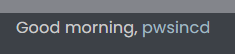
[NodeBB] greeting message

Solved Customisation
2 2 1.3k 1

Did this solution help you?
Did you find the suggested solution useful? Support 💗 Sudonix with a coffee
If your organisation needs deeper expertise around infrastructure, security, or technology leadership, learn more about Phenomlab Ltd. Many of the deeper technical guides behind Sudonix are published there.

Related Topics
  • adding some console.log to Nodebb

    Solved Customisation nodebb
    4
    1 Votes
    4 Posts
    2k Views
    @eeeee if you’re using the console, you could try node app.js > app.log 2>&1 This would redirect stdout to a file named app.log and redirect stderr to stdout. I’m not sure about standard logging under NodeBB, but there is an error log located at logs/error.log. Failing that, you could always stop the NodeBB service then use ./nodebb dev from the console which would then provide debug output.
  • NodeBB: Creating pages

    Solved Configure nodebb create page
    9
    0 Votes
    9 Posts
    2k Views
    OK, I think I have figured out how to place a link in the footer which will click to a new page.
  • How to fix size of photos & videos NodeBB

    Solved Customisation nodebb nodebb size
    7
    3 Votes
    7 Posts
    2k Views
    @crazycells pleasure. Using percentages makes much more sense in this case. It’s the same argument with px vs pt vs em with fonts, margins, padding, etc., in the sense that em is generally preferred over px and pt https://stackoverflow.com/questions/609517/why-em-instead-of-px
  • [NodeBB] Custom fields plugin

    Unsolved Customisation nodebb plugins javascript custom
    5
    0 Votes
    5 Posts
    2k Views
    @pwsincd hi. Just following up on this thread (I know it’s old) but was curious to understand if it’s still an issue or not ?
  • Adjusting the size of boxes in posts-list class

    Solved Customisation nodebb
    3
    3 Votes
    3 Posts
    1k Views
    @phenomlab thanks a lot, this combination works best .posts-list .posts-list-item .content { overflow: auto; max-height: 600px; }
  • [NODEBB] Stats

    Unsolved Customisation plugin stats script
    20
    1
    2 Votes
    20 Posts
    4k Views
    @phenomlab said in [NODEBB] Stats: @jac or I land up fixing it I wouldn’t put it past you
  • [NODEBB] Welcome Message

    Solved Customisation css html nodebb
    20
    2
    13 Votes
    20 Posts
    6k Views
    @DownPW the ‘js’ code for the banner takes the time from the client, so what it displays really depends on the regional settings for the operating system. I’ve not seen this issue myself but would like to see some examples of screenshots if possible.
  • NodeBB Design help

    Solved Customisation
    8
    3
    2 Votes
    8 Posts
    2k Views
    @riekmedia I’ve applied some new CSS to your site. Can you reload the page and try again ? For the record, this is what I added #footer { background: #2d343e; border-top: 4px solid #2d343e; font-size: 0.9em; margin-top: 70px; padding: 80px 0 0; position: relative; clear: both; bottom: 0; left: 0; right: 0; z-index: 1000; margin-left: -15px; margin-right: -338px; } The /categories page seems a bit messed up, so looking at that currently EDIT - issued some override CSS in the CATEGORIES widget <!--- CSS fix for overspill on /categories page - DO NOT DELETE --> <style> #footer { margin-right: -45px; } </style> That should resolve the /categories issue.