Skip to content

Want to use Sudonix themes ?
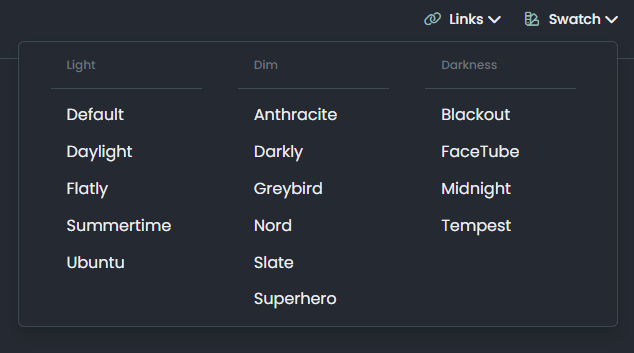
Chitchat
80 5 31.3k 1
  • I really like the paperclip feature, it switches between themes very smoothly, can you provide this feature? Thank you very much!

    wrote on last edited by
    #5

    @veronikya I’m going to be providing all of the themes as open source soon on github so you should check back here frequently for updates.

    As this site runs NodeBB, the themes are specifically designed for this platform. Are you running NodeBB yourself, or do you need the themes for another type of site?

  • wrote on last edited by phenomlab
    #6

    Ok, very much looking forward to your release and yes, Nodebb version v3.2.1, I’ve been using Nodebb for two years now!
    Love your site so much!

  • Ok, very much looking forward to your release and yes, Nodebb version v3.2.1, I’ve been using Nodebb for two years now!
    Love your site so much!

    wrote on last edited by
    #7

    @veronikya there’s some custom JS needed to support the themes, but I’ll provide that too.

  • @veronikya there’s some custom JS needed to support the themes, but I’ll provide that too.

    wrote on last edited by
    #8

    @veronikya in case you hadn’t seen it, I’ve released the code, CSS, and guide here

    https://sudonix.org/topic/542/swatch-theme-changer

  • wrote on last edited by veronikya
    #9

    Such a pleasant surprise, thank you for all you do.I’m trying to deploy it to my site now!

  • wrote on last edited by cagatay
    #10

    Mark hi
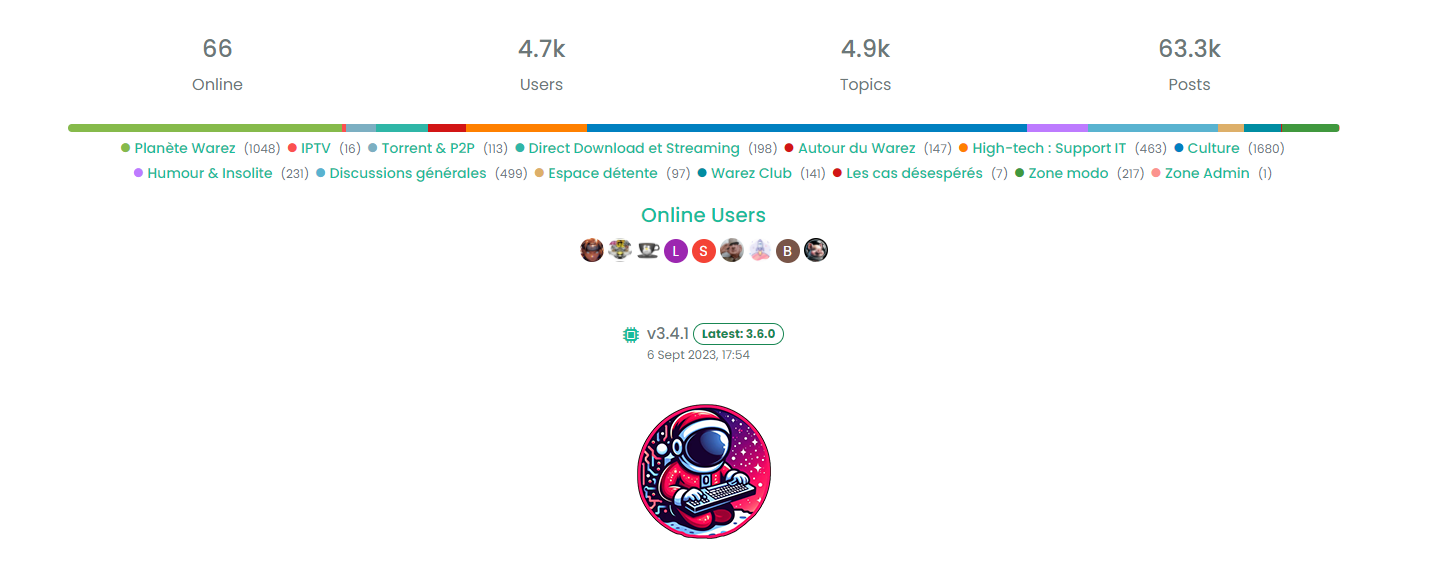
    How i can add below status plugin?

    image.png

  • Mark hi
    How i can add below status plugin?

    image.png

    wrote on last edited by
    #11
  • Mark hi
    How i can add below status plugin?

    image.png

    wrote on last edited by
    #12

    @cagatay said in Want to use Sudonix themes ?:

    Mark hi
    How i can add below status plugin?

    image.png

    this is nice, I see its usefulness, but somehow this reminds me old forums very much 😄 so, I have mixed feelings about this widget… I guess nodebb uses a modernized version of the stats by default…

  • @cagatay said in Want to use Sudonix themes ?:

    Mark hi
    How i can add below status plugin?

    image.png

    this is nice, I see its usefulness, but somehow this reminds me old forums very much 😄 so, I have mixed feelings about this widget… I guess nodebb uses a modernized version of the stats by default…

    wrote on last edited by
    #13

    @crazycells yes, it does. It’s somewhat traditional, and a bit “PHPBB” if I’m honest, but I quite like it.

  • @crazycells yes, it does. It’s somewhat traditional, and a bit “PHPBB” if I’m honest, but I quite like it.

    wrote on last edited by phenomlab
    #14

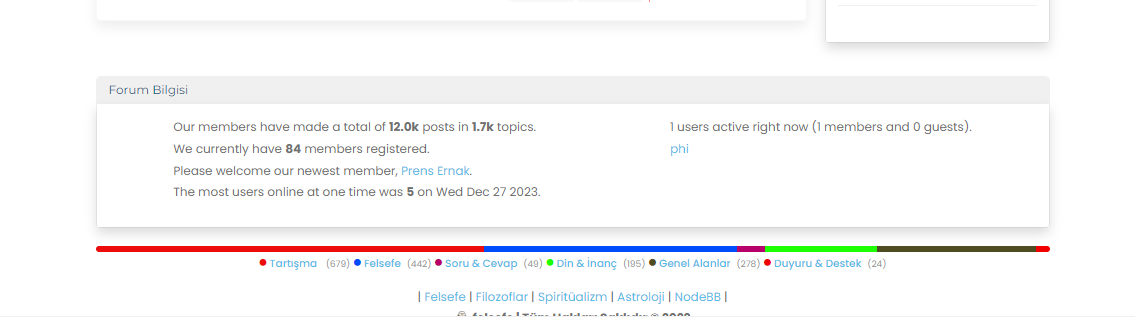
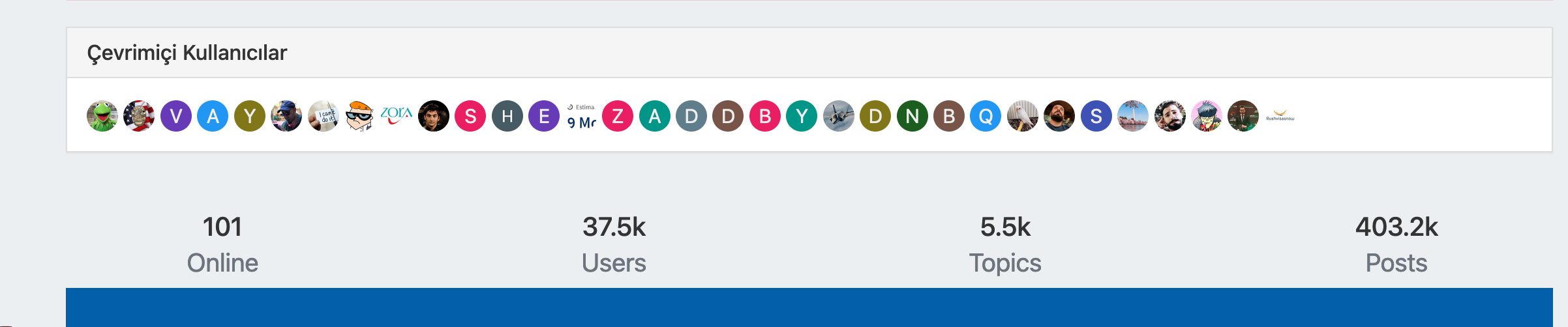
    @phenomlab Yes probably… But, I think all old forum formats had something very similar… I, too, liked this, do not get me wrong, it is quite useful for a nice summary of forum stats… But at least for “persona” theme, default forum stat widget was more proper I guess… or maybe it is my bad taste lol…
    Screenshot 2023-12-27 at 13.59.18.png

    PS. I realized that I have to adjust “online users” title as multi-language…

  • wrote on last edited by DownPW
    #15

    Yep I prefer too modern persona widgets.

    Like this for me :

    image.png

  • wrote on last edited by
    #16

    here mine 🙂

    image.png

  • phenomlab phenomlab unpinned this topic on
  • wrote on last edited by
    #17

    Mark hi,
    I would like to use your color which you are using now. Post,background, topic etc.
    Could you please help me?

  • Mark hi,
    I would like to use your color which you are using now. Post,background, topic etc.
    Could you please help me?

    wrote on last edited by phenomlab
    #18

    @cagatay Can you elaborate a bit more?

  • wrote on last edited by
    #19

    Such as the background color used, the frame and color of the topics and the fonts. I want it to be on my site like on Sudonix.

  • Such as the background color used, the frame and color of the topics and the fonts. I want it to be on my site like on Sudonix.

    wrote on last edited by
    #20

    @cagatay Structurally, Sudonix is now a significant departure from the stock Harmony theme and makes several adjustments to layout, logos etc. Because of this, your site will not look as it should post code implementation, therefore, I’d advise against going for a direct copy of the code, but to focus on setting the CSS to be how you’d like in terms of colours etc.

    Your own site has quite a high level of customisation, and this would effectively be lost if you chose the direct replacement route.

  • wrote on last edited by
    #21

    so whats your suggest to me, do not change anything or replace and lost all sor Sudonix theme?

  • so whats your suggest to me, do not change anything or replace and lost all sor Sudonix theme?

    wrote on last edited by
    #22

    @cagatay You can replace the CSS, although if you take the latest code from Sudonix, this will reference objects as variables that do not exist on your site and will therefore fail to render properly. My suggestion here would be to select the colour scheme you like and replicate the CSS for this manually on your own site.

  • wrote on last edited by
    #23

    got your point thank you will do.

  • wrote on last edited by cagatay
    #24

    could you please share css path for your web site.


Related Topics
  • Who uses Flarum?

    Chitchat flarum forum
    22
    7 Votes
    22 Posts
    8k Views
    phenomlab
    @Madchatthew I use it here. It is faster, but not sure if that extends to build times.
  • Planned sunset of NTFY plugin

    Pinned Announcements push nodebb ntfy
    7
    1
    8 Votes
    7 Posts
    4k Views
    phenomlab
    I’ve noticed that I’m the only one subscribed to the push notifications on this site. If you were using NTFY previously, and have noticed that you’ve not had any alerts for a while, it’s because this feature has been disabled. You’ll now need to use the push notification to replace NTFY as mentioned in the first post.
  • MogoDB v6 to v7 upgrade

    Solved Configure nodebb
    5
    1 Votes
    5 Posts
    2k Views
    phenomlab
    @Panda if you used the Ubuntu PPA, I think this only goes as far as 6.x if I recall correctly.
  • Theme retirement

    Announcements themes switcher
    21
    16 Votes
    21 Posts
    9k Views
    phenomlab
    I relented somewhat here and added another swatch - one I missed, which was previous called “blackout”. This specific one has been adapted to work on the new theming engine, but the others have been reclassified, and renamed to suit. [image: image.png] As a result, the theme you might have had will probably be reflecting something else, so you (might) need to change your themes accordingly. The changes are as follows Light -> No Change Cloudy -> Is now the old “Dim” Dim -> Is now the old “Dark” Dark -> Now a new theme based on the revamped “Blackout”
  • Whitespace fixes in Nodebb

    Solved Customisation nodebb
    18
    2
    7 Votes
    18 Posts
    7k Views
    phenomlab
    @Panda Just circling back here with something of an update (which I think you’ll like). I’ve completely restructured the ranking system. There are now less ranks, with a higher point threshold to reach them. More importantly, if you reload the site, you’ll notice that the ranks are now icons. I also removed the “Author” badge, and made this a single icon, which (to me) looks much better.
  • NodeBB v3

    Announcements nodebb v3 nodebb
    2
    3 Votes
    2 Posts
    1k Views
    phenomlab
    @cagatay JS will work fine - no changes there, and there are no plans to drop support for jQuery. More of an issue is the CSS - for which there are quite a few breaking changes. Keep an eye on sudonix.dev (my development site) where you can see progress in relation to how I am tackling the compatibility issues.
  • Top Ranked Forums

    Chitchat nodebb top ranked
    9
    1
    3 Votes
    9 Posts
    3k Views
    phenomlab
    The real issue here is that most people consider forums to be “dead” in the sense that nobody uses them anymore, and social media groups have taken their place. Their once dominant stance in the 90’s and early 00’s will never be experienced again, but having said that, there are a number of forums that did in fact survive the social media onslaught, and still enjoy a large user base. Forums tend to be niche. One that immediately sticks out is Reddit - despite looking like it was designed in the 80s, it still has an enormous user base. Another is Stack Overflow, which needs no introduction. The key to any forum is the content it offers, and the more people whom contribute in terms of posting , the more popular and widely respected it becomes as a reliable source of information. Forums are still intensely popular with gamers, alongside those that offer tips on hacking etc.
  • Title on homepage of nodebb forum

    Solved Customisation nodebb
    2
    1 Votes
    2 Posts
    2k Views
    phenomlab
    @eveh Welcome board The code you are referring to is custom written as no such functionality exists under NodeBB. However, adding the functionality is relatively trivial. Below are the required steps Navigate to /admin/appearance/customise#custom-header Add the below code to your header, and save once completed <ol id="mainbanner" class="breadcrumb"><li id="addtext">Your Title Goes Here</li></ol> Navigate to /admin/appearance/customise#custom-js and add the below code, then save $(document).ready(function() { $(window).on('action:ajaxify.end', function(data) { // Initialise mainbanner ID, but hide it from view $('#mainbanner').hide(); var pathname = window.location.pathname; if (pathname === "/") { $("#addtext").text("Your Title"); $('#mainbanner').show(); } else {} // If we want to add a title to a sub page, uncomment the below and adjust accordingly //if (pathname === "/yourpath") { //$("#addtext").text("Your Title"); //$('#mainbanner').show(); //} }); }); Navigate to /admin/appearance/customise#custom-css and add the below CSS block .breadcrumb { right: 0; margin-right: auto; text-align: center; background: #0086c4; color: #ffffff; width: 100vw; position: relative; margin-left: -50vw; left: 50%; top: 50px; position: fixed; z-index: 1020; } Note, that you will need to adjust your CSS code to suit your own site / requirements.