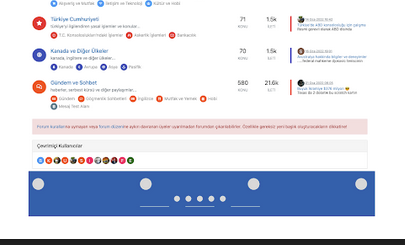
Bottom footer navbar button extend
-
@DownPW Can you let me know if you used the same code for the footer as what is here ? I think this is the case, but want to check. There needs to be some modifications to this code to support the footer toggle.
@phenomlab said in Bottom footer navbar button extend:
Can you let me know if you used the same code for the footer as what is here ?
yes Mark, with minor adjustement.
-
Instructions
- Go to
/admin/extend/widgetsand locate the “Global Footer” widget - At the very top of the existing code you have in that widget, add
<div id="console-nav-tab"><i class="fa-solid fa-angles-left"></i></div>- Add this CSS
div#console-nav-tab {
position: fixed;
    bottom: 0px;
    z-index: 900;
    height: 30px;
    left: 0px;
}
div#console-nav-tab i {
    font-size: 16px;
    margin-left: 10px;
    line-height: 2.0 !important;
}
.toBottom {
   bottom: 0px !important;
}
Note, that you probably need to modify the existing CSS ID
floatleftto accommodate the additional DIV and icon. For example#floatleft { float: left; padding-left: 30px; /*additional left padding to support additional DIV and icon */ font-size: 80%; line-height: 2.0; font-weight: 600; display: flex; }- Go to
/admin/appearance/customise#custom-jsand add this block of code (bottom is fine, or wherever you want to place it)
$(document).ready(function() { $(window).on('action:ajaxify.end', function(data) { var getState = localStorage.getItem("footer"); if (getState === "hidden") { $("#console-nav-footer").hide(); $("#console-nav-tab i").addClass("fa-solid fa-angles-right"); $('.pagination-block').addClass("toBottom"); } else { $("#console-nav-tab i").addClass("fa-solid fa-angles-left"); $('.pagination-block').removeClass("toBottom"); } $("#console-nav-tab").click(function() { $("#console-nav-footer").toggle(250, function() { if ($("#console-nav-footer").is(":hidden")) { localStorage.setItem("footer", "hidden"); $("#console-nav-tab i").addClass("fa-solid fa-angles-right"); $('.pagination-block').addClass("toBottom"); } else { localStorage.setItem("footer", "shown"); $("#console-nav-tab i").addClass("fa-solid fa-angles-left"); $('.pagination-block').removeClass("toBottom"); } }); $("i", this).toggleClass("fa-solid fa-angles-left fa-solid fa-angles-right"); }); }); });- Test, and make necessary modifications to suit your own environment
- Go to
-
-
@DownPW Because it’s not finished. I forgot the session state…
-
ha oki lol

another request but if it’s not possible, it does not matter

Can we imagine when the footerbar is reduced, we descend the pagination block automatically ?

it would be cleaner. what do you think ?
PW and WS Spirit alive
-
ha oki lol
another request but if it’s not possible, it does not matter
Can we imagine when the footerbar is reduced, we descend the pagination block automatically ?
it would be cleaner. what do you think ?
@DownPW that should be possible, yes. Leave it with me
-
@DownPW instructions restored
Fixed:
- Footer does not collapse correctly on reload
- Record session state in session, and not cookies (mostly because cookies can be disabled)
- Pagination bar drops to fill missing footer on collapse
- Correct icon direction displayed when expanding and collapsing
Let me know how you get on.
Note that there may be some cosmetic issues on mobile devices, which I will work through if necessary. In some cases it’s actually better to hide the footer altogether on mobile because of the screen estate.
Here’s what it looks like
-
 undefined phenomlab has marked this topic as solved on
-
Very good job Mark
–> I may have done something wrong but everything is ok except the pagination block which does not go down automatically.
An idea ?
PW and WS Spirit alive
-
Very good job Mark
–> I may have done something wrong but everything is ok except the pagination block which does not go down automatically.
An idea ?
@DownPW not sure without checking, but I’ll have a look later
-
PW and WS Spirit alive
-
@DownPW great ! Post a video so we can see how it looks outside of Sudonix

Mark Cutting also advises organisations as a Fractional CIO, Fractional CISO and Executive Advisor, helping boards improve technology governance, cyber resilience and executive decision making. Learn more at Gratmore Ltd
-
-
@phenomlab What tools you use ?
@DownPW one of the many freely available screen recorders for chrome (extensions). Nothing fancy.
-
@phenomlab said in Bottom footer navbar button extend:
@DownPW great ! Post a video so we can see how it looks outside of Sudonix
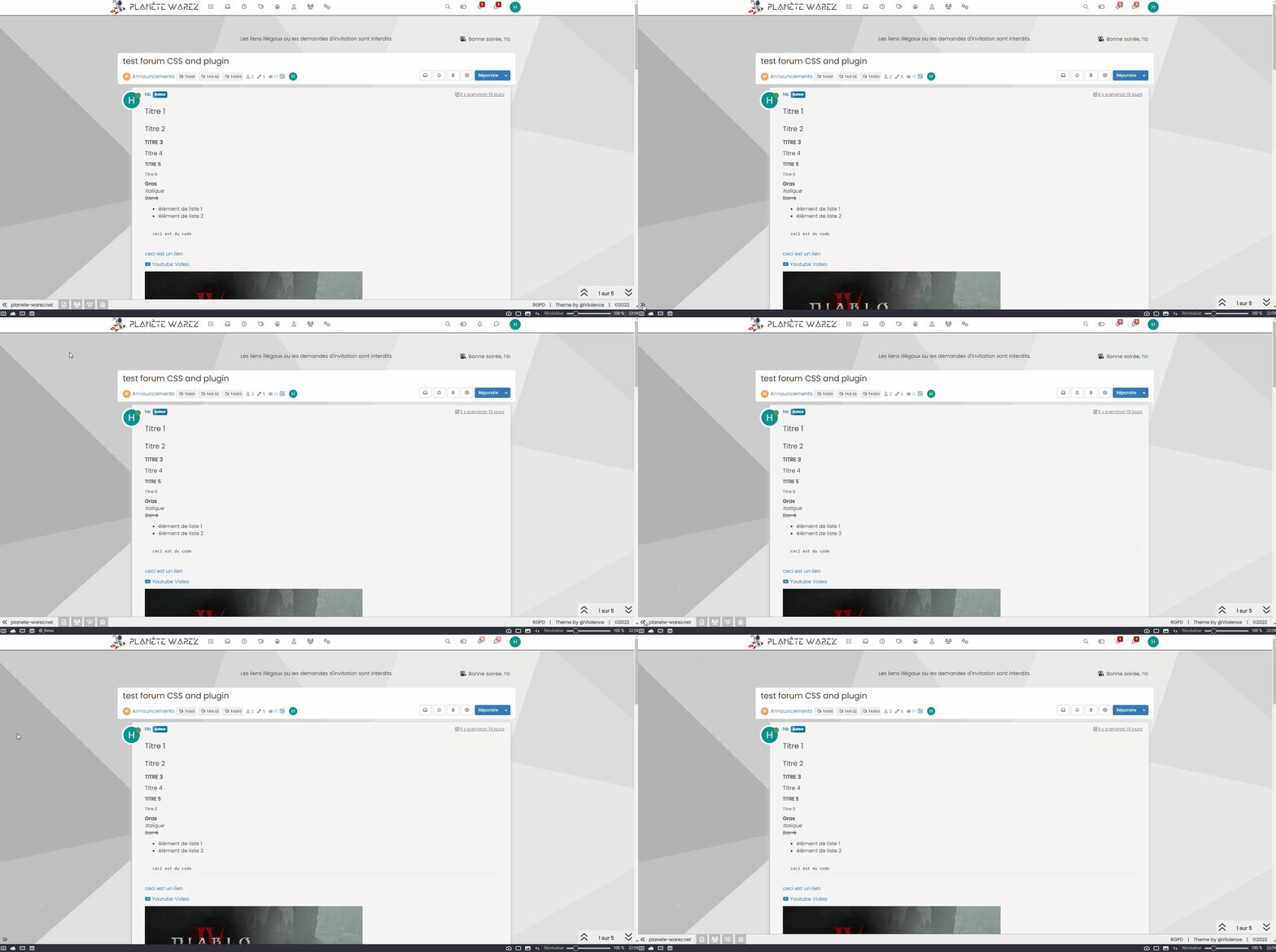
PW and WS Spirit alive
-
@phenomlab said in Bottom footer navbar button extend:
@DownPW great ! Post a video so we can see how it looks outside of Sudonix
@DownPW Looks great !
-
@DownPW said in Bottom footer navbar button extend:
Oh my god, it’s beautiful mark
I liked this design so much, I’ve implemented it here. I intend to do a lot more with the footer in due course, so hiding it makes a lot of sense. Thanks @DownPW for the idea and initial concept

-
undefined phenomlab referenced this topic on

Hello! It looks like you're interested in this conversation, but you don't have an account yet.
Getting fed up of having to scroll through the same posts each visit? When you register for an account, you'll always come back to exactly where you were before, and choose to be notified of new replies (either via email, or push notification). You'll also be able to save bookmarks and upvote posts to show your appreciation to other community members.
With your input, this post could be even better 💗
Register LoginDid this solution help you?
Related Topics
-
-
Block Domain
Solved Let's Build It -
-
-
-
-
-
Bug Navbar CSS
Solved Customisation