Skip to content

Rendering issues post migration to Sudonix theme/code
Solved Bugs
49 4 16.1k 1
  • @phenomlab lol 🤣 Is there a way to calculate this based on sun rise/set…

    @crazycells anything is possible, but this would of course vary by location… Unless you use a weather api

  • Hi Mark
    I can not find true CSS on my web site which to make change the background color from white to other color for post as below photo?
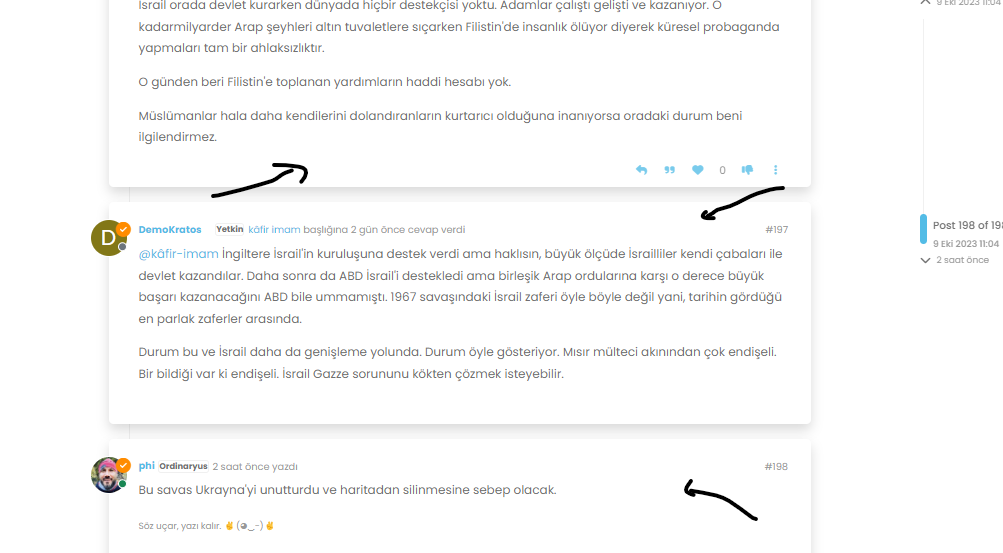
    image.png

    want to change as your post background color

  • Hi Mark
    I can not find true CSS on my web site which to make change the background color from white to other color for post as below photo?

    image.png

    want to change as your post background color

    @cagatay You should be able to use the below CSS to accomodate that

    li.pt-4.self-post {
        background: red !important;
    }
    

    Obviously, change “red” to the colour you require.

  • not working this code, i think mine is different for hat changes.

  • seems to work when I add it to your site :

    image.png

    The code should work, maybe you have another code in conflict after ?

    If you open console develloper on your browser, you see this :

    image.png

    maybe change your --bs-post-category-wrapper color. If I do it that’s work too.

  • yeap --bs-post-category-wrapper i changed and its done 🙂

  • seems to work when I add it to your site :

    image.png

    The code should work, maybe you have another code in conflict after ?

    If you open console develloper on your browser, you see this :

    image.png

    maybe change your --bs-post-category-wrapper color. If I do it that’s work too.

    @DownPW said in Rendering issues post migration to Sudonix theme/code:

    maybe change your --bs-post-category-wrapper color. If I do it that’s work too.

    Yep - good point. @cagatay uses CSS from Sudonix, so that makes sense.

  • Mark hi hope doing well.

    i want to delete social media icons but i cant find them

    image.png

  • Mark hi hope doing well.

    i want to delete social media icons but i cant find them

    image.png

    @cagatay Those are in /admin/extend/widgets/brand header. Look inside the HTML widget that is there, and you’ll find

           <div class="socialicons">
            <a class="btn-ghost p-2" href="https://github.com/phenomlab" rel="noreferrer noopener"><i style="color: #333;background: #ffffff; width: 26px" class="fa fa-2x fa-github-square"></i></a>
            <a class="btn-ghost p-2" href="https://linkedin.com/in/phenomlab" rel="noreferrer noopener"><i style="color: #0077B5;background: #ffffff; width: 26px" class="fa fa-2x fa-brands fa-linkedin-square"></i></a>
            <a class="btn-ghost p-2" href="https://twitter.com/phenomlab" rel="noreferrer noopener"><i style="color: #1DA1F2;background: #ffffff; width: 26px" class="fa fa-2x fa-twitter-square"></i></a>
            <!-- <a class="btn-ghost p-2" href="https://www.facebook.com/sudonixtech" rel="noreferrer noopener"><i style="color: #4268B2;background: #ffffff; width: 26px" class="fa fa-2x fa-facebook-square"></i></a> -->
           </div>
    

    Remove that block and save.


Did this solution help you?
Did you find the suggested solution useful? Support 💗 Sudonix with a coffee
If your organisation needs deeper expertise around infrastructure, security, or technology leadership, learn more about Phenomlab Ltd. Many of the deeper technical guides behind Sudonix are published there.

Related Topics
  • CTA banner for visitors

    Solved Bugs bug
    3
    1
    2 Votes
    3 Posts
    847 Views
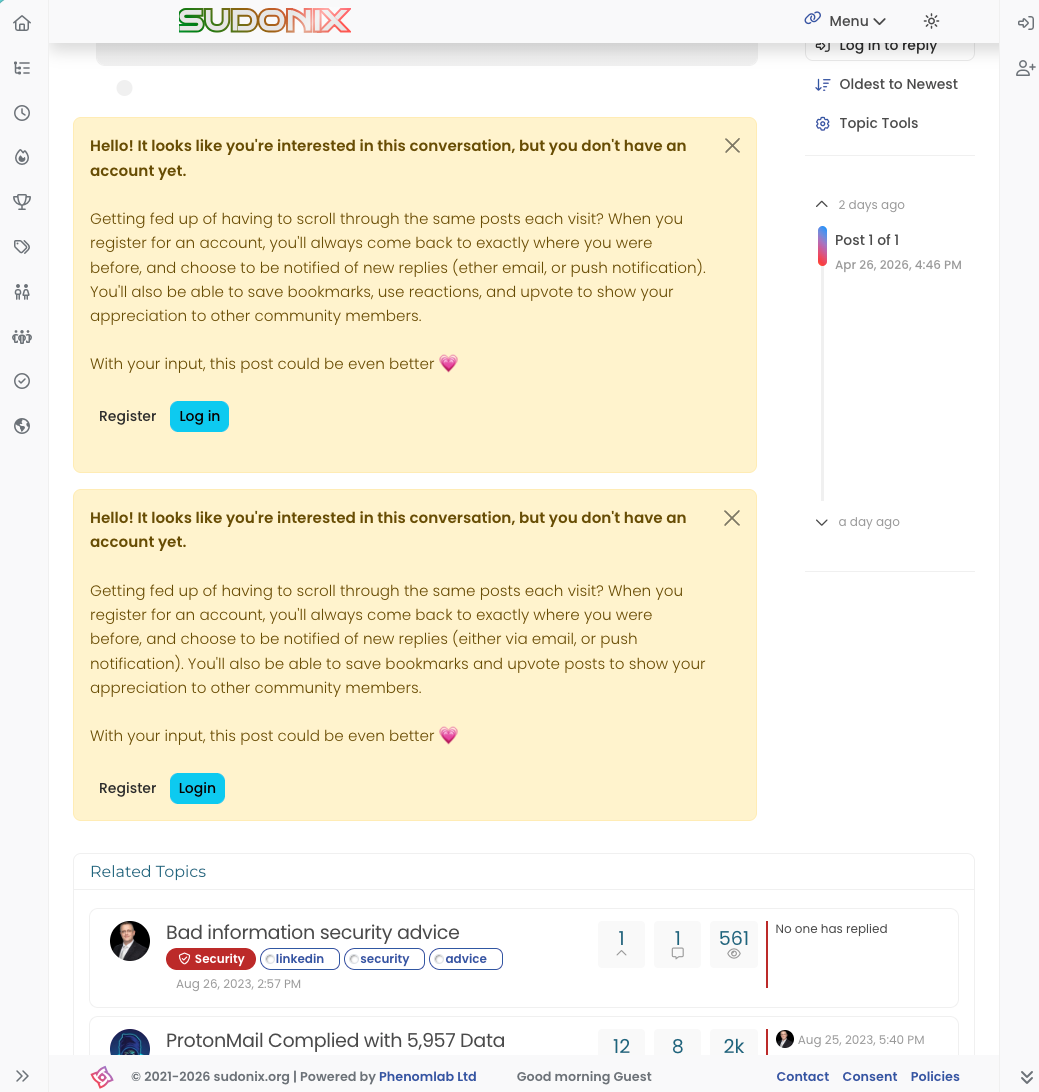
    @crazycells Yes, because of this code $(document).ready(function () { $(window).on('action:ajaxify.end', function (data) { if (config && config.uid > 0) { // User is logged in, so don't fire any message } else { // Insert content into the selected element var addAfterLastPost = $( "<div class='alert alert-warning alert-dismissible fade show' role='alert'>" + "<p><strong>Hello! It looks like you're interested in this conversation, but you don't have an account yet.</strong></p>" + "<p>Getting fed up of having to scroll through the same posts each visit? When you register for an account, you'll always come back to exactly where you were before, " + "and choose to be notified of new replies (ether email, or push notification). You'll also be able to save bookmarks, use reactions, and upvote to show your appreciation to other community members.</p>" + "<p>With your input, this post could be even better 💗"+ "<br><br>"+ "<a style='margin-right:5px;' component='topic/reply/guest' href='/register' class='fw-semibold btn btn-sm btn-warning'>Register</a>" + "<a component='topic/reply/guest' href='/login' class='fw-semibold btn btn-sm btn-info'>Log in</a>" + "<button type='button' class='btn-close' data-bs-dismiss='alert' aria-label='Close'></button>" + "</div>" ); $('ul[component="topic"]').after(addAfterLastPost); } }); }); This was adopted into core as far as I know, so I’ve removed my manual code.
  • 3 Votes
    5 Posts
    1k Views
    @crazycells Agreed. It takes a more sensible approach. Nobody ever upvotes the first post - it’s usually much further down as the conversation progresses.
  • problem with search page and copyright in footer

    Solved Bugs bug
    13
    1
    6 Votes
    13 Posts
    3k Views
    @phenomlab yes, search page is fixed thanks
  • Loading Image Problem

    Bugs hata bug
    24
    3
    6 Votes
    24 Posts
    9k Views
    Thank you Mark.
  • Bug Report

    Solved Bugs nodebb bugs
    47
    1
    26 Votes
    47 Posts
    15k Views
    @crazycells Good points, thanks. I completely forgot that classes are added - makes life much simpler! EDIT - seems this is pretty straightforward, and only needs the below CSS .upvoted i { color: var(--bs-user-level) !important; } This then yields [image: 1718028529465-3f072f8a-ebfa-4910-8723-73c493b8e4eb-image.png] However, the caveat here is that the .upvoted class will only show for your upvotes, and nobody else’s. However, this does satisfy the original request however I would love to see my upvoted posts more clearly, because currently, when I upvote, nothing on the post tool is changing, it would be nicer if there is an indication that I have upvoted (like a filled or colored triangle?)
  • Permission issues

    Solved Bugs
    8
    2 Votes
    8 Posts
    2k Views
    @Panda I forked this topic out of the previous thread as it’s an issue in it’s own right. Having checked, I see the reason why [image: 1688552291277-06d082f0-6c7d-443b-98bc-94db5f3e5d0e-image.png] As you can see from the screenshot, category “Announcements” does not permit editing. This specific category was originally read only, which I then changed to members could reply. Looks like I forgot to add the right to edit Should be fixed now [image: 1688552421019-a533d8ff-23f1-432e-a4a6-3d10cb05a46d-image.png]
  • 2 Votes
    12 Posts
    3k Views
    @DownPW looks good to me.
  • Nav Drop-down [Sudonix]

    Moved Bugs
    3
    1
    1 Votes
    3 Posts
    1k Views
    @phenomlab said in Nav Drop-down [Sudonix]: @jac Fixed [image: 1638187996641-d2e5410b-fa82-4fc9-a861-7913d3c560ab-image.png] Thanks for reporting. Thanks mate, not a problem .