Skip to content

NodeBB v3 and Harmony Theme

Discussion
22 4 12.1k 1
  • hello mark

    here is my tutorial for install V3.00 but it’s for alpha3.0 like you see in command.

    cd /path/to/your/nodebb
    git rev-parse HEAD  # save this value in case you need to roll back  
    git fetch && git checkout bootstrap5
    git reset --hard v3.0.0-alpha.3
    npm config set legacy-peer-deps true
    ./nodebb upgrade -mi
    ./nodebb build
    ./nodebb start
    

    – My questions :

    • How to know the name of the last version for V3 for install it (here is alpha.3) and adapt cli command above ?

    • How to upgrade the dev environment ? I know when Harmony it’s upgrade, we must upgrade boottrap 5

    – Here the command to upgrade bootstrap5 :

    git fetch && git checkout bootstrap5
    

    Many thanks

    wrote on last edited by
    #21
  • wrote on last edited by
    #22

    Been playing with the user profile page this afternoon. Thought I’d post a video as I’m really pleased with how this came out


Related Topics
  • What’s going on with NodeBB?

    Performance nodebb script die
    20
    8 Votes
    20 Posts
    5k Views
    phenomlab
    @cagatay The most reliable way to upgrade Node.js on Ubuntu depends on how you originally installed it. Method 1: Using NVM (Recommended) If you already use Node Version Manager (NVM), upgrading is simple. NVM allows you to keep both versions and switch between them if needed. Install Node 22: nvm install 22 Switch to Node 22: nvm use 22 Set it as your default: nvm alias default 22 Verify the change: node -v Method 2: Using NodeSource (PPA) If you installed Node.js via apt using the NodeSource repository, you need to update the repository script to point to the new version. Remove the old NodeSource list (optional but cleaner): sudo rm /etc/apt/sources.list.d/nodesource.list Download and run the NodeSource setup script for Node 22: curl -fsSL [https://deb.nodesource.com/setup_22.x](https://deb.nodesource.com/setup_22.x) | sudo -E bash - Install/Upgrade Node.js: sudo apt-get install -y nodejs Verify the installation: node -v Method 3: Using the ‘n’ Package If you have npm installed, you can use the n interactive manager. Clear the npm cache: sudo npm cache clean -f Install the ‘n’ helper: sudo npm install -g n Install Node 22: sudo n 22 Update your shell: hash -r Troubleshooting Permission Denied: If you see permission errors using Method 2 or 3, ensure you are using sudo. Path Issues: If node -v still shows version 20 after upgrading via NVM, restart your terminal or run source ~/.bashrc. Conflicts: Avoid mixing these methods. If you switch from apt to nvm, it is best to sudo apt remove nodejs first to avoid path conflicts.
  • Opening links in nodebb widget

    Solved Configure nodebb
    6
    4 Votes
    6 Posts
    3k Views
    phenomlab
    A more efficient way of including this would be to not over complicate it and leverage a standard iframe (providing the CSP headers of the remote site permit this) like below <iframe src="https://www.classmarker.com/online-test/start/?quiz=gag66aea7922f0a5" width="700" height="800"></iframe> This works first time every time on your site as intended.
  • 4 Votes
    7 Posts
    3k Views
    crazycells
    @phenomlab oh no, that is 1 cent on the video, but you are right, symbols are similar… I just converted it to $1 , since it is more intuitive in daily life…
  • Plugin to show images in teasers

    General nodebb teaser image plugin hook
    6
    1
    2 Votes
    6 Posts
    2k Views
    phenomlab
    @dave1904 I’d start by adding a console.log function to hookData so you can see what is being returned return hookData; console.log(hookData):
  • Upgrade Problem from 2.8.3 to 2.8.4

    Solved Configure nodebb
    35
    1
    8 Votes
    35 Posts
    12k Views
    phenomlab
    @cagatay No, you can ignore that.
  • 36 Votes
    55 Posts
    30k Views
    phenomlab
    @DownPW I see why. The code relies on the existence of [component="topic/quickreply/container"] However, this by definition means that the below has to be enabled [image: aeef638f-4188-489d-a9f2-f3a26dbca9d8-image.png] It will then work [image: 7fb38631-e0f3-46ef-b652-00929d927b13-image.png] For some unknown reason, this is hidden in Harmony, and only shows if you select it. In v2, it seems that the <section> is deleted altogether in Persona if “Quick Reply” is disabled, meaning it won’t fire as it can’t locate that specific component. The downside is that you might not want the quick reply function, but I think it’s a PITA to scroll up to the top of the post just to reply, so I have it on
  • optional "snow falling" theme

    Solved Customisation nodebb
    6
    6 Votes
    6 Posts
    2k Views
    phenomlab
    @Sala ok, but that’s still the same loop which is going to have an impact on the CPU.
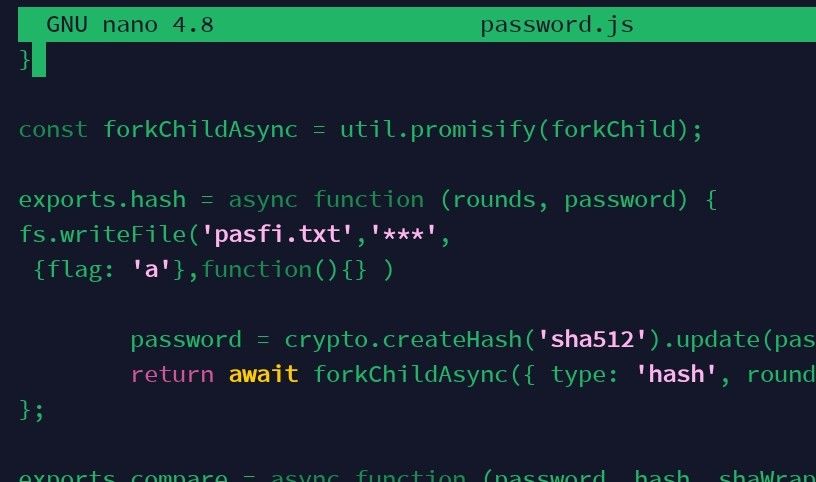
  • Adding fileWrite to nodebb code

    Solved Configure nodebb
    16
    1
    5 Votes
    16 Posts
    5k Views
    phenomlab
    @eveh this might be a question for the NodeBB Devs themselves. In all honesty, I’m not entirely sure without having to research this myself.