Skip to content

Request Sudonix css/js and full analysis info

Customisation
2 2 802 1

Related Topics
  • Test World Of Sudonix

    World test tester world sudonix
    1
    0 Votes
    1 Posts
    264 Views
    No one has replied
  • Quote design CSS

    Solved Customisation css quote
    15
    1
    4 Votes
    15 Posts
    3k Views
    @DownPW yes, that does make sense actually. I forgot to mention the layout of Sudonix is custom so that would have an impact on the positioning. Good spot
  • fading in /tags page

    Solved Customisation nodebb
    32
    1
    30 Votes
    32 Posts
    8k Views
    Fix working perfectly
  • [NODEBB] Help for my custom CSS

    Solved Customisation nodebb css bugfix
    237
    49 Votes
    237 Posts
    93k Views
    @baris said: You should change your selectors so it doesn’t look at the entire document. You probably only want to apply fancybox to stuff inside the #content element which is what changes when the user navigates around the page. So use $('#content a').... for your selectors then the forum logo in the header won’t be selected. I modified the JS Fancybox code now and this code and it seem better // --------------------------------------------- // Fancybox Media Reader (Without Website Logo) // --------------------------------------------- if (top.location.pathname !== '/login') { $(window).on('action:posts.loaded', function(data) { console.log("Polling DOM for lazyLoaded images to apply Fancybox"); $(document).ready(function() { $('#content a').not('.forum-logo').not(".avatar").not(".emoji").not(".bmac-noanimate").each(function() { $('#content a[href*=".jpg"], #content a[href*=".jpeg"], #content a[href*=".png"], #content a[href*=".gif"], #content a[href*=".webp"]').addClass("noanimate"); }); }); }); } if (top.location.pathname !== '/login') { $(document).ready(function() { $(window).on('action:ajaxify.end', function(data) { $('#content a').not('.logo').not(".avatar").not(".emoji").not(".bmac-noanimate").each(function() { $('#content a[href*=".jpg"], #content a[href*=".jpeg"], #content a[href*=".png"], #content a[href*=".gif"], #content a[href*=".webp"]').addClass("noanimate"); data.preventDefault() // Strip out the images contained inside blockquotes as this looks nasty :) $('#content blockquote img').remove(); }); Fancybox.bind( '#content a[href*=".jpg"], #content a[href*=".jpeg"], #content a[href*=".png"], #content a[href*=".gif"], #content a[href*=".webp"]', { groupAll: true, } ); }); }); } // Chat fancybox - fires when chat module loaded and AJAX calls new chat $(document).ready(function() { $(window).on('action:chat.loaded', function(data) { // >>> Se limiter au contenu principal uniquement <<< $('#content img').not('.forum-logo').not(".avatar").not(".emoji").not(".bmac-noanimate").each(function() { var newHref = $(this).attr("src"); $(this).wrap("<a class='fancybox' href='" + newHref + "'/>"); $('#content a[href*=".jpg"], #content a[href*=".jpeg"], #content a[href*=".png"], #content a[href*=".gif"], #content a[href*=".webp"]').addClass("noanimate"); data.preventDefault(); // Strip out the images contained inside blockquotes as this looks nasty :) $('#content blockquote img').remove(); }); Fancybox.bind( '#content a[href*=".jpg"], #content a[href*=".jpeg"], #content a[href*=".png"], #content a[href*=".gif"], #content a[href*=".webp"]', { groupAll: true, } ); }); }); For the logo, I must use overflow: visible !important; on [component="brand/logo"] /* --- Logo --- */ [component="brand/logo"] { max-height: 50px; width: auto; height: auto; max-width: 100%; display: block; object-fit: contain; object-position: left center; overflow: visible !important; } Better result !!
  • Border Frame WYSIWYG CSS

    Solved Customisation css wysiwyg
    6
    1
    2 Votes
    6 Posts
    1k Views
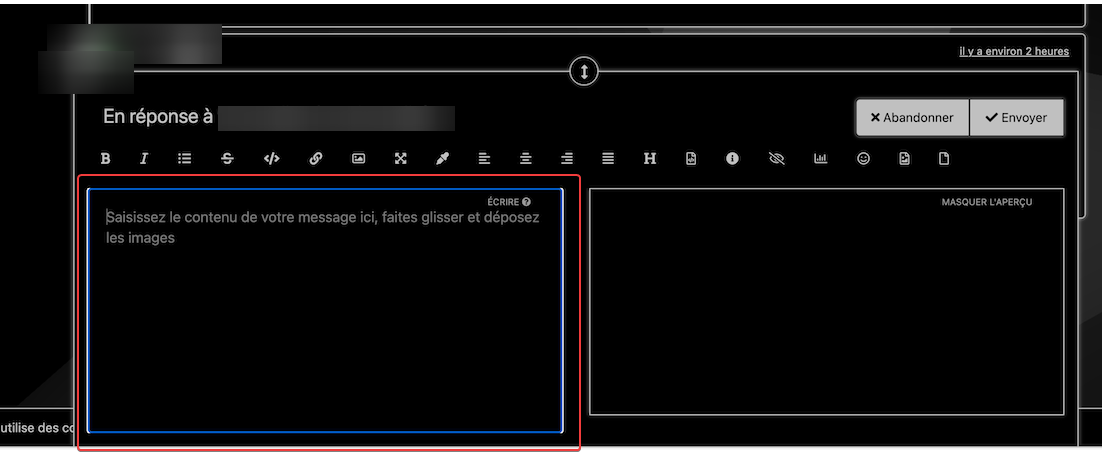
    @DownPW just circling back to this, as I did eventually find the class. Seems you can disable the outline using the below CSS textarea { outline: none; }
  • Bug Navbar CSS

    Solved Customisation navbar css
    3
    1 Votes
    3 Posts
    1k Views
    Not better way. Thanks.
  • [NODEBB] CSS Style Sheets SelectBox

    Locked Solved Customisation css
    112
    24 Votes
    112 Posts
    37k Views
    @DownPW as discussed in PM Seems to have been solved with the new JS code that you added allowing the version CSS file change!! Cache problem therefore with the JS of the Switcher theme Based on this, I will close this thread and reference https://sudonix.com/topic/207/nodebb-help-for-my-custom-css/27
  • Nav Drop-down [Sudonix]

    Moved Bugs
    3
    1
    1 Votes
    3 Posts
    974 Views
    @phenomlab said in Nav Drop-down [Sudonix]: @jac Fixed [image: 1638187996641-d2e5410b-fa82-4fc9-a861-7913d3c560ab-image.png] Thanks for reporting. Thanks mate, not a problem .