Error install plugin
-
Hi
I have this error on fresh install nodebb 2.2.4 whein i want to install plugin via ACP
Example here with question and answer plugin: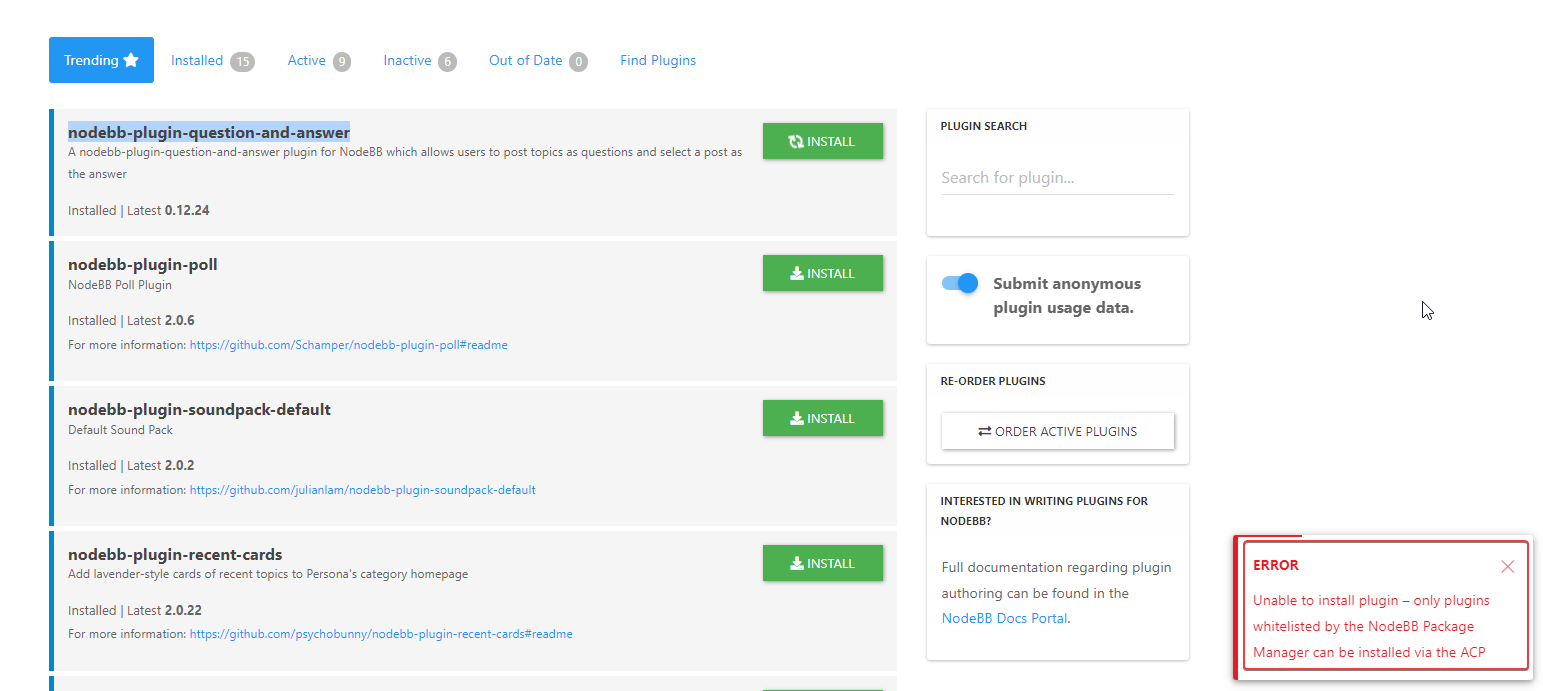
An idea?
PW and WS Spirit alive
-
In fact when I go to research plugin I have one result in the list, research doesn’t work
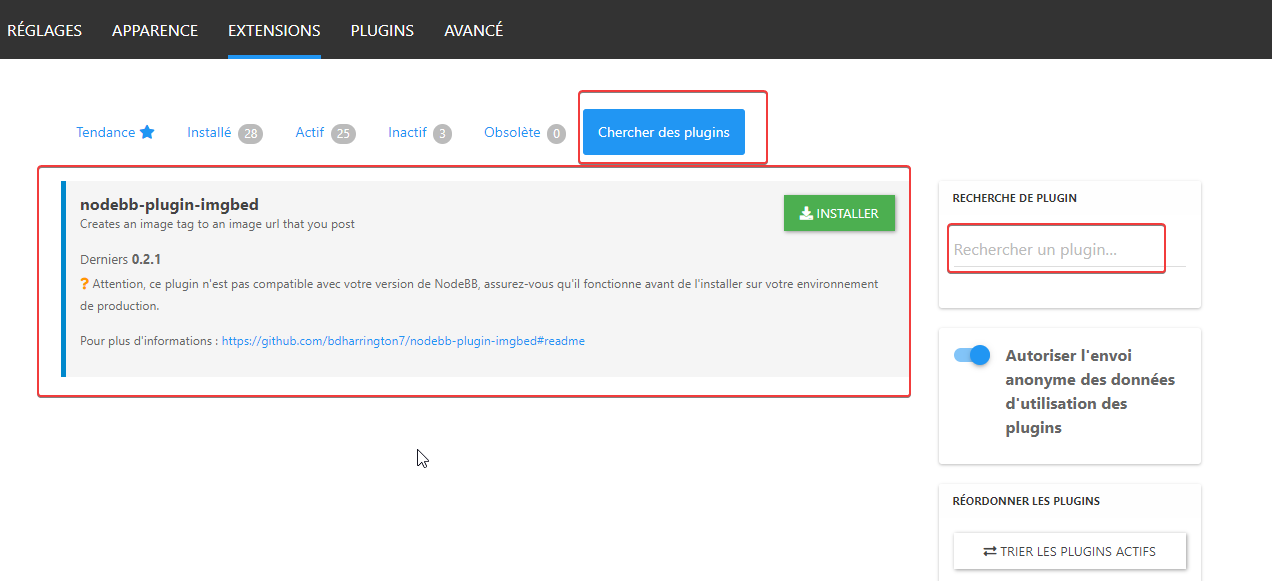
verry odd
I have installed all plugins in command line
PW and WS Spirit alive
-
Hi
I have this error on fresh install nodebb 2.2.4 whein i want to install plugin via ACP
Example here with question and answer plugin:An idea?
@DownPW that error message means the plugin you are trying to install doesn’t meet the minimum requirements of the latest version of NodeBB. You’d need to contact the plugin author to resolve that
-
In fact when I go to research plugin I have one result in the list, research doesn’t work
verry odd
I have installed all plugins in command line
PW and WS Spirit alive
-
In fact when I go to research plugin I have one result in the list, research doesn’t work
verry odd
I have installed all plugins in command line
@DownPW yes, this was a known issue in the first
2.xrelease if I remember rightly. -
 undefined phenomlab has marked this topic as solved on
-
ok but it’s a 2.2.4 version with no upgrade
PW and WS Spirit alive
-
@DownPW yes, the same issue still applies though.
-
it’s not very serious

-
@pobojmoks
Not WP plugin but nodeBB but it a known bug

Hello! It looks like you're interested in this conversation, but you don't have an account yet.
Getting fed up of having to scroll through the same posts each visit? When you register for an account, you'll always come back to exactly where you were before, and choose to be notified of new replies (either via email, or push notification). You'll also be able to save bookmarks and upvote posts to show your appreciation to other community members.
With your input, this post could be even better 💗
Register LoginDid this solution help you?
Related Topics
-
-
-
-
-
NodeBB metadata
Solved Configure -
NodeBB Discord Plugins
Unsolved Customisation -
-