Skip to content

Switch between list and card view function
Moved Let's Build It
107 4 56.6k 1
  • Ok @phenomlab Thanks to you for find the solution for this problem

    so what is the good parameters in CF for this script ?
    Maybe include this on your github ?

    wrote on last edited by
    #35

    @DownPW yes, absolutely, although I’m not entirely sure why CF behaves in this manner as in most cases, a present query string that changes frequently (on each page load) should not present itself as an issue.

    Still checking.

  • wrote on last edited by
    #36

    It’s a shame to do without the CF cache in my opinion.

    Do you just have to activate development mode in CF?

  • It’s a shame to do without the CF cache in my opinion.

    Do you just have to activate development mode in CF?

    wrote on last edited by
    #37

    @DownPW yes, in my testing, just enable development mode and then reload the site a few times and you’ll notice it works as intended.

  • wrote on last edited by DownPW
    #38

    hmm I think they was other thing.

    I have not update the css file, I have just :

    • activated development mode in CF,
    • purge everything cache in CF,
    • and test in new incognito windows on firefox

    and I have the bug.


    Edit : Same with the CSS updated

  • hmm I think they was other thing.

    I have not update the css file, I have just :

    • activated development mode in CF,
    • purge everything cache in CF,
    • and test in new incognito windows on firefox

    and I have the bug.


    Edit : Same with the CSS updated

    wrote on last edited by
    #39

    @DownPW is this in your dev environment? I checked that earlier and the bug wasn’t present.

  • wrote on last edited by DownPW
    #40

    yes the bug is in my dev environment

  • yes the bug is in my dev environment

    wrote on last edited by
    #41

    @DownPW yes, correct.

  • wrote on last edited by DownPW
    #42

    yes the bug is in my dev environment. tested now

  • yes the bug is in my dev environment. tested now

    wrote on last edited by
    #43

    @DownPW it wasn’t there when I tested incognito.

  • wrote on last edited by DownPW
    #44

    I do all my tets in incognito too
    I will test with another account

    You must scroll down a little to see

  • I do all my tets in incognito too
    I will test with another account

    You must scroll down a little to see

    wrote on last edited by
    #45

    @DownPW I scrolled through but found no issues

  • wrote on last edited by DownPW
    #46

    yes same with admin account in new incognito
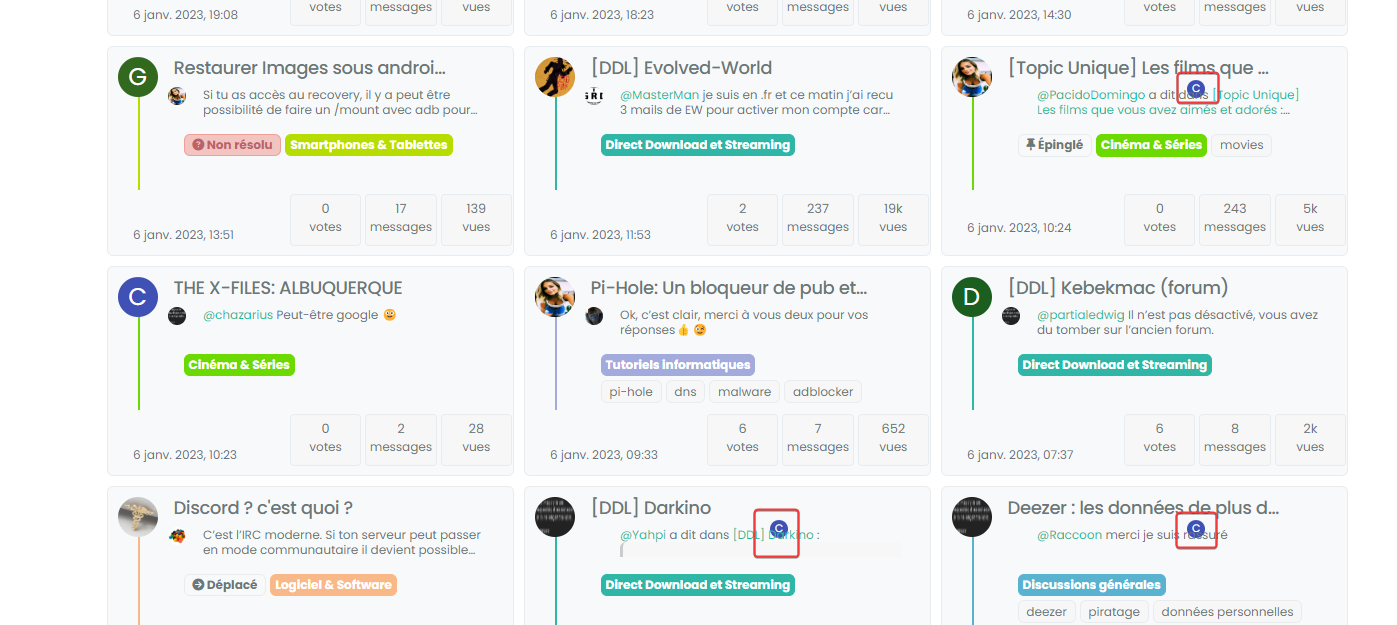
    image.png

  • yes same with admin account in new incognito

    image.png

    wrote on last edited by
    #47

    @DownPW can you target both the correctly positioned elements and the incorrectly positioned and compare the results?

    I’m guessing they are different, but shouldn’t be.

  • wrote on last edited by
    #48

    correctly positionned :

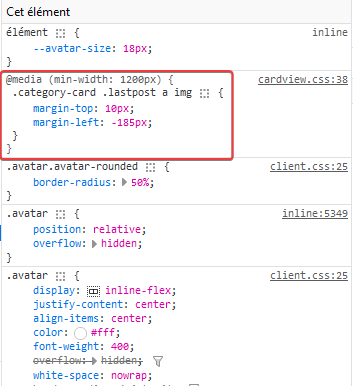
    891bb641-cfbc-4e49-aa8f-ddc3466a9fd7-image.png
    428e9115-7af1-4043-8685-91332636dbb1-image.png

    incorrectly positioned :

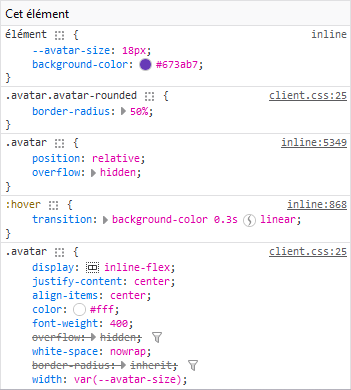
    07648995-1a18-445e-b3e1-64cad7f8a89c-image.png
    5ba06a13-8122-4ac1-9cd1-f24733546cfe-image.png

  • correctly positionned :

    891bb641-cfbc-4e49-aa8f-ddc3466a9fd7-image.png
    428e9115-7af1-4043-8685-91332636dbb1-image.png

    incorrectly positioned :

    07648995-1a18-445e-b3e1-64cad7f8a89c-image.png
    5ba06a13-8122-4ac1-9cd1-f24733546cfe-image.png

    wrote on last edited by
    #49

    @DownPW so the class isn’t being applied. Thanks. Let me have another look at this.

  • wrote on last edited by
    #50

    @DownPW from my further testing, this is 100% CF, but I don’t know why. I’ve tried Page Rules, Cache Rules, setting security in the page rules to “Essentially Off” - nothing seems to work (for me at least). I’ve stripped back my testing domain and disabled CF completely, and everything works as intended.

    I was never able to reproduce the issue here, and that’s because I don’t use CF !

  • wrote on last edited by DownPW
    #51

    Too bad. I will therefore not be able to use this function or perhaps by just deleting the problematic avatar if that is possible

  • Too bad. I will therefore not be able to use this function or perhaps by just deleting the problematic avatar if that is possible

    wrote on last edited by
    #52

    @DownPW you could use `display: none’ to hide that specific class? I do intend to try and identify the issue with CF but it’s difficult because I don’t traditionally use it.

  • wrote on last edited by DownPW
    #53

    I can possibly use this code if you find a solution (or not)
    With just a left border on post-content

    .category-card .lastpost .post-content {
        border-left: 2px solid grey;
    }
    
    .category-card .lastpost a img {
        display: none;
    }
    
    .category-card .line-clamp-sm-2 {
        margin-left: 38px !important;
    }
    

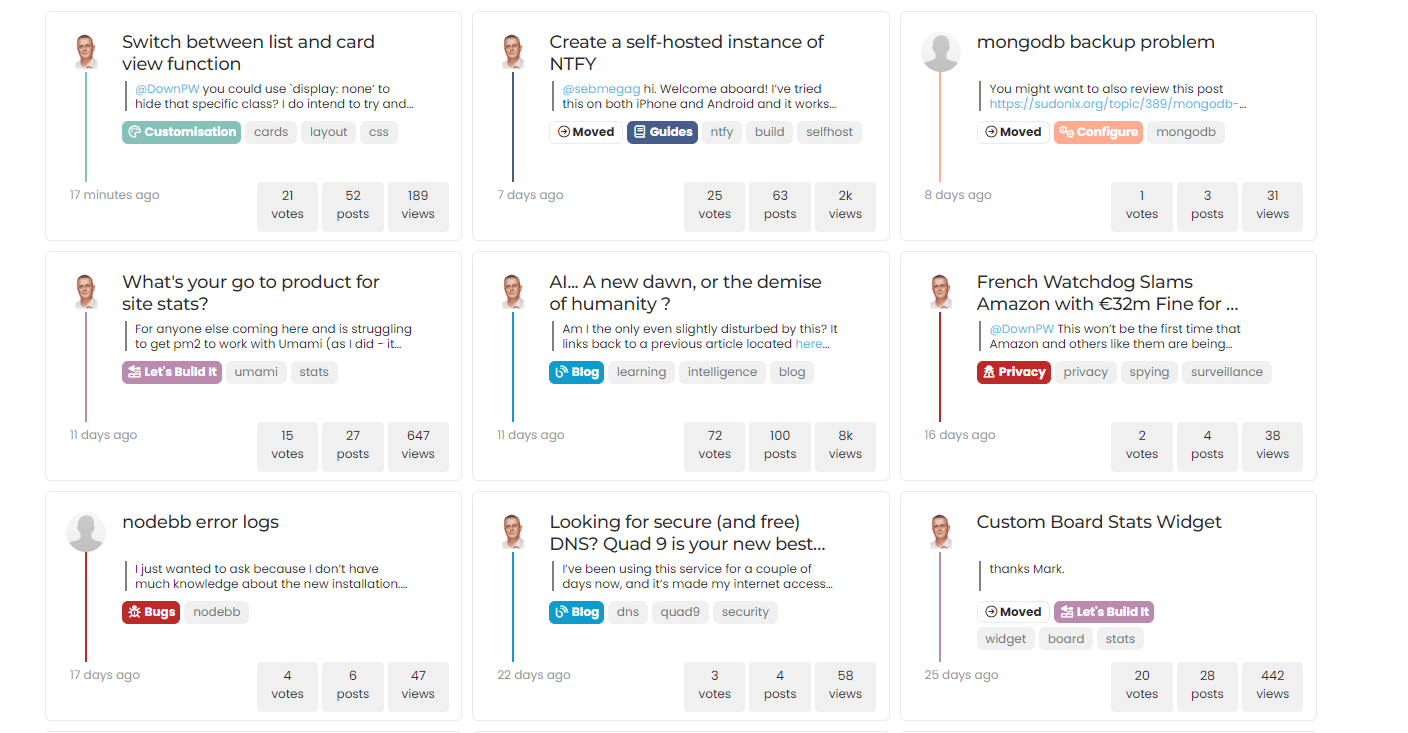
    Result :

    8235af26-ad1f-49de-8463-27314ed8d0bb-image.png

  • wrote on last edited by DownPW
    #54

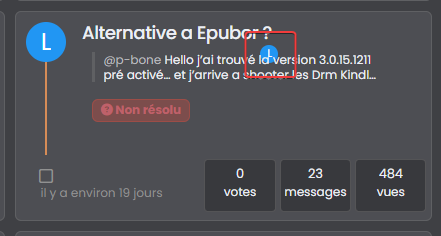
    hmmm, on my website, in fact the elements on the class have not been applied are still displayed 😞

    c5b2d73d-de9f-4fa7-ab4f-fcc6ab610549-image.png

    Is there a way to prevent them from showing up either?


Related Topics
  • The theme came with space on left side

    Solved WordPress css
    7
    3 Votes
    7 Posts
    2k Views
    Sala
    @phenomlab yes it’s a different theme. The other one was not offering much on editable sidebar. It was like flarum hahah
  • Create a dynamic category list

    Moved Let's Build It dynamic categories api
    16
    3
    14 Votes
    16 Posts
    7k Views
    phenomlab
    Hmm - seems I never committed this code. I’ll do that now… EDIT - here it is https://github.com/phenomlab/category-list/tree/main
  • Footer bar add center text

    Solved Customisation css
    41
    1
    8 Votes
    41 Posts
    19k Views
    DownPW
    @phenomlab said in Footer bar add center text: div#console-nav-tab Ah ok test with bottom: 0px !important; idem
  • The best css to customize our logo?

    Solved Customisation css
    2
    1 Votes
    2 Posts
    3k Views
    phenomlab
    @Sala This should look better .sidenav .navbar-brand { padding-top: 0.5rem; padding-bottom: 0.5rem; } [image: e5cec20e-be36-4ee8-9129-fd11ad4656ac-image.png] You can increase the top and bottom padding by increasing the values above.
  • 4 Votes
    8 Posts
    5k Views
    phenomlab
    @DownPW done
  • tag icon in front of tags

    Solved Customisation css
    5
    3 Votes
    5 Posts
    2k Views
    crazycells
    @phenomlab said in tag icon in front of tags: @crazycells Are you using Font Awesome Free ? If so, try this span.tag:before { content: "\f02b"; font-family: "Font Awesome 5 Free"; margin-right: 5px; margin-left: 5px; font-weight: 900; } yeap, this worked thanks a lot.
  • Bug Navbar CSS

    Solved Customisation navbar css
    3
    1 Votes
    3 Posts
    2k Views
    DownPW
    Not better way. Thanks.
  • NodeBB Design help

    Solved Customisation
    8
    3
    2 Votes
    8 Posts
    4k Views
    phenomlab
    @riekmedia I’ve applied some new CSS to your site. Can you reload the page and try again ? For the record, this is what I added #footer { background: #2d343e; border-top: 4px solid #2d343e; font-size: 0.9em; margin-top: 70px; padding: 80px 0 0; position: relative; clear: both; bottom: 0; left: 0; right: 0; z-index: 1000; margin-left: -15px; margin-right: -338px; } The /categories page seems a bit messed up, so looking at that currently EDIT - issued some override CSS in the CATEGORIES widget <!--- CSS fix for overspill on /categories page - DO NOT DELETE --> <style> #footer { margin-right: -45px; } </style> That should resolve the /categories issue.