Switch between list and card view function
-
yes the bug is in my dev environment. tested now
PW and WS Spirit alive
-
@DownPW it wasn’t there when I tested incognito.
-
I do all my tets in incognito too
I will test with another accountYou must scroll down a little to see
PW and WS Spirit alive
-
I do all my tets in incognito too
I will test with another accountYou must scroll down a little to see
@DownPW I scrolled through but found no issues
-
yes same with admin account in new incognito
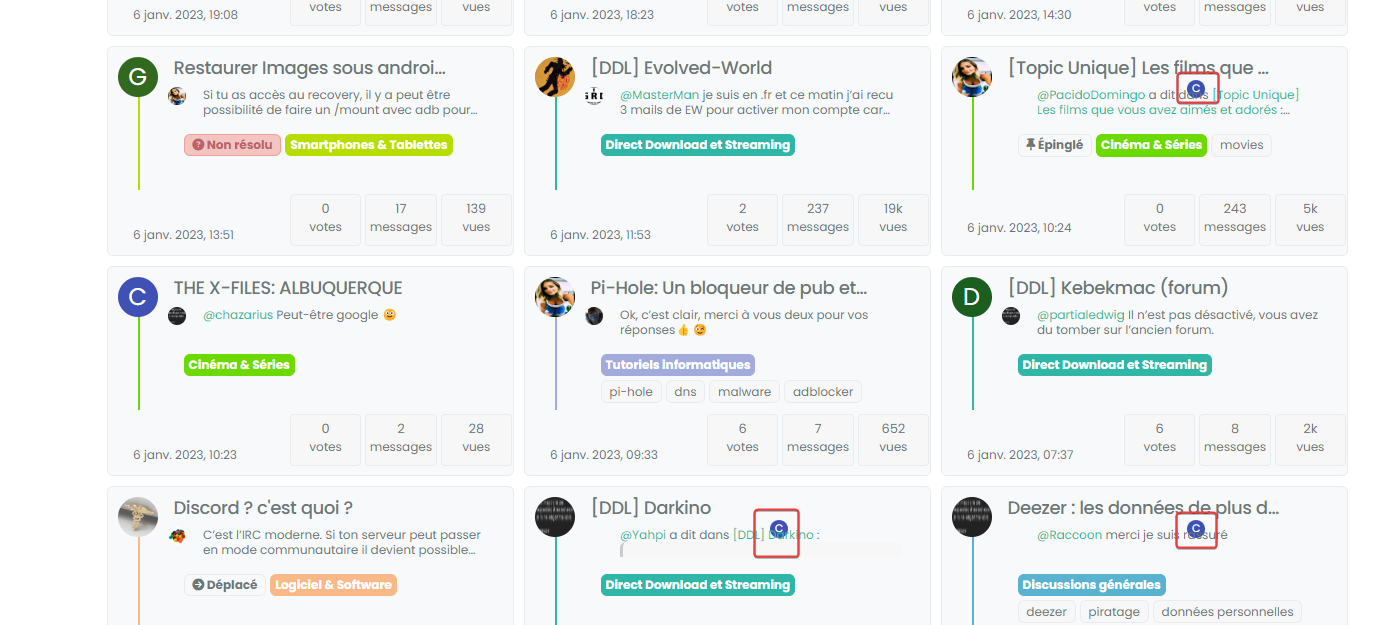
PW and WS Spirit alive
-
@DownPW can you target both the correctly positioned elements and the incorrectly positioned and compare the results?
I’m guessing they are different, but shouldn’t be.
-
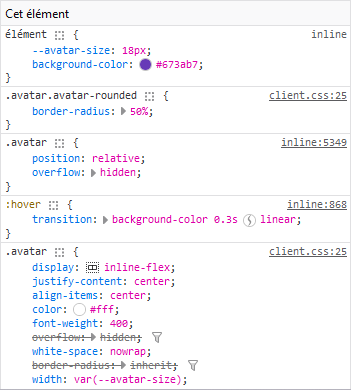
correctly positionned :

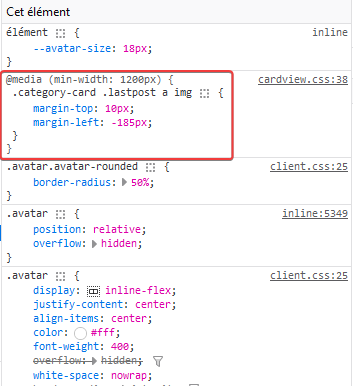
incorrectly positioned :

PW and WS Spirit alive
-
@DownPW so the class isn’t being applied. Thanks. Let me have another look at this.
-
@DownPW from my further testing, this is 100% CF, but I don’t know why. I’ve tried Page Rules, Cache Rules, setting security in the page rules to “Essentially Off” - nothing seems to work (for me at least). I’ve stripped back my testing domain and disabled CF completely, and everything works as intended.
I was never able to reproduce the issue here, and that’s because I don’t use CF !
-
Too bad. I will therefore not be able to use this function or perhaps by just deleting the problematic avatar if that is possible
PW and WS Spirit alive
-
Too bad. I will therefore not be able to use this function or perhaps by just deleting the problematic avatar if that is possible
@DownPW you could use `display: none’ to hide that specific class? I do intend to try and identify the issue with CF but it’s difficult because I don’t traditionally use it.
-
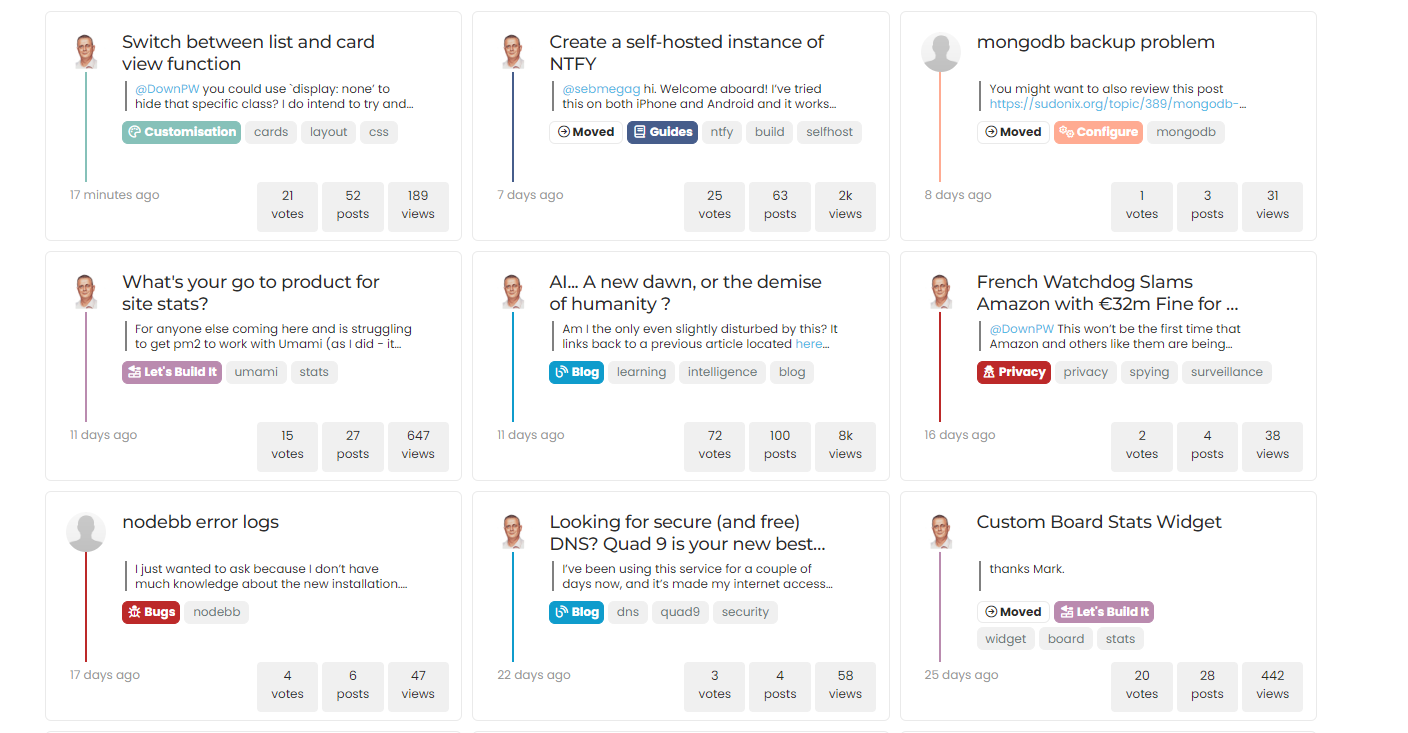
I can possibly use this code if you find a solution (or not)
With just a left border on post-content.category-card .lastpost .post-content { border-left: 2px solid grey; }.category-card .lastpost a img { display: none; }.category-card .line-clamp-sm-2 { margin-left: 38px !important; }Result :
PW and WS Spirit alive
-
hmmm, on my website, in fact the elements on the class have not been applied are still displayed

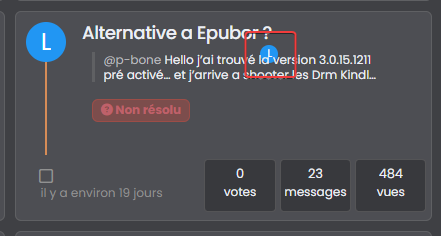
Is there a way to prevent them from showing up either?
PW and WS Spirit alive
-
I can possibly use this code if you find a solution (or not)
With just a left border on post-content.category-card .lastpost .post-content { border-left: 2px solid grey; }.category-card .lastpost a img { display: none; }.category-card .line-clamp-sm-2 { margin-left: 38px !important; }Result :
@DownPW that looks really good!
-
hmm no @phenomlab
it’s ok on your site but not on minelook at the screens above
if I not display this class too, I have no avatar on all the site because it’s the original class .
In fact I can’t do anything. In all cases, avatars with the wrong location are displayed in the same way
or you would have to make sure that this element never appears with card view on this page but I’m not even sure that would work
-
if you have solution for me, I take it
PW and WS Spirit alive
-
@DownPW I’ll need to put something together based on your dev site.
EDIT: If you have a look at sudonix.dev (closed dev site, so you’ll need to login) you’ll see that this is no longer exposed to CF, and works as intended.
-
Yes I believe you that it works without CF

I would just like to see if a solution is possible with CF even if it means deleting this d**n avatar on post-content
PW and WS Spirit alive
-
Yes I believe you that it works without CF
I would just like to see if a solution is possible with CF even if it means deleting this d**n avatar on post-content
@DownPW I’m sure we can do something here.
Actually, can you try and remove the minification etc on CSS and JS in CF for your domain and see if this makes any difference?
Mark Cutting also advises organisations as a Fractional CIO, Fractional CISO and Executive Advisor, helping boards improve technology governance, cyber resilience and executive decision making. Learn more at Gratmore Ltd
-
@DownPW I’m sure we can do something here.
Actually, can you try and remove the minification etc on CSS and JS in CF for your domain and see if this makes any difference?
@phenomlab said in Switch between list and card view function:
Actually, can you try and remove the minification etc on CSS and JS in CF for your domain and see if t
Sorry my friend, can you be more specific ?
PW and WS Spirit alive



Hello! It looks like you're interested in this conversation, but you don't have an account yet.
Getting fed up of having to scroll through the same posts each visit? When you register for an account, you'll always come back to exactly where you were before, and choose to be notified of new replies (either via email, or push notification). You'll also be able to save bookmarks and upvote posts to show your appreciation to other community members.
With your input, this post could be even better 💗
Register Login