NodeBB customisation
-
@jac Yes, because they are links that sit inside another DIV, so they will auto inherit from the
a hrefCSS. You can override that with this (as an example - choose the colour you prefer).recent-card-body a { color: #ffffff; }@phenomlab Thanks Mark for the fast response.
Unfortunately the above change only changes the title colour?

-
or just
a {
    color: #YOURCOLOR;
    text-decoration: none;
}
but this code change other things like title of topic or a hlink for example.
It all depends on what you want to get but the phenomlab method is better
For the difference of color you must use the same color code than the navbar
Here a good link for color code I use: https://htmlcolorcodes.com
PW and WS Spirit alive
-
or just
a {
    color: #YOURCOLOR;
    text-decoration: none;
}
but this code change other things like title of topic or a hlink for example.
It all depends on what you want to get but the phenomlab method is better
For the difference of color you must use the same color code than the navbar
Here a good link for color code I use: https://htmlcolorcodes.com
@downpw Exactly - this is a bit more specific
.footer .pull-right span, .recent-cards .recent-card-container .recent-card .footer .category-item a { color: #ffffff !important; } -
or just
a {
    color: #YOURCOLOR;
    text-decoration: none;
}
but this code change other things like title of topic or a hlink for example.
It all depends on what you want to get but the phenomlab method is better
For the difference of color you must use the same color code than the navbar
Here a good link for color code I use: https://htmlcolorcodes.com
@downpw said in NodeBB customisation:
Here a good link for color code
One of my favourites along with this beauty
https://coolors.co/4381c1-bdadea-bea2c2-a37871-4e4b5cMark Cutting also advises organisations as a Fractional CIO, Fractional CISO and Executive Advisor, helping boards improve technology governance, cyber resilience and executive decision making. Learn more at Gratmore Ltd
-
@downpw said in NodeBB customisation:
Here a good link for color code
One of my favourites along with this beauty
https://coolors.co/4381c1-bdadea-bea2c2-a37871-4e4b5cOh yeah he looks like very good

PW and WS Spirit alive
-
Oh yeah he looks like very good
@downpw @phenomlab thanks all.
if you go to link you’ll see I now have sorted most of it, although I am still unable to match the nav bar colour to the hover cards colour despite this being the same colour hex. Am I doing something wrong?

-
@downpw @phenomlab thanks all.
if you go to link you’ll see I now have sorted most of it, although I am still unable to match the nav bar colour to the hover cards colour despite this being the same colour hex. Am I doing something wrong?
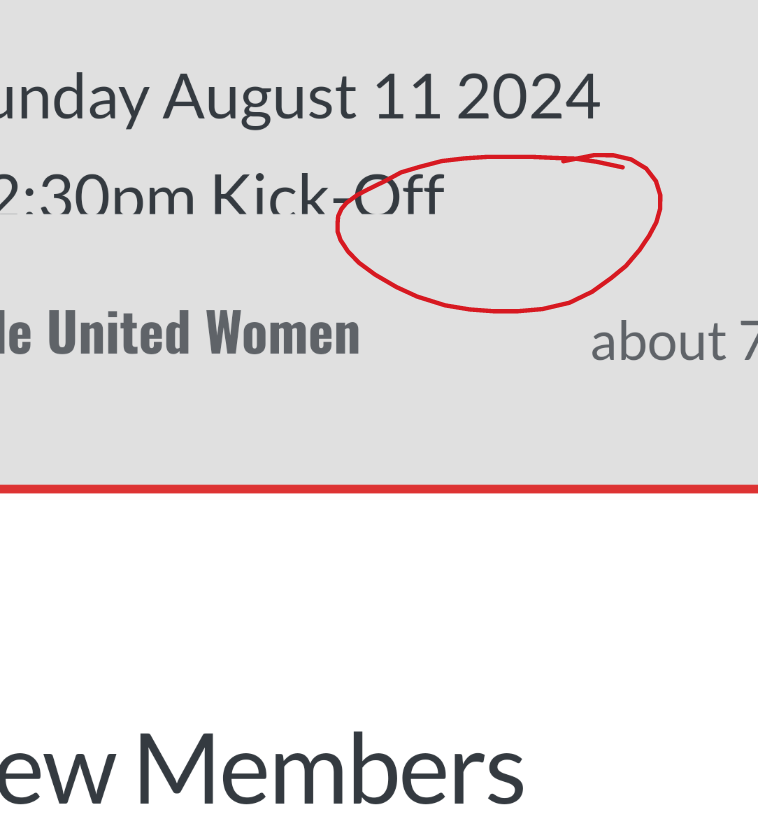
@jac When you say
navbarare you referring to this ?
Mark Cutting also advises organisations as a Fractional CIO, Fractional CISO and Executive Advisor, helping boards improve technology governance, cyber resilience and executive decision making. Learn more at Gratmore Ltd
-
-
@phenomlab Sorry, yes mate

@jac Find this value which is already set in your custom CSS
.navbar-default {
    background-color: #194F90;
}
And change
background-colorto your preference.Mark Cutting also advises organisations as a Fractional CIO, Fractional CISO and Executive Advisor, helping boards improve technology governance, cyber resilience and executive decision making. Learn more at Gratmore Ltd
-
@jac Find this value which is already set in your custom CSS
.navbar-default {
    background-color: #194F90;
}
And change
background-colorto your preference.@phenomlab Thanks, will try that now.
-
@jac Find this value which is already set in your custom CSS
.navbar-default {
    background-color: #194F90;
}
And change
background-colorto your preference.@phenomlab said in NodeBB customisation:
#194F90
The nav bar is fine mate, it’s the cards I wish to change mate. Having a nightmate too with the reading progress meter change too. I’ve followed all instructions but can’t get it to show.
Going back to the cards although I’ve chosen the same colour as the nav bar the colours simply don’t match.
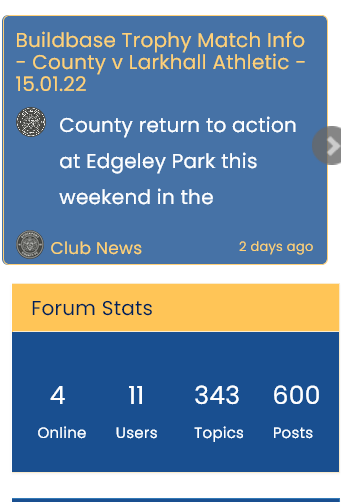
Apologies in advance mate I don’t want this to become an issue where you get annoyed
-
@phenomlab said in NodeBB customisation:
#194F90
The nav bar is fine mate, it’s the cards I wish to change mate. Having a nightmate too with the reading progress meter change too. I’ve followed all instructions but can’t get it to show.
Going back to the cards although I’ve chosen the same colour as the nav bar the colours simply don’t match.
Apologies in advance mate I don’t want this to become an issue where you get annoyed
@jac Ok. First things first, locate block
.recent-cards .recent-card-container .recent-cardAnd set line
opacity: 0.8;To
opacity: 1;Let me know if that solves the background issue with the cards ?
Mark Cutting also advises organisations as a Fractional CIO, Fractional CISO and Executive Advisor, helping boards improve technology governance, cyber resilience and executive decision making. Learn more at Gratmore Ltd
-
@jac Ok. First things first, locate block
.recent-cards .recent-card-container .recent-cardAnd set line
opacity: 0.8;To
opacity: 1;Let me know if that solves the background issue with the cards ?
@phenomlab said in NodeBB customisation:
@jac Ok. First things first, locate block
.recent-cards .recent-card-container .recent-cardAnd set line
opacity: 0.8;To
opacity: 1;Let me know if that solves the background issue with the cards ?
Fantastic, that’s worked
many thanks! -
@JAC your custom header is inactive from what I can see
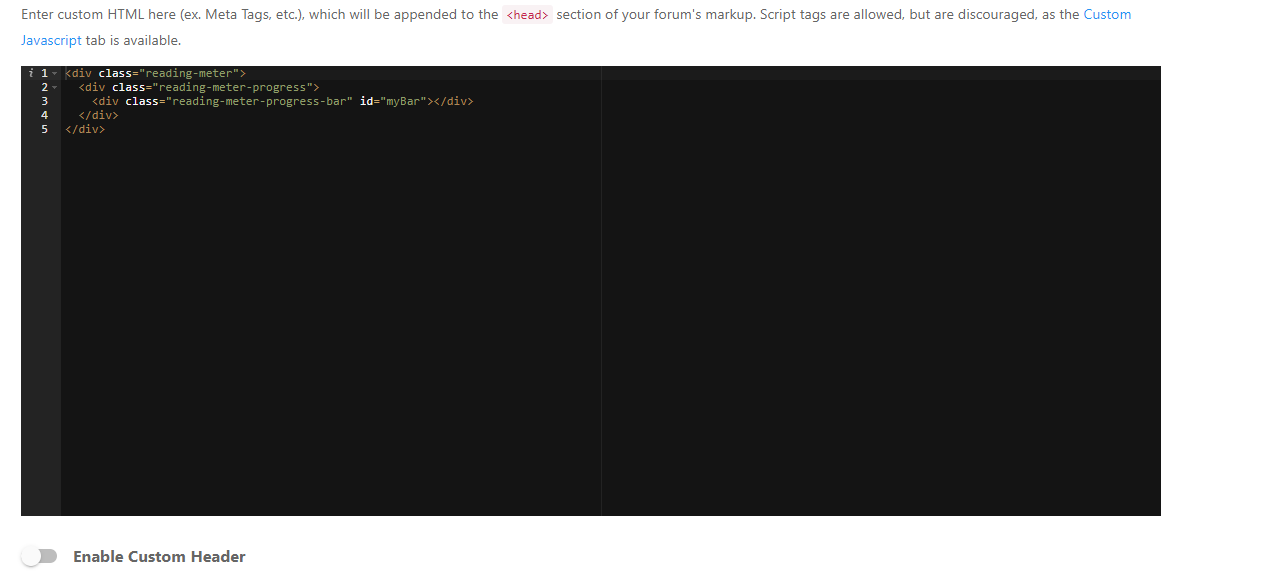
I’ve enabled it. Still not working as expected though, so checking now
Mark Cutting also advises organisations as a Fractional CIO, Fractional CISO and Executive Advisor, helping boards improve technology governance, cyber resilience and executive decision making. Learn more at Gratmore Ltd
-
@JAC your custom header is inactive from what I can see
I’ve enabled it. Still not working as expected though, so checking now
@phenomlab said in NodeBB customisation:
@JAC your custom header is inactive from what I can see
I’ve enabled it. Still not working as expected though, so checking now
Thank you Mark.
-
@phenomlab said in NodeBB customisation:
@JAC your custom header is inactive from what I can see
I’ve enabled it. Still not working as expected though, so checking now
Thank you Mark.
@jac said in NodeBB customisation:
@phenomlab said in NodeBB customisation:
@JAC your custom header is inactive from what I can see
I’ve enabled it. Still not working as expected though, so checking now
Thank you Mark.
Just updating laptop…
-
@phenomlab said in NodeBB customisation:
@JAC your custom header is inactive from what I can see
I’ve enabled it. Still not working as expected though, so checking now
Thank you Mark.
@jac Fixed. You had both the background and the bar set to the same colour
Mark Cutting also advises organisations as a Fractional CIO, Fractional CISO and Executive Advisor, helping boards improve technology governance, cyber resilience and executive decision making. Learn more at Gratmore Ltd
-
@phenomlab said in NodeBB customisation:
@jac Fixed. You had both the background and the bar set to the same colour
Fantastic mate, thank you very much!

-
@phenomlab said in NodeBB customisation:
@jac Fixed. You had both the background and the bar set to the same colour
Fantastic mate, thank you very much!
@jac @phenomlab
Sorry Mark, another question for you…
Is there a way to change the header font whilst leaving body text the same?
-
@jac @phenomlab
Sorry Mark, another question for you…Is there a way to change the header font whilst leaving body text the same?
@jac Yes, you can use this CSS
.topic [component="post/header"] {
    font-family: "Arial";
Note that
font-familyis an example. It can be any font you desire as long as it is available on the site.Mark Cutting also advises organisations as a Fractional CIO, Fractional CISO and Executive Advisor, helping boards improve technology governance, cyber resilience and executive decision making. Learn more at Gratmore Ltd



Hello! It looks like you're interested in this conversation, but you don't have an account yet.
Getting fed up of having to scroll through the same posts each visit? When you register for an account, you'll always come back to exactly where you were before, and choose to be notified of new replies (either via email, or push notification). You'll also be able to save bookmarks and upvote posts to show your appreciation to other community members.
With your input, this post could be even better 💗
Register Login