Skip to content

World

Topics from outside of this forum. Views and opinions represented here may not reflect those of this forum and its members.

A world of content at your fingertips…

Think of this as your global discovery feed. It brings together interesting discussions from across the web and other communities, all in one place.

While you can browse what's trending now, the best way to use this feed is to make it your own. By creating an account, you can follow specific creators and topics to filter out the noise and see only what matters to you.

Ready to dive in? Create an account to start following others, get notified when people reply to you, and save your favorite finds.

Register Login
  • crazycells

    hi @phenomlab , recently we are getting a lot of DDoS attacks.

    We have nginx rate limits and fail2ban set up as security tools…

    https://www.nginx.com/blog/rate-limiting-nginx/

    Since cloudflare is not working properly with NodeBB due to connection problems, we are looking for other solutions to help with these attacks…

    During all these attacks for several hours forum gives “503 excessive load” error page…


    @phenomlab thank you very much, this was helpful. Everything looks ok
  • phenomlab

    Hi all,

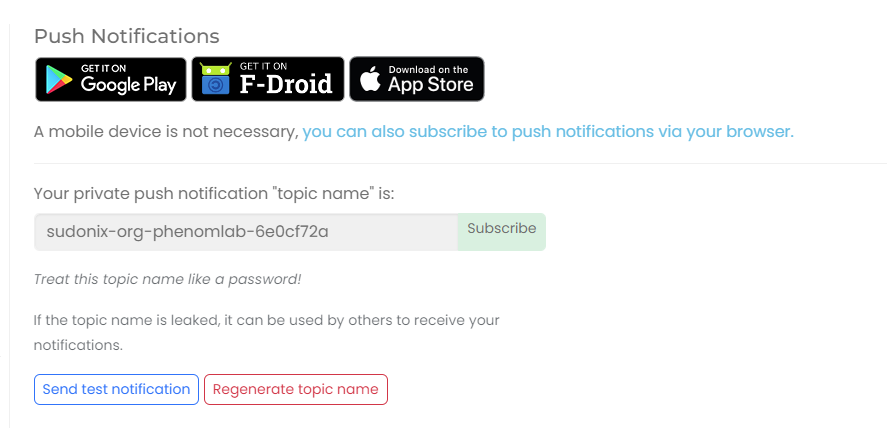
    I’ve recently implemented a self-hosted ntfy instance - it’s URL is https://notify.sudonix.org. If you are already an ntfy user, please unsubscribe from any existing Sudonix links you have, and re-subscribe using the unique link in your profile, under “Push Notifications”

    NOTE: You will probably need to click “Regenerate topic name” and use that value. In some cases, I’ve found that not recycling this means that the alerts aren’t received although YMMV (Your Mileage May Vary).

    d6197831-937e-4f50-97a9-ec02ccdf04b0-image.png

    Copy “Private Push Link” and then paste that into your NTFY client - note, you’ll also see that there is a “Subscribe” button which you can use if you’d prefer.

    If you’re not using `ntfy, you’re missing out. This small app will alert you when something happens on this site, for example, a response to a thread you’re participating in, a mention, upvote, etc, etc.

    A full explanation can be found here

    https://ntfy.sh/


    @crazycells that’s as good a test as any
  • OT

    What is being used to embed links? We use the bundled link preview with NODEBB and some links will not embed with card info.

    This link will just say denied on the card.

    c47bdf22-c3b2-4820-ac07-2e93830f6b5b-image.png

    https://www.foxnews.com/politics/youngkin-falls-short-mission-win-total-gop-control-virginia-state-legislature


    @OT Are you testing embeds, or did you insert this link for another purpose? For clarity, this isn’t a testing category
  • cagatay

    Mark hi
    I can not give permission for one user to set special category for it.
    I can not to cancel others write on that category expect one user.
    How can i set it?


    3.5.1 has now been released. I’ve just deployed it, so safe to do so!
  • crazycells

    It appears that we are entering a new age… I guess soon we will be wearing glasses that can listen us and analyze statements/commands and make reservations, create alarms, send messages etc.

    With the GPT-4 Turbo (more powerful, faster, and most importantly cheaper), assistants (plug-ins), and a GPT store (specialized gpt versions created by users)…

    I wonder if there’s a potential to leverage NodeBB forum data to train GPT-4 Turbo in a way to create a chatbot, and when users write a question, this bot will give a concise information/answer to users and guiding them directly to relevant topic(s) in the forum by sharing the topic links?


    @phenomlab oh no, that is 1 cent on the video, but you are right, symbols are similar… I just converted it to $1 , since it is more intuitive in daily life…
  • Sala

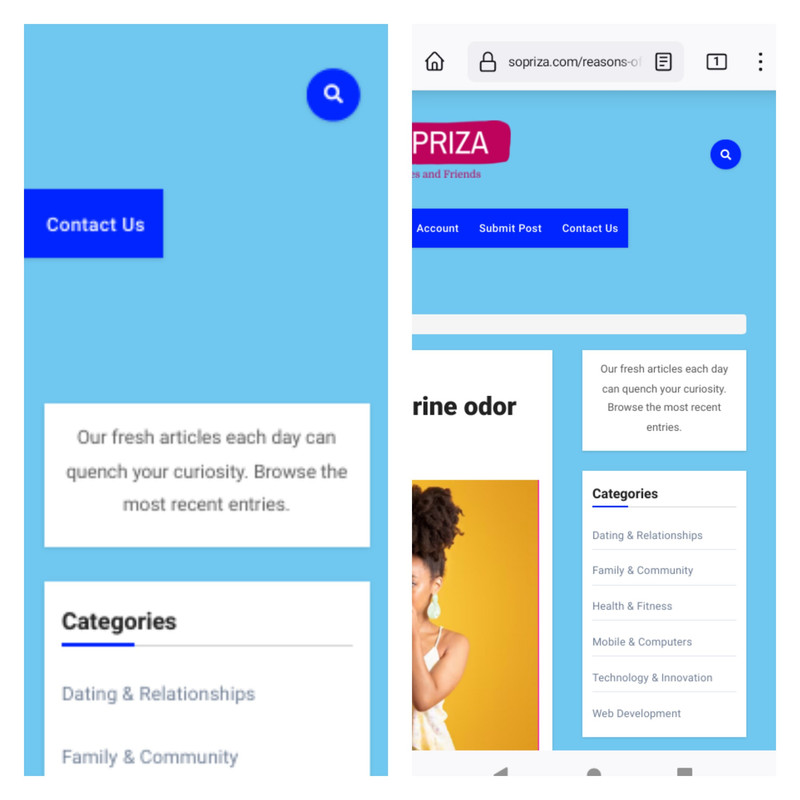
    Sudonix, there is a problem with my website that I am unable to resolve. The widget in article posts is much smaller than the other widgets on Frontpage and Pages. This is evident when looking at the word count in the screenshot below.

    Screenshot

    Please assist us with creating CSS so that the widget on the posts page has the same width as Frontpage.


    @Sala the only way you can achieve this is to use a robots.txt file and disallow access to those links.
  • crazycells

    What is the best way/plugin to have custom badges like the twitter blue check mark?

    blue verified.png

    @phenomlab I see you have these colorful ones… which are quite close:

    Screen Shot 2022-11-16 at 11.54.02.png


    Perfect
  • phenomlab

    Lower grade VPS instances, whilst cheap, do have the inherent issue in the fact that they only have 1Gb of RAM. In most cases, this is enough for relatively small or minor projects, but when you need more RAM that you actually have, you’ll quickly find that instance exhausted, and your applications crashing as a result.

    This is where the swap file comes into play. Adding a swap can significantly improve performance on low budget hosts, but without direct root access, this is not going to be possible. If you own a VPS that has root level access and need to add a swap, follow the below guide.

    First, what exactly is a Swap?

    swap is a section of hard disk space that has been set reserved for the operating system to temporarily store data that it is unable to hold in RAM. This step allows you increase the amount of information that your server can keep in its working memory (but not without with some caveats, which I’ll explain below). The swap space on the hard disk will be used mostly when there is no more sufficient space in RAM to host any in-use application data.

    The information written to disk will be far slower than information kept in RAM (RAM is superior in terms of speed owing to its architecture), but the operating system will prefer to keep running application data in memory and only use the swap for the older data. Essentially, having swap space as a failsafe for when your system’s physical memory is depleted can be a good safety net against crashes on systems with non-SSD storage available.

    Determine the size of the Swap we actually need.

    This process is made so much easier by using the below calculator

    https://pickwicksoft.github.io/swapcalc/

    Admittedly, if you only had 1Gb RAM, the SWAP would be default at 1Gb. You can play with the various configurations here to get the results you need, but be honest - don’t make your system out to be something it isn’t, because otherwise, you’ll create more problems than you set out to resolve.

    Swap space refers to a designated portion of hard drive storage that’s reserved for temporary data storage by the operating system when the RAM can’t accommodate it any longer. This allows for an expansion of the data that your server can hold in its active memory, though with certain conditions. The swap area on the hard drive comes into play primarily when there isn’t enough room left in the RAM to hold active application data.

    The data that gets written to the disk is notably slower than the data stored in RAM. Nevertheless, the operating system prioritizes keeping currently used application data in memory and employs swap for older data. Having swap space as a fallback when your system’s RAM is exhausted can serve as a valuable safeguard against out-of-memory errors, especially on systems with traditional non-SSD storage.

    Verifying the System for Swap Information

    Before proceeding, it’s advisable to confirm whether your system already has existing swap space. While it’s possible to have multiple swap files or swap partitions, typically one should suffice.

    You can check if your system has any configured swap by executing:

    sudo swapon --show
    

    If you receive no output, it means your system presently lacks swap space.

    You can also confirm the absence of active swap using the free utility:

    free -h
    

    As evident in the output, there is no active swap on the system, as shown in the Swap row.

                  total        used        free      shared  buff/cache   available
    Mem:          981Mi       122Mi       647Mi       0.0Ki       211Mi       714Mi
    SWAP:            0B          0B          0B
    

    Assessing Available Space on the Hard Drive Partition

    Before creating a swap file, it’s essential to check the current disk usage to ensure you have enough available space. This can be done by entering

    df -h
    
    Filesystem      Size  Used Avail Use% Mounted on
    tmpfs           1.6G  876K  1.6G   1% /run
    /dev/sda1       150G   65G   80G  45% /
    tmpfs           7.7G     0  7.7G   0% /dev/shm
    tmpfs           5.0M     0  5.0M   0% /run/lock
    /dev/sda15      253M  6.1M  246M   3% /boot/efi
    tmpfs           1.6G     0  1.6G   0% /run/user/1009
    

    The device with / in the Mounted on column is our disk in this case. We have sufficient remaining space available - 65G used. Your availability will obviously be different.

    The appropriate size of a swap space can vary according to personal preferences and application requirements. Typically, an amount equivalent to or double the system’s RAM is a good starting point. For a simple RAM fallback, anything over 4G of swap is usually deemed unnecessary.

    Creating a Swap File

    Now that you’ve determined the available hard drive space, you can generate a swap file on your file system. A file of your desired size, named ‘swapfile,’ will be allocated in your root directory (/).

    The recommended method for creating a swap file is by using the fallocate program, which instantly generates a file of the specified size. For instance, if your server has 1G of RAM, you can create a 1G file as follows:

    sudo fallocate -l 1G /swapfile
    

    You can confirm the correct space allocation by running:

    ls -lh /swapfile
    

    The file will be created with the appropriate space allocation.

    Activating the Swap File

    Now that you have a correctly sized file, it’s time to turn it into swap space. Initially, you must restrict file access to only root users, enhancing security. To achieve this, execute:

    sudo chmod 600 /swapfile
    

    You can verify the permission change with:

    ls -lh /swapfile
    

    As seen in the output, only the root user has read and write permissions.

    Next, mark the file as swap space with:

    sudo mkswap /swapfile
    

    Afterward, enable the swap file to allow your system to utilize it:

    sudo swapon /swapfile
    

    You can verify the availability of swap by executing:

    sudo swapon --show
    

    Finally, recheck the output of the free utility to confirm the setup:

    free -h
    

    Making the Swap File Permanent

    The changes made enable the swap file for the current session, but they won’t persist through a system reboot. To ensure your swap settings remain, you can add the swap file information to your /etc/fstab file. Here’s how you can do it:

    Back up the /etc/fstab file as a precaution:

    sudo cp /etc/fstab /etc/fstab.bak
    

    Add the swap file information to the end of your /etc/fstab file with:

    echo '/swapfile none swap sw 0 0' | sudo tee -a /etc/fstab
    

    Adjusting Swap Settings

    There are several settings you can configure to influence your system’s performance with swap. Two key settings are the swappiness property and the cache pressure setting:

    Swappiness Property: This parameter determines how often data is swapped from RAM to the swap space. A value between 0 and 100 represents a percentage. Lower values (close to 0) mean less frequent swapping, while higher values (closer to 100) encourage more swapping. You can check the current swappiness value with:

    cat /proc/sys/vm/swappiness
    

    You can set a different value using the sysctl command. For example, to set the swappiness to 10:

    sudo sysctl vm.swappiness=10
    

    This setting persists until the next reboot, but you can make it permanent by adding it to your /etc/sysctl.conf file.

    Cache Pressure Setting: This setting affects how the system caches inode and dentry information over other data. Lower values, like 50, make the system cache this information more conservatively. You can check the current cache pressure value with:

    cat /proc/sys/vm/vfs_cache_pressure
    

    To set a different value, use the sysctl command and update your /etc/sysctl.conf file as you did with the swappiness setting.



  • dave1904

    Hi,

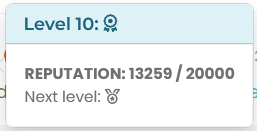
    I would like to ask how to style the tool tip in nodebb-plugin-user-level, that appears when you click on the user level icon. I just want to change some text styling. I’m trying to target it with the dev tools but can’t see any changes to the DOM.

    Btw it seems that on your site you removed the level in form of text, it looks nice and minimalistic but the tool tip information doesn’t make much sense to me.

    edit: I think I got it, after the stars there come different medals right? I like the star system 🙂

    Screenshot 2023-10-09 211928.png


    @DownPW thanks. I forgot about that.
  • DownPW

    Hello @phenomlab

    like thread view in topics and in Chat, I got the idea of having the same principle for the material view in the home page, the recent Topics view, unread, inside topics etc…

    We could call it Material View

    The idea would be to have a button in the right sidebar (User Bar) to activate the Material view or not. The container to use would therefore be [component="sidebar/right]

    This should of course not interact with the Thread view mode in the topics nor with the Stock code of nodeBB

    To not interfere with the other 2 codes, we could name the CSS class to add .mview or .material for example

    This is the desired result if you activate the Material view button :

    – Home Page :
    a039760d-3601-4afc-a694-47de36fe4a1c-image.png

    – Recent, unread, etc…
    fc3c540e-455f-4e9a-93bc-d58ec1e2c44d-image.png

    – Topic (without thread View)
    4c790ca3-9095-4f10-b319-de6c6b4741ff-image.png

    Here the CSS code ofr apply this Chnage without Javascript Code, just CSS :

    // ------------------------------------------
    // Thread CATEGORIES & TOPIC (TEST)
    // ------------------------------------------
    
    /* Home Page and Recent */
    @media (min-width: 576px) {
    [component=post], [component="category/topic"], [component="categories/category"], li[component="chat/message"], [component="chat/recent/room"], div#users-container a {
        background: var(--bs-post-category-wrapper);
        background: #f7f7f7;
        border-radius: var(--bs-post-category-wrapper-radius);
        border-radius: 0.375rem;
        margin-bottom: var(--bs-post-category-wrapper-margin);
        margin-bottom: 20px;
        border: 1px solid var(--bs-border-color);
    }
    }
    
    @media (min-width: 576px){
    [component="category/topic"], [component="categories/category"] {
        margin-bottom: var(--bs-post-category-topic-margin);
        margin-bottom: 20px;
    }
    }
    
    @media (min-width: 576px) {
    ul.topics-list li, li[component="chat/message"], [component="chat/recent/room"], div#users-container a {
        padding: 0.75rem 0 !important;
        padding-left: 20px !important;
        padding-right: 20px !important;
    }
    }
    
    ul.topics-list li {
        border-bottom: 1px solid var(--bs-border-color);
    }
    
    @media (min-width: 1600px) {
    [component=category] > *, .categories-list > *, [component="groups/container"] > *, .users-container > * {
        transition: opacity 150ms linear 100ms, transform 150ms ease-in-out 100ms;
    }
    }
    
    @media (min-width: 1600px) {
    [component=category] > *, .categories-list > *, [component="groups/container"] > *, .users-container > * {
        visibility: visible;
    }
    }
    
    @media (min-width: 576px) {
    [component="categories/category"] {
        padding: 20px;
    }
    }
    
    /* Topics & Posts */
    .page-topic .topic .posts.timeline .timeline-event, .page-topic .topic .posts.timeline > [component="post/placeholder"], .page-topic .topic .posts.timeline > [component=post] {
        border-left: none;
        /*box-shadow: 0 0.5rem 1rem rgba(0, 0, 0, 0.15) !important;*/
        transition: margin-left 0.3s ease, margin-right 0.3s ease;
        border: 1px solid var(--bs-border-color);
        background: #F7F7F7;
    }
    
    .post-footer.border-bottom.pb-2 {
        border-bottom: 0rem !important;
    }
    
    li.necro-post.text-muted.timeline-event.d-flex.gap-2.pt-4 {
        box-shadow: none !important;
        border-radius: 0rem !important;
        border: none;
        background: none !important;
    }
    
    .page-topic .topic .posts.timeline .timeline-event.highlight, .page-topic .topic .posts.timeline > [component="post/placeholder"].highlight, .page-topic .topic .posts.timeline > [component=post].highlight {
        border-radius: 0.375rem;
    }
    
    @media (min-width: 1200px) {
    ul[component=topic]:before {
        margin-left: 50px;
    }
    }


    @media (min-width: 1200px) {
    .posts-container:before {
        margin-left: 43px;
    }
    ul[component=topic]:after {
        margin-left: 43px;
    }
    }
    
    @media (min-width: 576px) {
    .page-topic .topic .posts.timeline [component="topic/event"].timeline-event .timeline-badge, .page-topic .topic .posts.timeline [component="topic/necro-post"].timeline-event .timeline-badge {
        margin-left: 1rem;
    }
    }
    
    a.post-index.text-muted.d-none.d-md-inline {
        margin-right: 5px;
    }
    
    .page-topic .topic .posts.timeline .timeline-event:last-child, .page-topic .topic .posts.timeline>[component="post/placeholder"]:last-child, .page-topic .topic .posts.timeline>[component=post]:last-child {
        padding-bottom: 0rem;
    }
    

    – A helping hand developing this would be super cool. Unless you don’t care at all and you don’t like the idea.

    – For now I have a beginning, the following code inspired by your previous codes but I don’t know if I’m on the right track

    // ------------------------------------------
    // material View Mode
    // ------------------------------------------
    
    function material() {
        $(document).ready(function () {
            // Check if the screen width is 460px or more
            if ($(window).width() >= 460) {
                // Check if the custom thread view button already exists
                if ($('#materialThreadViewButton').length === 0) {
                    // Create the button for custom thread view mode with custom IDs
                    var threadViewButton = $('<div class="material-threads-wrapper"><form class="form"><div class="form-check form-switch material-threads-wrapper"> \
                        <input class="form-check-input" id="materialThreadViewButton" type="checkbox" data-field="materialThreadView"> \
                        <label class=" d-none d-md-inline fw-semibold" for="materialThreadViewButton"></label> \
                    </div></form></div>');
                    
                    // Append the button to the right sidebar
                    $('[component="sidebar/right"]').append(threadViewButton);
                }
                
                // Check if there's a stored state for the checkbox and update it
                var storedState = localStorage.getItem('materialThreadViewState');
                if (storedState === 'true') {
                    $('#materialThreadViewButton').prop('checked', true);
                }
                
                // Toggle the class 'material' on or off when the checkbox changes state
                $('#materialThreadViewButton').on('change', function () {
                    var isChecked = $(this).is(':checked');
                    var theTooltip = isChecked ? "Material Thread View Off" : "Material Thread View On"; // Update tooltip message
                    
                    // Toggle CSS rules when the button is turned on or off
                    if (isChecked) {
                        console.log('Material Thread view is active.');
                        // Apply your CSS rules here
                    } else {
                        console.log('Material Thread view is inactive.');
                        // Remove the CSS rules here
                    }
                    
                    // Store the checkbox state in localStorage
                    localStorage.setItem('materialThreadViewState', isChecked);
                    
                    // Update the tooltip title
                    $(this).attr('data-original-title', theTooltip).tooltip('dispose').tooltip({
                        placement: 'bottom',
                        title: theTooltip,
                        trigger: 'hover'
                    });
                });
    
                // Check for changes in the checkbox state when the page loads
                $('#materialThreadViewButton').trigger('change');
            }
        });
    }
    
    // Attach the material function to relevant events
    $(window).on('action:ajaxify.end', function (data) {
        material();
    });
    
    $(window).on('action:posts.edited', function (data) {
        material();
    });
    
    $(window).on('action:posts.loaded', function (data) {
        material();
    });
    

    – Here the result :

    07d72e1d-8ca3-46f8-92ce-5beeeefc8c70-image.png


    Oh yes, that’s what’s super cool, I learn something every day. Afterwards I start from so low in JS
  • phenomlab

    I read this article with interest, and I must say, I do agree with the points being raised on both sides of the fence.

    https://news.sky.com/story/amazon-microsoft-dominance-in-uk-cloud-market-faces-competition-investigation-12977203

    There are valid points from OfCom, the UK regulator, such as

    highlighted worries about committed spend discounts which, Ofcom feared, could incentivise customers to use a single major firm for all or most of their cloud needs.

    This is a very good point. Customers are often tempted in with monthly discounts - but those only apply if you have a committed monthly spend, which if you are trying to reduce spend on technology, is hard to achieve or even offset.

    On the flip side of the coin, AWS claims

    Only a small percentage of IT spend is in the cloud, and customers can meet their IT needs from any combination of on-premises hardware and software, managed or co-location services, and cloud services.

    This isn’t true at all. Most startups and existing technology firms want to reduce their overall reliance on on-premises infrastructure as a means of reducing cost, negating the need to refresh hardware every x years, and further extending the capabilities of their disaster recovery and business continuity programs. The less reliance you have on a physical office, the better as this effectively lowers your RTO (Recovery Time Objective) in the event that you incur physical damage owing to fire or water (for example, but not limited to) and have to replace servers and other existing infrastructure before you are effectively able to start the recovery process.

    Similarly, businesses who adopt the on-premise model would typically require some sort of standby or recovery site that has both replication enabled between these sites, plus regular and structured testing. It’s relatively simple to “fail over” to a recovery site, but much harder to move back to the primary site afterwards without further downtime. For this reason, several institutions have adopted the cloud model as a way of resolving this particular issue, as well as the cost benefits.

    The cost of data egress is well known throughout the industry and is an accepted (although not necessarily desirable) “standard” these days. The comment from AWS concerning the ability to switch between providers very much depends on individual technology requirements, and such a “switch” could be made much harder by leveraging the use of proprietary products such as AWS Aurora - slated as a MySQL and PostgreSQL and then attempting to switch back to native platforms - only to find some essential functionality is missing.

    My personal view is that AWS are digging their heels in and disagree with the CMA because they want to retain their dominance.

    Interestingly, GCS (Google Cloud Services) doesn’t seem to be in scope, and given Google’s dominance over literally everything internet related, this surprises me.


    @DownPW absolutely. Then there’s also the cost of having to replace aging hardware - for both the production site, and the recovery location.
  • phenomlab

    Seeing as fancybox is such a great and efficient library, I’ve decided to implement it here. Being super lightweight, there’s absolutely zero impact to the overall speed of the Sudonix platform, I’ve included it here. In fact, it’s a fork of the same extension I wrote for the Flarum project which is still very much in use 🙂

    I’ve streamlined the code and the required functions. Images only are shown, and the function will ignore avatars and emojis etc as displaying these as part of an image carousel is pointless in my view.

    Enjoy.


    And it seems to be less conflicting!
  • DownPW

    Hello mark

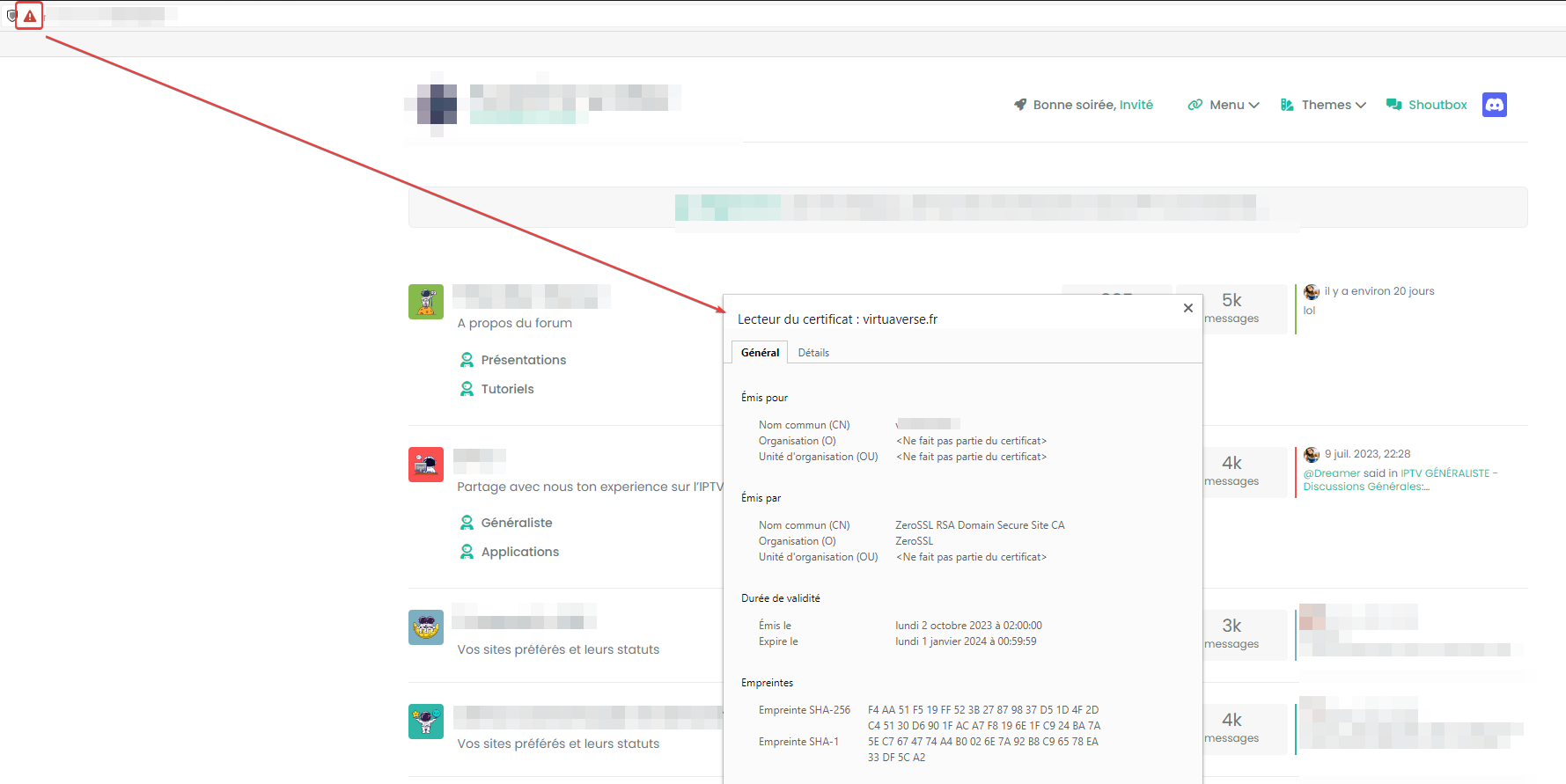
    It’s strange this evening I no longer had SSL access to my dev environment

    I had a zeroSSL CA certificate that was still valid until the end of the month.
    I rebooted the machine as well.

    So I checked my DNS, Cloudflare, domain name, nginx service, all is OK.
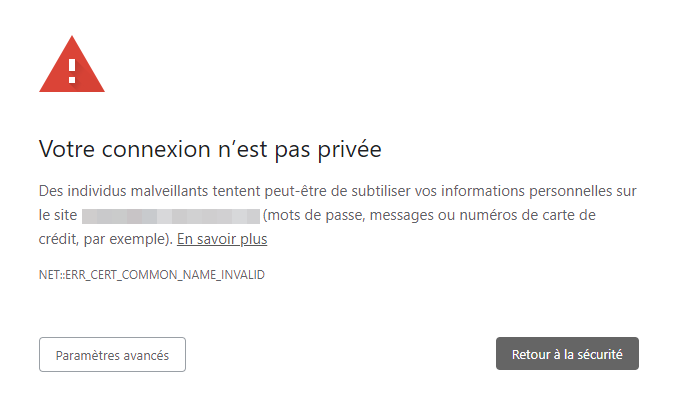
    I regenerated a certificate on zero SSL but I got an error saying there is a problem with the certificate (invalid certificate)

    9166b7c8-1471-4246-b43b-13790a664197-image.png

    Your connection is not private
    Malicious individuals may be trying to steal your personal information from the nodebbdev.xxxxxx.fr site (passwords, messages or credit card numbers, for example). Learn more
    NET::ERR_CERT_COMMON_NAME_INVALID

    fbbc49fc-9887-4c41-ac28-9eede0a83bd6-image.png

    I can Bypass the message but that’s not the goal


    @DownPW anytime
  • dave1904

    Hi phenomlab!

    I read on nodebb forum that you self host your ntfy. Would it be possible that you can write a guide for it? I tried it myself but port 80 is already in use. I could maybe configure a different port in the server.yml but then I also would have to configure Nginx I guess? Maybe you could show us the steps you did. 🙂

    I would appreciated it.


    read more →
    You are very awesome! Thanks @phenomlab feel free to delete this topic
  • Panda

    So Im sure every guy who likes Tech ignores thier partner /significant other for periods of time.
    You know how it is, when that bug needs fixing, it is the focus of your world.
    3 months ago my partner started making jokes that my computer is my true girlfriend! Once she tried to snatch my phone out of my hand because I had been coding on it, on a day out.
    I ignored her warnings that she was becoming bored and lonely.
    A month ago she left me, for a slightly younger guy. And apparently its not coding theyve been doing morning, noon and night 😞
    In the minimal messaging contact I now get; She is saying her new life is going well, and is having fun, and she feels valued.

    Feeling very sick about it. I would say sick++ !
    Really wondering if other Techies have had the same issues with human relationships?
    Is being this into computers even compatible with ‘married life’?


    @Panda Great analogy…
  • phenomlab

    Following on from the “Threaded post support for NodeBB” topic below

    https://sudonix.org/topic/569/threaded-post-support-for-nodebb

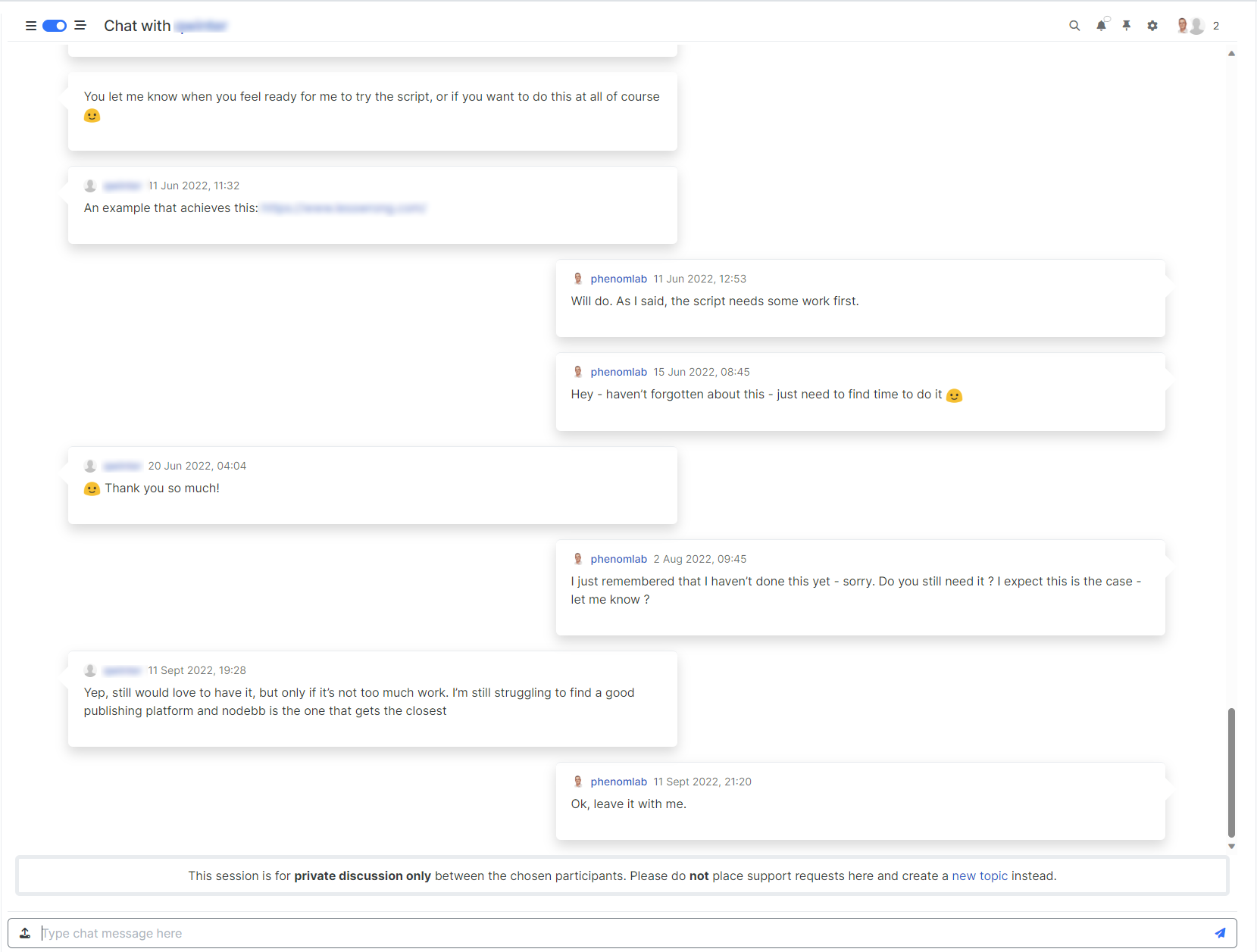
    I am delighted to now announce something “similar” for chat 🙂 See below - forgive the blurred image - it’s set that way intentionally to maintain privacy for individual members, but it’s enough for you to see the flow

    2f572f31-4f6c-4fcf-93fd-1fe84b6895c0-image.png

    This specific code is less complex than posts as there is “less to target” in terms of actual elements, and less global positioning of other elements to take into consideration. Without further ado…

    https://github.com/phenomlab/nodebb-harmony-chat-threading

    You’ll need to copy the content of style.css and paste this into ACP->/admin/appearance/customise, and also the content of functions.js into ACP->/admin/appearance/customise#custom-js

    IMPORTANT

    For this to work as intended, you need a temporary patch file which is discussed here

    https://community.nodebb.org/topic/17307/action-event-client-side-for-creating-and-updating-posts/21

    And the actual file itself here

    https://github.com/NodeBB/NodeBB/commit/a7517d886f83703dc158c0e2327542156b539eb6

    This new hook does not exist pre 3.5.0 and will need to be added manually to your existing NodeBB core, then rebuild, and restart.

    If you don’t want to modify the core, then you can comment out (or remove) the below lines of functions.js but then you will lose the ability to convert to threaded chat when new data is added to the DOM

    $(window).on('action:chat.onMessagesAddedToDom', function(data) {
            	$(document).ready(function() { 
        	    console.log('hook triggered'); 
            threadedChat();
    });
    });
    

    You may also land up with an error in the console which could result in the remainder of the site not loading properly if either the core patch is not applied, or the above lines removed.

    As soon as 3.5.0 is released, this hook will be there by default and no longer needs to be added.

    Finally, if you are using chatBanner then you will need this updated function

    https://sudonix.org/topic/538/adding-a-banner-to-chat-messages/30


    @DownPW said in Threaded chat support for NodeBB: Better like this : add shadow and border-left on self answer Of course - you style to your own requirements and taste I’ll commit that CSS we discussed yesterday also
  • phenomlab

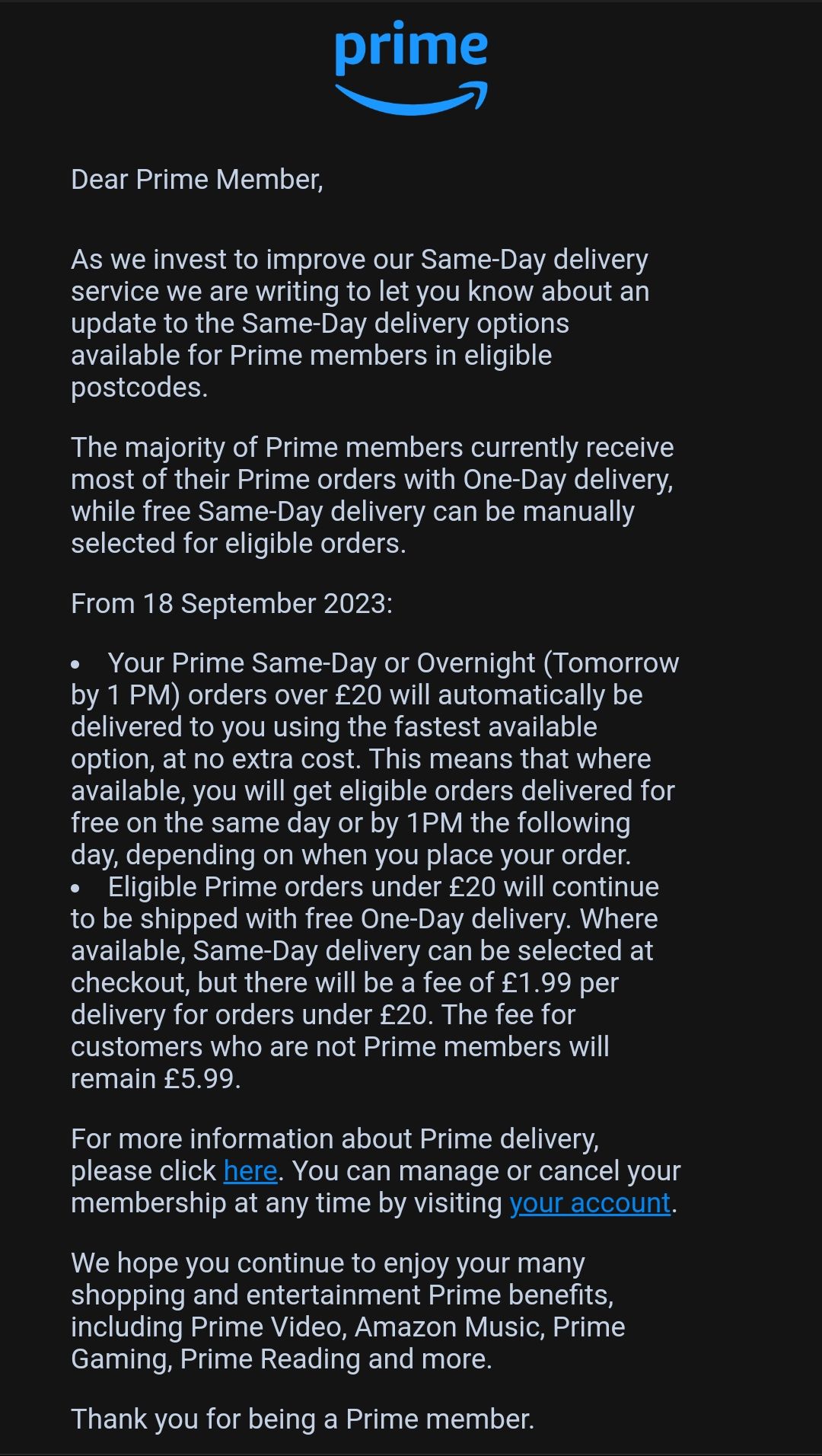
    I received an email from Amazon this morning concerning my prime subscription and intended price increases for their “same day” delivery (I’m using quotes here as I cannot honestly recall the last time I had a same day delivery). Before we start, let’s just have a look at their annual profits offer the last 3-5 years

    Amazon gross profit for the quarter ending June 30, 2023 was $65.010B, a 18.61% increase year-over-year.
    Amazon gross profit for the twelve months ending June 30, 2023 was $244.974B, a 18.22% increase year-over-year.
    Amazon annual gross profit for 2022 was $225.152B, a 14.01% increase from 2021.
    Amazon annual gross profit for 2021 was $197.478B, a 29.28% increase from 2020.
    Amazon annual gross profit for 2020 was $152.757B, a 32.85% increase from 2019.

    Source

    https://www.macrotrends.net/stocks/charts/AMZN/amazon/gross-profit

    Now, let’s look at the email I received

    Screenshot_2023-08-18-11-48-49-29_45e686c594768066ad9911d54d96f72b.jpg

    The most prominent part is here

    Eligible Prime orders under £20 will continue to be shipped with free One-Day delivery. Where available, Same-Day delivery can be selected at checkout, but there will be a fee of £1.99 per delivery for orders under £20. The fee for customers who are not Prime members will remain £5.99.

    Considering the annual prime membership always increases in price and never goes down, plus the fact that Amazon issues a supply and demand algorithm to set prices (always increases) for items you order often, this same day delivery charge for items under £20 is a bridge too far in my view.

    If that charge was being passed down to the delivery drivers (whom Amazon have a bad reputation for treating poorly) then I would actually support that, but this is really only in the name of profit. A billion dollar turnover entity can easily absorb this cost with almost zero impact to the profit margin.

    To me, this is nothing more than corporate greed, and completely unnecessary. Sure, Amazon is convenient, and has pretty much killed the high street, but it’s not as cheap a people think. To make it worse, Amazon have set the checkout default to be a regular order rather than one time. For those who don’t necessarily check, you are then signing yourself up for something you probably didn’t want.

    Does Amazon really need to increase delivery prices? Given how much I pay currently per year for Amazon Prime, I don’t think so


    And so it starts. Amazon are going to introduce forced ads even for Prime customers on their platform. To remove them, you have to pay more?? https://news.sky.com/story/amazons-prime-video-to-include-ads-from-2024-unless-you-pay-more-12967202
  • phenomlab

    Just seen this post pop up on Sky News

    https://news.sky.com/story/elon-musks-brain-chip-firm-given-all-clear-to-recruit-for-human-trials-12965469

    He has claimed the devices are so safe he would happily use his children as test subjects.

    Is this guy completely insane? You’d seriously use your kids as Guinea Pigs in human trials?? This guy clearly has easily more money than sense, and anyone who’d put their children in danger in the name of technology “advances” should seriously question their own ethics - and I’m honestly shocked that nobody else seems to have a comment about this.

    This entire “experiment” is dangerous to say the least in my view as there is huge potential for error. However, reading the below article where a paralyzed man was able to walk again thanks to a neuro “bridge” is truly ground breaking and life changing for that individual.

    https://news.sky.com/story/paralysed-man-walks-again-thanks-to-digital-bridge-that-wirelessly-reconnects-brain-and-spinal-cord-12888128

    However, this is reputable Swiss technology at it’s finest - Switzerland’s Lausanne University Hospital, the University of Lausanne, and the Swiss Federal Institute of Technology Lausanne were all involved in this process and the implants themselves were developed by the French Atomic Energy Commission.

    Musk’s “off the cuff” remark makes the entire process sound “cavalier” in my view and the brain isn’t something that can be manipulated without dire consequences for the patient if you get it wrong.

    I daresay there are going to agreements composed by lawyers which each recipient of this technology will need to sign so that it exonerates Neuralink and it’s executives of all responsibility should anything go wrong.

    I must admit, I’m torn here (in the sense of the Swiss experiment) - part of me finds it morally wrong to interfere with the human brain like this because of the potential for irreversible damage, although the benefits are huge, obviously life changing for the recipient, and in most cases may outweigh the risk (at what level I cannot comment not being a neurosurgeon of course).

    Interested in other views - would you offer yourself as a test subject for this? If I were in a wheelchair and couldn’t move, I probably would I think, but would need assurance that such technology and it’s associated procedure is safe, which at this stage, I’m not convinced it’s a guarantee that can be given. There are of course no real guarantees with anything these days, but this is a leap of faith that once taken, cannot be reversed if it goes wrong.