Skip to content

navbar

Solved Customisation
2 2 1.0k 1

Did this solution help you?
Did you find the suggested solution useful? Support 💗 Sudonix with a coffee ☕
If your organisation needs deeper expertise around infrastructure, security, or technology leadership, learn more about Phenomlab Ltd. Many of the deeper technical guides behind Sudonix are published there.

Related Topics
  • Custom Page - nodebb

    Solved Customisation custom-pages nodebb
    13
    2
    5 Votes
    13 Posts
    3k Views
    DownPW
    I’m happy to see this
  • Please help me, I can't install nodebb

    Locked Solved Customisation nodebb
    7
    5 Votes
    7 Posts
    2k Views
    phenomlab
    Installation completed, verified, and tested. Correct installation methodology is below https://docs.nodebb.org/installing/os/ubuntu/
  • Fancybox zoom

    Unsolved Customisation fancybox zoom image
    2
    1
    0 Votes
    2 Posts
    944 Views
    phenomlab
    @DownPW Technically, it should be possible with the addition of the below Toolbar: { display: { left: ["infobar"], middle: [ "zoomIn", "zoomOut", "toggle1to1", "rotateCCW", "rotateCW", "flipX", "flipY", ], right: ["slideshow", "thumbs", "close"], }, }, Meaning your code block becomes function fancybox() { if (top.location.pathname !== '/login') { $(document).ready(function() { $('a').not('.forum-logo').not(".avatar").not(".emoji").not(".bmac-noanimate").each(function() { $('a[href*=".jpg"], a[href*=".jpeg"], a[href*=".png"], a[href*=".gif"], a[href*=".webp"], a[href*=".svg"]').addClass("noanimate"); }); }); Fancybox.bind( 'a[href*=".jpg"], a[href*=".jpeg"], a[href*=".png"], a[href*=".gif"], a[href*=".webp"], a[href*=".svg"]', { Toolbar: { display: { left: ["infobar"], middle: [ "zoomIn", "zoomOut", "toggle1to1", "rotateCCW", "rotateCW", "flipX", "flipY", ], right: ["slideshow", "thumbs", "close"], }, }, } ); } } Note, that you just need to add/remove the elements in the toolbar you do not need. Obviously, zoomIn and zoomOut are the ones you are specifically interested in. However, if Fancybox detects that the image has already been zoomed as far as possible, then this will not work. You’d need an external library such as zoom.js to add this functionality, or perhaps simpler https://www.jacklmoore.com/zoom/ A good example of how you’d make these two independent libraries work together is below https://codepen.io/ezra_siton/pen/VgrjKw It’s worth nothing that this specific code is based on Fancybox 3, so may need to be refactored to work with the latest version 5.
  • Collapsing blockquotes on Harmony

    General nodebb harmony collapsible quotes
    2
    1
    2 Votes
    2 Posts
    980 Views
    phenomlab
    @dave1904 that’s a really good point actually. I know it was there previously on Persona, but you’re right - no such function exists on harmony. However, putting something in place to mimick the behaviour of Persona won’t be hard from the js standpoint, although I wonder if perhaps we should ask the NodeBB developers is this feature was overlooked?
  • 36 Votes
    55 Posts
    30k Views
    phenomlab
    @DownPW I see why. The code relies on the existence of [component="topic/quickreply/container"] However, this by definition means that the below has to be enabled [image: aeef638f-4188-489d-a9f2-f3a26dbca9d8-image.png] It will then work [image: 7fb38631-e0f3-46ef-b652-00929d927b13-image.png] For some unknown reason, this is hidden in Harmony, and only shows if you select it. In v2, it seems that the <section> is deleted altogether in Persona if “Quick Reply” is disabled, meaning it won’t fire as it can’t locate that specific component. The downside is that you might not want the quick reply function, but I think it’s a PITA to scroll up to the top of the post just to reply, so I have it on
  • Bottom footer navbar button extend

    Solved Customisation css javascript customisation footer navbar
    32
    9 Votes
    32 Posts
    15k Views
    phenomlab
    @DownPW said in Bottom footer navbar button extend: Oh my god, it’s beautiful mark I liked this design so much, I’ve implemented it here. I intend to do a lot more with the footer in due course, so hiding it makes a lot of sense. Thanks @DownPW for the idea and initial concept
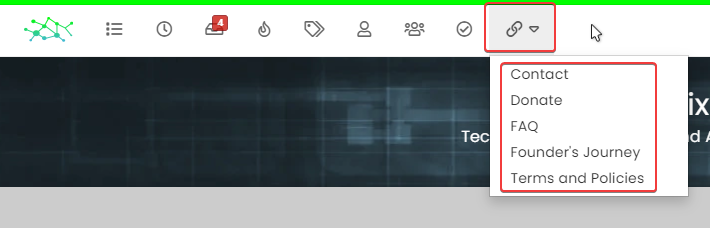
  • Multiple link on one ico non Navbar

    Solved Customisation links css navbar
    7
    1
    2 Votes
    7 Posts
    3k Views
    DownPW
    yeah you’re right @phenomlab. Problem of NodeBB Version
  • Bug Navbar CSS

    Solved Customisation navbar css

    3
    1 Votes
    3 Posts
    2k Views
    DownPW
    Not better way. Thanks.