Skip to content

Want to use Sudonix themes ?
Chitchat
80 5 17.7k 1
  • Mark hi,

    I know that you also update your own css and js along with nodebb’s updates but mine is old one when we first set it up.

    I would like to your help to use your current css and js codes if its possible?

    Thank you for your helping.

    @cagatay

    @cagatay said in Want to use Sudonix themes ?:

    I know that you also update your own css and js along with nodebb’s updates

    I do update the CSS and JS here, but it’s not in line with NodeBB releases. All of the code I have written will work with prior releases, with the exception of Chat Threading, which requires a specific hook not present in some early versions. Again, this would still work, but not at full capacity.

    @cagatay said in Want to use Sudonix themes ?:

    mine is old one when we first set it up

    It’s not “old” - it just isn’t the latest code. In fact, the code running on your website is not advertised anywhere else, so in fact, is newer than the Git links in this post.

    @cagatay said in Want to use Sudonix themes ?:

    I would like to your help to use your current css and js codes if its possible?

    Possible, yes, but not yet. There are still some bugs in the code branch I’m using here, and I don’t want to introduce complexities into your installation - particularly when I know they exist, and you’d be left with issues that your users then have to put up with.

  • thank you for your advise Mark.
    may i use your font ? what i have to do for it?

  • thank you for your advise Mark.
    may i use your font ? what i have to do for it?

    @cagatay you are already using it.

  • i have many minor problems shown below photo, how can i fix it?
    Chrome is moving towards a new experience that lets people make an informed choice with respect to third-party cookies.
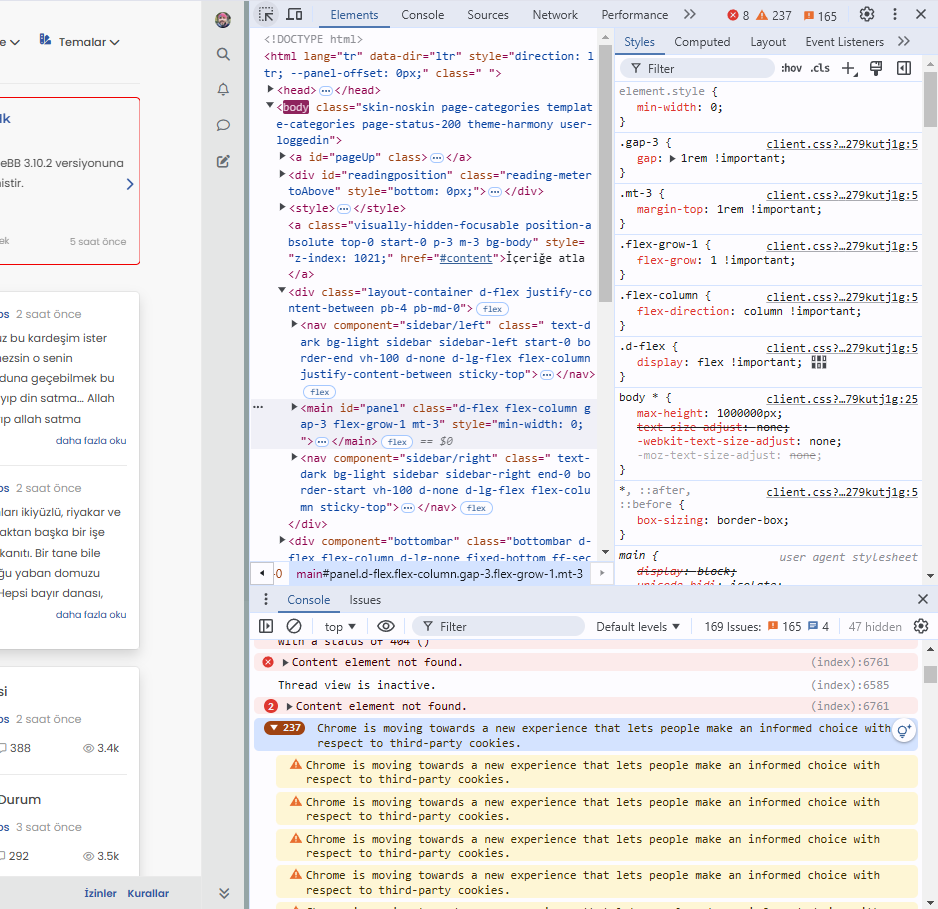
    image.png

  • i have many minor problems shown below photo, how can i fix it?
    Chrome is moving towards a new experience that lets people make an informed choice with respect to third-party cookies.

    image.png

    @cagatay This isn’t related to NodeBB, but how the Chrome browser itself behaves - see below

    Yes, Google Chrome is shifting towards a more privacy-focused approach, particularly in how it handles third-party cookies. This change is part of a broader industry trend towards improving user privacy and transparency, as seen in regulations like the General Data Protection Regulation (GDPR) and the California Consumer Privacy Act (CCPA).

    Key elements of Chrome’s new approach include:

    • Phasing out third-party cookies: Chrome has been working on a plan to phase out third-party cookies entirely, which are often used by advertisers and trackers to follow users across websites. This is part of Google’s Privacy Sandbox initiative.

    • User control and transparency: Chrome will provide users with more detailed options and controls over how third-party cookies are used. This will allow users to make an informed decision about which cookies they want to allow or block, helping them better understand how their data is being used.

    • Privacy Sandbox: Instead of third-party cookies, Google is introducing alternatives, like FLoC (Federated Learning of Cohorts), which aims to deliver relevant ads without exposing individual users’ browsing history to advertisers. FLoC is part of Privacy Sandbox, which focuses on creating new privacy-preserving mechanisms for digital advertising.

    • Better Consent Experiences: Chrome is also expected to improve how websites prompt users to give consent for cookies, reducing “cookie fatigue” and making the process more straightforward.

    This new experience is expected to improve user privacy without entirely disrupting the ad-supported web ecosystem, which depends heavily on tracking technologies.

  • This situation does not affect google indexing, does it?

  • This situation does not affect google indexing, does it?

    @cagatay Not to my knowledge.

  • Mark, hi, the theme selection on the top panel of my website has disappeared. I only want to use it as day and night mode. Can you help me?

  • Mark, hi, the theme selection on the top panel of my website has disappeared. I only want to use it as day and night mode. Can you help me?

    @cagatay have you made any changes to the site recently? It’s static coding in the javascript setting on your forum so unless custom js has been turned off, then I can’t see why without actually checking why it wound have disappeared unless it has been inadvertently deleted.

  • No, I haven’t made any changes, and I haven’t touched the Java section either. Could you check it when you have time?

  • No, I haven’t made any changes, and I haven’t touched the Java section either. Could you check it when you have time?

    @cagatay Seems as though someone removed the brand header, so I reinstated it from drafts

    5a451051-e4f3-4fb3-aed2-0c101ac97ef2-image.png

    d2b86d8f-0573-4d8c-83c5-5b2aada072d7-image.png

  • omg 🙂 thank you Mark.


Related Topics
  • Who uses Flarum?

    Chitchat flarum forum
    22
    7 Votes
    22 Posts
    4k Views
    @Madchatthew I use it here. It is faster, but not sure if that extends to build times.
  • CSS codes to prevent votes to disappear

    Solved Customisation nodebb
    3
    1 Votes
    3 Posts
    1k Views
    @phenomlab yes, it is thanks a lot…
  • Header Menu After Upgrading V3.1.1

    Solved Customisation header nodebb
    2
    1
    2 Votes
    2 Posts
    795 Views
    @cagatay this relates to a change the css classes used for the brand header meaning it will now float to the left instead of right. If you’d like to retain the original behavior, you can add this css class [data-widget-area="brand-header"] { justify-content: end; display: flex; } Further information here https://community.nodebb.org/topic/17090/manual-build-a-custom-header-in-harmony/19?_=1684069325296
  • NodeBB: The global Search option

    Solved Configure search nodebb
    5
    0 Votes
    5 Posts
    963 Views
    @mventures Yes, exactly. The other icon will restart NodeBB whilst the first icon I referenced will rebuild (recompile) it. The huge strength of NodeBB over Flarum (for example) is that the code is precompiled, and called once at boot. PHP’s code has to repeatedly reload code from source making it much slower.
  • Upgrade Problem from 2.8.3 to 2.8.4

    Solved Configure nodebb
    35
    1
    8 Votes
    35 Posts
    8k Views
    @cagatay No, you can ignore that.
  • restarting nodebb on boot

    Unsolved Configure nodebb
    3
    1 Votes
    3 Posts
    1k Views
    @eeeee said in restarting nodebb on boot: can I just run nodebb under nodemon for auto restarts? It’s a better method. Nodemon just looks for file system changes and would effectively die if the server was rebooted meaning you’d have to start it again anyway. Systemd is the defacto standard which is how the operating system interacts in terms of services, scheduled tasks etc.
  • How to fix size of photos & videos NodeBB

    Solved Customisation nodebb nodebb size
    7
    3 Votes
    7 Posts
    2k Views
    @crazycells pleasure. Using percentages makes much more sense in this case. It’s the same argument with px vs pt vs em with fonts, margins, padding, etc., in the sense that em is generally preferred over px and pt https://stackoverflow.com/questions/609517/why-em-instead-of-px
  • [NODEBB] Help for my custom CSS

    Solved Customisation nodebb css bugfix
    237
    49 Votes
    237 Posts
    98k Views
    @baris said: You should change your selectors so it doesn’t look at the entire document. You probably only want to apply fancybox to stuff inside the #content element which is what changes when the user navigates around the page. So use $('#content a').... for your selectors then the forum logo in the header won’t be selected. I modified the JS Fancybox code now and this code and it seem better // --------------------------------------------- // Fancybox Media Reader (Without Website Logo) // --------------------------------------------- if (top.location.pathname !== '/login') { $(window).on('action:posts.loaded', function(data) { console.log("Polling DOM for lazyLoaded images to apply Fancybox"); $(document).ready(function() { $('#content a').not('.forum-logo').not(".avatar").not(".emoji").not(".bmac-noanimate").each(function() { $('#content a[href*=".jpg"], #content a[href*=".jpeg"], #content a[href*=".png"], #content a[href*=".gif"], #content a[href*=".webp"]').addClass("noanimate"); }); }); }); } if (top.location.pathname !== '/login') { $(document).ready(function() { $(window).on('action:ajaxify.end', function(data) { $('#content a').not('.logo').not(".avatar").not(".emoji").not(".bmac-noanimate").each(function() { $('#content a[href*=".jpg"], #content a[href*=".jpeg"], #content a[href*=".png"], #content a[href*=".gif"], #content a[href*=".webp"]').addClass("noanimate"); data.preventDefault() // Strip out the images contained inside blockquotes as this looks nasty :) $('#content blockquote img').remove(); }); Fancybox.bind( '#content a[href*=".jpg"], #content a[href*=".jpeg"], #content a[href*=".png"], #content a[href*=".gif"], #content a[href*=".webp"]', { groupAll: true, } ); }); }); } // Chat fancybox - fires when chat module loaded and AJAX calls new chat $(document).ready(function() { $(window).on('action:chat.loaded', function(data) { // >>> Se limiter au contenu principal uniquement <<< $('#content img').not('.forum-logo').not(".avatar").not(".emoji").not(".bmac-noanimate").each(function() { var newHref = $(this).attr("src"); $(this).wrap("<a class='fancybox' href='" + newHref + "'/>"); $('#content a[href*=".jpg"], #content a[href*=".jpeg"], #content a[href*=".png"], #content a[href*=".gif"], #content a[href*=".webp"]').addClass("noanimate"); data.preventDefault(); // Strip out the images contained inside blockquotes as this looks nasty :) $('#content blockquote img').remove(); }); Fancybox.bind( '#content a[href*=".jpg"], #content a[href*=".jpeg"], #content a[href*=".png"], #content a[href*=".gif"], #content a[href*=".webp"]', { groupAll: true, } ); }); }); For the logo, I must use overflow: visible !important; on [component="brand/logo"] /* --- Logo --- */ [component="brand/logo"] { max-height: 50px; width: auto; height: auto; max-width: 100%; display: block; object-fit: contain; object-position: left center; overflow: visible !important; } Better result !!