Skip to content

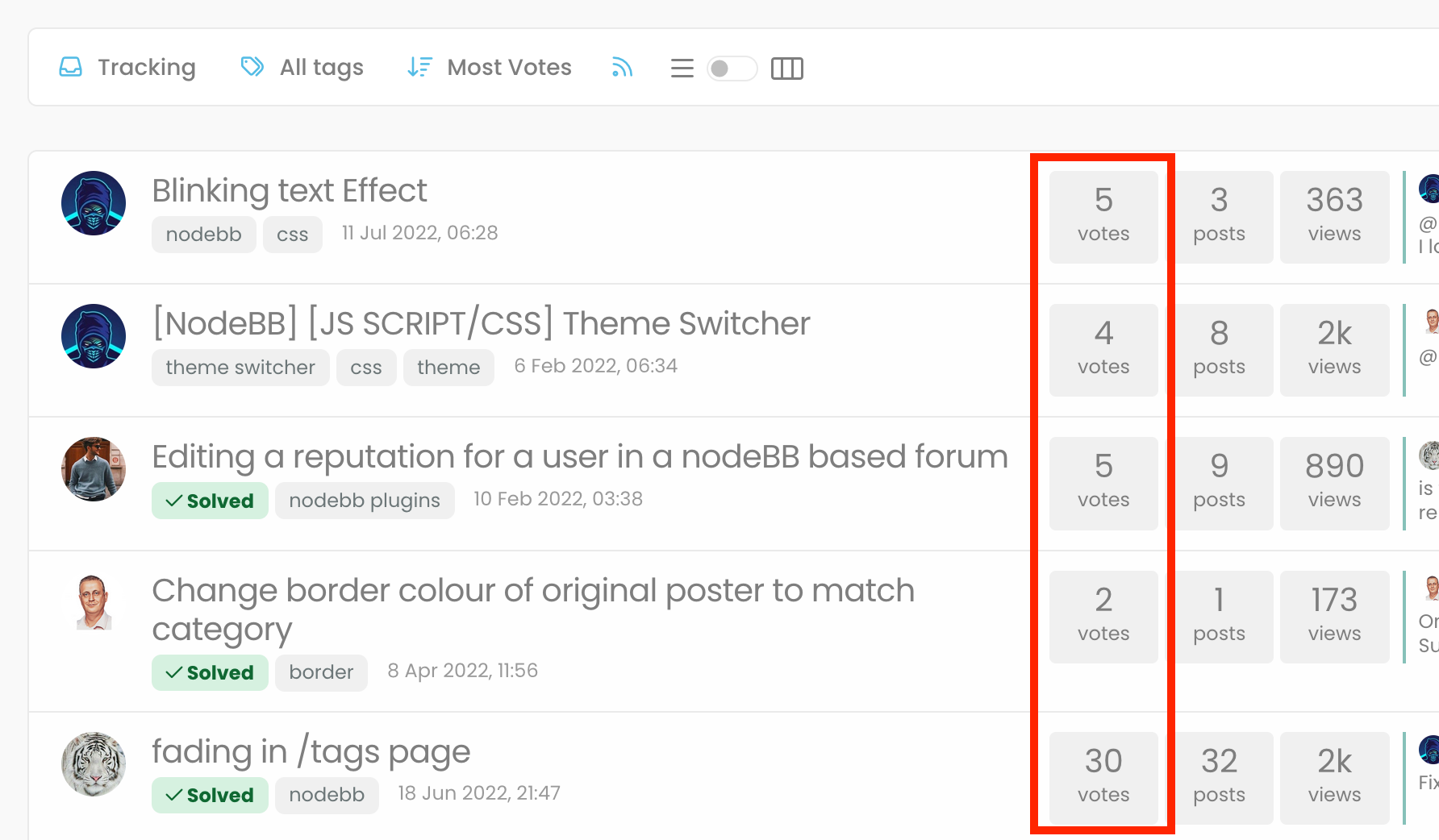
"most votes" ranking option is not respecting the plugin

Bugs
5 2 1.1k 1

Related Topics
  • What’s going on with NodeBB?

    Performance nodebb script die
    20
    5 Votes
    20 Posts
    1k Views
    @cagatay The most reliable way to upgrade Node.js on Ubuntu depends on how you originally installed it. Method 1: Using NVM (Recommended) If you already use Node Version Manager (NVM), upgrading is simple. NVM allows you to keep both versions and switch between them if needed. Install Node 22: nvm install 22 Switch to Node 22: nvm use 22 Set it as your default: nvm alias default 22 Verify the change: node -v Method 2: Using NodeSource (PPA) If you installed Node.js via apt using the NodeSource repository, you need to update the repository script to point to the new version. Remove the old NodeSource list (optional but cleaner): sudo rm /etc/apt/sources.list.d/nodesource.list Download and run the NodeSource setup script for Node 22: curl -fsSL [https://deb.nodesource.com/setup_22.x](https://deb.nodesource.com/setup_22.x) | sudo -E bash - Install/Upgrade Node.js: sudo apt-get install -y nodejs Verify the installation: node -v Method 3: Using the ‘n’ Package If you have npm installed, you can use the n interactive manager. Clear the npm cache: sudo npm cache clean -f Install the ‘n’ helper: sudo npm install -g n Install Node 22: sudo n 22 Update your shell: hash -r Troubleshooting Permission Denied: If you see permission errors using Method 2 or 3, ensure you are using sudo. Path Issues: If node -v still shows version 20 after upgrading via NVM, restart your terminal or run source ~/.bashrc. Conflicts: Avoid mixing these methods. If you switch from apt to nvm, it is best to sudo apt remove nodejs first to avoid path conflicts.
  • Where are widgets stored?

    Solved Configure nodebb
    3
    1 Votes
    3 Posts
    932 Views
    @phenomlab Thanks, have DMed you
  • Email validation NodeBB

    Bugs nodebb
    21
    3 Votes
    21 Posts
    6k Views
    @Panda said in Email validation NodeBB: Did you configure that as a custom change to the usual quote icon. How do you do that? I notice on NodeBB site its a solid blue quotes Yes, I changed it. NodeBB by default users the free font awesome library whereas I use the pro (paid) version SDK have access to a wider set of icons, and at different thicknesses etc. The change of colour is just simple CSS.
  • Top Ranked Forums

    Chitchat nodebb top ranked
    9
    1
    3 Votes
    9 Posts
    2k Views
    The real issue here is that most people consider forums to be “dead” in the sense that nobody uses them anymore, and social media groups have taken their place. Their once dominant stance in the 90’s and early 00’s will never be experienced again, but having said that, there are a number of forums that did in fact survive the social media onslaught, and still enjoy a large user base. Forums tend to be niche. One that immediately sticks out is Reddit - despite looking like it was designed in the 80s, it still has an enormous user base. Another is Stack Overflow, which needs no introduction. The key to any forum is the content it offers, and the more people whom contribute in terms of posting , the more popular and widely respected it becomes as a reliable source of information. Forums are still intensely popular with gamers, alongside those that offer tips on hacking etc.
  • Link vs Refresh

    Solved Customisation nodebb blog customization
    20
    2
    8 Votes
    20 Posts
    4k Views
    @pobojmoks Do you see any errors being reported in the console ? At first guess (without seeing the actual code or the site itself), I’d say that this is AJAX callback related
  • NodeBB slow after DB recovery

    Solved Performance performance nodebb
    1
    5 Votes
    1 Posts
    684 Views
    No one has replied
  • [NODEBB] Help for my custom CSS

    Solved Customisation nodebb css bugfix
    237
    49 Votes
    237 Posts
    93k Views
    @baris said: You should change your selectors so it doesn’t look at the entire document. You probably only want to apply fancybox to stuff inside the #content element which is what changes when the user navigates around the page. So use $('#content a').... for your selectors then the forum logo in the header won’t be selected. I modified the JS Fancybox code now and this code and it seem better // --------------------------------------------- // Fancybox Media Reader (Without Website Logo) // --------------------------------------------- if (top.location.pathname !== '/login') { $(window).on('action:posts.loaded', function(data) { console.log("Polling DOM for lazyLoaded images to apply Fancybox"); $(document).ready(function() { $('#content a').not('.forum-logo').not(".avatar").not(".emoji").not(".bmac-noanimate").each(function() { $('#content a[href*=".jpg"], #content a[href*=".jpeg"], #content a[href*=".png"], #content a[href*=".gif"], #content a[href*=".webp"]').addClass("noanimate"); }); }); }); } if (top.location.pathname !== '/login') { $(document).ready(function() { $(window).on('action:ajaxify.end', function(data) { $('#content a').not('.logo').not(".avatar").not(".emoji").not(".bmac-noanimate").each(function() { $('#content a[href*=".jpg"], #content a[href*=".jpeg"], #content a[href*=".png"], #content a[href*=".gif"], #content a[href*=".webp"]').addClass("noanimate"); data.preventDefault() // Strip out the images contained inside blockquotes as this looks nasty :) $('#content blockquote img').remove(); }); Fancybox.bind( '#content a[href*=".jpg"], #content a[href*=".jpeg"], #content a[href*=".png"], #content a[href*=".gif"], #content a[href*=".webp"]', { groupAll: true, } ); }); }); } // Chat fancybox - fires when chat module loaded and AJAX calls new chat $(document).ready(function() { $(window).on('action:chat.loaded', function(data) { // >>> Se limiter au contenu principal uniquement <<< $('#content img').not('.forum-logo').not(".avatar").not(".emoji").not(".bmac-noanimate").each(function() { var newHref = $(this).attr("src"); $(this).wrap("<a class='fancybox' href='" + newHref + "'/>"); $('#content a[href*=".jpg"], #content a[href*=".jpeg"], #content a[href*=".png"], #content a[href*=".gif"], #content a[href*=".webp"]').addClass("noanimate"); data.preventDefault(); // Strip out the images contained inside blockquotes as this looks nasty :) $('#content blockquote img').remove(); }); Fancybox.bind( '#content a[href*=".jpg"], #content a[href*=".jpeg"], #content a[href*=".png"], #content a[href*=".gif"], #content a[href*=".webp"]', { groupAll: true, } ); }); }); For the logo, I must use overflow: visible !important; on [component="brand/logo"] /* --- Logo --- */ [component="brand/logo"] { max-height: 50px; width: auto; height: auto; max-width: 100%; display: block; object-fit: contain; object-position: left center; overflow: visible !important; } Better result !!
  • Nodebb Hashtag plugin

    Solved General
    15
    1 Votes
    15 Posts
    3k Views
    @jac Great ! I’ll close this off.