[NODEBB] Help for my custom CSS
-
I’d like to try it without HUE to start.
But I’m always keen to try lots of things

You could always explain both to me, so I can apply them separately.
PW and WS Spirit alive
-
I’d like to try it without HUE to start.
But I’m always keen to try lots of things
You could always explain both to me, so I can apply them separately.
@DownPW Ok. No problems. Let me get back to you. In real life calling presently.
-
OK
Wait News
-
Yeah I also like the looks and effect of the Sudonix logo at the top. Looks very awesome!
-
-
@DownPW coming soon…
Mark Cutting also advises organisations as a Fractional CIO, Fractional CISO and Executive Advisor, helping boards improve technology governance, cyber resilience and executive decision making. Learn more at Gratmore Ltd
-
@phenomlab said in [NODEBB] Help for my custom CSS:
@DownPW coming soon…
No problem, I like to annoy you, you know that
French expression: He who loves well, chastises well !
PW and WS Spirit alive
-
@phenomlab said in [NODEBB] Help for my custom CSS:
@DownPW coming soon…
No problem, I like to annoy you, you know that
French expression: He who loves well, chastises well !
@DownPW I made some final alterations to the master code for this effect, and will release very soon.
-
-
Ohh super ^^
Thank you Mark -
-
@cagatay That looks like you didn’t define a label for the icon. Have a look at
/admin/settings/navigation, and you’ll see what I mean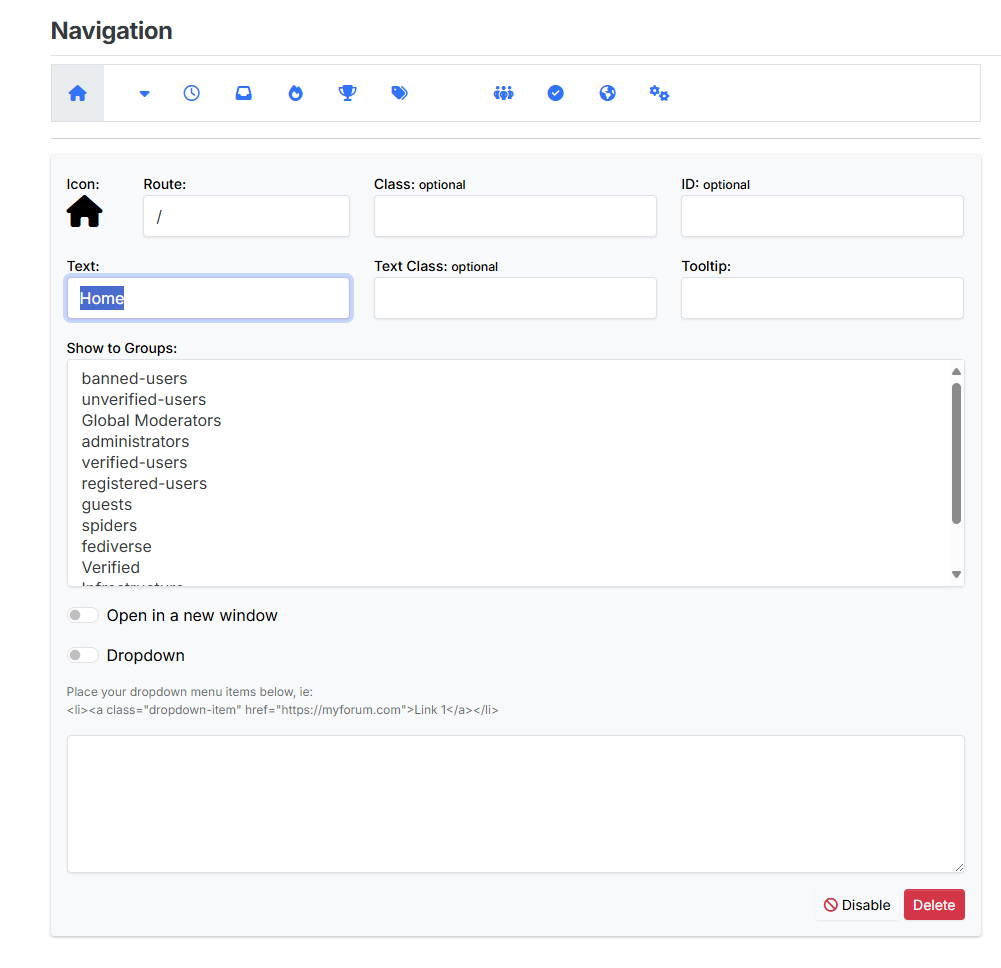
Mark Cutting also advises organisations as a Fractional CIO, Fractional CISO and Executive Advisor, helping boards improve technology governance, cyber resilience and executive decision making. Learn more at Gratmore Ltd
-
thank you Mark, fixed.
-
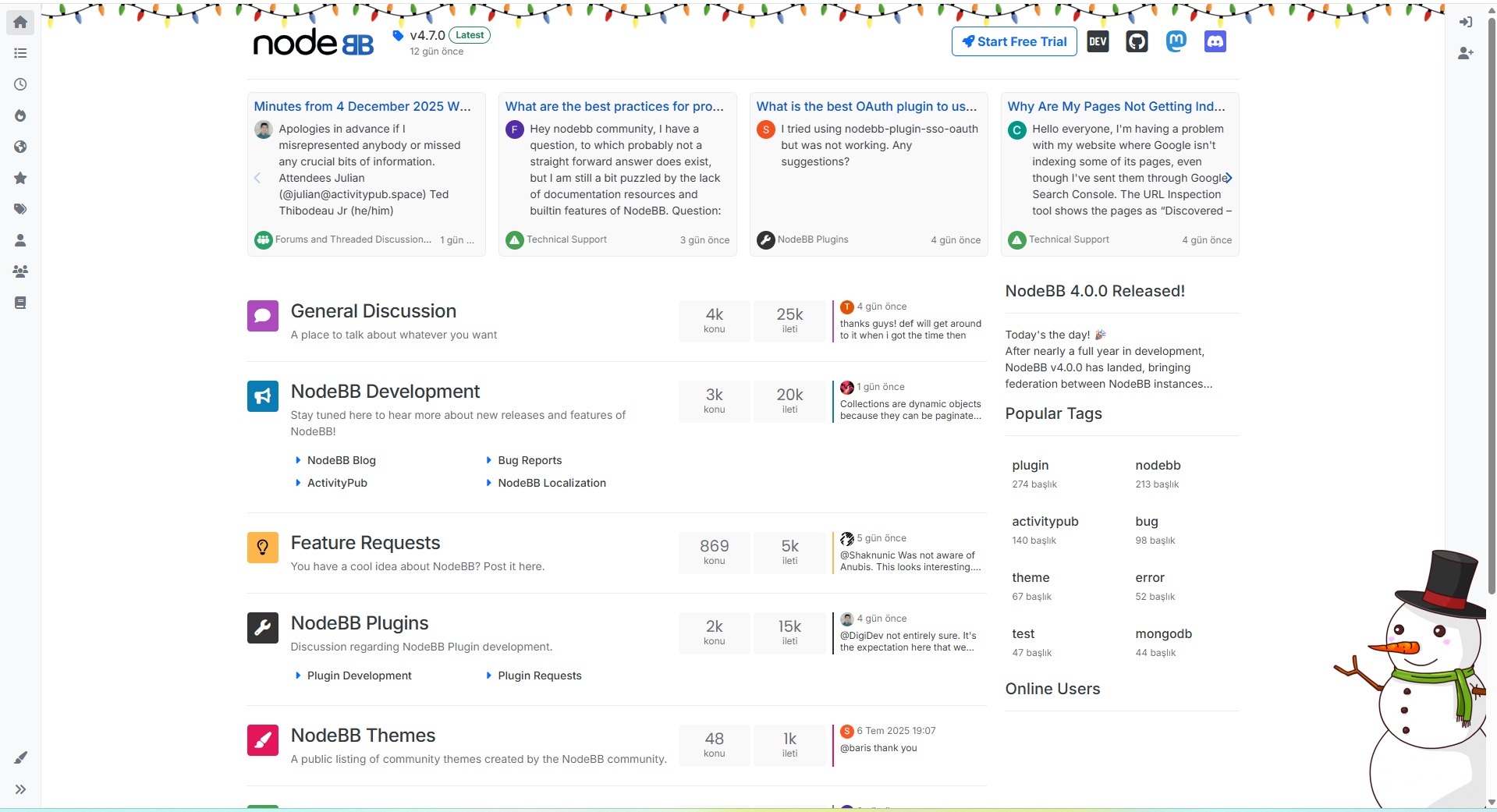
how can i add these new year icons to my home page as well?
-
@cagatay said in [NODEBB] Help for my custom CSS:
how can i add these new year icons to my home page as well?
JS:
$(window).on('action:ajaxify.end', function(ev, data) { const snowMan = $('#snow-man'); if (!snowMan.length && !ajaxify.data.template.chats) { $(`<img src="https://www.freeiconspng.com/thumbs/snowman-png/snowman-png-29.png" id="snow-man" class="d-none d-lg-block position-fixed" style="z-index: 1054; bottom: -50px; right: -100px;"/> `).appendTo('body'); } else { if (ajaxify.data.template.chats) { snowMan.remove(); } } });CSS:
// ------------------------------------------
// Christmas styling
// ------------------------------------------
/* Guirlande header */


body {
  background-image: url("https://community.nodebb.org/assets/uploads/files/xmas-lights.png");
  background-repeat: repeat-x;
  background-position: top -22px left;
}

.container.px-md-4.brand-container {
    margin-top: 10px;
}


/*
.skin-noskin #content {
    background: rgba(255, 255, 255, 0.9);
    margin-top: 1rem;
    border-radius: 5px;
}*/

/* end christmas styling */
img#snow-man { width: 280px; } @media all and (max-width: 768px) { #snow-man { display: none; } .container.px-md-4.brand-container { margin-top: 15px !important; } } div#console-nav-tab { z-index: 1000; } -
thank you @DownPW
-
Hello @phenomlab
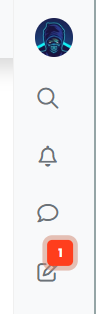
I’d like to increase the size of the avatar image in the right sidebar without widening it, and center all the icons.
I can’t find the right code.
Any ideas?
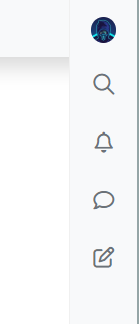
.sidebar #user_dropdown .avatar {
    margin: 2px 0;
    width: 30px;
    height: 30px;
}
PW and WS Spirit alive
-
Hello @phenomlab
I’d like to increase the size of the avatar image in the right sidebar without widening it, and center all the icons.
I can’t find the right code.
Any ideas?
.sidebar #user_dropdown .avatar { margin: 2px 0; width: 30px; height: 30px; }@DownPW There isn’t any easy way to achieve this without using
position: absoluteon theimgitself. Even then, you’d need to manually alter the position of the child icons in the samediv(the sidebar). Whilst I do see the appeal, it’s not something I’d recommend doing to be honest.Mark Cutting also advises organisations as a Fractional CIO, Fractional CISO and Executive Advisor, helping boards improve technology governance, cyber resilience and executive decision making. Learn more at Gratmore Ltd
-
@DownPW There isn’t any easy way to achieve this without using
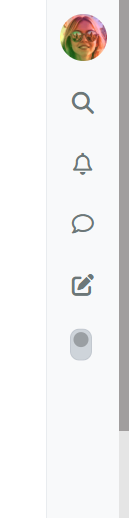
position: absoluteon theimgitself. Even then, you’d need to manually alter the position of the child icons in the samediv(the sidebar). Whilst I do see the appeal, it’s not something I’d recommend doing to be honest.I succeeded in the following way by playing with the margins.
.sidebar #user_dropdown .avatar {
    margin: 2px -7px;
    width: 35px;
    height: 35px;
}
Result is good :
-
I’d like to do the same thing with the website logo.
For example, at Christmas time, I’d like to change my logo to something like a Santa hat, but it’s always cut off.
I’ve tried adjusting the size and margins, and even modifying the logo’s pixels directly, but it doesn’t seem to work. It’s always cut off in the same way.
PW and WS Spirit alive







Hello! It looks like you're interested in this conversation, but you don't have an account yet.
Getting fed up of having to scroll through the same posts each visit? When you register for an account, you'll always come back to exactly where you were before, and choose to be notified of new replies (either via email, or push notification). You'll also be able to save bookmarks and upvote posts to show your appreciation to other community members.
With your input, this post could be even better 💗
Register Login