Skip to content

[NODEBB] Reply Button/arrow answer
Solved Customisation
25 2 11.6k 1

Did this solution help you?
Did you find the suggested solution useful? Support 💗 Sudonix with a coffee ☕
If your organisation needs deeper expertise around infrastructure, security, or technology leadership, learn more about Phenomlab Ltd. Many of the deeper technical guides behind Sudonix are published there.

Related Topics
  • Custom Page - nodebb

    Solved Customisation custom-pages nodebb
    13
    2
    5 Votes
    13 Posts
    3k Views
    DownPW
    I’m happy to see this
  • What’s going on with NodeBB?

    Performance nodebb script die
    20
    8 Votes
    20 Posts
    5k Views
    phenomlab
    @cagatay The most reliable way to upgrade Node.js on Ubuntu depends on how you originally installed it. Method 1: Using NVM (Recommended) If you already use Node Version Manager (NVM), upgrading is simple. NVM allows you to keep both versions and switch between them if needed. Install Node 22: nvm install 22 Switch to Node 22: nvm use 22 Set it as your default: nvm alias default 22 Verify the change: node -v Method 2: Using NodeSource (PPA) If you installed Node.js via apt using the NodeSource repository, you need to update the repository script to point to the new version. Remove the old NodeSource list (optional but cleaner): sudo rm /etc/apt/sources.list.d/nodesource.list Download and run the NodeSource setup script for Node 22: curl -fsSL [https://deb.nodesource.com/setup_22.x](https://deb.nodesource.com/setup_22.x) | sudo -E bash - Install/Upgrade Node.js: sudo apt-get install -y nodejs Verify the installation: node -v Method 3: Using the ‘n’ Package If you have npm installed, you can use the n interactive manager. Clear the npm cache: sudo npm cache clean -f Install the ‘n’ helper: sudo npm install -g n Install Node 22: sudo n 22 Update your shell: hash -r Troubleshooting Permission Denied: If you see permission errors using Method 2 or 3, ensure you are using sudo. Path Issues: If node -v still shows version 20 after upgrading via NVM, restart your terminal or run source ~/.bashrc. Conflicts: Avoid mixing these methods. If you switch from apt to nvm, it is best to sudo apt remove nodejs first to avoid path conflicts.
  • NodeBB recent cards customisation

    Solved Customisation nodebb recent cards
    3
    1
    2 Votes
    3 Posts
    1k Views
    JAC
    @phenomlab thank you very much for the assistance Mark, massively appreciated as always. The great thing about this is it’s all documented for other NodeBB users that come looking for solutions . Looks far better .
  • who is read NodeBB

    Customisation read post nodebb
    6
    0 Votes
    6 Posts
    3k Views
    phenomlab
    @cagatay You should ask in the NodeBB forums. Perhaps reference this post https://discuss.flarum.org/d/23066-who-read
  • NodeBB v3

    Announcements nodebb v3 nodebb
    2
    3 Votes
    2 Posts
    1k Views
    phenomlab
    @cagatay JS will work fine - no changes there, and there are no plans to drop support for jQuery. More of an issue is the CSS - for which there are quite a few breaking changes. Keep an eye on sudonix.dev (my development site) where you can see progress in relation to how I am tackling the compatibility issues.
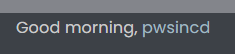
  • [NodeBB] greeting message

    Solved Customisation css nodebb javascript
    2
    1
    3 Votes
    2 Posts
    2k Views
    phenomlab
    @pwsincd welcome to sudonix, and thanks for the comments. What your looking for is here https://sudonix.com/topic/195/nodebb-welcome-message/3?_=1648295651358
  • How to set a signature in NodeBB?

    Solved Customisation
    4
    2 Votes
    4 Posts
    2k Views
    JAC
    @phenomlab said in How to set a signature in NodeBB?: @jac No issues at all with copying. This is set using the signature for the user you are posting as. In the case of Hostrisk, it’s set like the below [image: 7bf04183-f6e8-4d72-b0eb-c9a05c9cd24b-image.png] You can set the signature by using https://domain.com/user/theuser/edit Mamy thanks Mark, I’ll set this up later .
  • Customising NodeBB

    Locked Customisation nodebb
    3
    0 Votes
    3 Posts
    3k Views
    phenomlab
    Closing this thread as a duplicate of https://sudonix.com/topic/12/nodebb-customisation