
Rename videos in bulk - linux commands
-
Managing videos is a big hassle. To follow the 3-2-1 backup strategy, I want to keep a copy of my videos online. After some research, I found that GoPro is the easiest and cheapest option, costing around $25 or $50 per year for unlimited footage. (i have 20TB videos)Now, the goal is to upload all my files to GoPro.
GoPro doesn’t provide a drive-like system, so I need to upload files directly to the GoPro website. Before doing that, I want to add folder names to the file names using a Linux command to rename them. so i can use their search to find files later.
All my videos are stored in Synology Drive in the following format:
Videos/date/filename1.mp4I only want to rename the MP4 files to have the format
date-filename1.mp4. How can I do this using a command targeting all directory and subdirectories? -
Managing videos is a big hassle. To follow the 3-2-1 backup strategy, I want to keep a copy of my videos online. After some research, I found that GoPro is the easiest and cheapest option, costing around $25 or $50 per year for unlimited footage. (i have 20TB videos)Now, the goal is to upload all my files to GoPro.
GoPro doesn’t provide a drive-like system, so I need to upload files directly to the GoPro website. Before doing that, I want to add folder names to the file names using a Linux command to rename them. so i can use their search to find files later.
All my videos are stored in Synology Drive in the following format:
Videos/date/filename1.mp4I only want to rename the MP4 files to have the format
date-filename1.mp4. How can I do this using a command targeting all directory and subdirectories?@Hari I don’t think the GoPro subscription is going to cut it here to be honest. The Web client will have limits and likely upload speeds will be incredibly slow.
I addition, web uploading always seem to lack the ability to resume at last failure etc like your can get with SFTP and uploading 20Tb of videos will literally take forever.
20Tb of videos seems excessive also. You’ll struggle to find any storage provider who will give you that level of storage, and GoPro are likely to have fair usage limits what will prevent you from uploading that sort of volume.
The script you’re looking for in terms of preparing each upload (rename and move into directory) isn’t difficult, but do you know for sure that GoPro actually support this?
Mark Cutting also advises organisations as a Fractional CIO, Fractional CISO and Executive Advisor, helping boards improve technology governance, cyber resilience and executive decision making. Learn more at Gratmore Ltd
-
@Hari I don’t think the GoPro subscription is going to cut it here to be honest. The Web client will have limits and likely upload speeds will be incredibly slow.
I addition, web uploading always seem to lack the ability to resume at last failure etc like your can get with SFTP and uploading 20Tb of videos will literally take forever.
20Tb of videos seems excessive also. You’ll struggle to find any storage provider who will give you that level of storage, and GoPro are likely to have fair usage limits what will prevent you from uploading that sort of volume.
The script you’re looking for in terms of preparing each upload (rename and move into directory) isn’t difficult, but do you know for sure that GoPro actually support this?
@phenomlab i am looking for a linux command i will be running it on my synology to add directory name to the files, then i will be uploading manually 50 videos per day. i have the account and it is free why not trying for its full potential

-
@phenomlab i am looking for a linux command i will be running it on my synology to add directory name to the files, then i will be uploading manually 50 videos per day. i have the account and it is free why not trying for its full potential
@Hari more than happy for you to try it, although I think it’s going to be rate limited and will go against their fair usage policy.
-
Could you please help me with a linux command to do rename files?
-
@Hari Of course, but I need a bit more detail around how you want to name the directories you mentioned.
As a starting point, you could so something like this
You can use the find command along with bash to achieve this. Here’s an example command:
find /path/to/root/directory -type f -name "*.mp4" -exec bash -c 'for file; do mv "$file" "$(date +"%Y%m%d")-${file##*/}"; done' bash {} +This command will find all .mp4 files under the specified root directory and its subdirectories, then rename them to the format
date-filename1.mp4, where the date is in the formatYYYYMMDD.Here’s a breakdown of what will happen
find /path/to/root/directory -type f -name "*.mp4"- Finds all files with the extension .mp4 under the specified root directory.
-exec bash -c '...' bash {} +- Executes the specified bash command for each found file.
'for file; do mv "$file" "$(date +"%Y%m%d")-${file##*/}"; done'This bash script renames each file by appending the date and a hyphen to the original filename.
Make sure to replace
/path/to/root/directorywith the actual path to your root directory.Mark Cutting also advises organisations as a Fractional CIO, Fractional CISO and Executive Advisor, helping boards improve technology governance, cyber resilience and executive decision making. Learn more at Gratmore Ltd
-
@Hari Of course, but I need a bit more detail around how you want to name the directories you mentioned.
As a starting point, you could so something like this
You can use the find command along with bash to achieve this. Here’s an example command:
find /path/to/root/directory -type f -name "*.mp4" -exec bash -c 'for file; do mv "$file" "$(date +"%Y%m%d")-${file##*/}"; done' bash {} +This command will find all .mp4 files under the specified root directory and its subdirectories, then rename them to the format
date-filename1.mp4, where the date is in the formatYYYYMMDD.Here’s a breakdown of what will happen
find /path/to/root/directory -type f -name "*.mp4"- Finds all files with the extension .mp4 under the specified root directory.
-exec bash -c '...' bash {} +- Executes the specified bash command for each found file.
'for file; do mv "$file" "$(date +"%Y%m%d")-${file##*/}"; done'This bash script renames each file by appending the date and a hyphen to the original filename.
Make sure to replace
/path/to/root/directorywith the actual path to your root directory.@phenomlab I’m trying to put the folder name at the beginning of each file. I found out about this by looking at a few renaming programs on Windows.
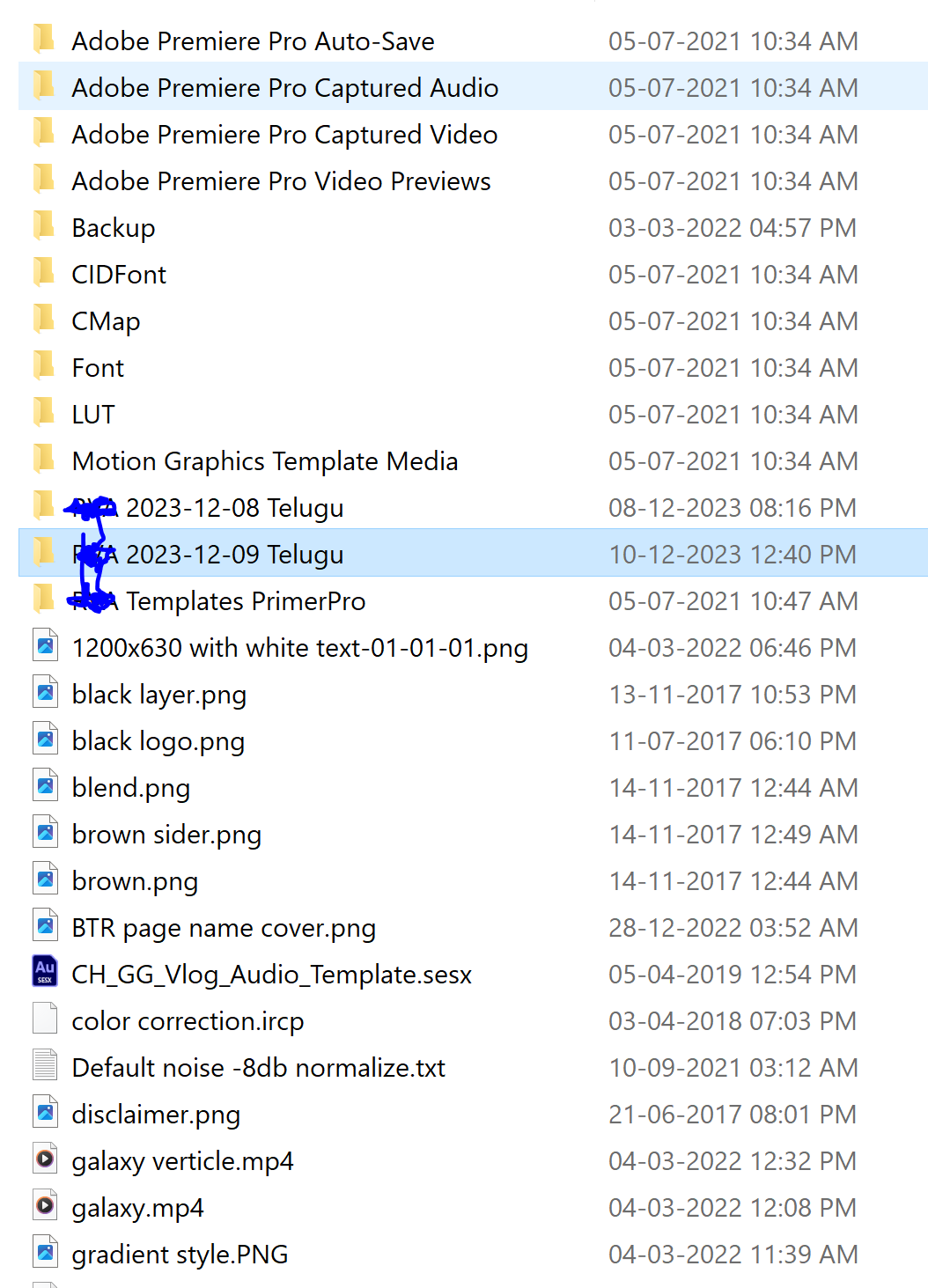
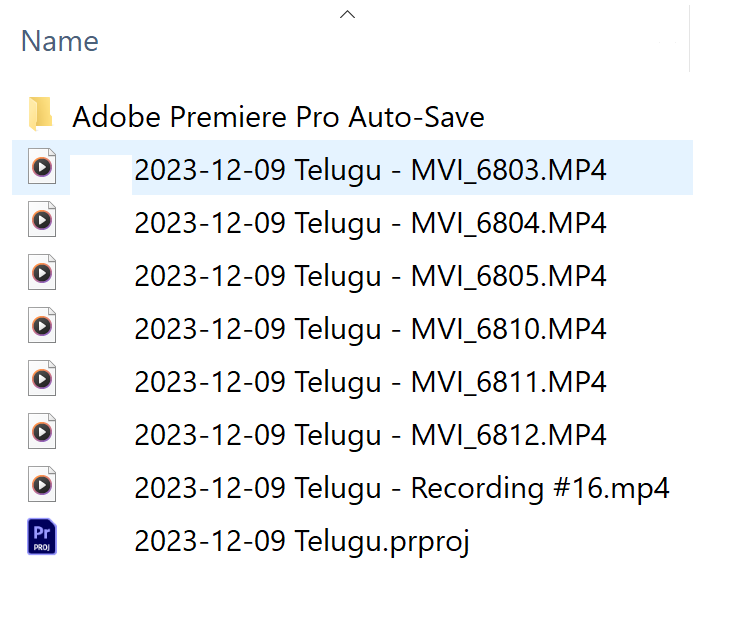
I want to rename the files like this:
Website/FolderName/file1.mp4
Website/FolderName2/file10.mp4expected output targeting directories and sub directories:
FolderName2-file10.mp4
FolderName-file1.mp4
I want the file names to be the folder name plus the file name, focusing on MP4 files.
-
@phenomlab I’m trying to put the folder name at the beginning of each file. I found out about this by looking at a few renaming programs on Windows.
I want to rename the files like this:
Website/FolderName/file1.mp4
Website/FolderName2/file10.mp4expected output targeting directories and sub directories:
FolderName2-file10.mp4
FolderName-file1.mp4
I want the file names to be the folder name plus the file name, focusing on MP4 files.
@Hari i’m slightly confused. Are you looking to do this from Windows, or from Linux? The post below seems to point towards Linux, hence my response
Mark Cutting also advises organisations as a Fractional CIO, Fractional CISO and Executive Advisor, helping boards improve technology governance, cyber resilience and executive decision making. Learn more at Gratmore Ltd
-
@Hari i’m slightly confused. Are you looking to do this from Windows, or from Linux? The post below seems to point towards Linux, hence my response
@phenomlab i am sharing examples from a windows machine and i am supposed to run these commands on Synology nas
-
@phenomlab i am sharing examples from a windows machine and i am supposed to run these commands on Synology nas
@Hari How do you connect to the Synology? Is this via SMB or mapped drive? I’m thinking it may be easier to go down this route and use a batch copy/rename application in Windows.
Mark Cutting also advises organisations as a Fractional CIO, Fractional CISO and Executive Advisor, helping boards improve technology governance, cyber resilience and executive decision making. Learn more at Gratmore Ltd
-
@Hari How do you connect to the Synology? Is this via SMB or mapped drive? I’m thinking it may be easier to go down this route and use a batch copy/rename application in Windows.
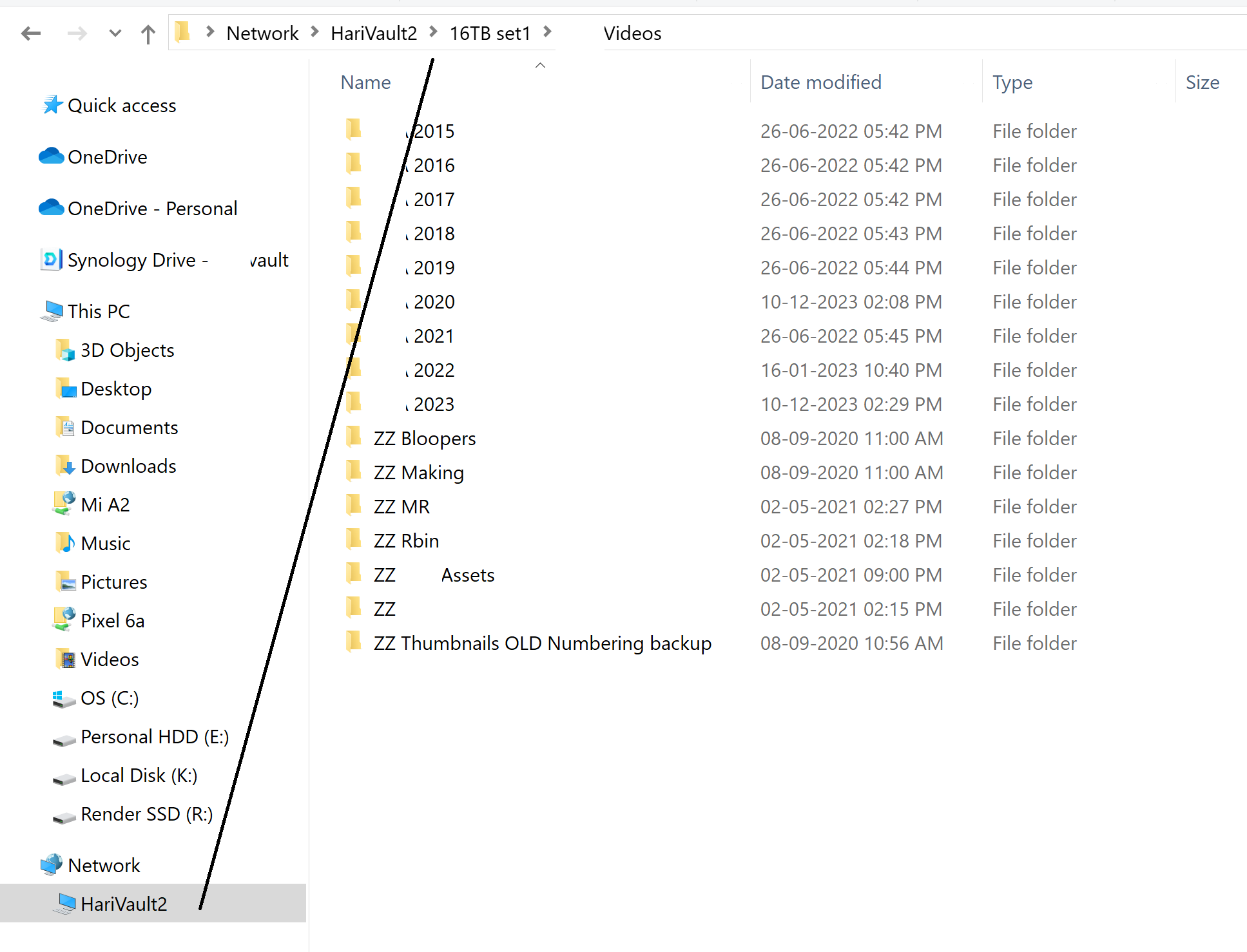
@phenomlab i think i am connected using SMB
is this the batch rename software? https://www.bulkrenameutility.co.uk/
-
@phenomlab i think i am connected using SMB
is this the batch rename software? https://www.bulkrenameutility.co.uk/
@Hari Yes, that’s one (of many) I would recommend. It’s going to be easier to do this under Windows and the fact that you are already connected using SMB is a huge plus.


Hello! It looks like you're interested in this conversation, but you don't have an account yet.
Getting fed up of having to scroll through the same posts each visit? When you register for an account, you'll always come back to exactly where you were before, and choose to be notified of new replies (either via email, or push notification). You'll also be able to save bookmarks and upvote posts to show your appreciation to other community members.
With your input, this post could be even better 💗
Register Login
