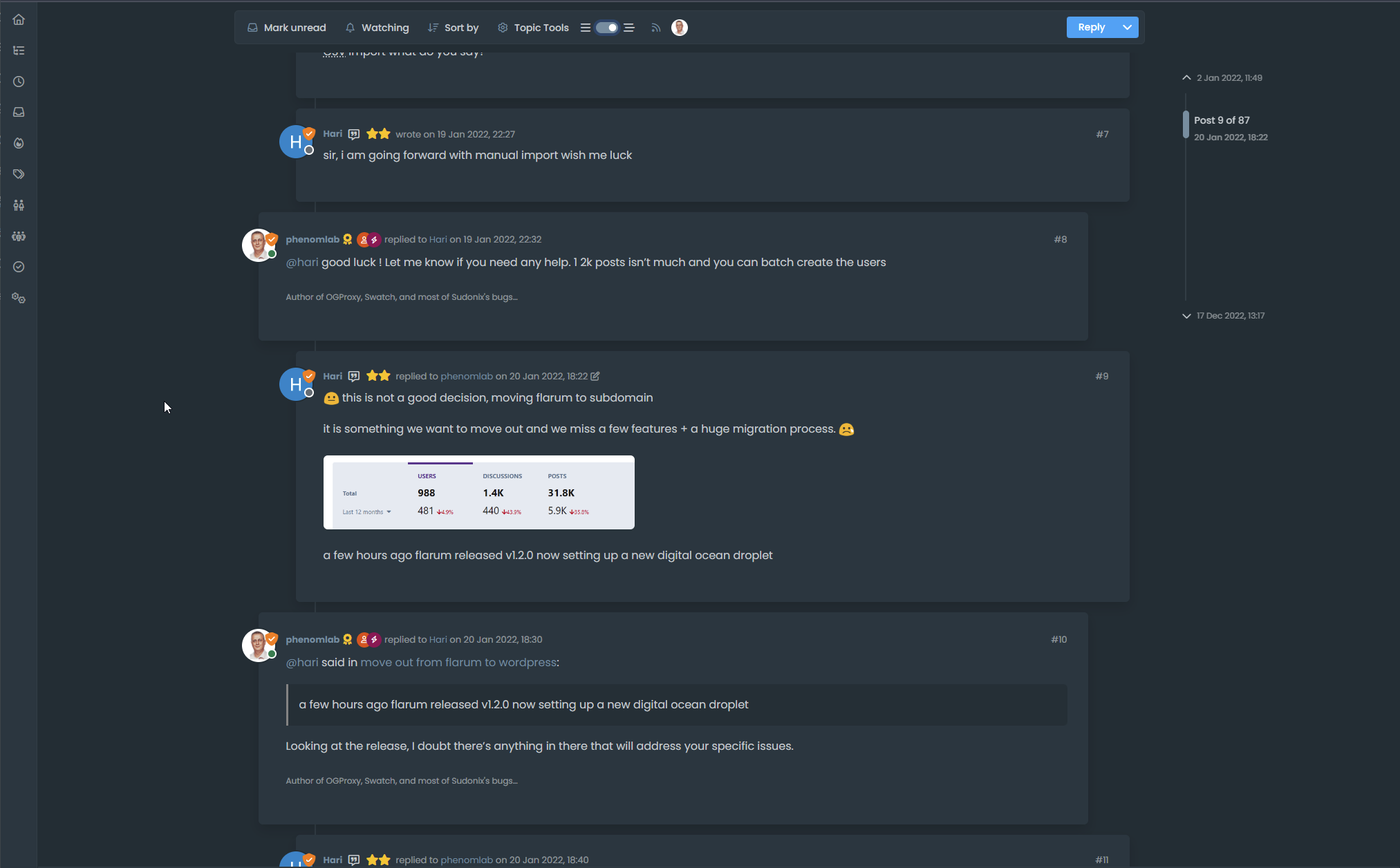
Threaded post support for NodeBB


-
I’ll just leave this here

-
do you think it can be adapted for the stock default display of topics?
PW and WS Spirit alive
-
@DownPW yes, but it’ll need a rewrite to be compatible with the stock NodeBB harmony theme. Sudonix makes a lot changes to the default layout so without those additional modifications, it’ll look odd.
-
ooh ok. I would have liked to apply it on my site too bad for me then
PW and WS Spirit alive
-
@DownPW not necessarily. I can still develop something for you to use as a base.
-
Oh really ?
That would be super coolHave 2 versions maybe. One adapted to your personalized code and one adapted to Harmony (without customizing the appearance of topics (stock))
I’m probably asking too much
PW and WS Spirit alive
-
Oh really ?
That would be super coolHave 2 versions maybe. One adapted to your personalized code and one adapted to Harmony (without customizing the appearance of topics (stock))
I’m probably asking too much
@DownPW said in Threading support for NodeBB:
I’m probably asking too much
Nope. Not at all. I’m fact, developing one from stock Harmony is probably a better idea as it’ll work out of the box.
Leave it with me.
Mark Cutting also advises organisations as a Fractional CIO, Fractional CISO and Executive Advisor, helping boards improve technology governance, cyber resilience and executive decision making. Learn more at Gratmore Ltd
-
I’ve set my DEV environment to vanilla and will develop a working solution for that.
-
Hi All,
Some very early (subject to the odd bug) code released in DEV. You will need an account there - let me know if you need a password reset
https://sudonix.dev/topic/331/how-to-install-a-self-hosted-instance-of-iframely-for-use-with-nodebb
This code is quite complex, and leverages some interesting CSS classes. The most important change is that it removes the stock timeline bar, and will replace it with it’s own. This is for a variety of reasons - mostly around cumulative layout shift and pseudo elements being used in the stock CSS.
-
I have tested but I don’t see switch on dev
PW and WS Spirit alive
-
@DownPW It only triggers at
1200pxand above - do you have your browser size set smaller? -
Just added some transition effects. Note that depending on how many elements there are on the screen, this might cause layout shift.
-
oh yes I’m on 1920 x 1080 screen
oups
PW and WS Spirit alive
-
@DownPW Does it work now? By
1200pxI meant wide -
-
Odd. Seems to work for me.
-
nope it’s normal, i’m on 1080px height
PW and WS Spirit alive
-
@DownPW I’m going to reset your DEV password and login as you to check
-
I see why. Let me fix that
-
@DownPW can you log back into DEV and try again? Should be working now.



Hello! It looks like you're interested in this conversation, but you don't have an account yet.
Getting fed up of having to scroll through the same posts each visit? When you register for an account, you'll always come back to exactly where you were before, and choose to be notified of new replies (either via email, or push notification). You'll also be able to save bookmarks and upvote posts to show your appreciation to other community members.
With your input, this post could be even better 💗
Register LoginRelated Topics
-
-
Test of youtube embeds
Solved Configure -
-
-
-
NodeBB upgrade now cant post
Solved Bugs -
-