Skip to content

Want to use Sudonix themes ?
Chitchat
80 5 31.3k 1
  • wrote on last edited by
    #42

    so i add file as user nodes then i add as root but two times not working correctly.

  • so i add file as user nodes then i add as root but two times not working correctly.

    wrote on last edited by
    #43

    @cagatay I can’t see the image at all. Here’s the output from curl

    HTTP/1.1 404 Not Found
    Server: nginx
    Date: Wed, 24 Jul 2024 11:42:02 GMT
    Content-Type: text/html
    Content-Length: 146
    Connection: keep-alive
    
  • wrote on last edited by
    #44

    i cant understand what i should to do,
    folder images i have, i added your file as user and root but not worked …

  • i cant understand what i should to do,
    folder images i have, i added your file as user and root but not worked …

    wrote on last edited by
    #45

    @cagatay I’ll have a look

  • wrote on last edited by
    #46

    thank you Mark.

  • thank you Mark.

    wrote on last edited by
    #47

    @cagatay Should be working now. I found the issue - your nginx.conf file was set incorrectly. It was set to

      location /images {
        index index.php index.htm index.html;
        root /homes/nodes/ogproxy;
      }
    

    Should have been

      location /images {
        index index.php index.htm index.html;
        root /home/nodes/ogproxy;
      }
    

    Basically, homes needed to be home 🙂

  • wrote on last edited by cagatay
    #48

    hahahah 🙂 it was very easy for you but for me not same 🙂

    thank you Mark for all.

    but as i see there is a problem for image founding,
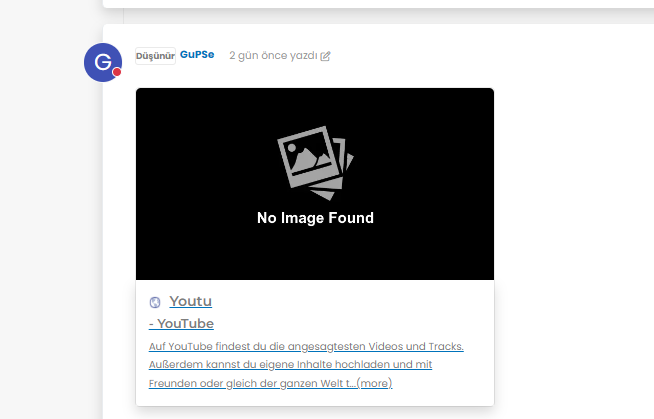
    8a7e2dc6-4afb-4f03-8a2c-7d5141816612-image.png

  • hahahah 🙂 it was very easy for you but for me not same 🙂

    thank you Mark for all.

    but as i see there is a problem for image founding,

    8a7e2dc6-4afb-4f03-8a2c-7d5141816612-image.png

    wrote on last edited by
    #49

    @cagatay It’s not an issue. The reason as to why OGProxy uses it’s own image is because the provided URL does not present one. This is for a variety of reasons - often to do with security and image scraping. If you want to embed YouTube videos, you should consider using nodebb-plugin-ns-embed for this purpose.

  • wrote on last edited by
    #50

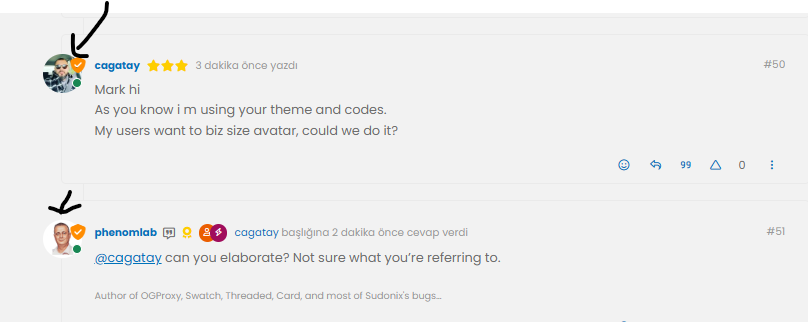
    Mark hi
    As you know i m using your theme and codes.
    My users want to biz size avatar, could we do it?

  • Mark hi
    As you know i m using your theme and codes.
    My users want to biz size avatar, could we do it?

    wrote on last edited by
    #51

    @cagatay can you elaborate? Not sure what you’re referring to.

  • wrote on last edited by
    #52

    size of avatar we can do it big one?

    image.png

  • size of avatar we can do it big one?

    image.png

    wrote on last edited by phenomlab
    #53

    @cagatay yes, that should be fairly simple to do, but what size? There may also be an impact to adjacent elements so I’d need an idea of the size you are looking for.

  • wrote on last edited by
    #54

    twice what it is now

  • twice what it is now

    wrote on last edited by
    #55

    @cagatay that’s probably on for desktop, but might look out of place when viewed on a mobile device.

  • wrote on last edited by
    #56

    could you do for mobile also?

  • could you do for mobile also?

    wrote on last edited by
    #57

    @cagatay yes, but I’d reiterate the concerns I’ve raised above in the sense that it may impact the flow of other elements.

    Essentially, this is fm going to be a relatively simple CSS change.

  • wrote on last edited by
    #58

    Mark hi,
    after upgrading 3.9 i have some problems with my web site.
    Pls see below photos of my problems;
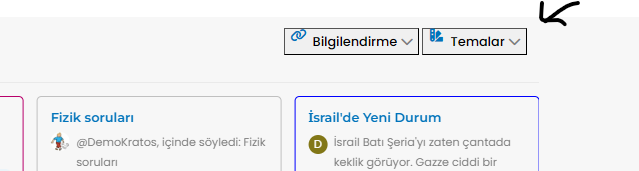
    image.png

    Also recent post and topics options i dont see my header
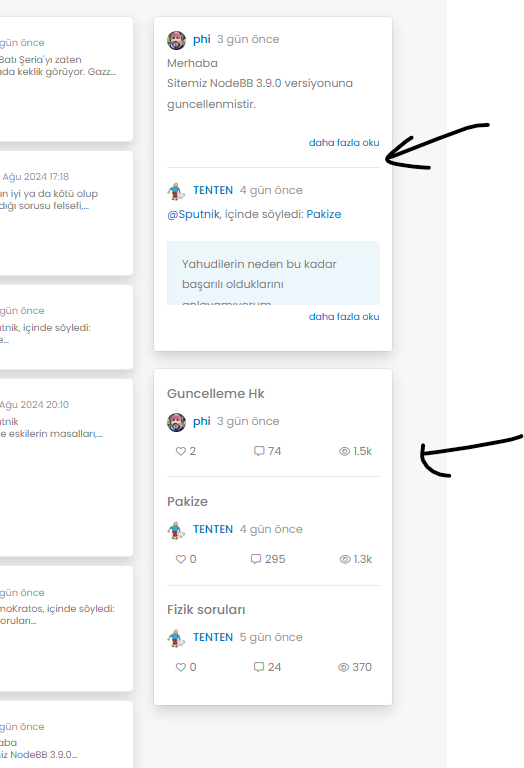
    image.png

  • Mark hi,
    after upgrading 3.9 i have some problems with my web site.
    Pls see below photos of my problems;

    image.png

    Also recent post and topics options i dont see my header

    image.png

    wrote on last edited by phenomlab
    #59

    @cagatay This will be because of the below changes

    https://community.nodebb.org/topic/18292/nodebb-3.9.0

    It’s related to the brand header section here

    <button type="button" class="btn-ghost-sm d-flex gap-2 dropdown-toggle" data-bs-toggle="dropdown"
    

    It needs to be changed to

    <button type="button" class="btn btn-ghost btn-sm d-flex gap-2 dropdown-toggle" data-bs-toggle="dropdown"
    

    I’ve made this change on your site, but you’ll also need some additional CSS. This ought to do it, and it’s been also applied to your forum.

    .btn-ghost {
        --bs-btn-hover-border-color: var(--bs-body-navbar-active);
        --bs-btn-active-bg: var(--bs-body-navbar-active);
    }
    
  • wrote on last edited by
    #60

    Of course, I am the same problem I have change the css class button on widget brand Header

    except that I had an offset present on the brand header.

    I did the same manipulations but I cannot remove this shift that we see on the screen.

    Any idea how to remove this @phenomlab ?

    Before :

    daed0cbc-7791-44eb-a1c1-28e4168051e4-image.png

    After upgrade :

    1d3ffc95-51eb-43f6-beef-df34161af0da-image.png

  • Of course, I am the same problem I have change the css class button on widget brand Header

    except that I had an offset present on the brand header.

    I did the same manipulations but I cannot remove this shift that we see on the screen.

    Any idea how to remove this @phenomlab ?

    Before :
    daed0cbc-7791-44eb-a1c1-28e4168051e4-image.png

    After upgrade :

    1d3ffc95-51eb-43f6-beef-df34161af0da-image.png

    wrote on last edited by phenomlab
    #61

    @DownPW Is this on your live site, or development? I cannot see any issue?

    EDIT - I see it on your DEV site. Not sure where the additional padding is coming from to be honest, but one quick “fix” would be to target this CSS

    [type=button]:not(:disabled), [type=reset]:not(:disabled), [type=submit]:not(:disabled), button:not(:disabled)
    

    And use this

    [type=button]:not(:disabled), [type=reset]:not(:disabled), [type=submit]:not(:disabled), button:not(:disabled) {
        cursor: pointer;
        margin-top: 0.5rem;
        margin-bottom: 0.5rem;
    }
    

    I think you may have added

    button.btn.btn-ghost.btn-sm.d-flex.gap-2 {
        padding-top: 0.8rem;
    }
    

    Although this isn’t very elegant as padding will in fact make the button much larger.


Related Topics
  • NodeBB v4.0.0

    General nodebb sudonix version 4
    28
    4 Votes
    28 Posts
    8k Views
    phenomlab
    @Panda said in NodeBB v4.0.0: the workings of World aren’t intuitive Its not easy to get World populating when a forum is new to it This is a good point and one I’ve considered also. It’s a little confusing to be honest.
  • Who uses Flarum?

    Chitchat flarum forum
    22
    7 Votes
    22 Posts
    8k Views
    phenomlab
    @Madchatthew I use it here. It is faster, but not sure if that extends to build times.
  • nodebb error logs

    Bugs nodebb
    6
    2
    4 Votes
    6 Posts
    2k Views
    ahmed
    I just wanted to ask because I don’t have much knowledge about the new installation. Thank you for the explanatory answer.
  • Upgrade issues

    Solved Configure nodebb
    2
    1
    2 Votes
    2 Posts
    1k Views
    DownPW
    Use this code git fetch # Grab the latest code from the NodeBB repository git checkout v3.x git reset --hard origin/v3.x And you will have the latest version without specifying it https://docs.nodebb.org/configuring/upgrade/
  • Can you adjust Admin settings on your NodeBB?

    Bugs nodebb
    5
    0 Votes
    5 Posts
    2k Views
    phenomlab
    @Panda as, yes, now I understand and that makes 100% sense. It means those who get down voted can still have an opinion and use common services. And yes, you’re right. Rather than down vote, just ignore if you don’t agree.
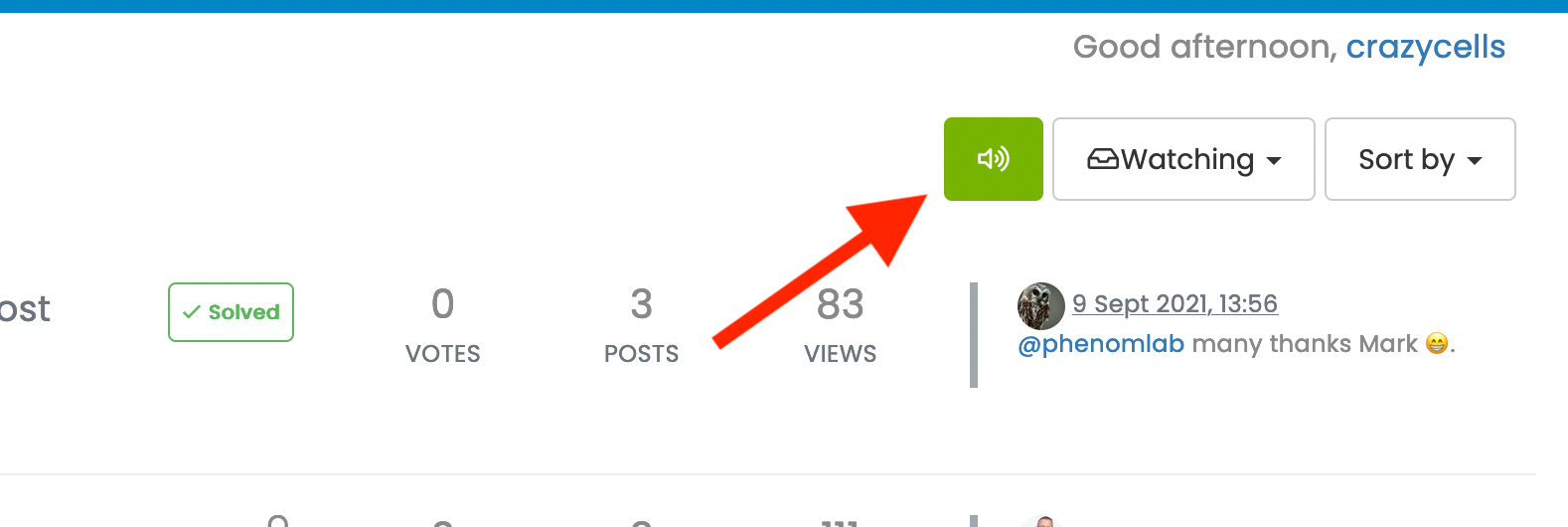
  • what does sound/mute button do?

    Solved Customisation nodebb
    20
    1
    9 Votes
    20 Posts
    6k Views
    phenomlab
    @crazycells Yeah, looking at the plugin itself, that’s a hard coded limit [image: 3d6dbc10-185b-4102-9470-0c2731a10750-image.png] I’ll probably remove that… eventually…
  • NodeBB - Created pages not found?

    General
    20
    3 Votes
    20 Posts
    6k Views
    phenomlab
    @jac Exactly. Hard point to argue.
  • nodebb dropdown menu

    Solved Configure nodebb
    5
    1
    0 Votes
    5 Posts
    3k Views
    JAC
    @phenomlab said in nodebb dropdown menu: @kurulumu-net You set it like the below example taken from this site [image: aae36790-3257-4bb2-ad5a-0d744309876a-image.png] Which presents this [image: 77f47260-2941-4afe-9614-8e17dcfc8c19-image.png] Very interesting… I actually thought this wasn’t possible, as I remember it being asked in the NodeBB forum. Is this something new that’s been implemented? I’ll 100% be doing that when I’m on the laptop over the weekend.