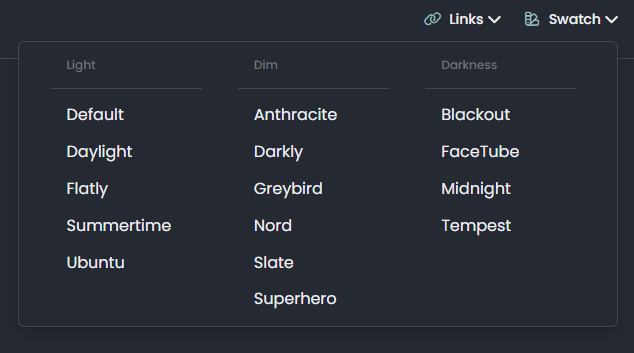
Want to use Sudonix themes ?
-
-
@cagatay You’ll need to change the owner of that file as it cannot be read. It’s set currently to root but needs to be the same user as your NodeBB runs under. The
imagesfolder needs to be set the same way. -
so i add file as user nodes then i add as root but two times not working correctly.
-
so i add file as user nodes then i add as root but two times not working correctly.
@cagatay I can’t see the image at all. Here’s the output from curl
HTTP/1.1 404 Not Found Server: nginx Date: Wed, 24 Jul 2024 11:42:02 GMT Content-Type: text/html Content-Length: 146 Connection: keep-alive -
i cant understand what i should to do,
folder images i have, i added your file as user and root but not worked … -
i cant understand what i should to do,
folder images i have, i added your file as user and root but not worked …@cagatay I’ll have a look
-
-
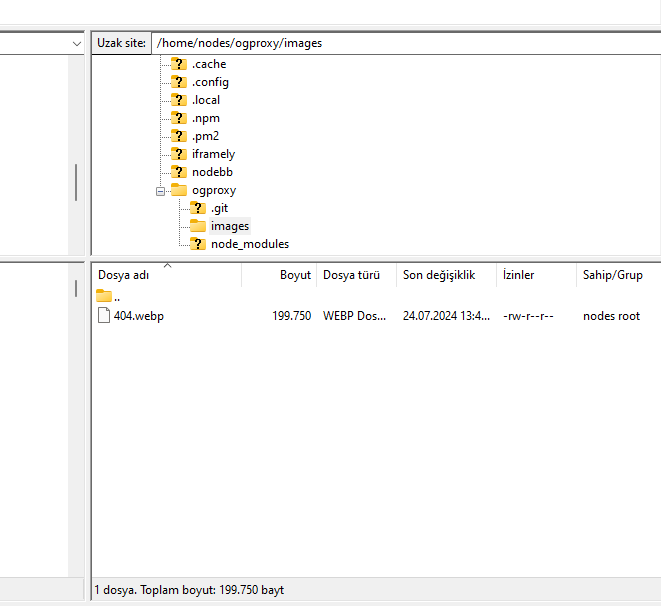
@cagatay Should be working now. I found the issue - your
nginx.conffile was set incorrectly. It was set tolocation /images { index index.php index.htm index.html; root /homes/nodes/ogproxy; }Should have been
  location /images {
    index index.php index.htm index.html;
    root /home/nodes/ogproxy;
  }
Basically,
homesneeded to behome
-
hahahah
it was very easy for you but for me not same thank you Mark for all.
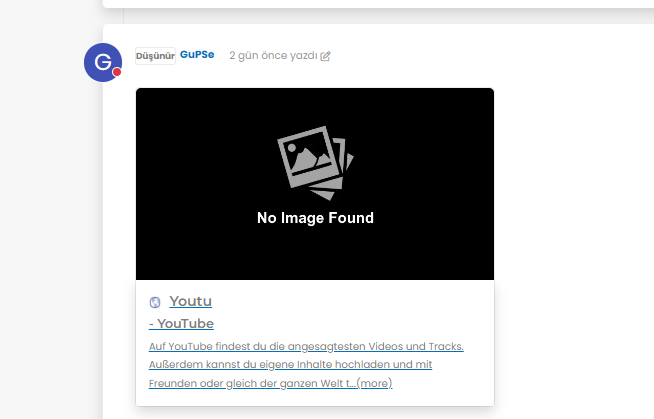
but as i see there is a problem for image founding,
-
hahahah
it was very easy for you but for me not same thank you Mark for all.
but as i see there is a problem for image founding,
@cagatay It’s not an issue. The reason as to why OGProxy uses it’s own image is because the provided URL does not present one. This is for a variety of reasons - often to do with security and image scraping. If you want to embed YouTube videos, you should consider using
nodebb-plugin-ns-embedfor this purpose. -
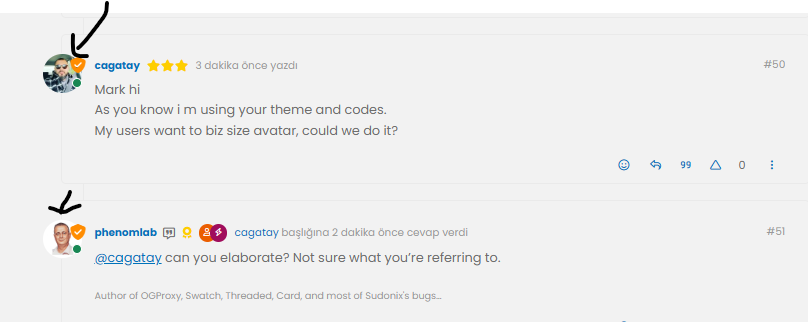
Mark hi
As you know i m using your theme and codes.
My users want to biz size avatar, could we do it? -
Mark hi
As you know i m using your theme and codes.
My users want to biz size avatar, could we do it?@cagatay can you elaborate? Not sure what you’re referring to.
-
-
@cagatay yes, that should be fairly simple to do, but what size? There may also be an impact to adjacent elements so I’d need an idea of the size you are looking for.
-
-
@cagatay that’s probably on for desktop, but might look out of place when viewed on a mobile device.
-
-
@cagatay yes, but I’d reiterate the concerns I’ve raised above in the sense that it may impact the flow of other elements.
Essentially, this is fm going to be a relatively simple CSS change.
-
Mark hi,
after upgrading 3.9 i have some problems with my web site.
Pls see below photos of my problems;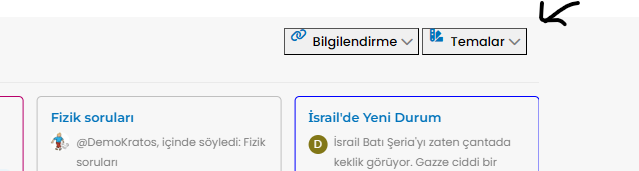
Also recent post and topics options i dont see my header
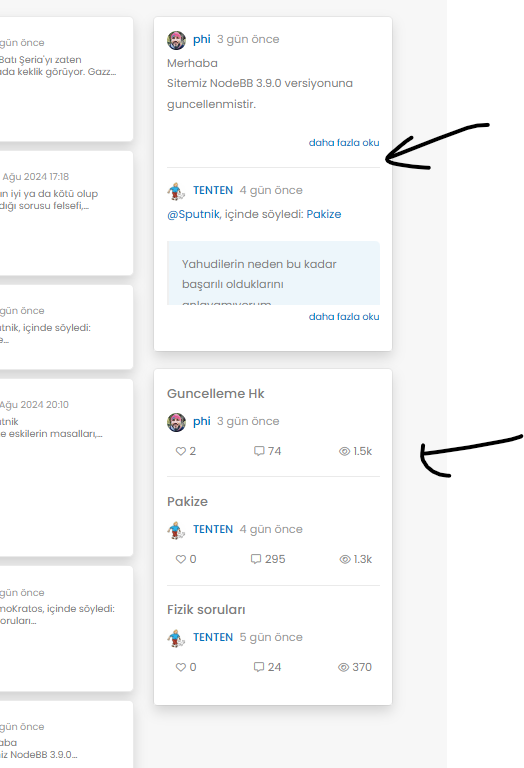
-
Mark hi,
after upgrading 3.9 i have some problems with my web site.
Pls see below photos of my problems;Also recent post and topics options i dont see my header
@cagatay This will be because of the below changes
https://community.nodebb.org/topic/18292/nodebb-3.9.0
It’s related to the brand header section here
<button type="button" class="btn-ghost-sm d-flex gap-2 dropdown-toggle" data-bs-toggle="dropdown"It needs to be changed to
<button type="button" class="btn btn-ghost btn-sm d-flex gap-2 dropdown-toggle" data-bs-toggle="dropdown"I’ve made this change on your site, but you’ll also need some additional CSS. This ought to do it, and it’s been also applied to your forum.
.btn-ghost {
    --bs-btn-hover-border-color: var(--bs-body-navbar-active);
    --bs-btn-active-bg: var(--bs-body-navbar-active);
}


Hello! It looks like you're interested in this conversation, but you don't have an account yet.
Getting fed up of having to scroll through the same posts each visit? When you register for an account, you'll always come back to exactly where you were before, and choose to be notified of new replies (either via email, or push notification). You'll also be able to save bookmarks and upvote posts to show your appreciation to other community members.
With your input, this post could be even better 💗
Register LoginRelated Topics
-
-
-
Smart Widgets
Solved Configure -
-
-
-
-
Nodebb Hashtag plugin
Solved General