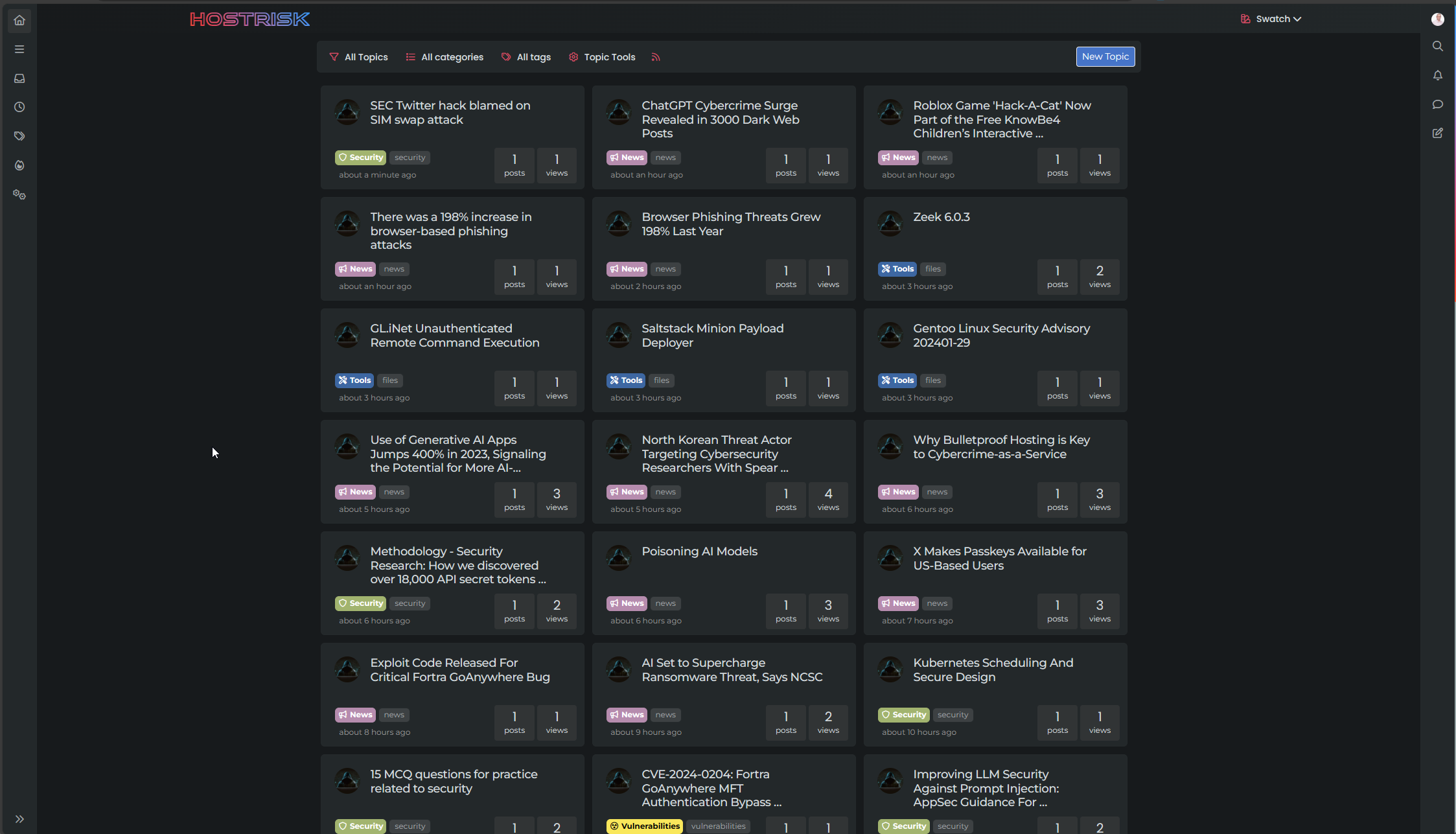
Switch between list and card view function
-
Mark hi,
When the use those codes, the sub forums seems as below photo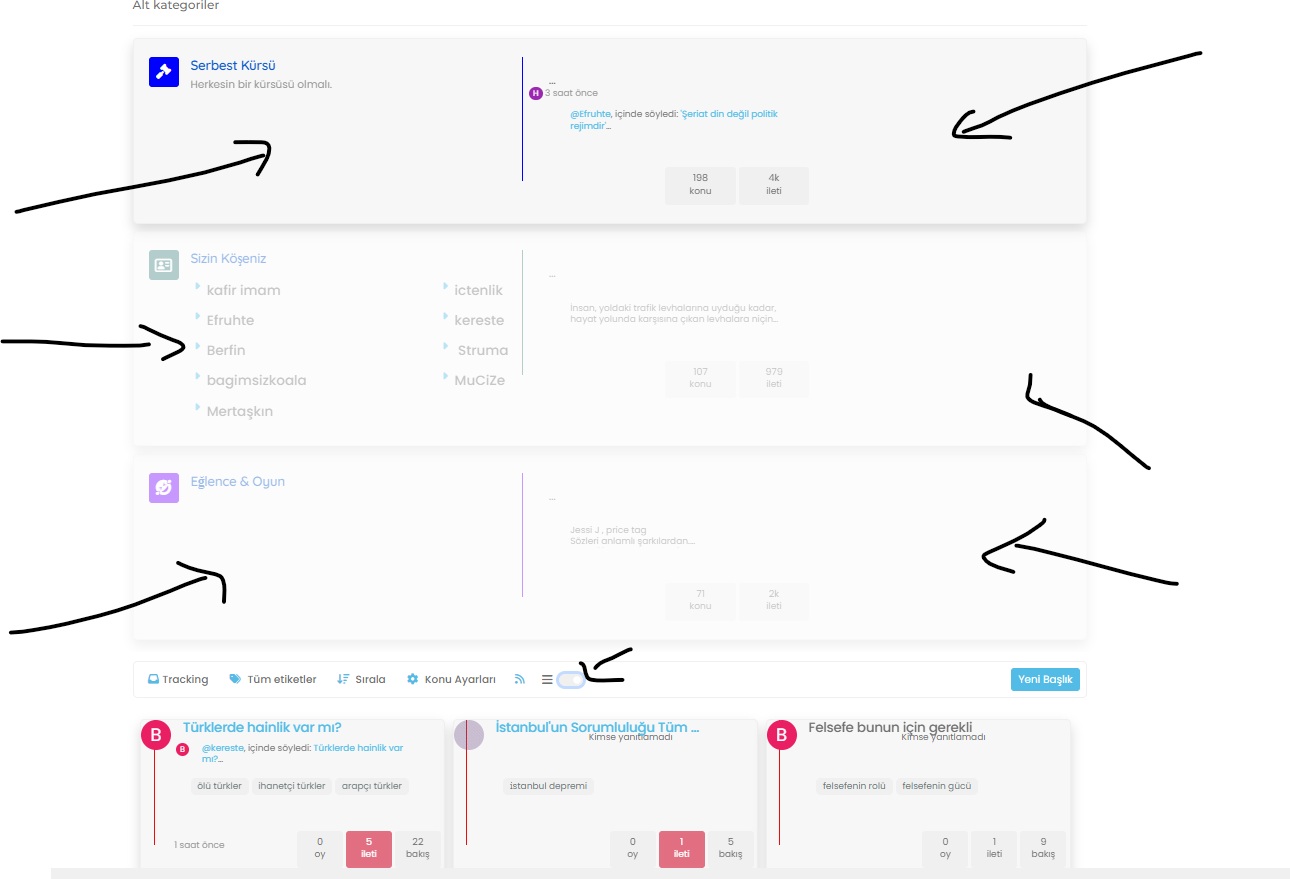
When disabled seems as below;
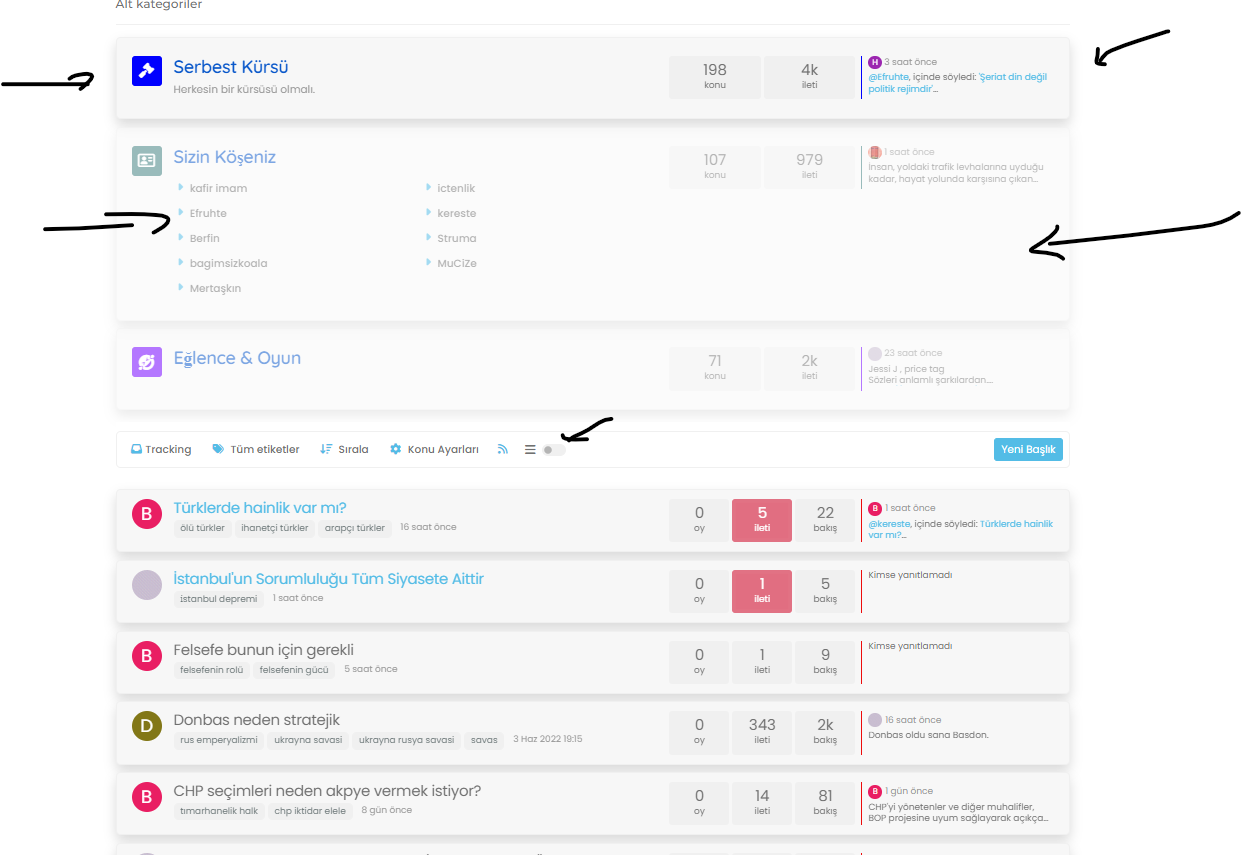
-
Mark hi,
When the use those codes, the sub forums seems as below photoWhen disabled seems as below;
@cagatay Yes, that’s a bug. It’s going to be just CSS, so will issue a fix shortly.
-
Mark hi,
When the use those codes, the sub forums seems as below photoWhen disabled seems as below;
@cagatay Fixed. Not with CSS as I planned, but with an updated function
https://github.com/phenomlab/harmony-card-view/commit/e2ae2e5af1bfb933f733f43a0f257473c4b2fef6
This should be used to replace the existing function(s) you have in
/admin/appearance/customise#custom-jsFull code here
https://github.com/phenomlab/harmony-card-view/blob/main/functions.js
-
worked thank you Mark.
-
Hi Mark, I am having some bugs on my laptop screen (Firefox , OS 13.6.4) , fyi…

-
Hi Mark, I am having some bugs on my laptop screen (Firefox , OS 13.6.4) , fyi…
@crazycells thanks. What resolution are you running?
Mark Cutting also advises organisations as a Fractional CIO, Fractional CISO and Executive Advisor, helping boards improve technology governance, cyber resilience and executive decision making. Learn more at Gratmore Ltd
-
@crazycells thanks. What resolution are you running?
-
@phenomlab ~1285 px
@crazycells thanks. I’ll need to check this
-
Hi Mark, I am having some bugs on my laptop screen (Firefox , OS 13.6.4) , fyi…
@crazycells Thanks for reporting this. It’s fixed here, and should look like the below (you’ll need to reload the browser)
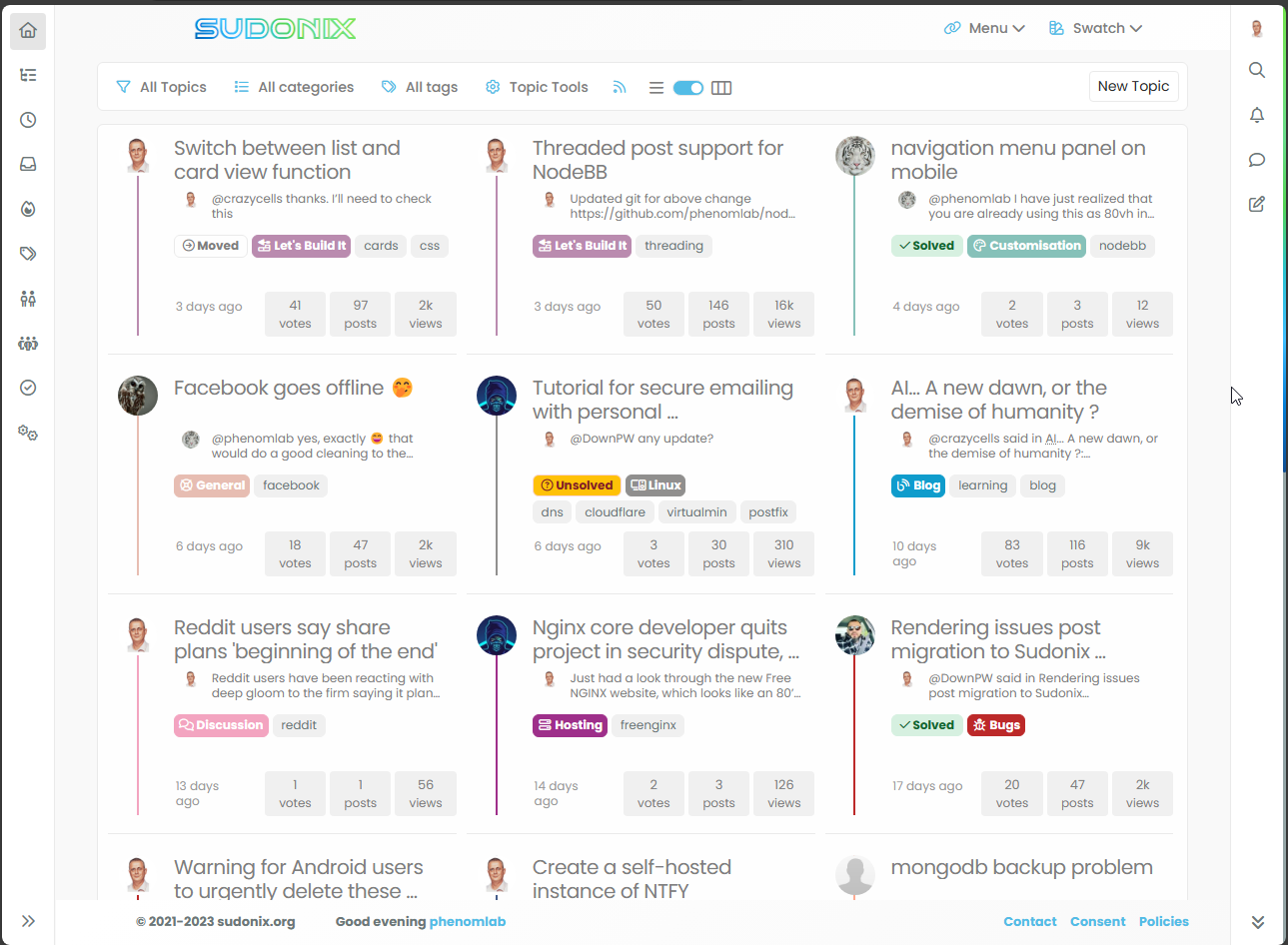
This uses customised CSS when this viewport size is detected, and also needs to remove one of the tags to prevent them spilling out of the DIV
    [component="topic/tags"] a:nth-child(2) {
        display: none;
    }
It’s a bit of a hack, but necessary to accommodate this screen size. Let me know if it looks good and I’ll commit it.
Mark Cutting also advises organisations as a Fractional CIO, Fractional CISO and Executive Advisor, helping boards improve technology governance, cyber resilience and executive decision making. Learn more at Gratmore Ltd
-
@crazycells Thanks for reporting this. It’s fixed here, and should look like the below (you’ll need to reload the browser)
This uses customised CSS when this viewport size is detected, and also needs to remove one of the tags to prevent them spilling out of the DIV
    [component="topic/tags"] a:nth-child(2) {
        display: none;
    }
It’s a bit of a hack, but necessary to accommodate this screen size. Let me know if it looks good and I’ll commit it.
@phenomlab can you please check the borders agains? I think it is going well up until ~1290 px, but then, it is disrupted, and it is fixed again after ~1400 px
-
@phenomlab can you please check the borders agains? I think it is going well up until ~1290 px, but then, it is disrupted, and it is fixed again after ~1400 px
@crazycells hmm. Thought that might happen. Let me have a look.
-
@phenomlab can you please check the borders agains? I think it is going well up until ~1290 px, but then, it is disrupted, and it is fixed again after ~1400 px
@crazycells said in Switch between list and card view function:
can you please check the borders agains? I think it is going well up until ~1290 px, but then, it is disrupted, and it is fixed again after ~1400 px
Should be resolved now? Obviously, no site will cater for odd browser sizes or screen resolutions - that’s not a realistic expectation, but the issue you reported should be fixed.
Mark Cutting also advises organisations as a Fractional CIO, Fractional CISO and Executive Advisor, helping boards improve technology governance, cyber resilience and executive decision making. Learn more at Gratmore Ltd
-
@crazycells said in Switch between list and card view function:
can you please check the borders agains? I think it is going well up until ~1290 px, but then, it is disrupted, and it is fixed again after ~1400 px
Should be resolved now? Obviously, no site will cater for odd browser sizes or screen resolutions - that’s not a realistic expectation, but the issue you reported should be fixed.
-
@phenomlab yes, it is fixed now

@crazycells thanks. I’ll commit the updated css code over the next few days.
-
Mark Cutting also advises organisations as a Fractional CIO, Fractional CISO and Executive Advisor, helping boards improve technology governance, cyber resilience and executive decision making. Learn more at Gratmore Ltd
-
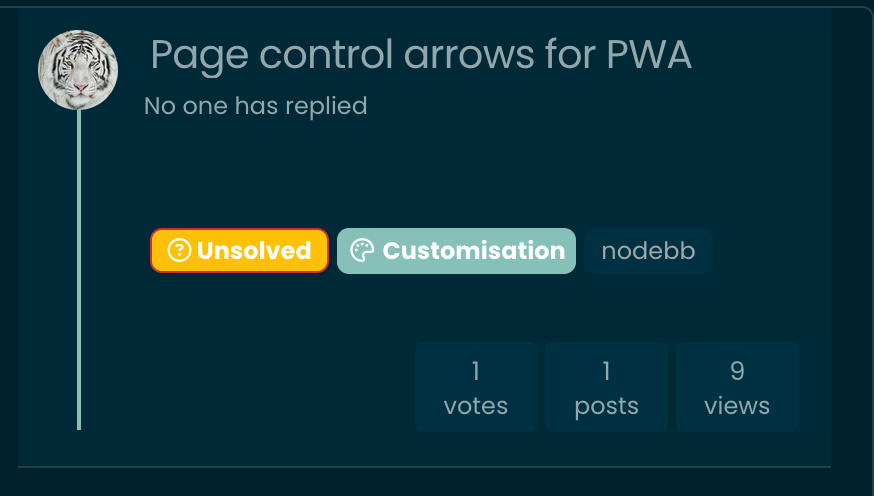
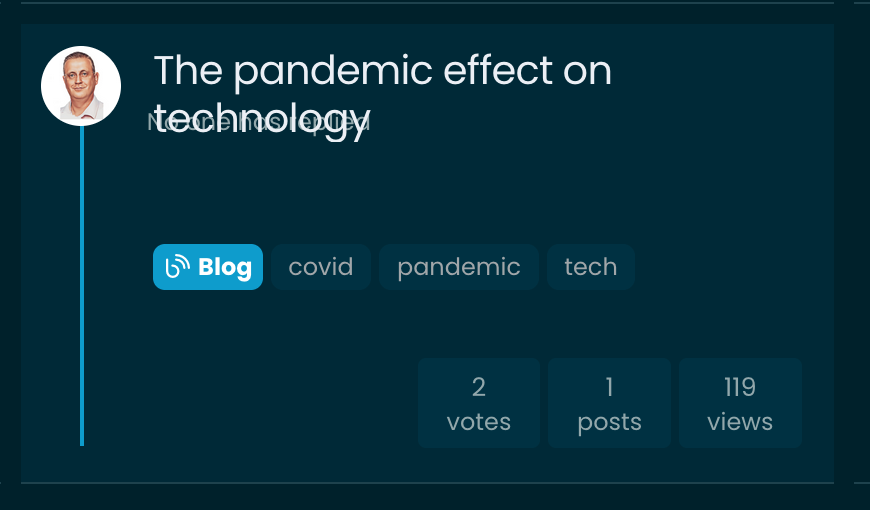
hi @phenomlab , there is a bug when there is no reply on the topic… it says “no one has replied” but when the title is spanning two lines, then it overlaps… please see below…
-
hi @phenomlab , there is a bug when there is no reply on the topic… it says “no one has replied” but when the title is spanning two lines, then it overlaps… please see below…
@crazycells ok, thanks. I thought that might happen. Will resolve later.
EDIT - just done it. It’s a bit rough perhaps as done in a hurry!
-



Hello! It looks like you're interested in this conversation, but you don't have an account yet.
Getting fed up of having to scroll through the same posts each visit? When you register for an account, you'll always come back to exactly where you were before, and choose to be notified of new replies (either via email, or push notification). You'll also be able to save bookmarks and upvote posts to show your appreciation to other community members.
With your input, this post could be even better 💗
Register Login