Skip to content

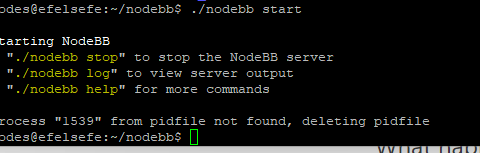
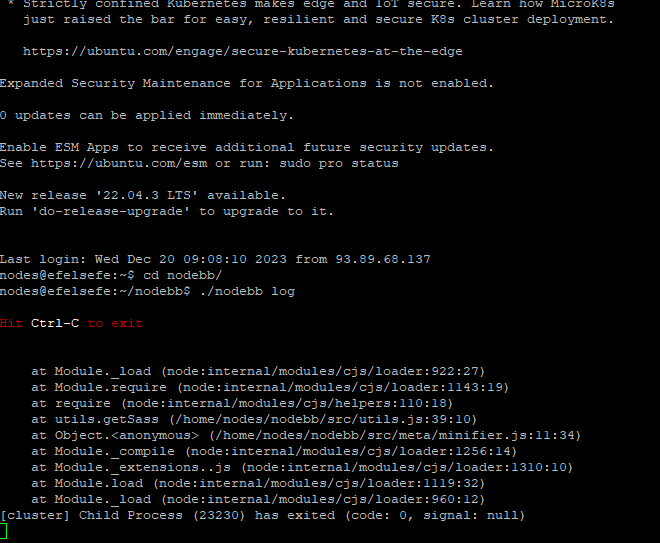
Getting Eror When Started NodeBB

Solved Configure
7 2 1.5k 1

Did this solution help you?
Did you find the suggested solution useful? Support 💗 Sudonix with a coffee
If your organisation needs deeper expertise around infrastructure, security, or technology leadership, learn more about Phenomlab Ltd. Many of the deeper technical guides behind Sudonix are published there.

Related Topics
  • Nodebb to Xenforo

    Solved Configure xenforo nodebb
    3
    0 Votes
    3 Posts
    110 Views
    @cagatay as @downpw stated, there isn’t a native tool that will do this for you. You’d need to either develop your own or ask the nodebb team to assist which will be a paid exercise.
  • CTA banner for visitors

    Solved Bugs bug
    3
    1
    2 Votes
    3 Posts
    290 Views
    @crazycells Yes, because of this code $(document).ready(function () { $(window).on('action:ajaxify.end', function (data) { if (config && config.uid > 0) { // User is logged in, so don't fire any message } else { // Insert content into the selected element var addAfterLastPost = $( "<div class='alert alert-warning alert-dismissible fade show' role='alert'>" + "<p><strong>Hello! It looks like you're interested in this conversation, but you don't have an account yet.</strong></p>" + "<p>Getting fed up of having to scroll through the same posts each visit? When you register for an account, you'll always come back to exactly where you were before, " + "and choose to be notified of new replies (ether email, or push notification). You'll also be able to save bookmarks, use reactions, and upvote to show your appreciation to other community members.</p>" + "<p>With your input, this post could be even better 💗"+ "<br><br>"+ "<a style='margin-right:5px;' component='topic/reply/guest' href='/register' class='fw-semibold btn btn-sm btn-warning'>Register</a>" + "<a component='topic/reply/guest' href='/login' class='fw-semibold btn btn-sm btn-info'>Log in</a>" + "<button type='button' class='btn-close' data-bs-dismiss='alert' aria-label='Close'></button>" + "</div>" ); $('ul[component="topic"]').after(addAfterLastPost); } }); }); This was adopted into core as far as I know, so I’ve removed my manual code.
  • Nodebb and emails

    Solved Configure nodebb
    27
    5 Votes
    27 Posts
    5k Views
    @Panda it will use SMTP. In all cases, I never use any plugin to send email. I’ll always send it raw.
  • Layout Issues/Transparency

    Solved Bugs bug reply transparent
    5
    2
    2 Votes
    5 Posts
    967 Views
    @phenomlab said in Layout Issues/Transparency: Does it work properly now? Yes, it does
  • problem with search page and copyright in footer

    Solved Bugs bug
    13
    1
    6 Votes
    13 Posts
    3k Views
    @phenomlab yes, search page is fixed thanks
  • NodeBB: Creating pages

    Solved Configure nodebb create page
    9
    0 Votes
    9 Posts
    2k Views
    OK, I think I have figured out how to place a link in the footer which will click to a new page.
  • Gettin Erors NodeBB

    Solved Configure nodebb eror
    7
    0 Votes
    7 Posts
    1k Views
    @phenomlab no forum is working goods. there is no eror message since yestarday.
  • Iframely (Nodebb)

    Solved Configure
    40
    4 Votes
    40 Posts
    9k Views
    @DownPW This is now resolved. The issue was an incorrect URL specified in the Nodebb plugin. I’ve corrected this, and now it works as intended.