Skip to content

Switch between list and card view function
Moved Let's Build It
107 4 56.6k 1
  • Arf Ok sorry.
    For information, I have the same things on my test server (actually, it’s a clone of prod) if you want to see in details or play

    wrote on last edited by phenomlab
    #30

    @DownPW thanks. The really odd thing here is that I can’t reproduce this issue at all in prod - where I developed it originally in fact.

    I think I’m missing something somewhere, but unsure as to where it is currently.

  • wrote on last edited by
    #31

    no problem dude. I’m not sure I’ll be much help on this one.

  • no problem dude. I’m not sure I’ll be much help on this one.

    wrote on last edited by
    #32

    @DownPW no problems. Your review and findings are a great help already.

  • no problem dude. I’m not sure I’ll be much help on this one.

    wrote on last edited by phenomlab
    #33

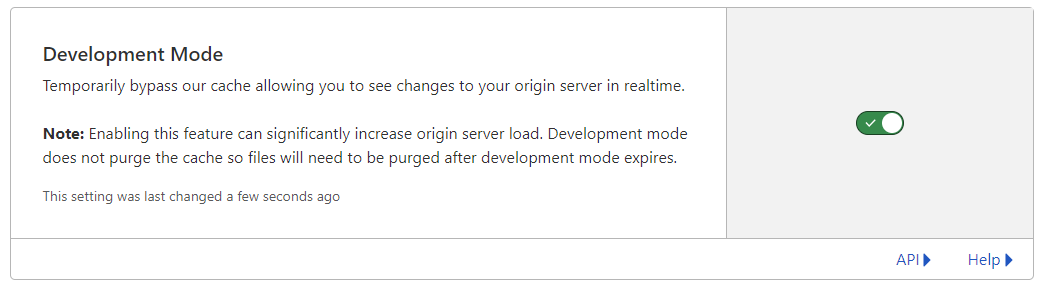
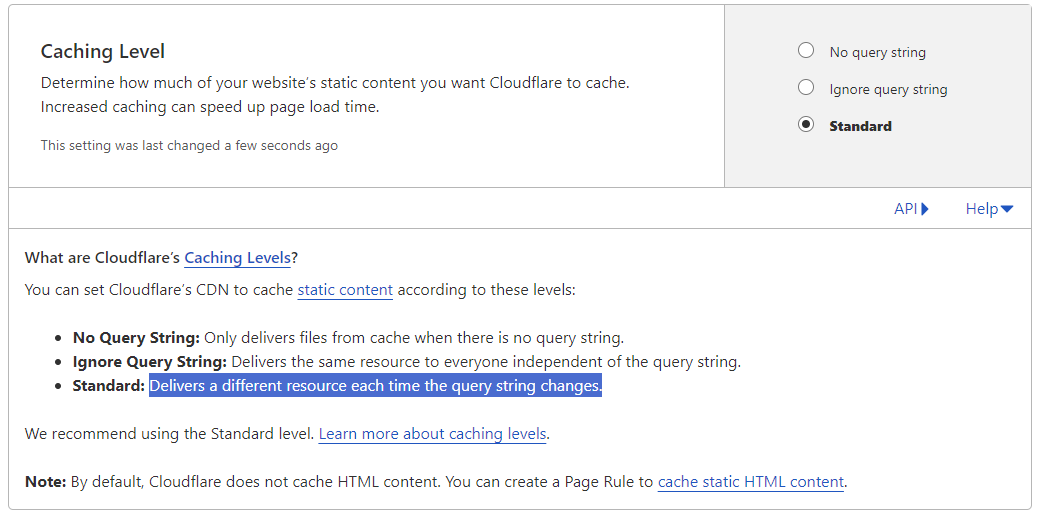
    @DownPW I found the bug. It’s CloudFlare 😞

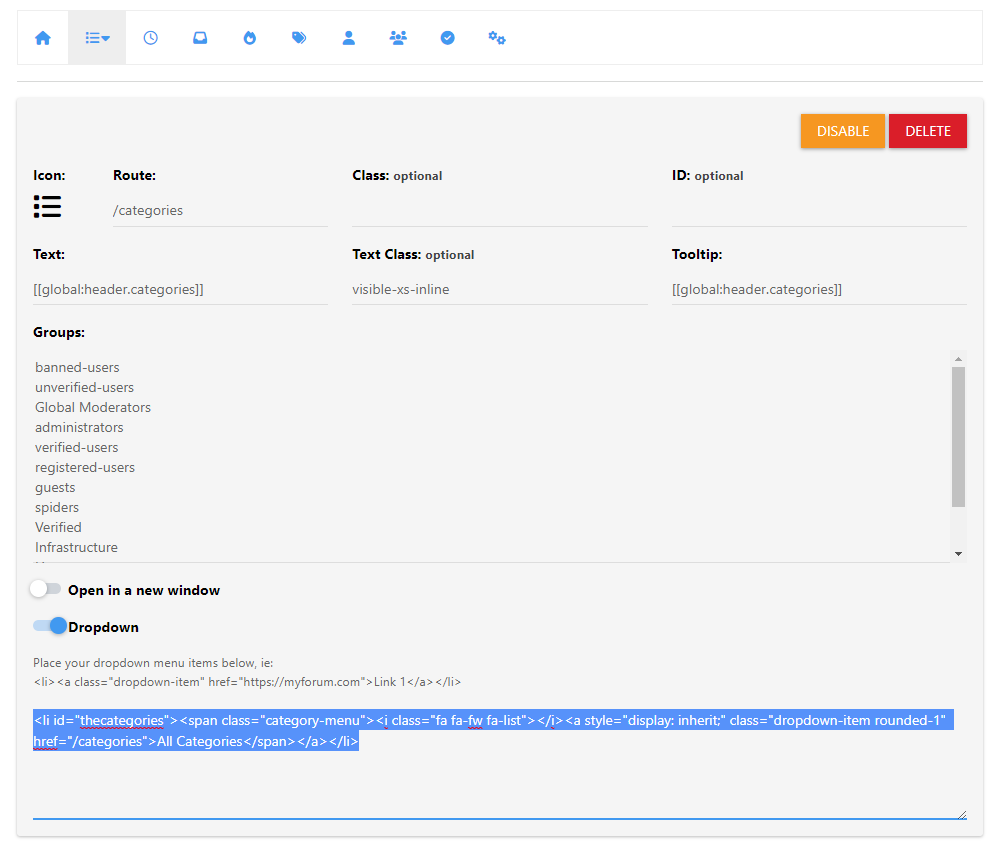
    91f23522-0434-4cae-9e33-d531104ec0be-image.png

    Setting the cache to bypass resolves the issue. This explains why I cannot replicate it in PROD (for me) as I only use CF for DNS resolution.

    I have modified the CSS file slightly also, so you’ll need to pick up the latest code.

    https://github.com/phenomlab/harmony-card-view/blob/main/card.css

    Not entirely sure why CF seems to think this file never changes - it’s different on each page load and suffixed with a random string! The setting in CF should also respect that - but doesn’t. So much for that
    a993abeb-2722-414a-81ee-8260994c4e87-image.png

  • wrote on last edited by
    #34

    Ok @phenomlab Thanks to you for find the solution for this problem

    so what is the good parameters in CF for this script ?
    Maybe include this on your github ?

  • Ok @phenomlab Thanks to you for find the solution for this problem

    so what is the good parameters in CF for this script ?
    Maybe include this on your github ?

    wrote on last edited by
    #35

    @DownPW yes, absolutely, although I’m not entirely sure why CF behaves in this manner as in most cases, a present query string that changes frequently (on each page load) should not present itself as an issue.

    Still checking.

  • wrote on last edited by
    #36

    It’s a shame to do without the CF cache in my opinion.

    Do you just have to activate development mode in CF?

  • It’s a shame to do without the CF cache in my opinion.

    Do you just have to activate development mode in CF?

    wrote on last edited by
    #37

    @DownPW yes, in my testing, just enable development mode and then reload the site a few times and you’ll notice it works as intended.

  • wrote on last edited by DownPW
    #38

    hmm I think they was other thing.

    I have not update the css file, I have just :

    • activated development mode in CF,
    • purge everything cache in CF,
    • and test in new incognito windows on firefox

    and I have the bug.


    Edit : Same with the CSS updated

  • hmm I think they was other thing.

    I have not update the css file, I have just :

    • activated development mode in CF,
    • purge everything cache in CF,
    • and test in new incognito windows on firefox

    and I have the bug.


    Edit : Same with the CSS updated

    wrote on last edited by
    #39

    @DownPW is this in your dev environment? I checked that earlier and the bug wasn’t present.

  • wrote on last edited by DownPW
    #40

    yes the bug is in my dev environment

  • yes the bug is in my dev environment

    wrote on last edited by
    #41

    @DownPW yes, correct.

  • wrote on last edited by DownPW
    #42

    yes the bug is in my dev environment. tested now

  • yes the bug is in my dev environment. tested now

    wrote on last edited by
    #43

    @DownPW it wasn’t there when I tested incognito.

  • wrote on last edited by DownPW
    #44

    I do all my tets in incognito too
    I will test with another account

    You must scroll down a little to see

  • I do all my tets in incognito too
    I will test with another account

    You must scroll down a little to see

    wrote on last edited by
    #45

    @DownPW I scrolled through but found no issues

  • wrote on last edited by DownPW
    #46

    yes same with admin account in new incognito
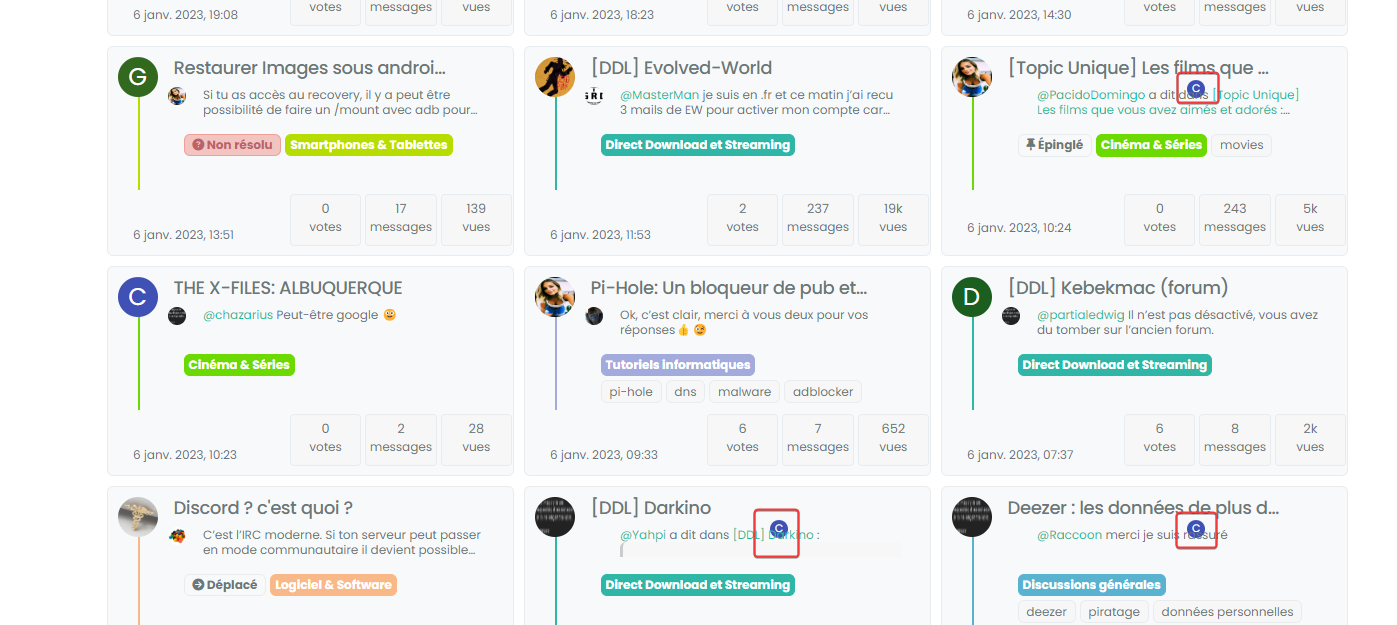
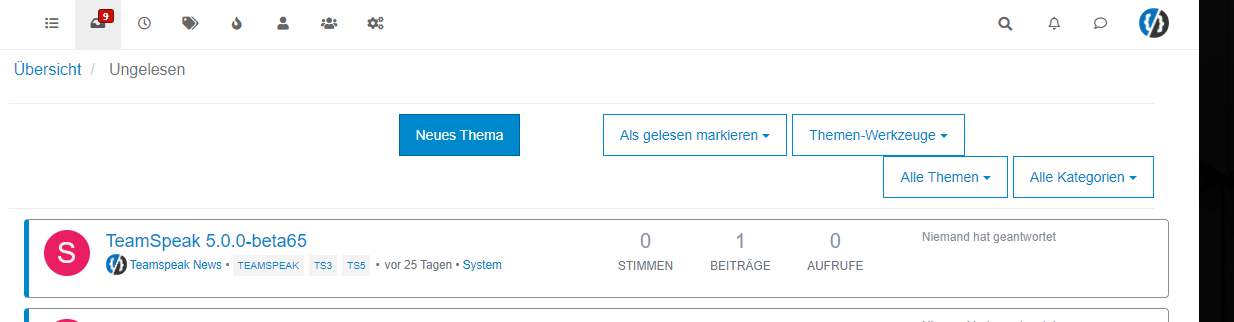
    image.png

  • yes same with admin account in new incognito

    image.png

    wrote on last edited by
    #47

    @DownPW can you target both the correctly positioned elements and the incorrectly positioned and compare the results?

    I’m guessing they are different, but shouldn’t be.

  • wrote on last edited by
    #48

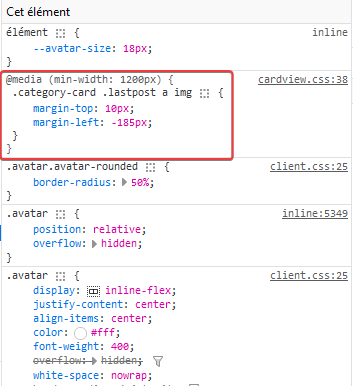
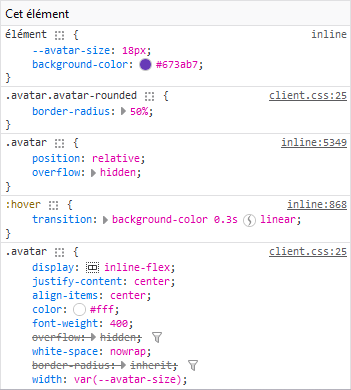
    correctly positionned :

    891bb641-cfbc-4e49-aa8f-ddc3466a9fd7-image.png
    428e9115-7af1-4043-8685-91332636dbb1-image.png

    incorrectly positioned :

    07648995-1a18-445e-b3e1-64cad7f8a89c-image.png
    5ba06a13-8122-4ac1-9cd1-f24733546cfe-image.png

  • correctly positionned :

    891bb641-cfbc-4e49-aa8f-ddc3466a9fd7-image.png
    428e9115-7af1-4043-8685-91332636dbb1-image.png

    incorrectly positioned :

    07648995-1a18-445e-b3e1-64cad7f8a89c-image.png
    5ba06a13-8122-4ac1-9cd1-f24733546cfe-image.png

    wrote on last edited by
    #49

    @DownPW so the class isn’t being applied. Thanks. Let me have another look at this.


Related Topics
  • Extended functions for Q&A NodeBB plugin

    Let's Build It q&a panels cards
    3
    4
    5 Votes
    3 Posts
    3k Views
    DownPW
    Very good like always
  • Material View Support for Stock NodeBB

    Unsolved Let's Build It material view javascript css
    51
    4
    15 Votes
    51 Posts
    27k Views
    DownPW
    Oh yes, that’s what’s super cool, I learn something every day. Afterwards I start from so low in JS
  • Widget | CSS customization

    Solved WordPress css
    53
    17 Votes
    53 Posts
    19k Views
    phenomlab
    @Sala the only way you can achieve this is to use a robots.txt file and disallow access to those links.
  • Create a dynamic category list

    Moved Let's Build It dynamic categories api
    16
    3
    14 Votes
    16 Posts
    7k Views
    phenomlab
    Hmm - seems I never committed this code. I’ll do that now… EDIT - here it is https://github.com/phenomlab/category-list/tree/main
  • 4 Votes
    8 Posts
    5k Views
    phenomlab
    @DownPW done
  • NodeBB Design help

    Solved Customisation
    8
    3
    2 Votes
    8 Posts
    4k Views
    phenomlab
    @riekmedia I’ve applied some new CSS to your site. Can you reload the page and try again ? For the record, this is what I added #footer { background: #2d343e; border-top: 4px solid #2d343e; font-size: 0.9em; margin-top: 70px; padding: 80px 0 0; position: relative; clear: both; bottom: 0; left: 0; right: 0; z-index: 1000; margin-left: -15px; margin-right: -338px; } The /categories page seems a bit messed up, so looking at that currently EDIT - issued some override CSS in the CATEGORIES widget <!--- CSS fix for overspill on /categories page - DO NOT DELETE --> <style> #footer { margin-right: -45px; } </style> That should resolve the /categories issue.
  • CSS Help on my Flarum

    Solved Customisation
    5
    2
    2 Votes
    5 Posts
    3k Views
    phenomlab
    @mike-jones Yes, you’ll typically see this type of behaviour if there is another style that has higher priority in the sense that yours will be overridden. Using !important will override the higher preference, but should be used sparingly rather than everywhere.
  • Minor cosmetic layout chages

    Announcements layout
    4
    2
    0 Votes
    4 Posts
    2k Views
    JAC
    @phenomlab said in Minor cosmetic layout chages: @jac I like a challenge