Skip to content

Unable to change icon in NodeBB navigation

Tips
1 1 558 1
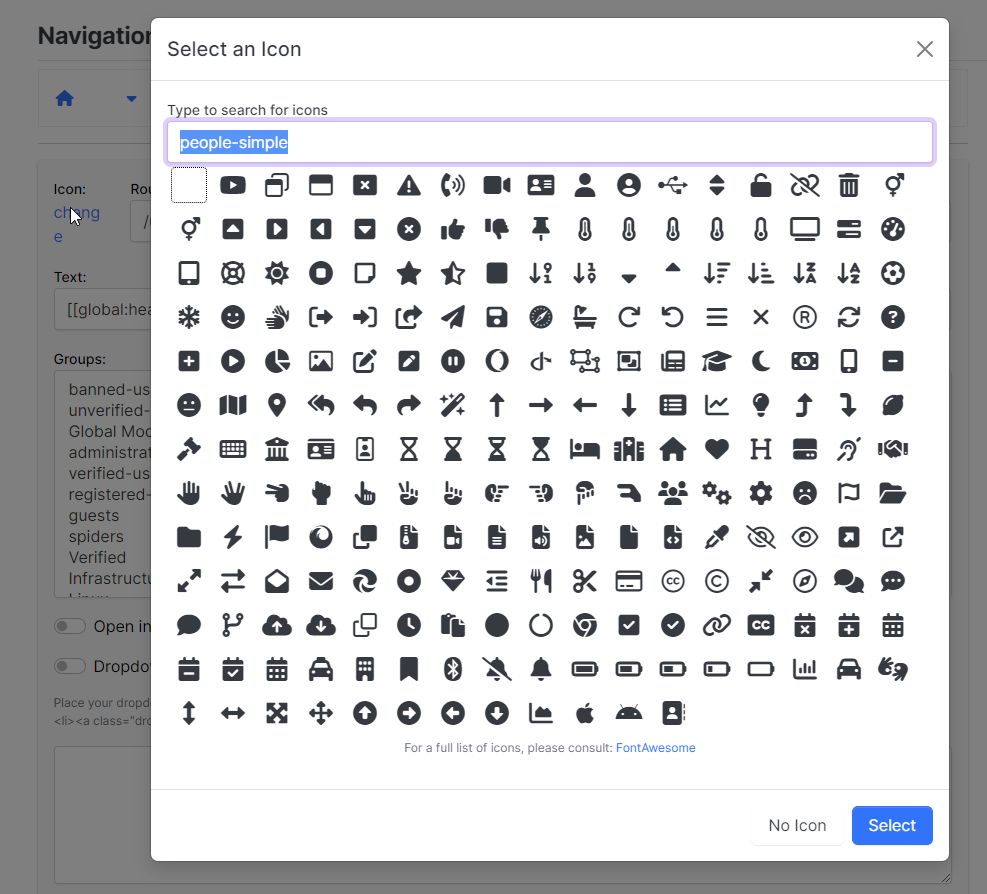
  • I got hit with this today. As I have a Pro subscription to Font Awesome, this allows me to use a much wider range of fonts. Unfortunately, NodeBB only seems to list the free fonts, so in order to use the Pro icons, you have to manually type the font name you want (leave the fa- part off, as it’s not needed).

    No issues, so I went ahead and typed in the name. Below is the result

    9afecc8c-6a32-4e5d-882c-f72df65db513-image.png

    Now, despite the icon not showing here, it does once you save and reload the site. Great - problem solved then?

    Yes - until you want to change the icon back…

    Highlight over an unchanged icon, and you’ll see the mouse pointer change meaning there is a link behind it
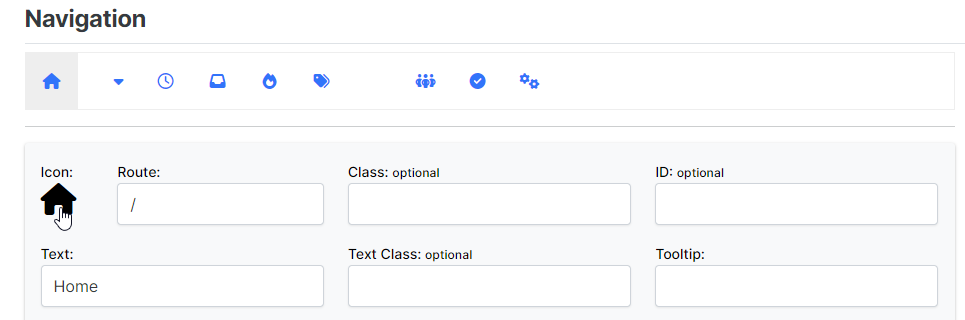
    51d117f6-8359-4136-8f04-9be892a589f7-image.png

    However, hover over one you’ve changed by typing in the value manually, and you’ll see the link is gone
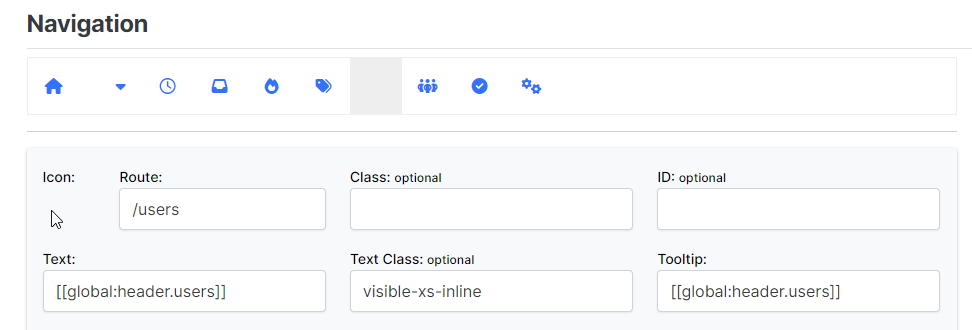
    2e69e0bf-baa0-4dc3-b653-2e14d55fdf5d-image.png

    Panic stations… headless chicken… major cussing session… No - there is a way out

    Fire up the dev tools (F12 for console), and press the select tool. Now select the element with the missing link
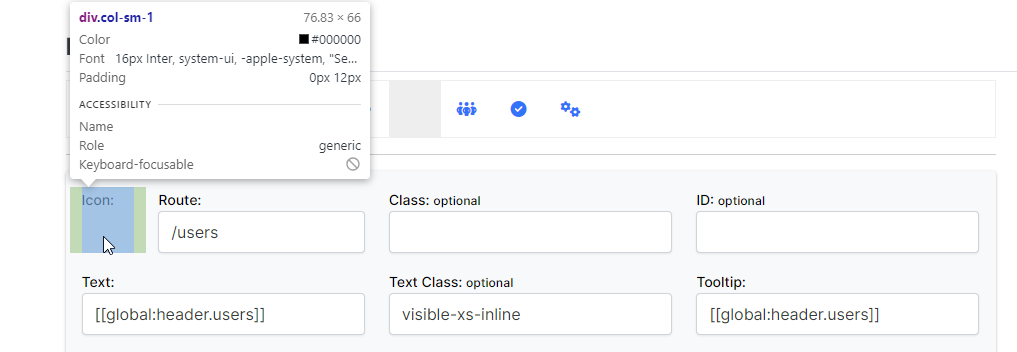
    b1a30da5-d878-4fab-9083-c9dcb3affa4a-image.png

    In the resultant element list, follow the HTML until you reach
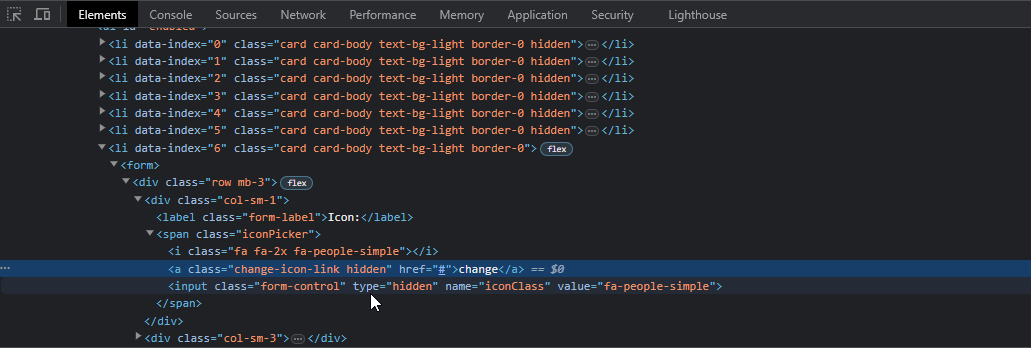
    2eedea09-2675-4fe0-a28d-a89ff29dc4f3-image.png

    change-icon-link hidden

    Now delete the hidden part, so you are left with just change-icon-link and press enter

    You’ll see that the alt text appears for the image, which is enough for you to be able to click the anchor, and change the icon
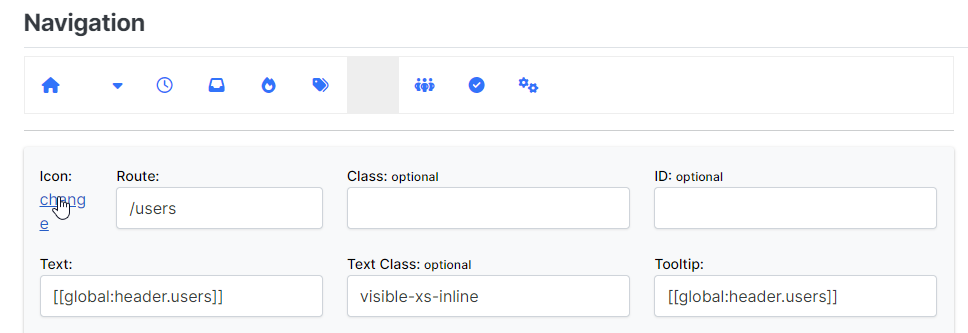
    c59af52d-9d23-4f00-839e-0d43eee4c6e1-image.png

    4005c5bb-27a3-41a9-8c19-436e9d1501ab-image.png

    There you go. Now enjoy how smug you feel that you’ve sorted this problem yourself 🙂

  • phenomlabundefined phenomlab marked this topic as a regular topic on

Related Topics
  • Spam spam spam

    Solved Configure nodebb
    6
    2 Votes
    6 Posts
    883 Views
    @Panda said in Spam spam spam: ok, yes Ive seen the queue, it shows IP, but doesnt have a field for comments from registrant. It’s not designed for that. It merely serves as a gateway between posts appearing on your form or not. @Panda said in Spam spam spam: It would be better if nodebb had this plugin included in ACP list, as not only then do you know its approved and should work, but many people cant or dont want to use CLI on the server That’s a question for the NodeBB devs but in all honesty you can’t not use the CLI when installing nodebb so to be this isn’t a big deal.
  • Opening links in nodebb widget

    Solved Configure nodebb
    6
    4 Votes
    6 Posts
    2k Views
    A more efficient way of including this would be to not over complicate it and leverage a standard iframe (providing the CSP headers of the remote site permit this) like below <iframe src="https://www.classmarker.com/online-test/start/?quiz=gag66aea7922f0a5" width="700" height="800"></iframe> This works first time every time on your site as intended.
  • Test of youtube embeds

    Solved Configure nodebb
    14
    11 Votes
    14 Posts
    2k Views
    @phenomlab Perfect!!! Many thanks.
  • Bug Report

    Solved Bugs nodebb bugs
    47
    1
    26 Votes
    47 Posts
    9k Views
    @crazycells Good points, thanks. I completely forgot that classes are added - makes life much simpler! EDIT - seems this is pretty straightforward, and only needs the below CSS .upvoted i { color: var(--bs-user-level) !important; } This then yields [image: 1718028529465-3f072f8a-ebfa-4910-8723-73c493b8e4eb-image.png] However, the caveat here is that the .upvoted class will only show for your upvotes, and nobody else’s. However, this does satisfy the original request however I would love to see my upvoted posts more clearly, because currently, when I upvote, nothing on the post tool is changing, it would be nicer if there is an indication that I have upvoted (like a filled or colored triangle?)
  • Fresher in Nodebb install

    General nodebb
    24
    15 Votes
    24 Posts
    6k Views
    @Hari I’ve been reading a lot about APO. Looks impressive.
  • Link vs Refresh

    Solved Customisation nodebb blog customization
    20
    2
    8 Votes
    20 Posts
    3k Views
    @pobojmoks Do you see any errors being reported in the console ? At first guess (without seeing the actual code or the site itself), I’d say that this is AJAX callback related
  • is "night mode" shifting the forum several pixels up?

    Solved Configure nodebb
    8
    4 Votes
    8 Posts
    2k Views
    @crazycells hmm. Good point. I actually use my own version of the dark mode plugin, so not entirely sure. However, I think the CSS is probably the same. I’m not at my PC currently but can check and advise later.
  • background color of the footer area

    Solved Customisation nodebb
    7
    1
    7 Votes
    7 Posts
    1k Views
    @phenomlab thank you very much