Skip to content

Issues getting Flarum to work on new host

Solved Configure
65 4 30.4k 1
  • @phenomlab

    i followed these two guides

    php composer.phar

    https://getcomposer.org/download/
    https://getcomposer.org/doc/00-intro.md

    i think i installed it in multiple places root and public_html

    how can i fix it?

    wrote on last edited by
    #17

    @Hari Ok. Let me have a look at this for you.

  • wrote on last edited by phenomlab
    #18

    @Hari done. You should now be able to run composer directly as any user (preferably not root) inside the public_html directory.

    Essentially, it needs to be installed as php composer-setup.php --install-dir=/usr/bin --filename=composer

  • @Hari done. You should now be able to run composer directly as any user (preferably not root) inside the public_html directory.

    Essentially, it needs to be installed as php composer-setup.php --install-dir=/usr/bin --filename=composer

    wrote on last edited by
    #19

    @phenomlab sir, do i need to move any files now? or did you fix it ?

  • @phenomlab sir, do i need to move any files now? or did you fix it ?

    wrote on last edited by
    #20

    @Hari Fixed. No need to move anything. It should just “work” 🙂

  • wrote on last edited by phenomlab
    #21

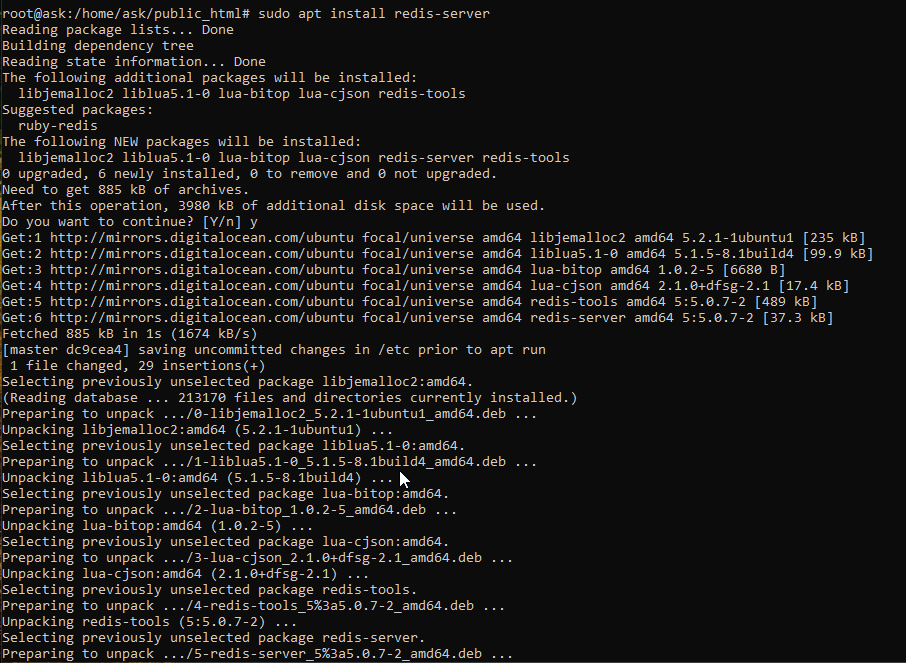
    @Hari you can go ahead and use sudo apt install redis-server redis-tools to get Redis up and running now. After that, (hopefully) Flarum should boot.

  • @Hari you can go ahead and use sudo apt install redis-server redis-tools to get Redis up and running now. After that, (hopefully) Flarum should boot.

    wrote on last edited by Hari
    #22

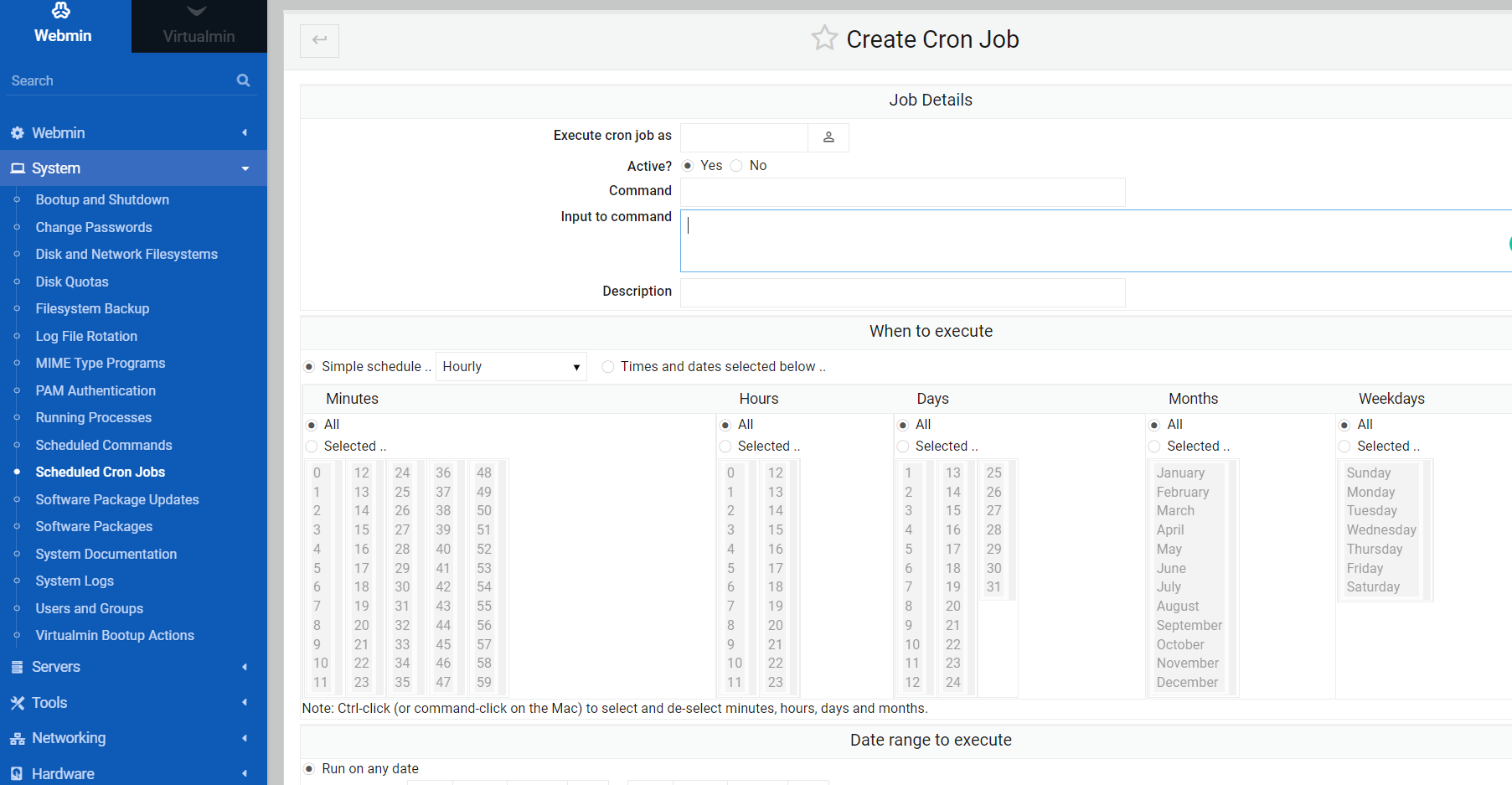
    @phenomlab i should also setup cron jobs now searching
    a8d3cb68-e7e3-4176-aed6-33c0e2a65eda-image.png

  • @phenomlab i should also setup cron jobs now searching

    a8d3cb68-e7e3-4176-aed6-33c0e2a65eda-image.png

    wrote on last edited by phenomlab
    #23
  • wrote on last edited by Hari
    #24

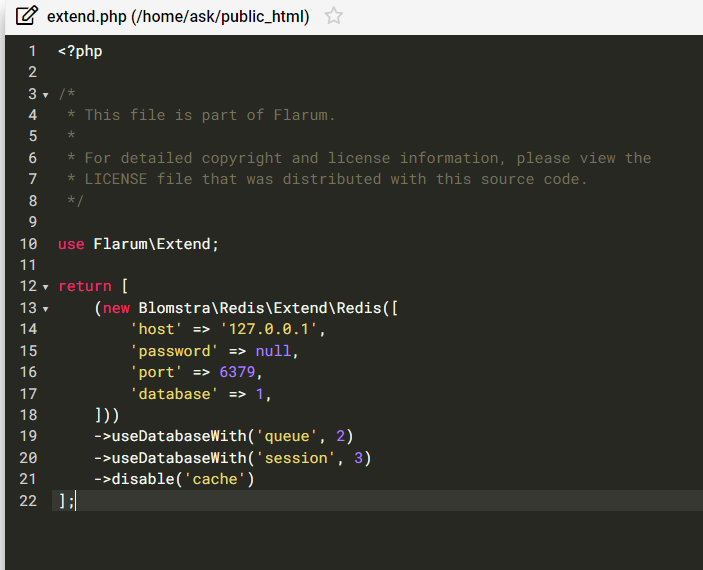
    @phenomlab i have added cron job

    updated the config file but flarum is not running on IP
    when i disable redis its not loading inner pages
    c32c944d-3902-4758-85ad-425509ddac1d-image.png

  • @phenomlab i have added cron job

    updated the config file but flarum is not running on IP
    when i disable redis its not loading inner pages

    c32c944d-3902-4758-85ad-425509ddac1d-image.png

    wrote on last edited by
    #25

    @Hari That’s expected because you didn’t run sudo apt install redis-server redis-tools 🙂
    I’ve just done this, and the site now loads.

  • @Hari That’s expected because you didn’t run sudo apt install redis-server redis-tools 🙂
    I’ve just done this, and the site now loads.

    wrote on last edited by Hari
    #26

    @phenomlab i did execute that command, the inner discussion pages still not loading

    30fcfcea-fa3c-4705-96d8-b7cde08bf089-image.png

  • @phenomlab i did execute that command, the inner discussion pages still not loading

    30fcfcea-fa3c-4705-96d8-b7cde08bf089-image.png

    wrote on last edited by
    #27

    @Hari said in Issues getting Flarum to work on new host:

    i did execute that command, the inner discussion pages still not loading

    If you’d executed it, then it wouldn’t have installed when I ran it
    45402bd1-1aa2-4c63-9f2d-14e8225b7976-image.png

    @Hari said in Issues getting Flarum to work on new host:

    the inner discussion pages still not loading

    This is also expected as you haven’t included the .nginx.conf file. Hold on a second.

  • wrote on last edited by
    #28

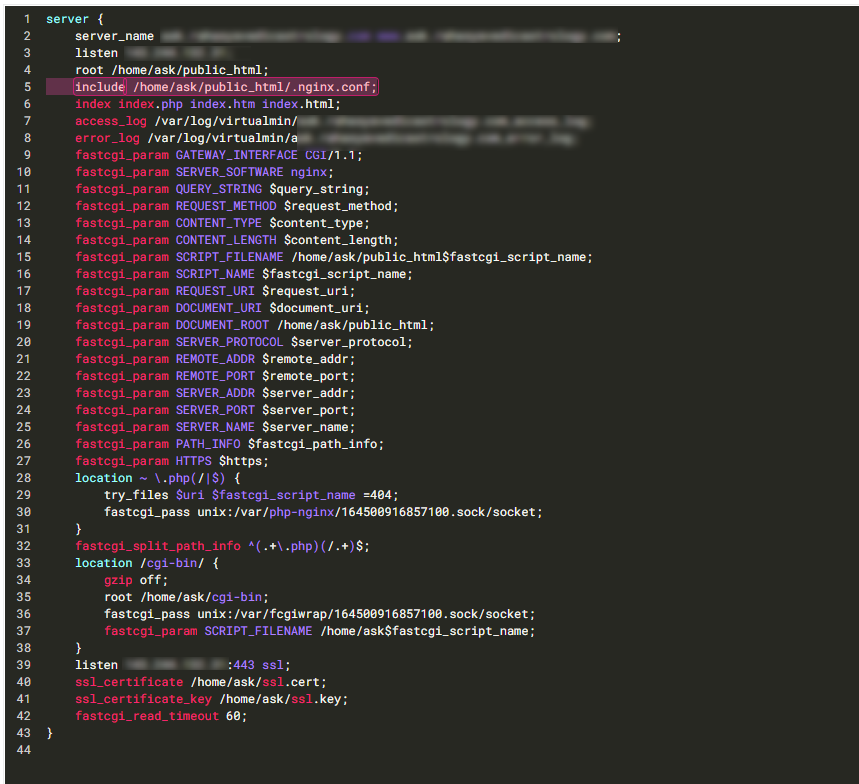
    @Hari works now - see config below (highlighted section)
    0acbe69e-d9aa-4e72-973c-1a05ad89c0d8-image.png

  • phenomlab phenomlab referenced this topic on
  • @Hari works now - see config below (highlighted section)

    0acbe69e-d9aa-4e72-973c-1a05ad89c0d8-image.png

    wrote on last edited by
    #29

    @phenomlab is this config file?

  • @phenomlab is this config file?

    wrote on last edited by phenomlab
    #30

    @Hari Your NGINX site config file, yes. Essentially, we just include the .nginx.conf file in there so it’s loaded when the site is. You need mod_rewrite for Flarum to work 🙂

  • @Hari Your NGINX site config file, yes. Essentially, we just include the .nginx.conf file in there so it’s loaded when the site is. You need mod_rewrite for Flarum to work 🙂

    wrote on last edited by
    #31

    @phenomlab could you tell me the path of this file

  • @phenomlab could you tell me the path of this file

    wrote on last edited by
    #32

    @Hari Sending in PM for security reasons

  • wrote on last edited by
    #33

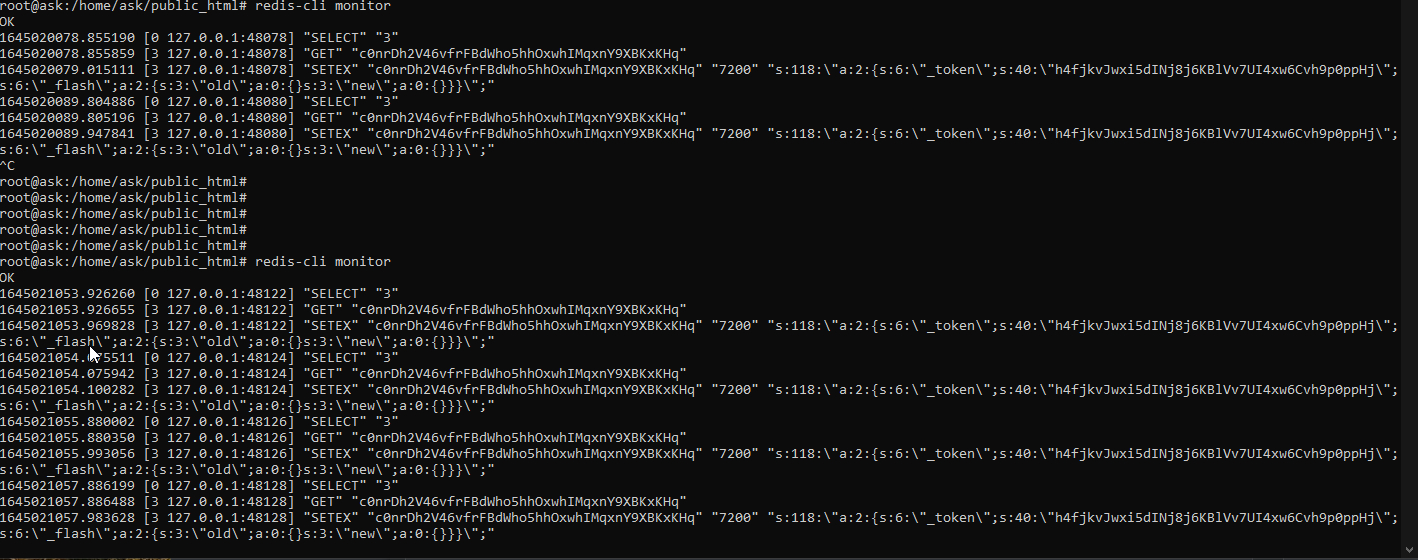
    @Hari Redis also functioning as expected
    3aefeaa4-9636-438e-8c1a-1b770b970806-image.png

  • @Hari Redis also functioning as expected

    3aefeaa4-9636-438e-8c1a-1b770b970806-image.png

    wrote on last edited by Hari
    #34

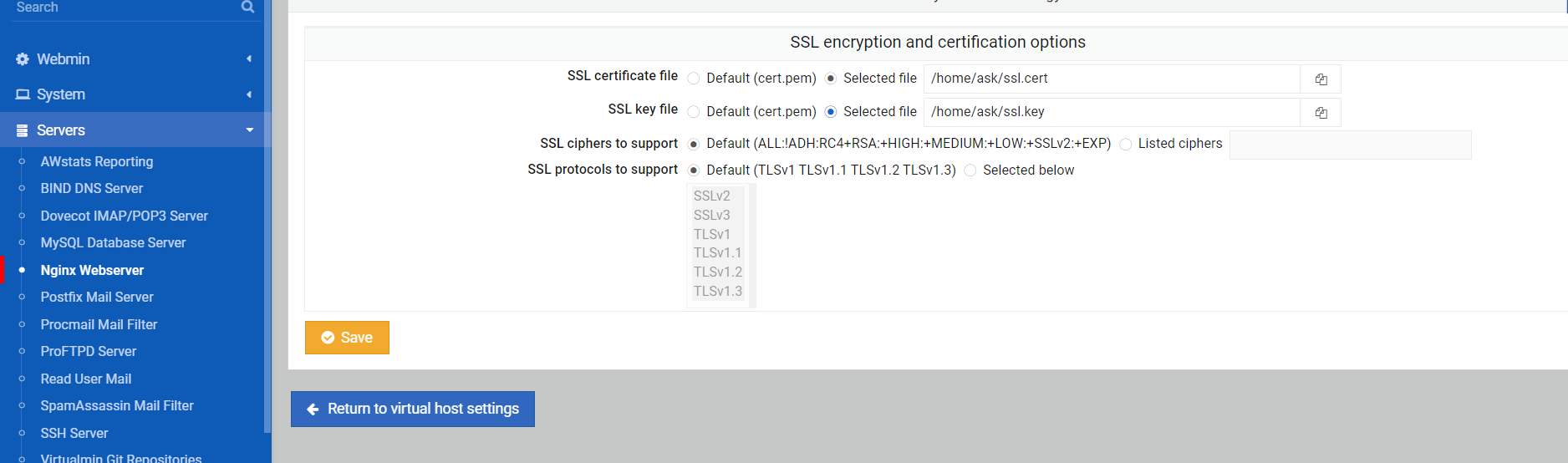
    @phenomlab i think my server has no proper ssl configured

    should i need to set this to default? at domain level (virtualmin server ) lets encrypt also failing to issue certificate
    3fe57b7e-5ee6-413e-a6d9-fcc559274ed4-image.png

    i think i should change IP to my subdomain in nignx file? at the above screenshot area?

  • @Hari Redis also functioning as expected

    3aefeaa4-9636-438e-8c1a-1b770b970806-image.png

    wrote on last edited by
    #35

    @phenomlab

    failure reason

    Domain: www.ask.domain.com
      Type:   unauthorized
      Detail: No TXT record found at
      _acme-challenge.www.ask.domain.com
    
  • @phenomlab

    failure reason

    Domain: www.ask.domain.com
      Type:   unauthorized
      Detail: No TXT record found at
      _acme-challenge.www.ask.domain.com
    
    wrote on last edited by
    #36

    @Hari You should only apply the certificate at Virtualmin level, so here for example. You’ll need to update your DNS first before you can get a certificate.

    de2d8b64-bf9b-4fc1-8c6b-b1ca051b1ca0-image.png


Did this solution help you?
Did you find the suggested solution useful? Support 💗 Sudonix with a coffee ☕
If your organisation needs deeper expertise around infrastructure, security, or technology leadership, learn more about Phenomlab Ltd. Many of the deeper technical guides behind Sudonix are published there.

Related Topics
  • Fedora Server + Virtualmin

    Chitchat fedora server linux virtualmin
    1
    1 Votes
    1 Posts
    338 Views
    No one has replied
  • NodeBB: Favicon upload issue

    Solved Configure nodebb favicon
    12
    1
    3 Votes
    12 Posts
    4k Views
    mventures
    @phenomlab I am on a Mac, so I used the “Option + Command + I”, and then performed the steps. It loaded my favicon! I checked on Firefox which I haven’t used before, and it showed my favicon also! That’s fantastic and thank you for the help!
  • 5 Votes
    13 Posts
    4k Views
    DownPW
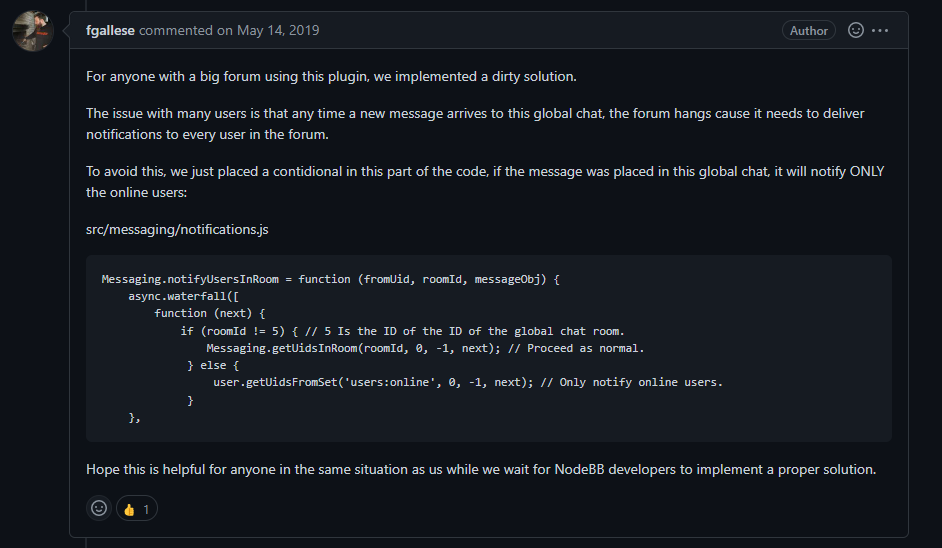
    'use strict'; const winston = require('winston'); const user = require('../user'); const notifications = require('../notifications'); const sockets = require('../socket.io'); const plugins = require('../plugins'); const meta = require('../meta'); module.exports = function (Messaging) { Messaging.notifyQueue = {}; // Only used to notify a user of a new chat message, see Messaging.notifyUser Messaging.notifyUsersInRoom = async (fromUid, roomId, messageObj) => { let uids = await Messaging.getUidsInRoom(roomId, 0, -1); uids = await user.blocks.filterUids(fromUid, uids); let data = { roomId: roomId, fromUid: fromUid, message: messageObj, uids: uids, }; data = await plugins.hooks.fire('filter:messaging.notify', data); if (!data || !data.uids || !data.uids.length) { return; } uids = data.uids; uids.forEach((uid) => { data.self = parseInt(uid, 10) === parseInt(fromUid, 10) ? 1 : 0; Messaging.pushUnreadCount(uid); sockets.in(`uid_${uid}`).emit('event:chats.receive', data); }); if (messageObj.system) { return; } // Delayed notifications let queueObj = Messaging.notifyQueue[`${fromUid}:${roomId}`]; if (queueObj) { queueObj.message.content += `\n${messageObj.content}`; clearTimeout(queueObj.timeout); } else { queueObj = { message: messageObj, }; Messaging.notifyQueue[`${fromUid}:${roomId}`] = queueObj; } queueObj.timeout = setTimeout(async () => { try { await sendNotifications(fromUid, uids, roomId, queueObj.message); } catch (err) { winston.error(`[messaging/notifications] Unabled to send notification\n${err.stack}`); } }, meta.config.notificationSendDelay * 1000); }; async function sendNotifications(fromuid, uids, roomId, messageObj) { const isOnline = await user.isOnline(uids); uids = uids.filter((uid, index) => !isOnline[index] && parseInt(fromuid, 10) !== parseInt(uid, 10)); if (!uids.length) { return; } if (roomId != 11) { // 5 Is the ID of the ID of the global chat room. Messaging.getUidsInRoom(roomId, 0, -1); // Proceed as normal. } else { user.getUidsFromSet('users:online', 0, -1); // Only notify online users. } const { displayname } = messageObj.fromUser; const isGroupChat = await Messaging.isGroupChat(roomId); const notification = await notifications.create({ type: isGroupChat ? 'new-group-chat' : 'new-chat', subject: `[[email:notif.chat.subject, ${displayname}]]`, bodyShort: `[[notifications:new_message_from, ${displayname}]]`, bodyLong: messageObj.content, nid: `chat_${fromuid}_${roomId}`, from: fromuid, path: `/chats/${messageObj.roomId}`, }); delete Messaging.notifyQueue[`${fromuid}:${roomId}`]; notifications.push(notification, uids); } };
  • how to use CF tunnels with Virtualmin?

    Solved Configure cf tunnel cloudflare virtualmin
    10
    3 Votes
    10 Posts
    4k Views
    phenomlab
    @Hari DDoS protection is not just a switch, or one component. It’s a collection of different and often disparate technologies that when grouped together form the basis of a combined toolset that can be used in defence. Typically these consist of IDS (Instrusion Detection System) and IPS (Intrusion Prevention System) components that detect irregularities in network traffic, and will take decisive action based on predefined rulesets, or in the case of more modern systems, AI and ML. Traditional “traffic shaping” technology is also deployed, so if an attack cannot be easily identified as malicious, the bandwidth available to that connection is severely limited to nothing more than a trickle rather than a full flow. Years ago, ISP’s used traffic shaping (also called “policers”) as an effective means of stopping applications such as BearShare, eDonkey, Napster, and other P2P based sharing systems from functioning correctly - essentially reducing the “appeal” of distributing and seeding illegal downloads. This was essentially the ISP’s way of saying “stop what you are doing please” without actually pulling the plug. These days, DDoS attacks are designed to overwhelm - not assume control of - webservers and other public facing components. It’s rare for small entities to be attacked unless there is some form of political agenda driven by your site or product. A classic example is governmental institutions or lawmakers who effectively are classed as “enforcers” and those who disagree are effectively making a statement in the form of Denial of Service. DDoS protection is effectively the responsibility of the hosting provider, but you shouldn’t just assume that they will protect you or your site. Their responsibility stops at their infrastructure, so it’s then up to you too decide how you full the gap in between your host and the website. Typically, you’d leverage something like Imunify360 which you can get for Plesk (and something I’d strongly recommend) but it’s not free, and is a paid (not expensive per month) subscription. If you want to use VirtualMin then there are a variety of tools readily available out of the box such as firewalls and fail2ban.
  • speed up my DigitalOcean droplet - Virtualmin

    Solved Configure digitalocean virtualmin
    10
    4 Votes
    10 Posts
    3k Views
    Hari
    @phenomlab thanks for sharing, after four or five months I will migrate to DO 2 or 4gb RAM droplet.
  • how to increase upload DB file size in virtualmin

    Solved Configure virtualmin
    2
    1 Votes
    2 Posts
    2k Views
    Hari
    @Hari this helped
  • SSl expired on virtualmin

    Solved Configure virtualmin ubun server ssl
    18
    3 Votes
    18 Posts
    7k Views
    phenomlab
    @justoverclock Not necessarily. You only need to use this if it fails from the Virtualmin window
  • Email issue (virturalmin)

    Solved Hosting virtualmin

    5
    0 Votes
    5 Posts
    2k Views
    JAC
    @gotwf said in Email issue (virturalmin): @jac Typically you want your domain’s MX records to point to FQDN server name, e.g. foo.example.eg % drill stockportcounty.fans mx ;; ->>HEADER<<- opcode: QUERY, rcode: NOERROR, id: 63911 ;; flags: qr rd ra ; QUERY: 1, ANSWER: 1, AUTHORITY: 0, ADDITIONAL: 0 ;; QUESTION SECTION: ;; stockportcounty.fans. IN MX ;; ANSWER SECTION: stockportcounty.fans. 600 IN MX 10 stockportcounty.fans. Yours do not. Although a bit more drillin’ and reverse lookup indicates thusly; % drill stockportcounty.fans ;; ->>HEADER<<- opcode: QUERY, rcode: NOERROR, id: 160 ;; flags: qr rd ra ; QUERY: 1, ANSWER: 1, AUTHORITY: 0, ADDITIONAL: 0 ;; QUESTION SECTION: ;; stockportcounty.fans. IN A ;; ANSWER SECTION: stockportcounty.fans. 600 IN A 65.108.63.35 ;; AUTHORITY SECTION: ;; ADDITIONAL SECTION: ;; Query time: 127 msec ;; SERVER: 204.8.232.207 ;; WHEN: Sun Oct 10 19:37:02 2021 ;; MSG SIZE rcvd: 54 <kvg@loon:~>% drill -x 65.108.63.35 ;; ->>HEADER<<- opcode: QUERY, rcode: NOERROR, id: 57802 ;; flags: qr rd ra ; QUERY: 1, ANSWER: 1, AUTHORITY: 0, ADDITIONAL: 0 ;; QUESTION SECTION: ;; 35.63.108.65.in-addr.arpa. IN PTR ;; ANSWER SECTION: 35.63.108.65.in-addr.arpa. 86400 IN PTR vps.stockportcounty.fans. I think you probably want your mx record to point to vps.stockportcountry.fans. It is important for forward and reverse lookups for MX records jive. Maybe you are looking like a spammer in that they do not? Edit: But at least you have a reverse record, many spammers do not, so that is a big red flag. Thanks for the advice, will look into it all later once back home.