[NODEBB] Help for my custom CSS
-
-
Ohh super ^^
Thank you Mark -
-
@cagatay That looks like you didn’t define a label for the icon. Have a look at
/admin/settings/navigation, and you’ll see what I mean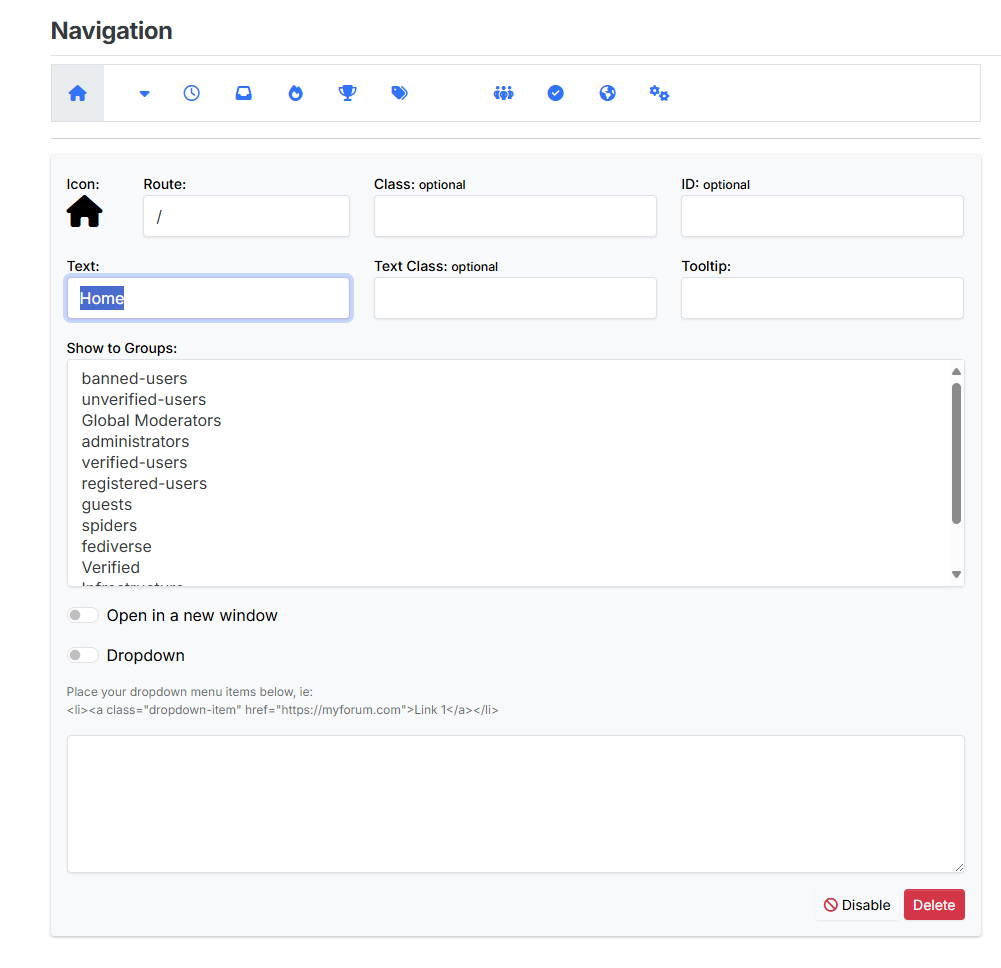
Mark Cutting also advises organisations as a Fractional CIO, Fractional CISO and Executive Advisor, helping boards improve technology governance, cyber resilience and executive decision making. Learn more at Gratmore Ltd
-
thank you Mark, fixed.
-
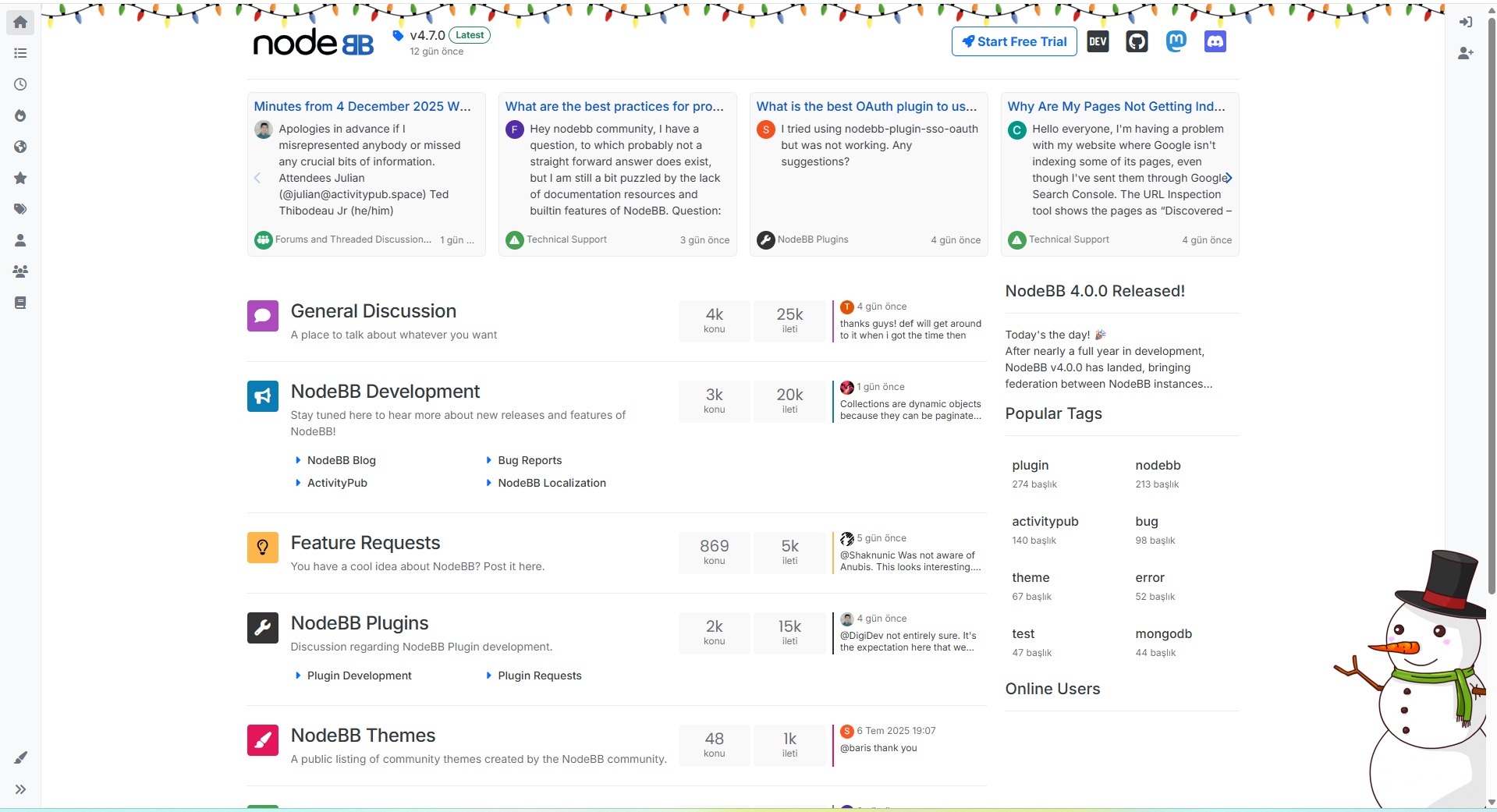
how can i add these new year icons to my home page as well?
-
@cagatay said in [NODEBB] Help for my custom CSS:
how can i add these new year icons to my home page as well?
JS:
$(window).on('action:ajaxify.end', function(ev, data) { const snowMan = $('#snow-man'); if (!snowMan.length && !ajaxify.data.template.chats) { $(`<img src="https://www.freeiconspng.com/thumbs/snowman-png/snowman-png-29.png" id="snow-man" class="d-none d-lg-block position-fixed" style="z-index: 1054; bottom: -50px; right: -100px;"/> `).appendTo('body'); } else { if (ajaxify.data.template.chats) { snowMan.remove(); } } });CSS:
// ------------------------------------------
// Christmas styling
// ------------------------------------------
/* Guirlande header */


body {
  background-image: url("https://community.nodebb.org/assets/uploads/files/xmas-lights.png");
  background-repeat: repeat-x;
  background-position: top -22px left;
}

.container.px-md-4.brand-container {
    margin-top: 10px;
}


/*
.skin-noskin #content {
    background: rgba(255, 255, 255, 0.9);
    margin-top: 1rem;
    border-radius: 5px;
}*/

/* end christmas styling */
img#snow-man { width: 280px; } @media all and (max-width: 768px) { #snow-man { display: none; } .container.px-md-4.brand-container { margin-top: 15px !important; } } div#console-nav-tab { z-index: 1000; } -
thank you @DownPW
-
Hello @phenomlab
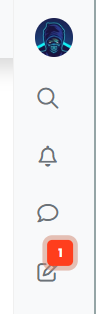
I’d like to increase the size of the avatar image in the right sidebar without widening it, and center all the icons.
I can’t find the right code.
Any ideas?
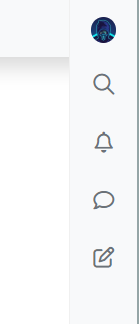
.sidebar #user_dropdown .avatar {
    margin: 2px 0;
    width: 30px;
    height: 30px;
}
-
Hello @phenomlab
I’d like to increase the size of the avatar image in the right sidebar without widening it, and center all the icons.
I can’t find the right code.
Any ideas?
.sidebar #user_dropdown .avatar { margin: 2px 0; width: 30px; height: 30px; }@DownPW There isn’t any easy way to achieve this without using
position: absoluteon theimgitself. Even then, you’d need to manually alter the position of the child icons in the samediv(the sidebar). Whilst I do see the appeal, it’s not something I’d recommend doing to be honest.Mark Cutting also advises organisations as a Fractional CIO, Fractional CISO and Executive Advisor, helping boards improve technology governance, cyber resilience and executive decision making. Learn more at Gratmore Ltd
-
@DownPW There isn’t any easy way to achieve this without using
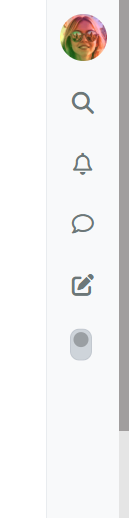
position: absoluteon theimgitself. Even then, you’d need to manually alter the position of the child icons in the samediv(the sidebar). Whilst I do see the appeal, it’s not something I’d recommend doing to be honest.I succeeded in the following way by playing with the margins.
.sidebar #user_dropdown .avatar {
    margin: 2px -7px;
    width: 35px;
    height: 35px;
}
Result is good :
-
I’d like to do the same thing with the website logo.
For example, at Christmas time, I’d like to change my logo to something like a Santa hat, but it’s always cut off.
I’ve tried adjusting the size and margins, and even modifying the logo’s pixels directly, but it doesn’t seem to work. It’s always cut off in the same way.
-
I’d like to do the same thing with the website logo.
For example, at Christmas time, I’d like to change my logo to something like a Santa hat, but it’s always cut off.
I’ve tried adjusting the size and margins, and even modifying the logo’s pixels directly, but it doesn’t seem to work. It’s always cut off in the same way.
said in [NODEBB] Help for my custom CSS:
I’d like to do the same thing with the website logo.
For example, at Christmas time, I’d like to change my logo to something like a Santa hat, but it’s always cut off.
I’ve tried adjusting the size and margins, and even modifying the logo’s pixels directly, but it doesn’t seem to work. It’s always cut off in the same way.
-
This post is deleted!
-
I just upgraded to the latest version to see if I could replicate this, which I can’t. Do you perhaps have overriding CSS?
-
resolve with :
li[component=post] a[href*=“/groups/administrators”] {
position: absolute !important;
left: 2px;
z-index: 2;
margin-top: 1px;
border-radius: 999px !important;
line-height: 14px;
display: block;
margin-left: 6px !important;
background: var(–bs-user-level-bg) !important;
color: var(–bs-body-color-primary) !important;
width: auto;
} -
resolve with :
li[component=post] a[href*=“/groups/administrators”] {
position: absolute !important;
left: 2px;
z-index: 2;
margin-top: 1px;
border-radius: 999px !important;
line-height: 14px;
display: block;
margin-left: 6px !important;
background: var(–bs-user-level-bg) !important;
color: var(–bs-body-color-primary) !important;
width: auto;
}@DownPW great, but use
position: absolute;carefully and sparingly -
Hi,
I’d like to enlarge the div so that the logo is fully displayed. Right now, for example, it’s cut off on the right at the glasses.

an idea ?
-
if I set :
- {
overflow: visible !important;
}
it’s OK.
I have not overflow: hidden in my custom css on acp…
Maybe because Fancybox add an <a> no ?

- {
-
if I set :
- {
overflow: visible !important;
}
it’s OK.
I have not overflow: hidden in my custom css on acp…
Maybe because Fancybox add an <a> no ?
@DownPW strange. Fancybox doesn’t actually alter the image as far as I recall.
Does it make a difference if you change the class name (in developer mode) from
fancyboxto say,fancybox1?If it works, then the class may have that defined already.
- {






Hello! It looks like you're interested in this conversation, but you don't have an account yet.
Getting fed up of having to scroll through the same posts each visit? When you register for an account, you'll always come back to exactly where you were before, and choose to be notified of new replies (either via email, or push notification). You'll also be able to save bookmarks and upvote posts to show your appreciation to other community members.
With your input, this post could be even better 💗
Register LoginDid this solution help you?
Related Topics
-
Please help me, I can't install nodebb
Locked Solved Customisation -
-
-
-
Bootstrap Version
Solved Customisation -
-
-