NodeBB customisation
-
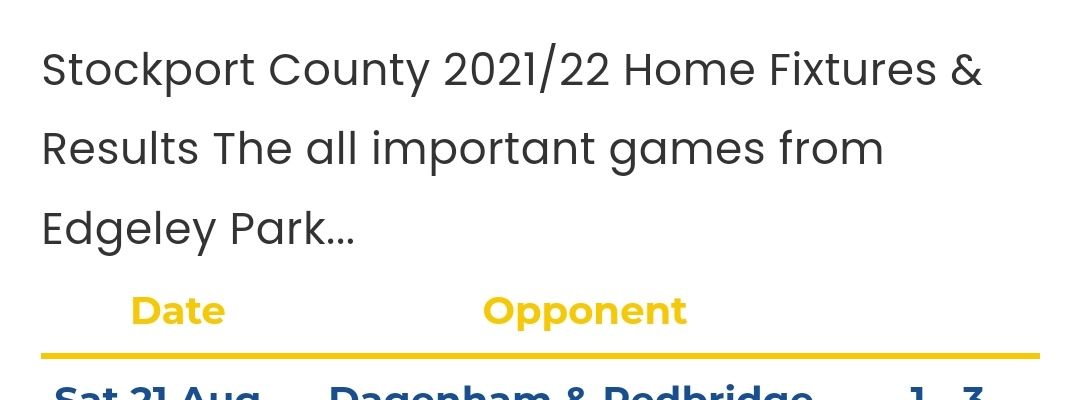
There is also an issue with the page styling.
Despite entering a new line the text wants to be bunched up together, I presume this is just an issue with the styling to correct it.
After the first full stop it the second part should be understood in smaller font realistically.
@jac Which page does this occur on ?
Mark Cutting also advises organisations as a Fractional CIO, Fractional CISO and Executive Advisor, helping boards improve technology governance, cyber resilience and executive decision making. Learn more at Gratmore Ltd
-
@phenomlab said in NodeBB customisation:
@jac Which page does this occur on ?
Absolutely fantastic mate, can’t thank you enough.
All the current custom pages that I have created do it unfortunately. They seem to bunch the text together, it’s probably because I haven’t styled it.
-
@phenomlab said in NodeBB customisation:
@jac Which page does this occur on ?
Absolutely fantastic mate, can’t thank you enough.
All the current custom pages that I have created do it unfortunately. They seem to bunch the text together, it’s probably because I haven’t styled it.
@jac Can you elaborate a bit more on this ? I see text on the pages, but that’s it. I also see this
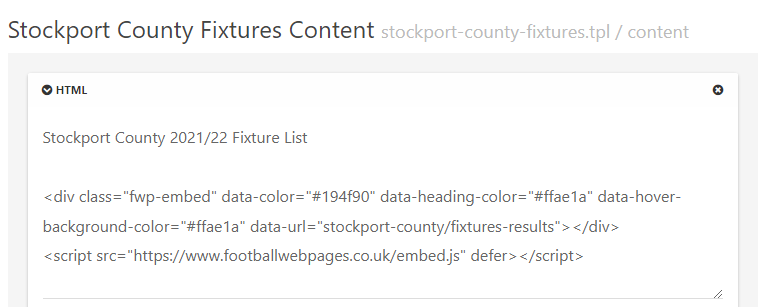
What is the intention of this ?
Mark Cutting also advises organisations as a Fractional CIO, Fractional CISO and Executive Advisor, helping boards improve technology governance, cyber resilience and executive decision making. Learn more at Gratmore Ltd
-
@jac Can you elaborate a bit more on this ? I see text on the pages, but that’s it. I also see this
What is the intention of this ?
@phenomlab said in NodeBB customisation:
@jac Can you elaborate a bit more on this ? I see text on the pages, but that’s it. I also see this
What is the intention of this ?
Sure…
Basically I want to display fixtures, results, tables etc so I have created custom pages for them all.
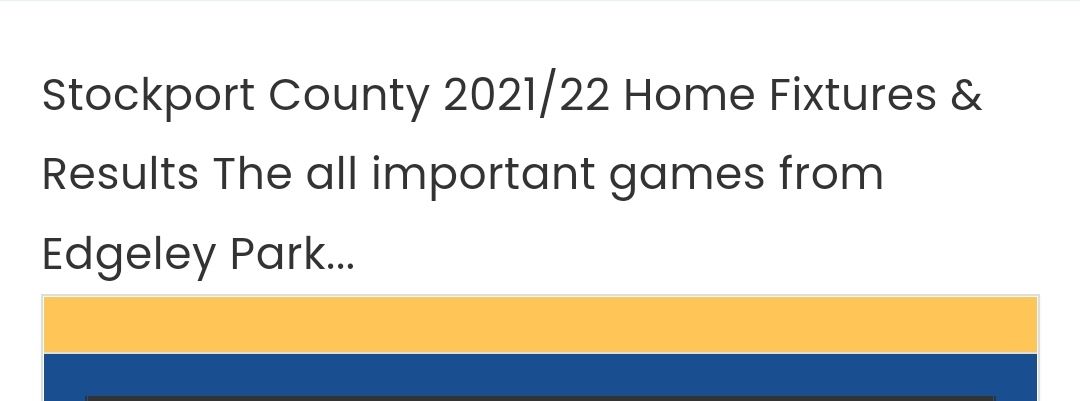
If you see here you’ll see that the text after the home fixtures & results in the widget is intended to display underneath the fixtures title but instead this just bunches up on the same line.
-
@phenomlab said in NodeBB customisation:
@jac Can you elaborate a bit more on this ? I see text on the pages, but that’s it. I also see this
What is the intention of this ?
Sure…
Basically I want to display fixtures, results, tables etc so I have created custom pages for them all.
If you see here you’ll see that the text after the home fixtures & results in the widget is intended to display underneath the fixtures title but instead this just bunches up on the same line.
@jac Ok. I see this currently
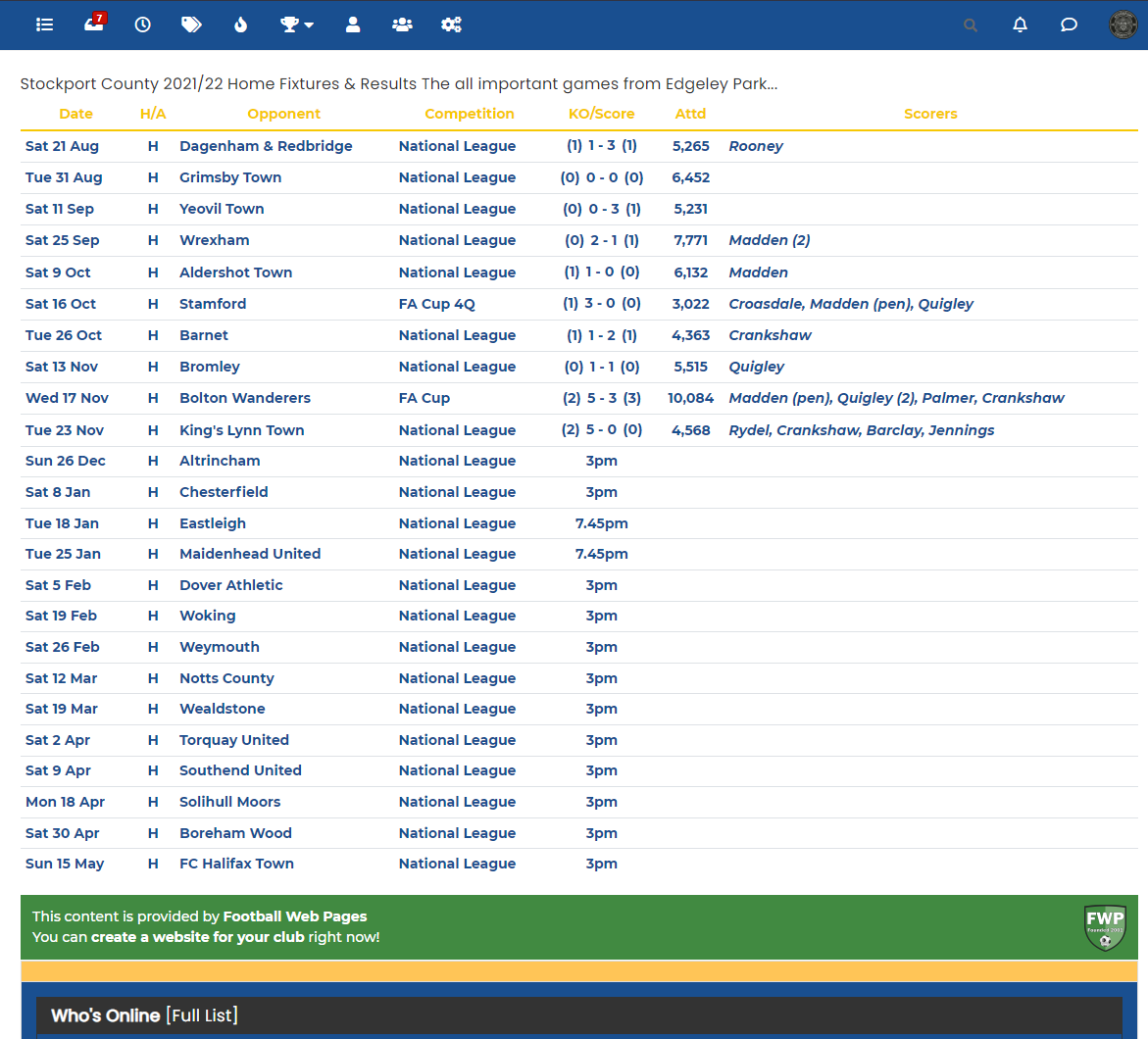
The reason for this is that
HTMLmarkup can’t interpret a basic line break unless you tell it to do that with a<br>tag, so you need to remove the physical space and replace it with the line break code as shown below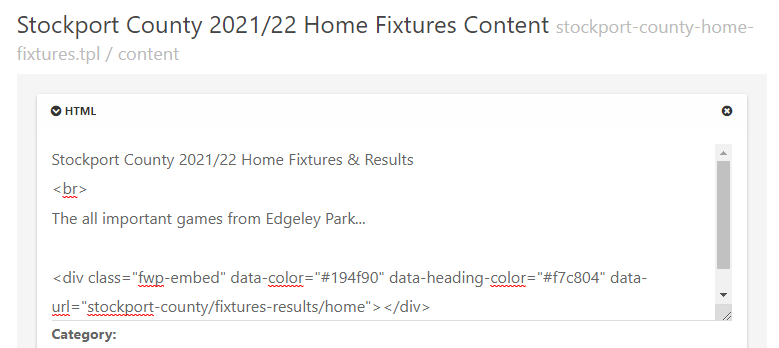
This will then show
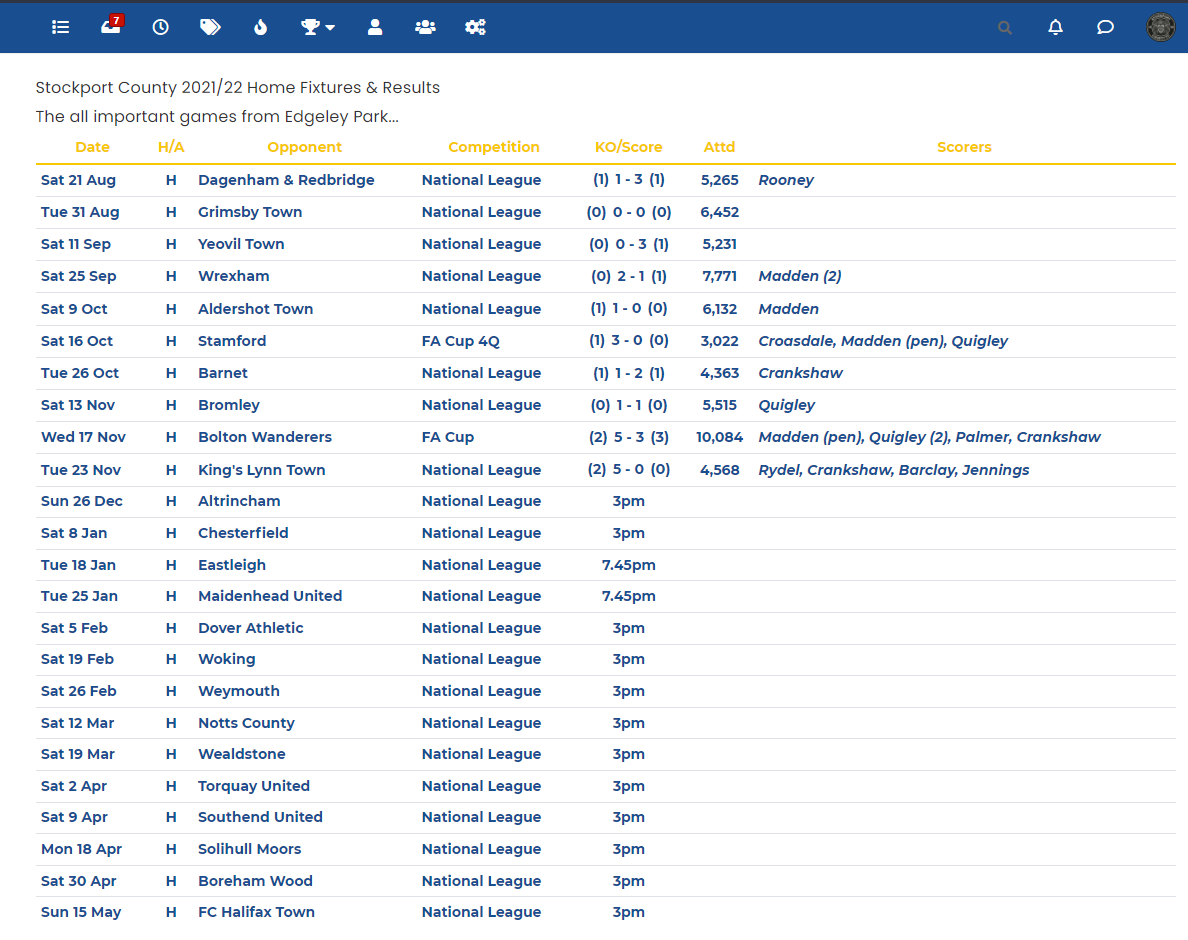
Mark Cutting also advises organisations as a Fractional CIO, Fractional CISO and Executive Advisor, helping boards improve technology governance, cyber resilience and executive decision making. Learn more at Gratmore Ltd
-
@jac Ok. I see this currently
The reason for this is that
HTMLmarkup can’t interpret a basic line break unless you tell it to do that with a<br>tag, so you need to remove the physical space and replace it with the line break code as shown belowThis will then show
@phenomlab said in NodeBB customisation:
@jac Ok. I see this currently
The reason for this is that
HTMLmarkup can’t interpret a basic line break unless you tell it to do that with a<br>tag, so you need to remove the physical space and replace it with the line break code as shown belowThis will then show
Fantastic Mark, I will fix the others later. I am looking to have big bold titles like last time, is this also possible with some styling?
Many thanks as always!
-
@phenomlab said in NodeBB customisation:
@jac Ok. I see this currently
The reason for this is that
HTMLmarkup can’t interpret a basic line break unless you tell it to do that with a<br>tag, so you need to remove the physical space and replace it with the line break code as shown belowThis will then show
Fantastic Mark, I will fix the others later. I am looking to have big bold titles like last time, is this also possible with some styling?
Many thanks as always!
@jac sorry to be a pain.
Is there any way to change the user links to a yellow colour mate? Or is this generically set in NodeBB?
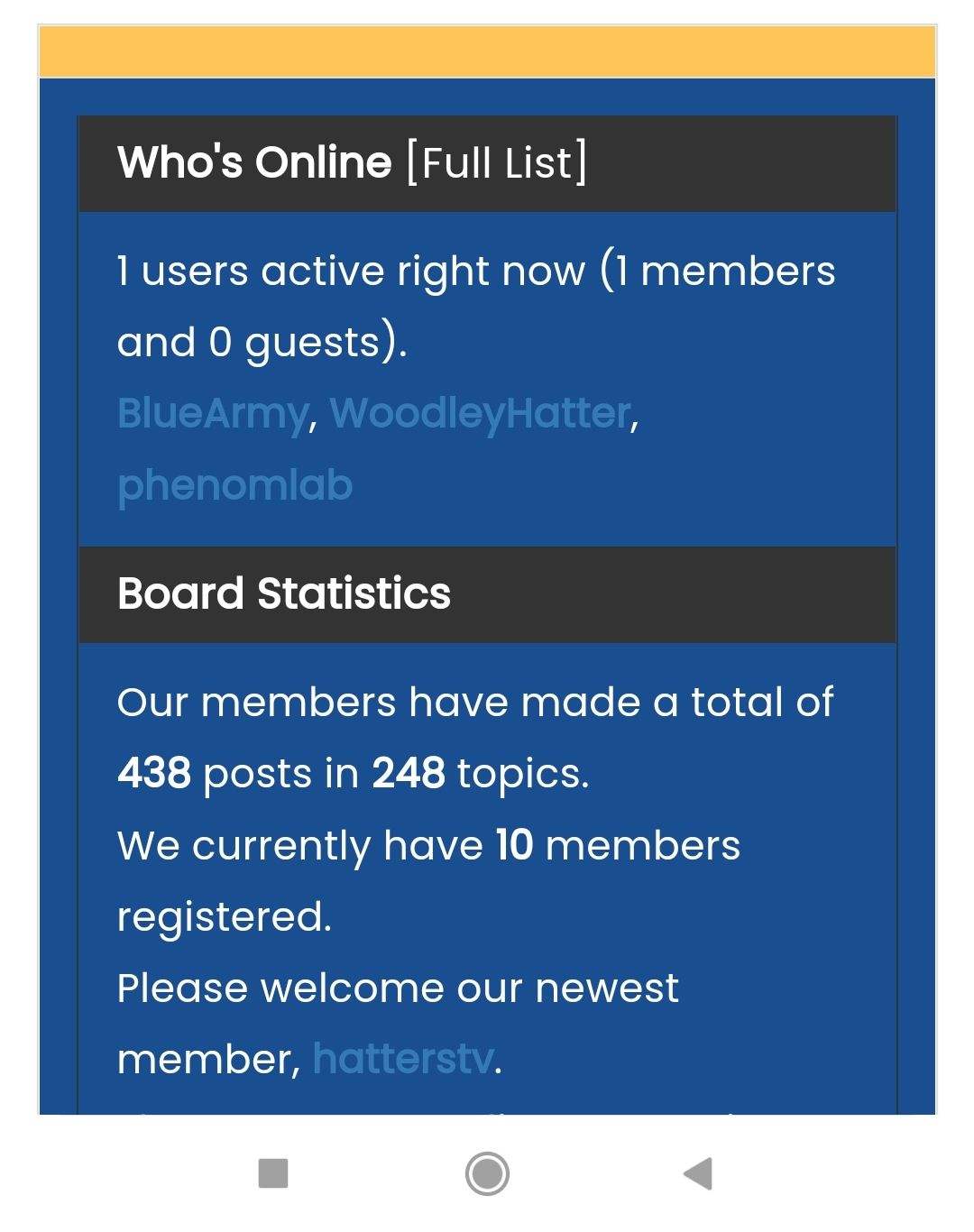
Many thanks.
-
@phenomlab said in NodeBB customisation:
@jac Ok. I see this currently
The reason for this is that
HTMLmarkup can’t interpret a basic line break unless you tell it to do that with a<br>tag, so you need to remove the physical space and replace it with the line break code as shown belowThis will then show
Fantastic Mark, I will fix the others later. I am looking to have big bold titles like last time, is this also possible with some styling?
Many thanks as always!
@jac You should use the
helement for this (header). See below example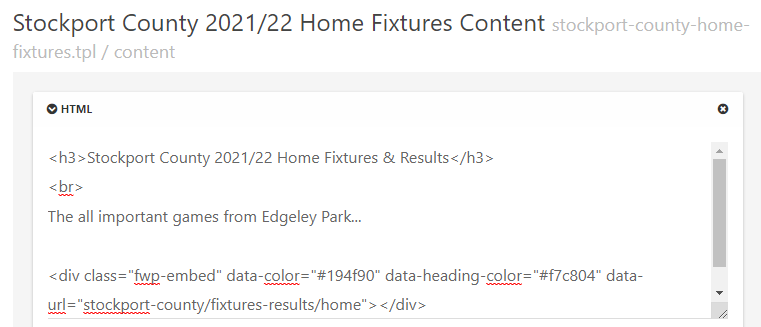
-
@jac sorry to be a pain.
Is there any way to change the user links to a yellow colour mate? Or is this generically set in NodeBB?
Many thanks.
@jac This should do it
.widget-board-stats a {
    color: #ffc557;
}
Mark Cutting also advises organisations as a Fractional CIO, Fractional CISO and Executive Advisor, helping boards improve technology governance, cyber resilience and executive decision making. Learn more at Gratmore Ltd
-
@phenomlab said in NodeBB customisation:
@jac This should do it
.widget-board-stats a { color: #ffc557; }Many thanks pal, I’ll try this later when back in.
-
@phenomlab said in NodeBB customisation:
@jac This should do it
.widget-board-stats a {
    color: #ffc557;
}
Many thanks pal, I’ll try this later when back in.
@jac said in NodeBB customisation:
@phenomlab said in NodeBB customisation:
@jac This should do it
.widget-board-stats a {
    color: #ffc557;
}
Many thanks pal, I’ll try this later when back in.
Worked an absolute treat as always!
Many thanks Mark!

-
Sorry Mark, whilst you’re online, I’ve just noticed the search icon is grey.
Would there be any way to have the search icon in yellow and when hovered over it turns to white at all?

Many thanks
-
Sorry Mark, whilst you’re online, I’ve just noticed the search icon is grey.
Would there be any way to have the search icon in yellow and when hovered over it turns to white at all?
Many thanks
@jac Done
Mark Cutting also advises organisations as a Fractional CIO, Fractional CISO and Executive Advisor, helping boards improve technology governance, cyber resilience and executive decision making. Learn more at Gratmore Ltd
-
@phenomlab said in NodeBB - Created pages not found?:
@jac Done
fantastic! thank you very much for all the continued help as always
 .
. -
@phenomlab said in NodeBB - Created pages not found?:
@jac Done
fantastic! thank you very much for all the continued help as always
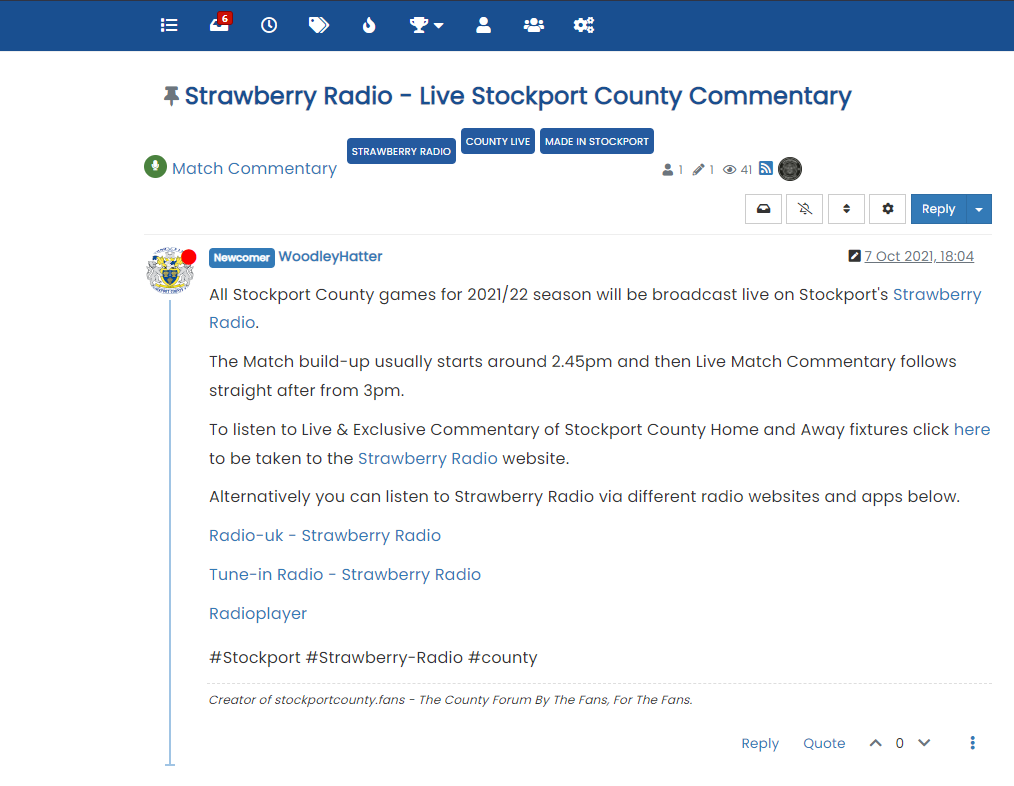
.Thinking of changing the title font to blue (without the blue strip) is this possible?
Many thanks
-
Thinking of changing the title font to blue (without the blue strip) is this possible?
Many thanks
@jac Done
Mark Cutting also advises organisations as a Fractional CIO, Fractional CISO and Executive Advisor, helping boards improve technology governance, cyber resilience and executive decision making. Learn more at Gratmore Ltd
-
@phenomlab said in NodeBB customisation:
@jac Done
Thanks mate for that.
I can’t get used to having the white background
 sorry to mess you around mate, is there any way to have the yellow background back with the blue writing sorry matey.
 -
@phenomlab said in NodeBB customisation:
@jac Done
Thanks mate for that.
I can’t get used to having the white background
sorry to mess you around mate, is there any way to have the yellow background back with the blue writing sorry matey.@jac said in NodeBB customisation:
sorry to mess you around mate, is there any way to have the yellow background back with the blue writing sorry matey.
I know you’re a busy man Mark, just wanted to make sure that you’d seen this.
-
@jac said in NodeBB customisation:
sorry to mess you around mate, is there any way to have the yellow background back with the blue writing sorry matey.
I know you’re a busy man Mark, just wanted to make sure that you’d seen this.
@jac Done
Mark Cutting also advises organisations as a Fractional CIO, Fractional CISO and Executive Advisor, helping boards improve technology governance, cyber resilience and executive decision making. Learn more at Gratmore Ltd
-




Hello! It looks like you're interested in this conversation, but you don't have an account yet.
Getting fed up of having to scroll through the same posts each visit? When you register for an account, you'll always come back to exactly where you were before, and choose to be notified of new replies (either via email, or push notification). You'll also be able to save bookmarks and upvote posts to show your appreciation to other community members.
With your input, this post could be even better 💗
Register LoginRelated Topics
-
-
-
-
Forum Icons NodeBB
Solved Customisation -
-
NodeBB Discord Plugins
Unsolved Customisation -
-
Customising NodeBB
Locked Customisation