Nodebb and emails
-
-
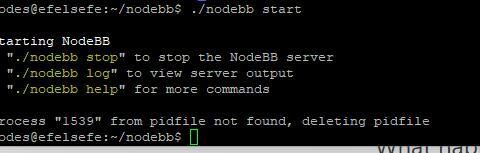
what version of nodebb is this site on now? Theres a bug that when I post it remains blank. If I reload page what I type shows!
-
@phenomlab Ive put a plea of Nodebb site for a response to my many threads on this.
Im not overstating it when I say people have left nodebb because of the same headache
@Panda said in Nodebb and emails:
Im not overstating it when I say people have left nodebb because of the same headache
It’s going to be something simple. PM me the details of your site, and also the details for your fastmail account and I’ll get it to work.
I’ll need your fastmail login and admin access to your forum.
-
OK, after taking a look at this, I’ve done the following
- Set your nodebb instance to use custom smtp and send via
smtp.fastmail.com - Save and test
I now get the error
Invalid login: 535 5.7.0 Sorry, you need to create an app password to use this service. Please see fastmail.com/help for more details.This means you need to configure an app inside fastmail to send emails.
After you’ve done this, it should work
Mark Cutting also advises organisations as a Fractional CIO, Fractional CISO and Executive Advisor, helping boards improve technology governance, cyber resilience and executive decision making. Learn more at Gratmore Ltd
- Set your nodebb instance to use custom smtp and send via
-
OK, after taking a look at this, I’ve done the following
- Set your nodebb instance to use custom smtp and send via
smtp.fastmail.com - Save and test
I now get the error
Invalid login: 535 5.7.0 Sorry, you need to create an app password to use this service. Please see fastmail.com/help for more details.This means you need to configure an app inside fastmail to send emails.
After you’ve done this, it should work

@phenomlab ok thanks will try with app password
I wonder why it needed custom setup - Set your nodebb instance to use custom smtp and send via
-
@phenomlab ok thanks will try with app password
I wonder why it needed custom setup -
Panda has marked this topic as solved on
-
-
Finally it works, thanks.
I had to regenerate the app password on fastmail, and the test email send is working.Out of interest, in your custom set up of fastmail, how did you know to pick SMPT port 465?
@Panda experience, plus this
https://www.fastmail.help/hc/en-us/articles/1500000279921-IMAP-POP-and-SMTP
-
phenomlab has marked this topic as solved on
-
Follow up question:
Re this past comment on NodeBB
“There are three ways to send emails from NodeBB:
Emailer plugin. (Like sendgrid). These plugins allow you to use email distribution services like Sendgrid, MailChimp, etc to send out emails. This helps about issues of spam filtering and such, because it’s their email servers handling all of that. These plugins contact the email service via http and then the service sends your emails out.
SMTP transport. This is built into NodeBB. It is only used if you don’t have an emailer plugin active and you enable “Enable SMTP transport” (previously “Use an external server to send emails”) in the email settings. The SMTP transport allows you to either pick from a list of known services (provided by the underlying module nodemailer) or to provide custom settings yourself. It contacts the server via SMTP and then the SMTP server sends your your emails.”Im still confused about which of these methods is best in theory
When you use an internal post fix server does this use (1) Emailer plugin or (2) SMTP? -
Follow up question:
Re this past comment on NodeBB
“There are three ways to send emails from NodeBB:
Emailer plugin. (Like sendgrid). These plugins allow you to use email distribution services like Sendgrid, MailChimp, etc to send out emails. This helps about issues of spam filtering and such, because it’s their email servers handling all of that. These plugins contact the email service via http and then the service sends your emails out.
SMTP transport. This is built into NodeBB. It is only used if you don’t have an emailer plugin active and you enable “Enable SMTP transport” (previously “Use an external server to send emails”) in the email settings. The SMTP transport allows you to either pick from a list of known services (provided by the underlying module nodemailer) or to provide custom settings yourself. It contacts the server via SMTP and then the SMTP server sends your your emails.”Im still confused about which of these methods is best in theory
When you use an internal post fix server does this use (1) Emailer plugin or (2) SMTP?
Hello! It looks like you're interested in this conversation, but you don't have an account yet.
Getting fed up of having to scroll through the same posts each visit? When you register for an account, you'll always come back to exactly where you were before, and choose to be notified of new replies (either via email, or push notification). You'll also be able to save bookmarks and upvote posts to show your appreciation to other community members.
With your input, this post could be even better 💗
Register LoginDid this solution help you?
Related Topics
-

Nodebb to Xenforo
Solved Configure -
-
-
-
-
-

NodeBB Footer
Solved Customisation -