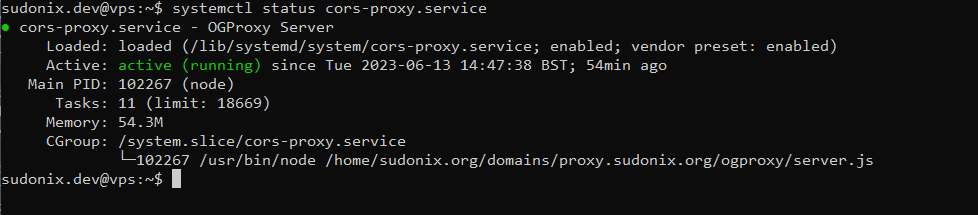
Setup OGProxy for use in NodeBB
-
I will try chat ASAP
and it seems github private url doesn’t work but I think it’s normal because it’s a private repo
@DownPW that should still render but be replaced with substitute text and images. Anything in the browser console?
-
nope nothing in log
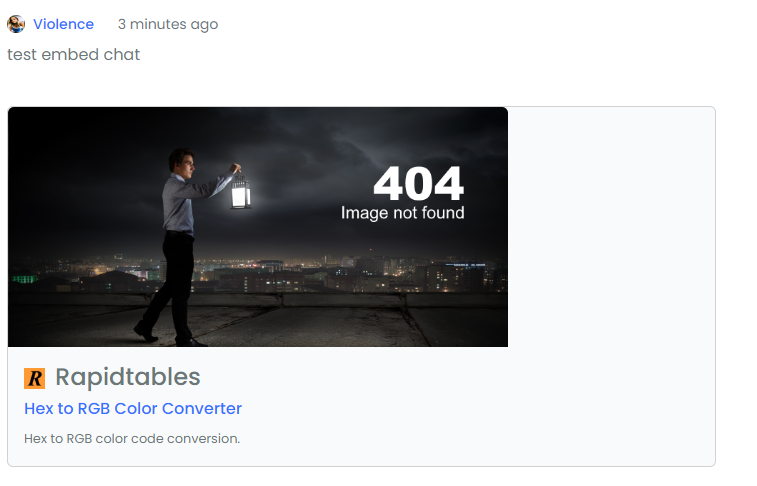
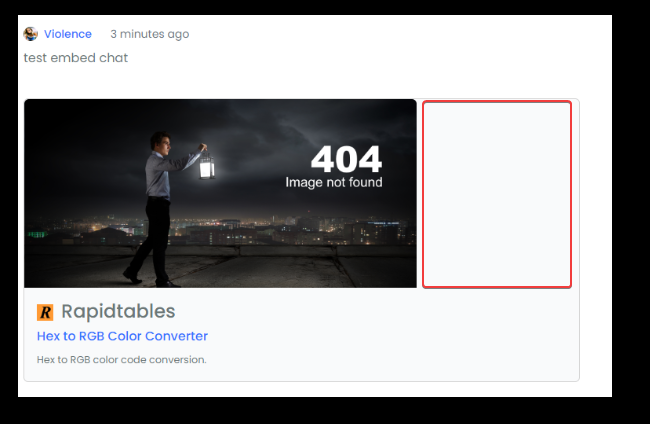
And i Have this bug on the chat render (testing now)
PW and WS Spirit alive
-
EDIT:
Nothing on, nodebb console but I have this on Browser Console :
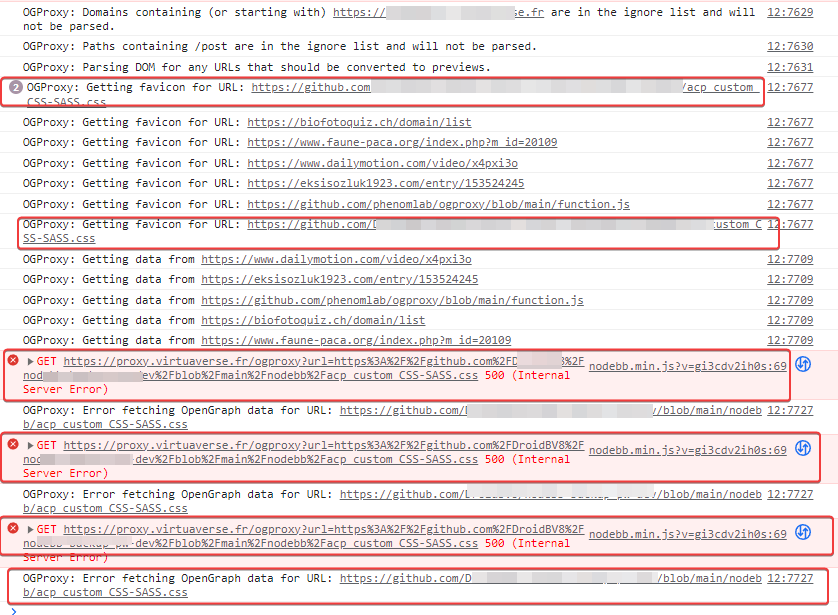
it looks like the url is being misinterpreted. Symbols are appended to the URL.
Odd

PW and WS Spirit alive
-
@DownPW what’s the bug? CSS?
-

-
EDIT:
Nothing on, nodebb console but I have this on Browser Console :
it looks like the url is being misinterpreted. Symbols are appended to the URL.
Odd
@DownPW no, that’s URL encoding and supposed to look like that. If it were truly an issue, nothing would render.
-
I don’t know my friend.
PW and WS Spirit alive
-
@DownPW I’ll check on your Dev server
-
resolve my problem with add this to my custom CSS for rendering in the chat on smartphone :
@media (max-width: 1010px) {
    [component="chat/message"] .card.card-preview {
    margin: 20px 0 20px 0;
    width: 100%;
    }
}
And I add this custom css code for fix a bug (for me
 ) when you do a mouse hover on the image and the edges are not rounded. This bug is seen much more on clear themes :
.card-image-container { max-width: 500px; max-height: 250px; overflow: hidden; border-top-left-radius: 0.375rem !important; border-top-right-radius: 0.375rem !important; }Edit:
And same things for rendering in posts on smartphone:
@media (max-width: 1010px) {
    .card.card-preview {
    margin: 20px 0 20px 0;
    width: 100%;
    }
}
PW and WS Spirit alive
-
resolve my problem with add this to my custom CSS for rendering in the chat on smartphone :
@media (max-width: 1010px) {
    [component="chat/message"] .card.card-preview {
    margin: 20px 0 20px 0;
    width: 100%;
    }
}
And I add this custom css code for fix a bug (for me
) when you do a mouse hover on the image and the edges are not rounded. This bug is seen much more on clear themes :.card-image-container { max-width: 500px; max-height: 250px; overflow: hidden; border-top-left-radius: 0.375rem !important; border-top-right-radius: 0.375rem !important; }Edit:
And same things for rendering in posts on smartphone:
@media (max-width: 1010px) { .card.card-preview { margin: 20px 0 20px 0; width: 100%; } }@DownPW Good point ref the missing
radiuson image hover - I’ve updated the original post. Good spot !I’d actually go one step further and change the
widthto 100% otherwise on the light themes you land up with an odd looking space between thecardframe and the image.card-image-container { max-width: 100%; max-height: 250px; overflow: hidden; border-top-left-radius: 0.375rem; border-top-right-radius: 0.375rem; } -
No problem dude, we are beta testers finally, we go back what we can and we propose the corrections if we find them
PW and WS Spirit alive
-
No problem dude, we are beta testers finally, we go back what we can and we propose the corrections if we find them
-
yes it seems to be good.
It will need to watch perf on production with lot of link but It’s very coolQuestion :
I imagine that we can change the 404 error image in the image directory of the plugin?
But are there any restrictions?
Oblige to use an image in webp or other formats are accepted?PW and WS Spirit alive
-
yes it seems to be good.
It will need to watch perf on production with lot of link but It’s very coolQuestion :
I imagine that we can change the 404 error image in the image directory of the plugin?
But are there any restrictions?
Oblige to use an image in webp or other formats are accepted?@DownPW I don’t think you’ll see a performance hit as the rendering is handled client side
In terms of the 404 image, you can have whatever you want - you just need to replace the image itself, and then change the reference to it in the JS function - the path should be
/images/404.webp.As a side note, it might be worth setting a different file name, as
nginxwill cache it and you’ll see that same image every time (and not the new one) unless you restart thenginxservice. -
Ok that’s very clear. thank you for all this my friend
PW and WS Spirit alive
-
-
Above a little problem with big text.
Just truncate the text…PW and WS Spirit alive
-
@DownPW fixed. I’m not going to do this with CSS as all this will do is limit the amount of characters returned in the UI - the amount of data being returned would still be the same, and that is horribly inefficient. However, in my defence
the entire objective of a summary is exactly that - not the entire post (as is the case here), but an extract.Below are the modifications
'<p class="card-text">' + truncateDescription(description, 150) + '</p>' +And a helper function that will strip the returned data down to 150 characters (you can change this if you wish in the above line.
// Helper function to truncate the description with ellipsis if it exceeds the specified limit
function truncateDescription(description, limit) {
    if (description.length > limit) {
        return description.substring(0, limit) + '...';
    }
    return description;
}
Replacement code is below
-
Definitively better
-
Edit
Seems to be fixed on desktops and not on Smartphone on chat?
PW and WS Spirit alive



Hello! It looks like you're interested in this conversation, but you don't have an account yet.
Getting fed up of having to scroll through the same posts each visit? When you register for an account, you'll always come back to exactly where you were before, and choose to be notified of new replies (either via email, or push notification). You'll also be able to save bookmarks and upvote posts to show your appreciation to other community members.
With your input, this post could be even better 💗
Register Login