Email validation NodeBB
-
@Panda is it the case with all accounts, or just Gmail ? I have a theory here, but need to get some more detail. Also, could you tell me if your email server is self hosted, and what product is it (for example, PostFix)
@phenomlab I use Zoho mail service.
Back to editing the text in the signup messages. I installed the plugin but its confusing.
It shows two boxes:--
TRANSLATION CUSTOMIZATIONS
Language Namespace Key Original Replacement
English (United Kingdom/Canada) (en-GB) -
TEMPLATE CUSTOMIZATIONS
Should I be using 1) or 2) ?
I tried clicking on everything but cant seem to get the Text that you get at signup to edit it -
-
@phenomlab I use Zoho mail service.
Back to editing the text in the signup messages. I installed the plugin but its confusing.
It shows two boxes:--
TRANSLATION CUSTOMIZATIONS
Language Namespace Key Original Replacement
English (United Kingdom/Canada) (en-GB) -
TEMPLATE CUSTOMIZATIONS
Should I be using 1) or 2) ?
I tried clicking on everything but cant seem to get the Text that you get at signup to edit it@Panda should be 1 as you want to modify the text being used.
-
-
@phenomlab I use Zoho mail service.
Back to editing the text in the signup messages. I installed the plugin but its confusing.
It shows two boxes:--
TRANSLATION CUSTOMIZATIONS
Language Namespace Key Original Replacement
English (United Kingdom/Canada) (en-GB) -
TEMPLATE CUSTOMIZATIONS
Should I be using 1) or 2) ?
I tried clicking on everything but cant seem to get the Text that you get at signup to edit it@Panda said in Email validation NodeBB:
I use Zoho mail service
Can you confirm if you have correct DNS records for
spf,dmarcanddkimconfigured on your domain?Mark Cutting also advises organisations as a Fractional CIO, Fractional CISO and Executive Advisor, helping boards improve technology governance, cyber resilience and executive decision making. Learn more at Gratmore Ltd
-
-
@Panda said in Email validation NodeBB:
I use Zoho mail service
Can you confirm if you have correct DNS records for
spf,dmarcanddkimconfigured on your domain?@phenomlab I dont know what spf, dmarc and dkim are so I guess not!
Do I need them?By the way I tried to upvote your response in regard to using option 1) - its worked now, but you already have 99 upvotes! Upvote count is at 99 for all posts?!
-
@phenomlab I dont know what spf, dmarc and dkim are so I guess not!
Do I need them?By the way I tried to upvote your response in regard to using option 1) - its worked now, but you already have 99 upvotes! Upvote count is at 99 for all posts?!
@Panda yes, as without them, virtually none of your email will be delivered correctly. At best, the email may land up in spam at the recipient end, but at worst, the emails will simply be deleted by the recipient server.
-
where do I even go to set those things?
P.S. Please see my edit about all posts on this forum showing at +99 votes, is that just myside or a bug? -
where do I even go to set those things?
P.S. Please see my edit about all posts on this forum showing at +99 votes, is that just myside or a bug?@Panda I think that’s your side as someone else has just upvoted without issue. Can you try in an incognito session as let me know if the issue remains ?
You’d need to set those records in your domain’s DNS.
-
Yes all posts in this thread showing ^99 even in incognito on laptop. But it is fine (showing 0) on my mobile
-
Yes all posts in this thread showing ^99 even in incognito on laptop. But it is fine (showing 0) on my mobile
@Panda very strange. I’ll need to check that

-
Yes all posts in this thread showing ^99 even in incognito on laptop. But it is fine (showing 0) on my mobile
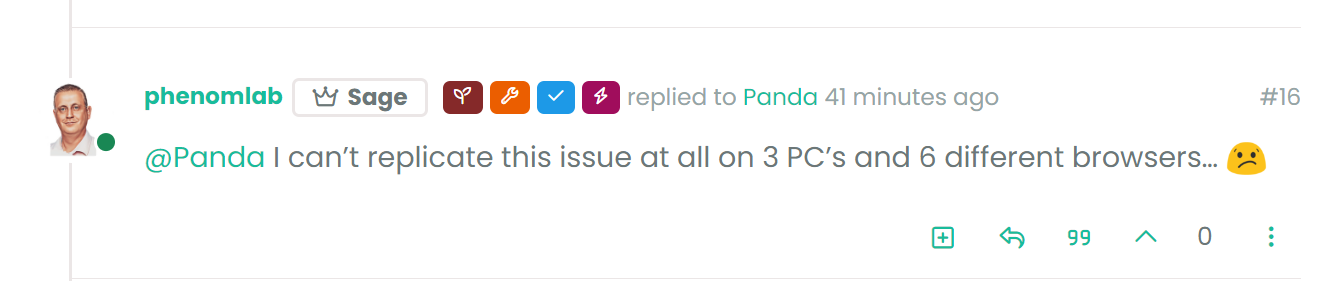
@Panda I can’t replicate this issue at all on 3 PC’s and 6 different browsers…

-
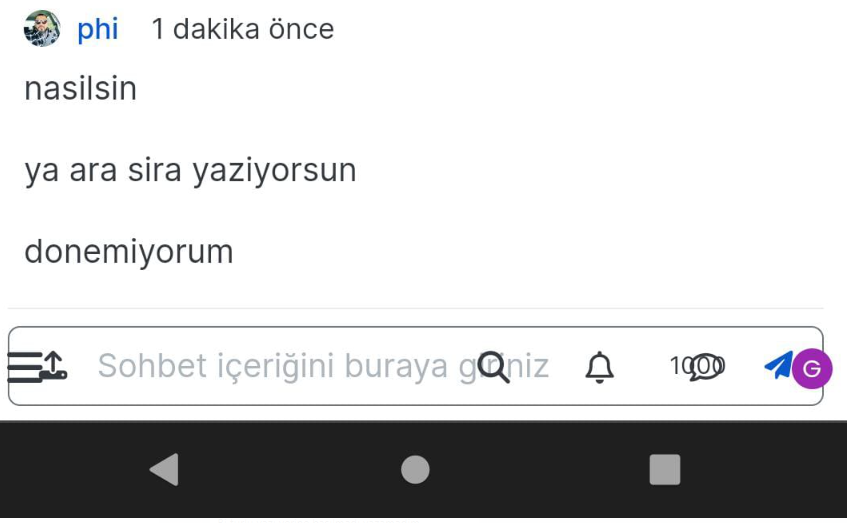
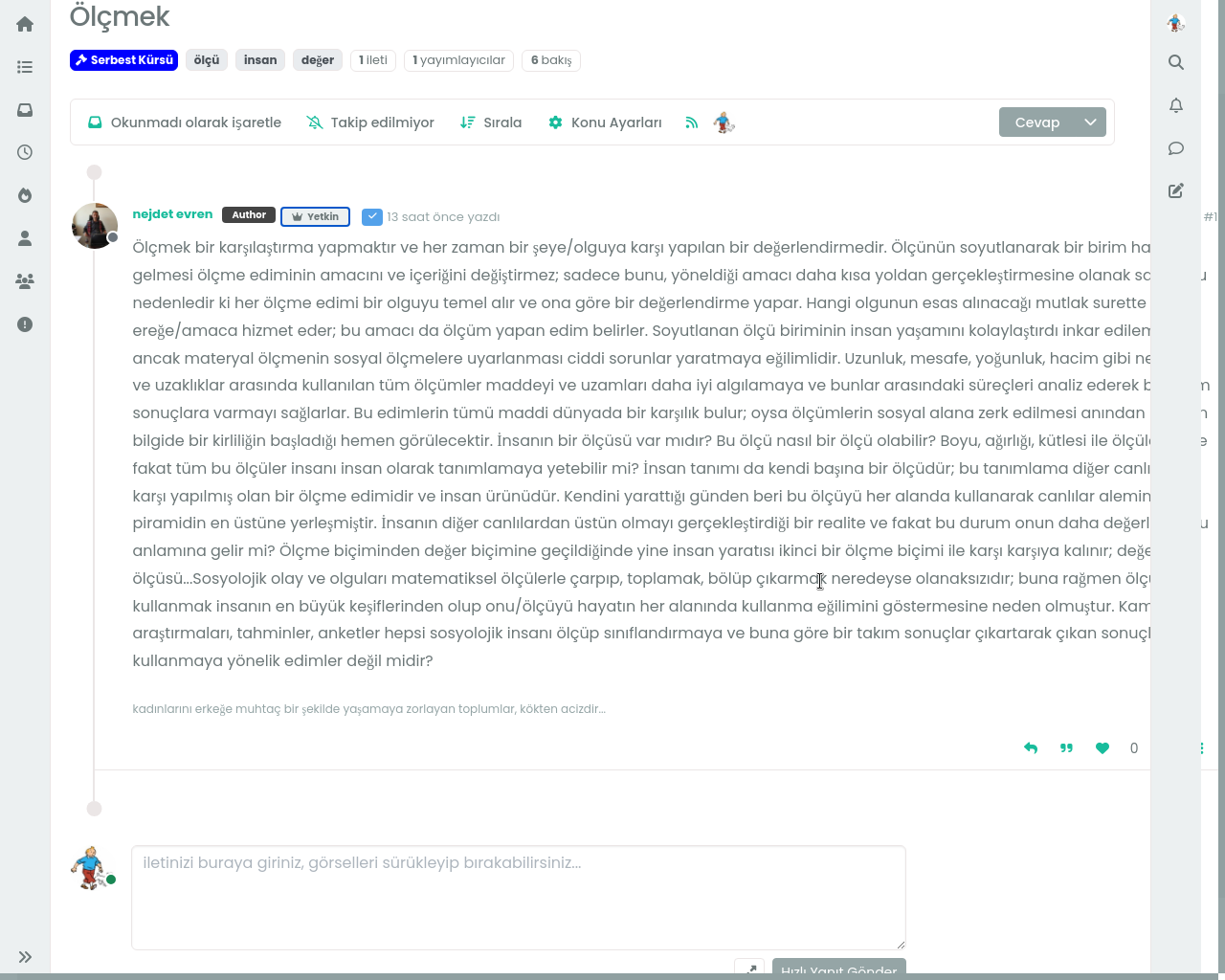
Screenshot below, happening on my windows laptop, windows PC, but not mobile
-
-
@Panda 🤭 that “99” you are seeing is actually a quote symbol. Click it and see what happens…
Mark Cutting also advises organisations as a Fractional CIO, Fractional CISO and Executive Advisor, helping boards improve technology governance, cyber resilience and executive decision making. Learn more at Gratmore Ltd
-
@Panda 🤭 that “99” you are seeing is actually a quote symbol. Click it and see what happens…
@phenomlab said in Email validation NodeBB:
@Panda 🤭 that “99” you are seeing is actually a quote symbol. Click it and see what happens…
Oh! Silly me lol
Did you configure that as a custom change to the usual quote icon. How do you do that?
I notice on NodeBB site its a solid blue quotes -
@phenomlab said in Email validation NodeBB:
@Panda 🤭 that “99” you are seeing is actually a quote symbol. Click it and see what happens…
Oh! Silly me lol
Did you configure that as a custom change to the usual quote icon. How do you do that?
I notice on NodeBB site its a solid blue quotes@Panda said in Email validation NodeBB:
Did you configure that as a custom change to the usual quote icon. How do you do that?
I notice on NodeBB site its a solid blue quotesYes, I changed it. NodeBB by default users the free font awesome library whereas I use the pro (paid) version SDK have access to a wider set of icons, and at different thicknesses etc. The change of colour is just simple CSS.



Hello! It looks like you're interested in this conversation, but you don't have an account yet.
Getting fed up of having to scroll through the same posts each visit? When you register for an account, you'll always come back to exactly where you were before, and choose to be notified of new replies (either via email, or push notification). You'll also be able to save bookmarks and upvote posts to show your appreciation to other community members.
With your input, this post could be even better 💗
Register LoginRelated Topics
-
-
-
-
-
NodeBB upgrade now cant post
Solved Bugs -
-
-