Setting up a beta NodeBB v3 environment
-
With NodeBB v3 on the horizon, I thought it would make sense for me to provide a guide on how to upgrade an existing (or newly built - up to you) environment to
v3.beta1This guide assumes you already have a v2 test environment functional and are looking to upgrade to v3.
Let’s start:
First, ensure your
nodebbinstance has been stopped
- Type
npm config set legacy-peer-deps true - cd /path/to/your/nodebb
- Type
git rev-parse HEAD(save this value in case you need to roll back) - Type
git fetch && git checkout bootstrap5 - Type
git reset --hard v3.0.0-beta.1 - Type
./nodebb upgrade -mi
Now upgrade all your plugins to the latest version if available
- Type
./nodebb build
As this will be a
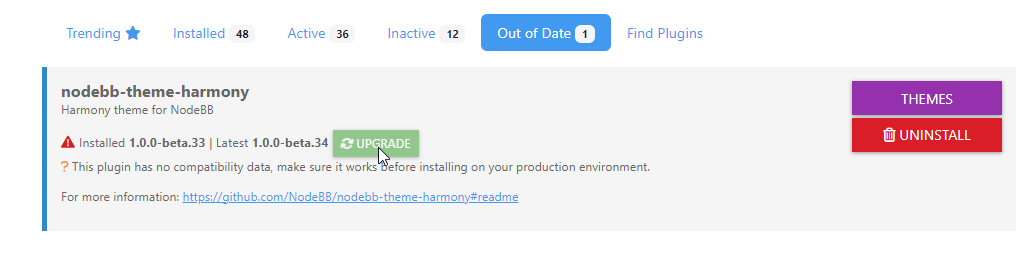
betasystem, there will be frequent updates for the Harmony theme which will present themselves in the usual place (ACP -> Install Plugins - Out of Date). These should be installed in the usual fashion, although along with these updates, you will need to perform agit fetchandgit pullof thebootstrap5repository as it will shown as several releases behind.Once you’ve updated the Harmony theme as below
- Type
git fetch && git pull
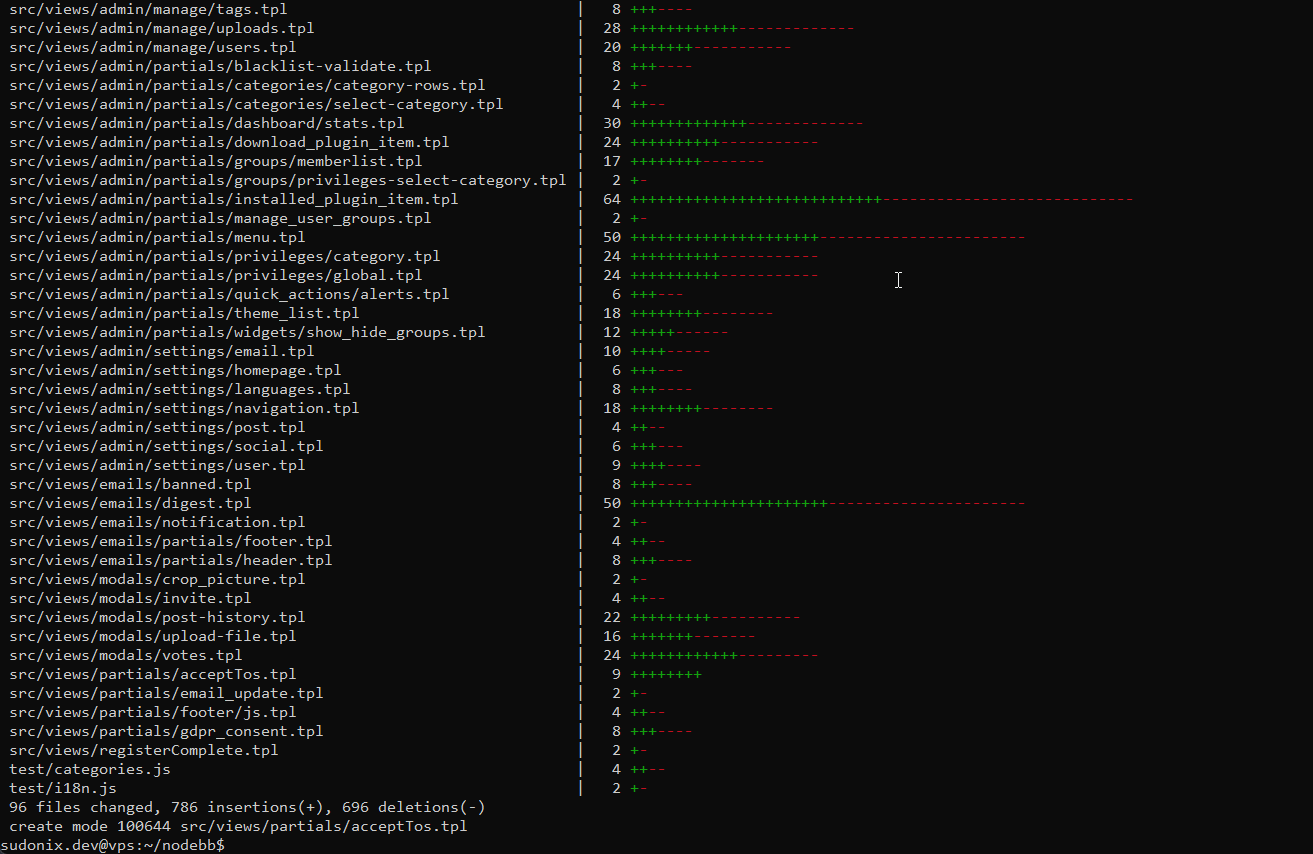
You’ll see the import of a number of changed files
- Type
./nodebb build && ./nodebb restart
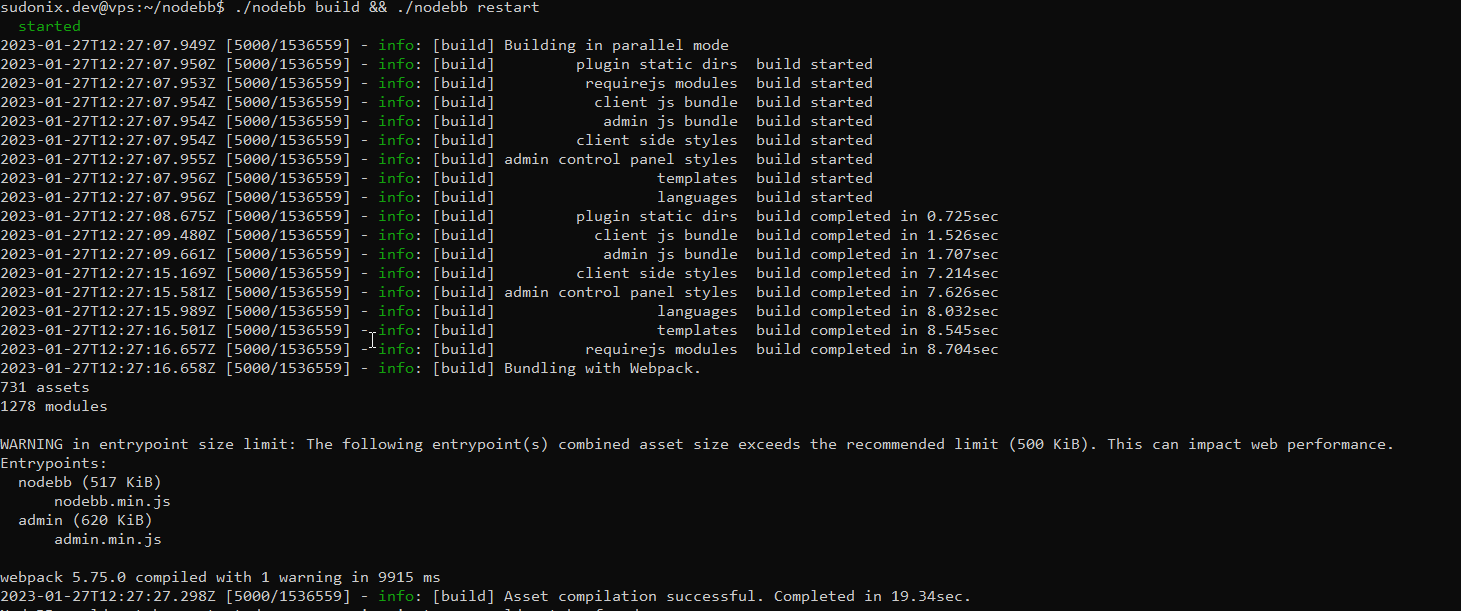
You can ignore the warnings for now.
Enjoy the updated instance.
Mark Cutting also advises organisations as a Fractional CIO, Fractional CISO and Executive Advisor, helping boards improve technology governance, cyber resilience and executive decision making. Learn more at Gratmore Ltd
- Type
-
With NodeBB v3 on the horizon, I thought it would make sense for me to provide a guide on how to upgrade an existing (or newly built - up to you) environment to
v3.beta1This guide assumes you already have a v2 test environment functional and are looking to upgrade to v3.
Let’s start:
First, ensure your
nodebbinstance has been stopped- Type
npm config set legacy-peer-deps true - cd /path/to/your/nodebb
- Type
git rev-parse HEAD(save this value in case you need to roll back) - Type
git fetch && git checkout bootstrap5 - Type
git reset --hard v3.0.0-beta.1 - Type
./nodebb upgrade -mi
Now upgrade all your plugins to the latest version if available
- Type
./nodebb build
As this will be a
betasystem, there will be frequent updates for the Harmony theme which will present themselves in the usual place (ACP -> Install Plugins - Out of Date). These should be installed in the usual fashion, although along with these updates, you will need to perform agit fetchandgit pullof thebootstrap5repository as it will shown as several releases behind.Once you’ve updated the Harmony theme as below
- Type
git fetch && git pull
You’ll see the import of a number of changed files
- Type
./nodebb build && ./nodebb restart
You can ignore the warnings for now.
Enjoy the updated instance.
@phenomlab Let me know if you come across any issues. Happy to help.
Mark Cutting also advises organisations as a Fractional CIO, Fractional CISO and Executive Advisor, helping boards improve technology governance, cyber resilience and executive decision making. Learn more at Gratmore Ltd
- Type
-
 undefined phenomlab referenced this topic on
-
@phenomlab Let me know if you come across any issues. Happy to help.
@phenomlab anyway this is a beta version, as you said before to me some things not working properly.
-
@phenomlab anyway this is a beta version, as you said before to me some things not working properly.
@cagatay Correct. I’ve adjusted the title accordingly to reflect that.
-
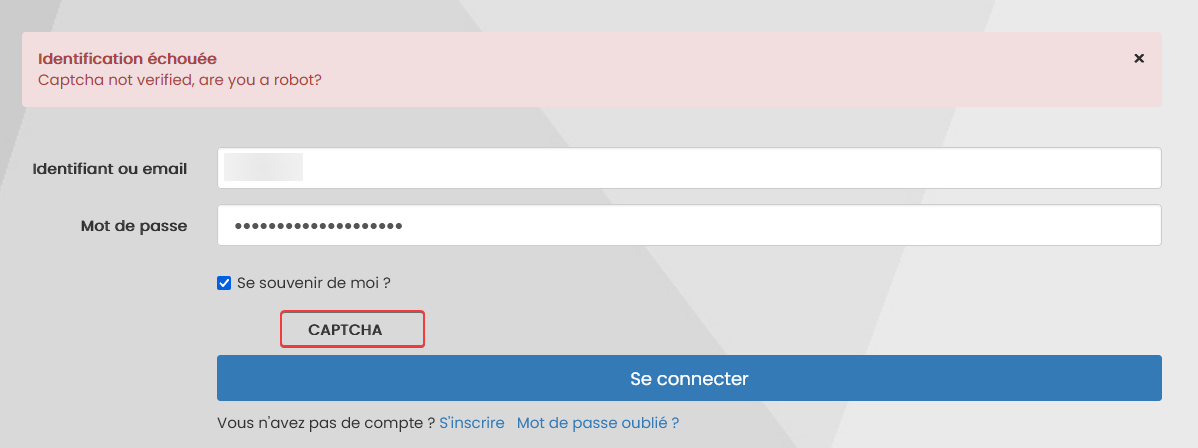
I have a Captcha bug after upgrade on login connexion.
Without that, impossible to connect to nodebb due to captcha bug
PW and WS Spirit alive
-
I have a Captcha bug after upgrade on login connexion.
Without that, impossible to connect to nodebb due to captcha bug
Mark Cutting also advises organisations as a Fractional CIO, Fractional CISO and Executive Advisor, helping boards improve technology governance, cyber resilience and executive decision making. Learn more at Gratmore Ltd
-
@phenomlab I have rebuild and it’s OK now.
odd but it’s a beta i guess

-
Have you have test many plugins ? or have you list of incompatibility plugins for now ?
PW and WS Spirit alive
-
Have you have test many plugins ? or have you list of incompatibility plugins for now ?
@DownPW I’ve tested most of them. The polls plugin doesn’t seem to work from what I can see but others are fully functional. I need to perform a full audit though as I’ve mostly focused on the Swatch code.
-
and you upgrade via cli your plugin ?
I have this with acp on all plugins to update :
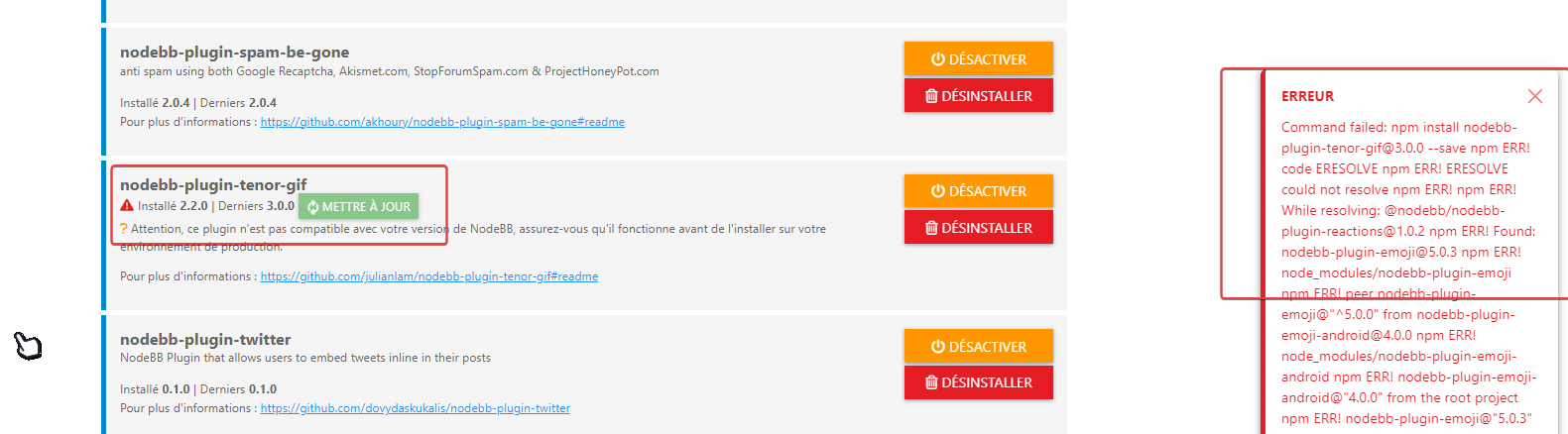
2023-01-27T22:02:49.046Z [4567/1606] - error: admin.plugins.upgrade
Error: Command failed: npm install nodebb-plugin-tenor-gif@3.0.0 --save
npm ERR! code ERESOLVE
npm ERR! ERESOLVE could not resolve
npm ERR!
npm ERR! While resolving: @nodebb/nodebb-plugin-reactions@1.0.2
npm ERR! Found: nodebb-plugin-emoji@5.0.3
npm ERR! node_modules/nodebb-plugin-emoji
npm ERR!   peer nodebb-plugin-emoji@"^5.0.0" from nodebb-plugin-emoji-android@4.0.0
npm ERR!   node_modules/nodebb-plugin-emoji-android
npm ERR!     nodebb-plugin-emoji-android@"4.0.0" from the root project
npm ERR!   nodebb-plugin-emoji@"5.0.3" from the root project
npm ERR!
npm ERR! Could not resolve dependency:
npm ERR! peer nodebb-plugin-emoji@"^4.0.0" from @nodebb/nodebb-plugin-reactions@1.0.2
npm ERR! node_modules/@nodebb/nodebb-plugin-reactions
npm ERR!   @nodebb/nodebb-plugin-reactions@"^1.0.2" from the root project
npm ERR!
npm ERR! Conflicting peer dependency: nodebb-plugin-emoji@4.0.6
npm ERR! node_modules/nodebb-plugin-emoji
npm ERR!   peer nodebb-plugin-emoji@"^4.0.0" from @nodebb/nodebb-plugin-reactions@1.0.2
npm ERR!   node_modules/@nodebb/nodebb-plugin-reactions
npm ERR!     @nodebb/nodebb-plugin-reactions@"^1.0.2" from the root project
npm ERR!
npm ERR! Fix the upstream dependency conflict, or retry
npm ERR! this command with --force, or --legacy-peer-deps
npm ERR! to accept an incorrect (and potentially broken) dependency resolution.
npm ERR!
npm ERR! See /root/.npm/eresolve-report.txt for a full report.

npm ERR! A complete log of this run can be found in:
npm ERR!     /root/.npm/_logs/2023-01-27T22_02_45_967Z-debug-0.log

    at ChildProcess.exithandler (node:child_process:419:12)
    at ChildProcess.emit (node:events:513:28)
    at maybeClose (node:internal/child_process:1091:16)
    at ChildProcess._handle.onexit (node:internal/child_process:302:5)
    at Process.callbackTrampoline (node:internal/async_hooks:130:17)
Exemple here for update this plugin must to test :
npm install nodebb-plugin-tenor-gif@3.0.0?
PW and WS Spirit alive
-
and you upgrade via cli your plugin ?
I have this with acp on all plugins to update :
2023-01-27T22:02:49.046Z [4567/1606] - error: admin.plugins.upgrade
Error: Command failed: npm install nodebb-plugin-tenor-gif@3.0.0 --save
npm ERR! code ERESOLVE
npm ERR! ERESOLVE could not resolve
npm ERR!
npm ERR! While resolving: @nodebb/nodebb-plugin-reactions@1.0.2
npm ERR! Found: nodebb-plugin-emoji@5.0.3
npm ERR! node_modules/nodebb-plugin-emoji
npm ERR!   peer nodebb-plugin-emoji@"^5.0.0" from nodebb-plugin-emoji-android@4.0.0
npm ERR!   node_modules/nodebb-plugin-emoji-android
npm ERR!     nodebb-plugin-emoji-android@"4.0.0" from the root project
npm ERR!   nodebb-plugin-emoji@"5.0.3" from the root project
npm ERR!
npm ERR! Could not resolve dependency:
npm ERR! peer nodebb-plugin-emoji@"^4.0.0" from @nodebb/nodebb-plugin-reactions@1.0.2
npm ERR! node_modules/@nodebb/nodebb-plugin-reactions
npm ERR!   @nodebb/nodebb-plugin-reactions@"^1.0.2" from the root project
npm ERR!
npm ERR! Conflicting peer dependency: nodebb-plugin-emoji@4.0.6
npm ERR! node_modules/nodebb-plugin-emoji
npm ERR!   peer nodebb-plugin-emoji@"^4.0.0" from @nodebb/nodebb-plugin-reactions@1.0.2
npm ERR!   node_modules/@nodebb/nodebb-plugin-reactions
npm ERR!     @nodebb/nodebb-plugin-reactions@"^1.0.2" from the root project
npm ERR!
npm ERR! Fix the upstream dependency conflict, or retry
npm ERR! this command with --force, or --legacy-peer-deps
npm ERR! to accept an incorrect (and potentially broken) dependency resolution.
npm ERR!
npm ERR! See /root/.npm/eresolve-report.txt for a full report.

npm ERR! A complete log of this run can be found in:
npm ERR!     /root/.npm/_logs/2023-01-27T22_02_45_967Z-debug-0.log

    at ChildProcess.exithandler (node:child_process:419:12)
    at ChildProcess.emit (node:events:513:28)
    at maybeClose (node:internal/child_process:1091:16)
    at ChildProcess._handle.onexit (node:internal/child_process:302:5)
    at Process.callbackTrampoline (node:internal/async_hooks:130:17)
Exemple here for update this plugin must to test :
npm install nodebb-plugin-tenor-gif@3.0.0?
Ok like pitaj said on nodebb communauty i have test this :
npm config set legacy-peer-deps trueand the plugins is installed without error on ACP
Maybe add this on your first topic
PW and WS Spirit alive
-
Ok like pitaj said on nodebb communauty i have test this :
npm config set legacy-peer-deps trueand the plugins is installed without error on ACP
Maybe add this on your first topic
@DownPW good call. Will get that added.
-
Thanks for the guide, got my v3 environment running.
-
@dave1904 excellent news. Thanks for the feedback
-
undefined phenomlab moved this topic from Guides on


Hello! It looks like you're interested in this conversation, but you don't have an account yet.
Getting fed up of having to scroll through the same posts each visit? When you register for an account, you'll always come back to exactly where you were before, and choose to be notified of new replies (either via email, or push notification). You'll also be able to save bookmarks and upvote posts to show your appreciation to other community members.
With your input, this post could be even better 💗
Register LoginRelated Topics
-
-
-
-
-
-
-
Nodebb Hashtag plugin
Solved General -