Bootstrap Version
-
So currently nodebb uses bootstrap 3 from what I understand. Is it possible to use a newer version of bootstrap? Or would that just interfere with the rest of the website?
I have no problem writing custom css, it is just that boot strap is already implemented.
-
So currently nodebb uses bootstrap 3 from what I understand. Is it possible to use a newer version of bootstrap? Or would that just interfere with the rest of the website?
I have no problem writing custom css, it is just that boot strap is already implemented.
@Madchatthew I think this is going to cause conflicts - not in the sense of JS, but almost definitely CSS. I think it works best to create your own CSS.
Mark Cutting also advises organisations as a Fractional CIO, Fractional CISO and Executive Advisor, helping boards improve technology governance, cyber resilience and executive decision making. Learn more at Gratmore Ltd
-
@Madchatthew I think this is going to cause conflicts - not in the sense of JS, but almost definitely CSS. I think it works best to create your own CSS.
@phenomlab that is what I was thinking. Probably be faster too. I won’t have to search for the right bootstrap code… Haha
-
 undefined phenomlab has marked this topic as solved on
-
@phenomlab that is what I was thinking. Probably be faster too. I won’t have to search for the right bootstrap code… Haha
@Madchatthew what are you looking to do by the way ?
Mark Cutting also advises organisations as a Fractional CIO, Fractional CISO and Executive Advisor, helping boards improve technology governance, cyber resilience and executive decision making. Learn more at Gratmore Ltd
-
@Madchatthew what are you looking to do by the way ?
@phenomlab oh I was just thinking of using a newer bootstrap to design the blog page and the home page. I can use vanilla css. I just thought that bootstrap is already integrated that it would just be quicker and easier. Bootstrap 3 doesn’t have some of those newer features of course.
Also by using plain css it will be easier to keep updated and such.
-
@phenomlab oh I was just thinking of using a newer bootstrap to design the blog page and the home page. I can use vanilla css. I just thought that bootstrap is already integrated that it would just be quicker and easier. Bootstrap 3 doesn’t have some of those newer features of course.
Also by using plain css it will be easier to keep updated and such.
@Madchatthew makes sense

-
@Madchatthew just read this
https://nodebb.org/blog/roadmap-for-2022/
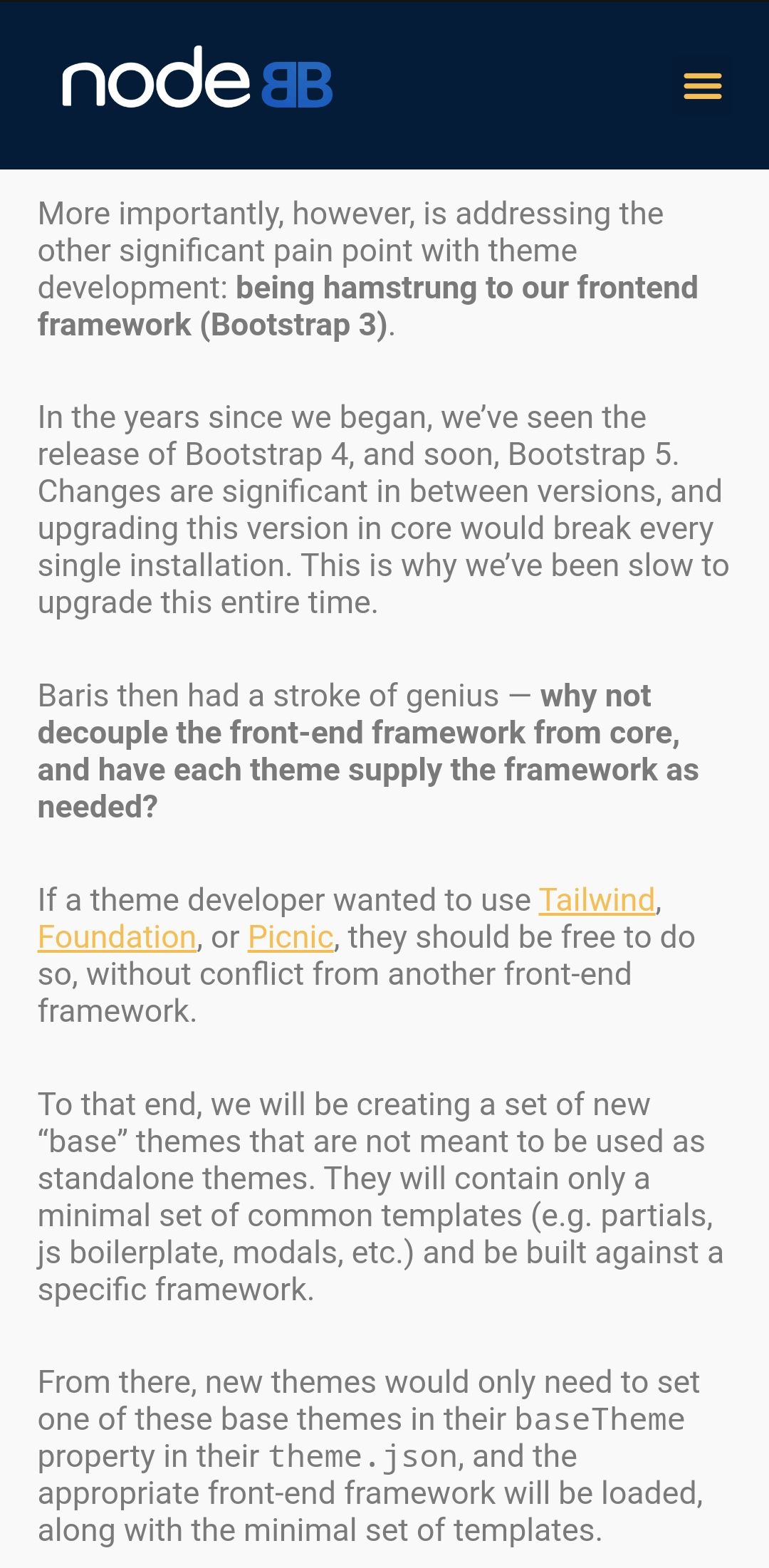
I do recall reading this since time ago but forgot all about it until this recent discussion. It seems that there is an intention to move away from bootstrap 3.
I don’t think it’ll be as simple as just calling the framework you want without leveraging the newer quoted boilerplates though. Based on this, it would still be a significant effort to introduce a new framework into existing themes without there being conflicts.
Mark Cutting also advises organisations as a Fractional CIO, Fractional CISO and Executive Advisor, helping boards improve technology governance, cyber resilience and executive decision making. Learn more at Gratmore Ltd
-
@Madchatthew just read this
https://nodebb.org/blog/roadmap-for-2022/
I do recall reading this since time ago but forgot all about it until this recent discussion. It seems that there is an intention to move away from bootstrap 3.
I don’t think it’ll be as simple as just calling the framework you want without leveraging the newer quoted boilerplates though. Based on this, it would still be a significant effort to introduce a new framework into existing themes without there being conflicts.
@phenomlab That will be nice once they have completed that. It will be interesting to see how long that takes. So for now I will use custom css to make it look the way I want. Frameworks just make things a little faster. Thanks @phenomlab

Hello! It looks like you're interested in this conversation, but you don't have an account yet.
Getting fed up of having to scroll through the same posts each visit? When you register for an account, you'll always come back to exactly where you were before, and choose to be notified of new replies (either via email, or push notification). You'll also be able to save bookmarks and upvote posts to show your appreciation to other community members.
With your input, this post could be even better 💗
Register LoginDid this solution help you?
Related Topics
-
NodeBB: Consent page
Solved Configure -
-
-
-
-
-
-
Nodebb Hashtag plugin
Solved General