NodeBB customisation
-
Hi Mark,
How do get an image to show at the top of the the page? I think I discussed this in a previous thread or possibly this one, to have like Stockport fans at the top of the page or a big banner that reflects what the forum is about.
-
Hi Mark,
How do get an image to show at the top of the the page? I think I discussed this in a previous thread or possibly this one, to have like Stockport fans at the top of the page or a big banner that reflects what the forum is about.
@jac Like this ?

Mark Cutting also advises organisations as a Fractional CIO, Fractional CISO and Executive Advisor, helping boards improve technology governance, cyber resilience and executive decision making. Learn more at Gratmore Ltd
-
@phenomlab yes but without copying, so possibly somehow different
 . If not possible don’t worry.
Have requested the logo from @katos and once the logo is added and a banner or something like what you sent me it will look fantastic!
-
@phenomlab yes but without copying, so possibly somehow different
. If not possible don’t worry.Have requested the logo from @katos and once the logo is added and a banner or something like what you sent me it will look fantastic!
@jac said in NodeBB customisation:
@phenomlab yes but without copying, so possibly somehow different
. If not possible don’t worry.Have requested the logo from @katos and once the logo is added and a banner or something like what you sent me it will look fantastic!
But believe me although your ideas are fantastic and what you can do to customise the look and feel etc really is brilliant but it is not my intention to copy everything so please accept my apology if it comes across that way Mark.
-
@jac said in NodeBB customisation:
@phenomlab yes but without copying, so possibly somehow different
. If not possible don’t worry.Have requested the logo from @katos and once the logo is added and a banner or something like what you sent me it will look fantastic!
But believe me although your ideas are fantastic and what you can do to customise the look and feel etc really is brilliant but it is not my intention to copy everything so please accept my apology if it comes across that way Mark.
@jac Not all all.
Mark Cutting also advises organisations as a Fractional CIO, Fractional CISO and Executive Advisor, helping boards improve technology governance, cyber resilience and executive decision making. Learn more at Gratmore Ltd
-
-
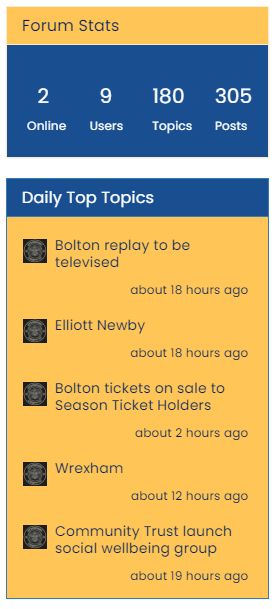
@jac Like this ?
Revised and simplified CSS
.custom { background: #ffc557 !important; color: #00205c!important } .custom a { color: #00205c !important; } .custom2 { background: #194F90 !important; color: #ffffff; } .custom2 small { color: #ffffff; font-size: 40%; }@phenomlab said in NodeBB customisation:
@jac Like this ?
Revised and simplified CSS
.custom {
    background: #ffc557 !important;
    color: #00205c!important
}
.custom a {
    color: #00205c !important;
}
.custom2 {
    background: #194F90 !important;
    color: #ffffff;
}
.custom2 small {
    color: #ffffff;
    font-size: 40%;
}
I have a new stats widget at the bottom of the forum.
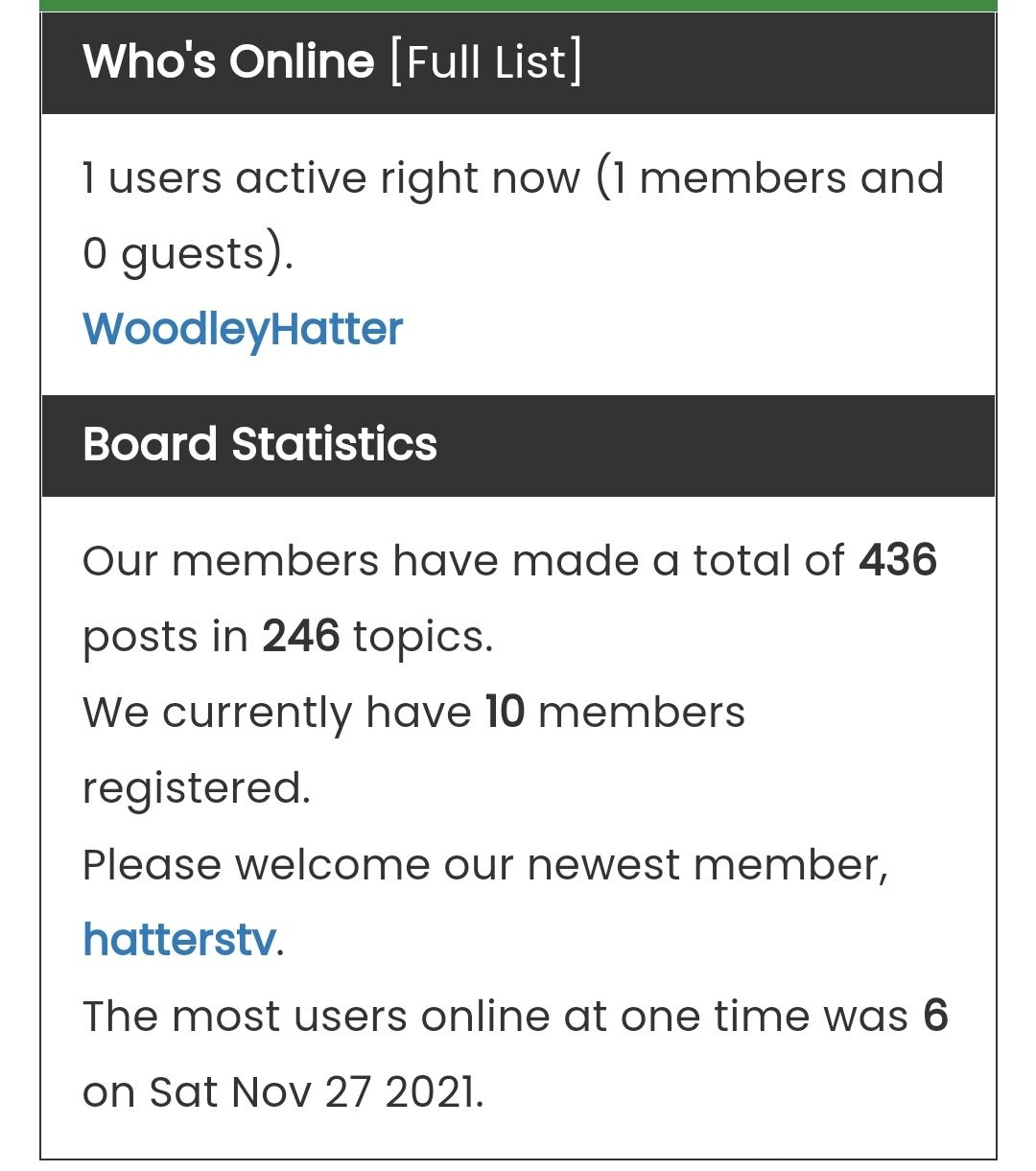
How do I style the widget so like you have done with the others?
Many thanks
-
@phenomlab said in NodeBB customisation:
@jac Like this ?
Revised and simplified CSS
.custom {
    background: #ffc557 !important;
    color: #00205c!important
}
.custom a {
    color: #00205c !important;
}
.custom2 {
    background: #194F90 !important;
    color: #ffffff;
}
.custom2 small {
    color: #ffffff;
    font-size: 40%;
}
I have a new stats widget at the bottom of the forum.
How do I style the widget so like you have done with the others?
Many thanks
@jac said in NodeBB customisation:
@phenomlab said in NodeBB customisation:
@jac Like this ?
Revised and simplified CSS
.custom {
    background: #ffc557 !important;
    color: #00205c!important
}
.custom a {
    color: #00205c !important;
}
.custom2 {
    background: #194F90 !important;
    color: #ffffff;
}
.custom2 small {
    color: #ffffff;
    font-size: 40%;
}
I have a new stats widget at the bottom of the forum.
How do I style the widget so like you have done with the others?
Many thanks
But if possible with white writing if it makes it easier to see.
Many thanks.
-
@jac said in NodeBB customisation:
@phenomlab said in NodeBB customisation:
@jac Like this ?
Revised and simplified CSS
.custom {
    background: #ffc557 !important;
    color: #00205c!important
}
.custom a {
    color: #00205c !important;
}
.custom2 {
    background: #194F90 !important;
    color: #ffffff;
}
.custom2 small {
    color: #ffffff;
    font-size: 40%;
}
I have a new stats widget at the bottom of the forum.
How do I style the widget so like you have done with the others?
Many thanks
But if possible with white writing if it makes it easier to see.
Many thanks.
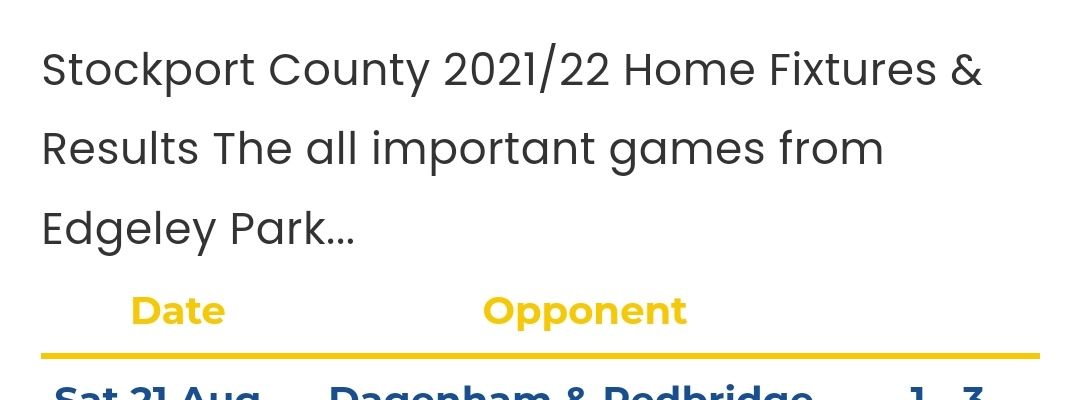
There is also an issue with the page styling.
Despite entering a new line the text wants to be bunched up together, I presume this is just an issue with the styling to correct it.
After the first full stop it the second part should be understood in smaller font realistically.
-
@jac said in NodeBB customisation:
@phenomlab said in NodeBB customisation:
@jac Like this ?
Revised and simplified CSS
.custom {
    background: #ffc557 !important;
    color: #00205c!important
}
.custom a {
    color: #00205c !important;
}
.custom2 {
    background: #194F90 !important;
    color: #ffffff;
}
.custom2 small {
    color: #ffffff;
    font-size: 40%;
}
I have a new stats widget at the bottom of the forum.
How do I style the widget so like you have done with the others?
Many thanks
But if possible with white writing if it makes it easier to see.
Many thanks.
@jac I wrote a re-usable function for your forum that means it can be deployed anywhere - there are two choices - see below
Option 1
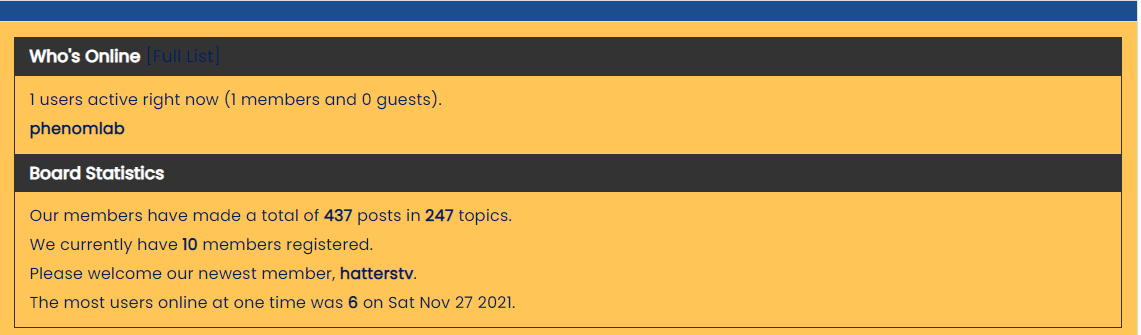
Option 2
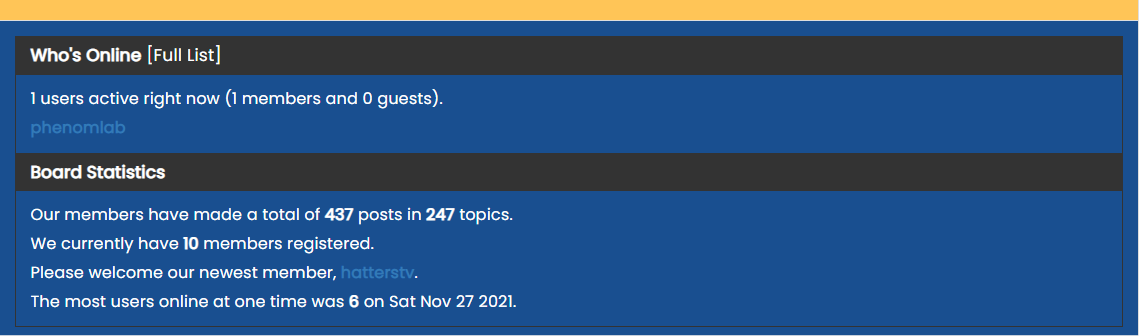
This is set in the widget itself
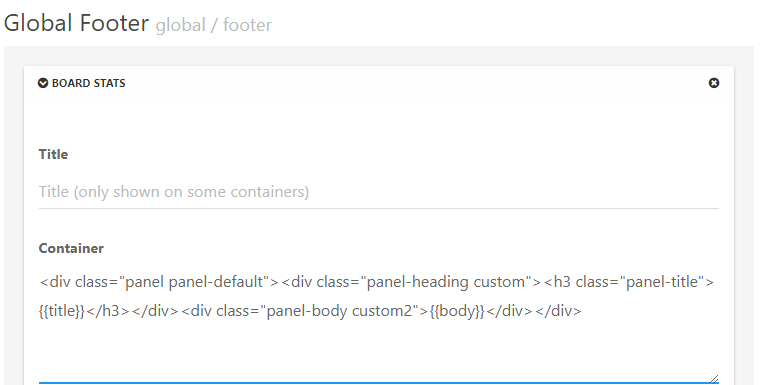
The two styles are
customandcustom2and they are interchangeable. Option 2 is currently selected. -
There is also an issue with the page styling.
Despite entering a new line the text wants to be bunched up together, I presume this is just an issue with the styling to correct it.
After the first full stop it the second part should be understood in smaller font realistically.
@jac Which page does this occur on ?
Mark Cutting also advises organisations as a Fractional CIO, Fractional CISO and Executive Advisor, helping boards improve technology governance, cyber resilience and executive decision making. Learn more at Gratmore Ltd
-
@phenomlab said in NodeBB customisation:
@jac Which page does this occur on ?
Absolutely fantastic mate, can’t thank you enough.
All the current custom pages that I have created do it unfortunately. They seem to bunch the text together, it’s probably because I haven’t styled it.
-
@phenomlab said in NodeBB customisation:
@jac Which page does this occur on ?
Absolutely fantastic mate, can’t thank you enough.
All the current custom pages that I have created do it unfortunately. They seem to bunch the text together, it’s probably because I haven’t styled it.
@jac Can you elaborate a bit more on this ? I see text on the pages, but that’s it. I also see this
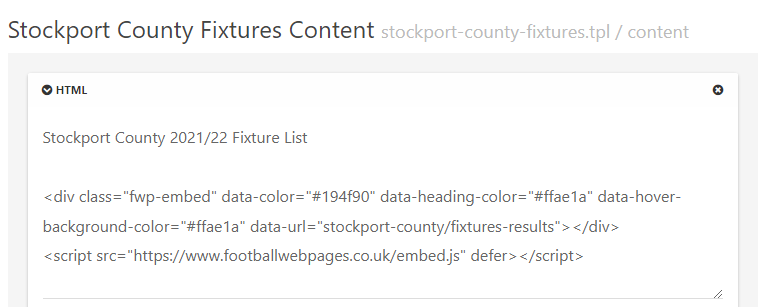
What is the intention of this ?
Mark Cutting also advises organisations as a Fractional CIO, Fractional CISO and Executive Advisor, helping boards improve technology governance, cyber resilience and executive decision making. Learn more at Gratmore Ltd
-
@jac Can you elaborate a bit more on this ? I see text on the pages, but that’s it. I also see this
What is the intention of this ?
@phenomlab said in NodeBB customisation:
@jac Can you elaborate a bit more on this ? I see text on the pages, but that’s it. I also see this
What is the intention of this ?
Sure…
Basically I want to display fixtures, results, tables etc so I have created custom pages for them all.
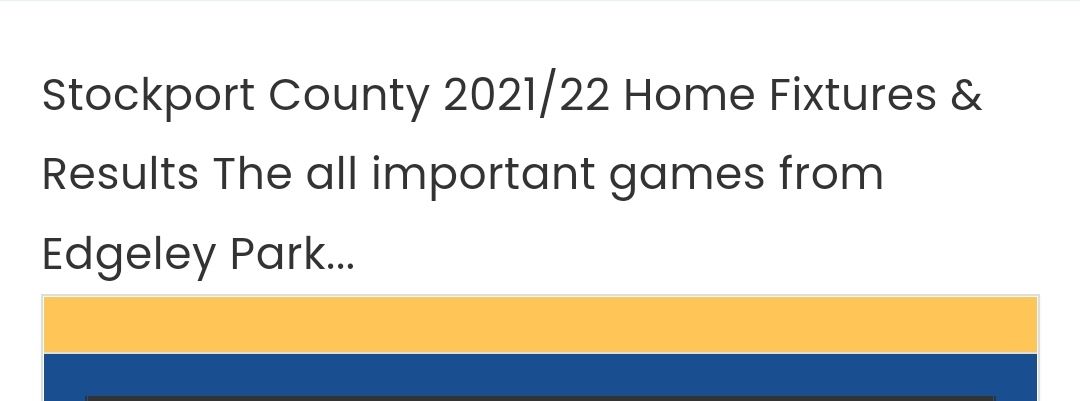
If you see here you’ll see that the text after the home fixtures & results in the widget is intended to display underneath the fixtures title but instead this just bunches up on the same line.
-
@phenomlab said in NodeBB customisation:
@jac Can you elaborate a bit more on this ? I see text on the pages, but that’s it. I also see this
What is the intention of this ?
Sure…
Basically I want to display fixtures, results, tables etc so I have created custom pages for them all.
If you see here you’ll see that the text after the home fixtures & results in the widget is intended to display underneath the fixtures title but instead this just bunches up on the same line.
@jac Ok. I see this currently
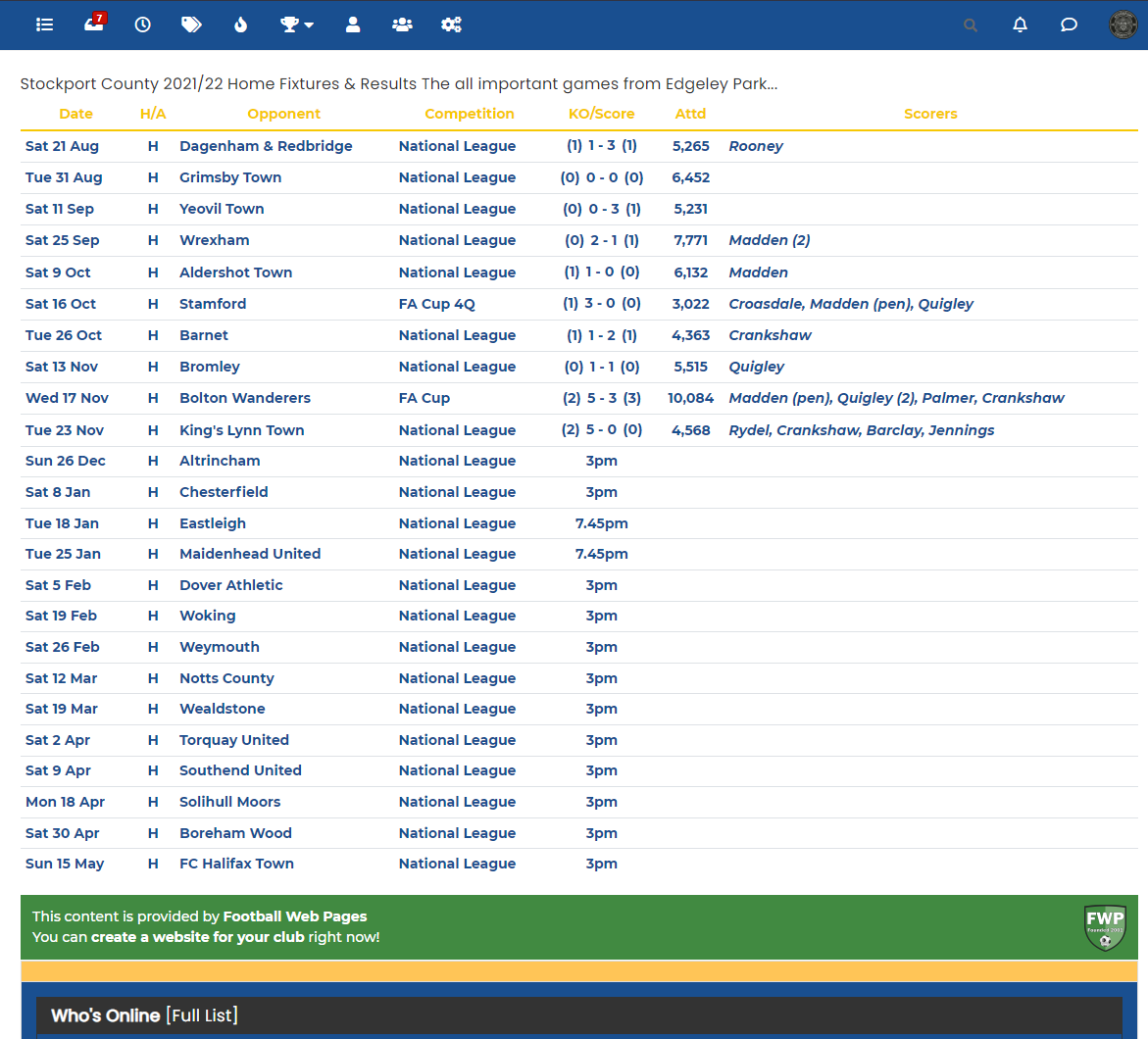
The reason for this is that
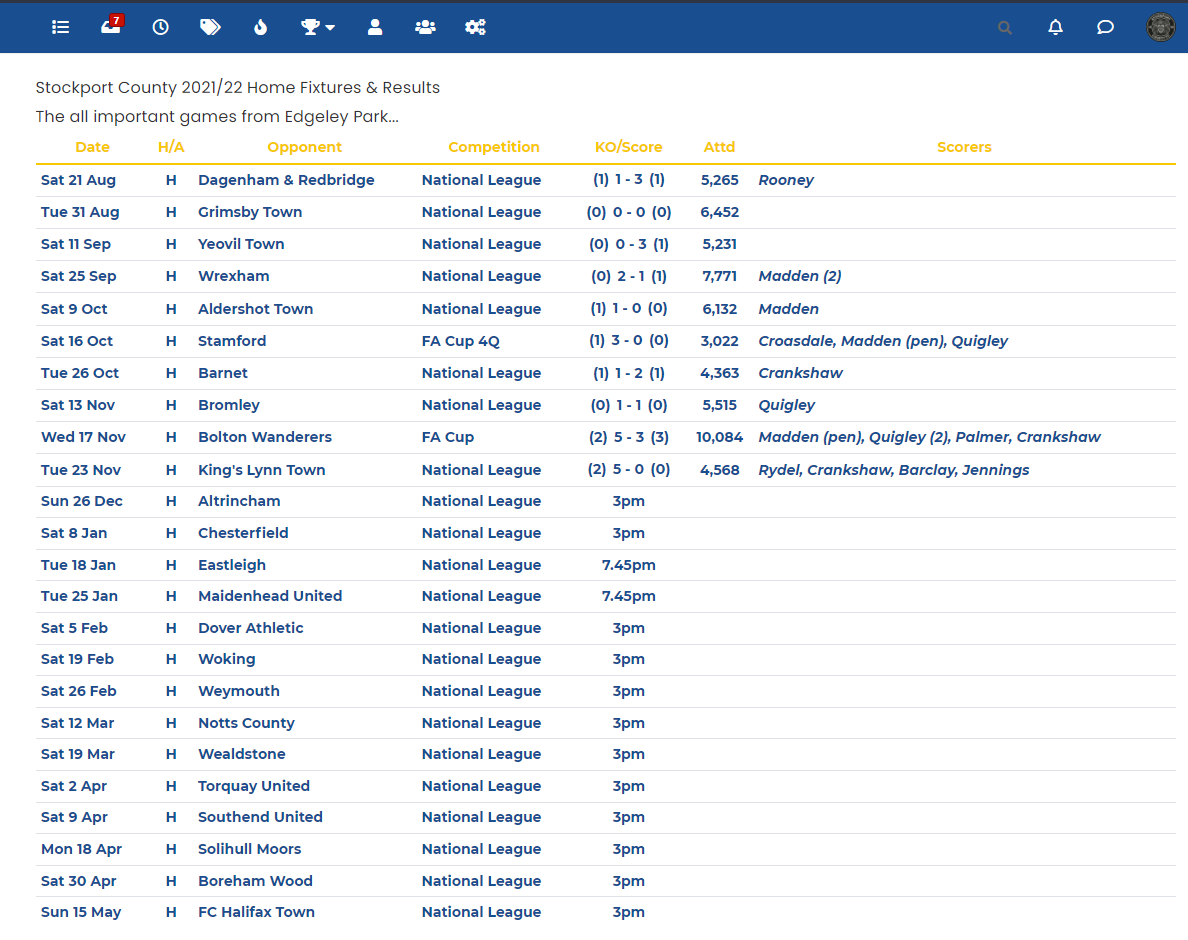
HTMLmarkup can’t interpret a basic line break unless you tell it to do that with a<br>tag, so you need to remove the physical space and replace it with the line break code as shown below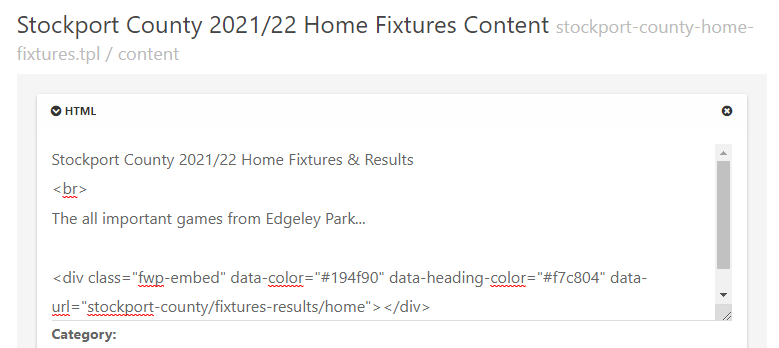
This will then show
Mark Cutting also advises organisations as a Fractional CIO, Fractional CISO and Executive Advisor, helping boards improve technology governance, cyber resilience and executive decision making. Learn more at Gratmore Ltd
-
@jac Ok. I see this currently
The reason for this is that
HTMLmarkup can’t interpret a basic line break unless you tell it to do that with a<br>tag, so you need to remove the physical space and replace it with the line break code as shown belowThis will then show
@phenomlab said in NodeBB customisation:
@jac Ok. I see this currently
The reason for this is that
HTMLmarkup can’t interpret a basic line break unless you tell it to do that with a<br>tag, so you need to remove the physical space and replace it with the line break code as shown belowThis will then show
Fantastic Mark, I will fix the others later. I am looking to have big bold titles like last time, is this also possible with some styling?
Many thanks as always!
-
@phenomlab said in NodeBB customisation:
@jac Ok. I see this currently
The reason for this is that
HTMLmarkup can’t interpret a basic line break unless you tell it to do that with a<br>tag, so you need to remove the physical space and replace it with the line break code as shown belowThis will then show
Fantastic Mark, I will fix the others later. I am looking to have big bold titles like last time, is this also possible with some styling?
Many thanks as always!
@jac sorry to be a pain.
Is there any way to change the user links to a yellow colour mate? Or is this generically set in NodeBB?
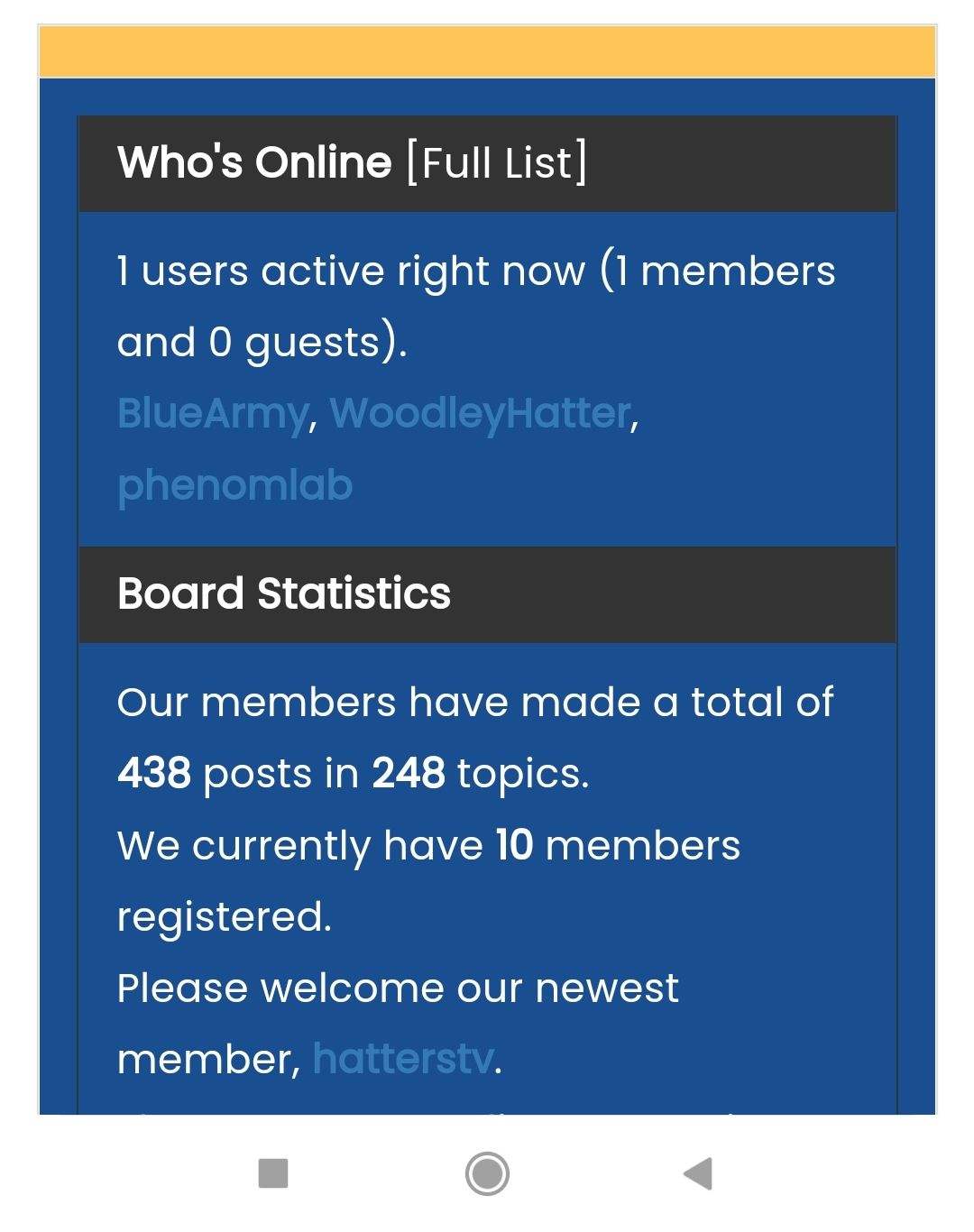
Many thanks.
-
@phenomlab said in NodeBB customisation:
@jac Ok. I see this currently
The reason for this is that
HTMLmarkup can’t interpret a basic line break unless you tell it to do that with a<br>tag, so you need to remove the physical space and replace it with the line break code as shown belowThis will then show
Fantastic Mark, I will fix the others later. I am looking to have big bold titles like last time, is this also possible with some styling?
Many thanks as always!
@jac You should use the
helement for this (header). See below example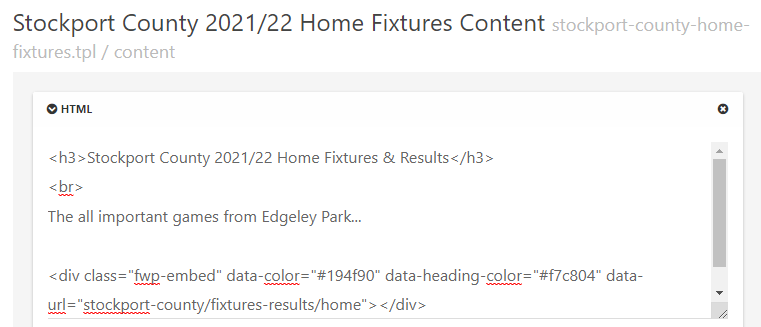
-
@jac sorry to be a pain.
Is there any way to change the user links to a yellow colour mate? Or is this generically set in NodeBB?
Many thanks.
@jac This should do it
.widget-board-stats a {
    color: #ffc557;
}
Mark Cutting also advises organisations as a Fractional CIO, Fractional CISO and Executive Advisor, helping boards improve technology governance, cyber resilience and executive decision making. Learn more at Gratmore Ltd
-
@phenomlab said in NodeBB customisation:
@jac This should do it
.widget-board-stats a { color: #ffc557; }Many thanks pal, I’ll try this later when back in.



Hello! It looks like you're interested in this conversation, but you don't have an account yet.
Getting fed up of having to scroll through the same posts each visit? When you register for an account, you'll always come back to exactly where you were before, and choose to be notified of new replies (either via email, or push notification). You'll also be able to save bookmarks and upvote posts to show your appreciation to other community members.
With your input, this post could be even better 💗
Register LoginRelated Topics
-
-
-
NodeBB Footer
Solved Customisation -
-
-
-
-
Customising NodeBB
Locked Customisation