NodeBB customisation
-
@phenomlab hmm! I see, it’s a tough one then!?
@jac just looking at other little bits to improve then…
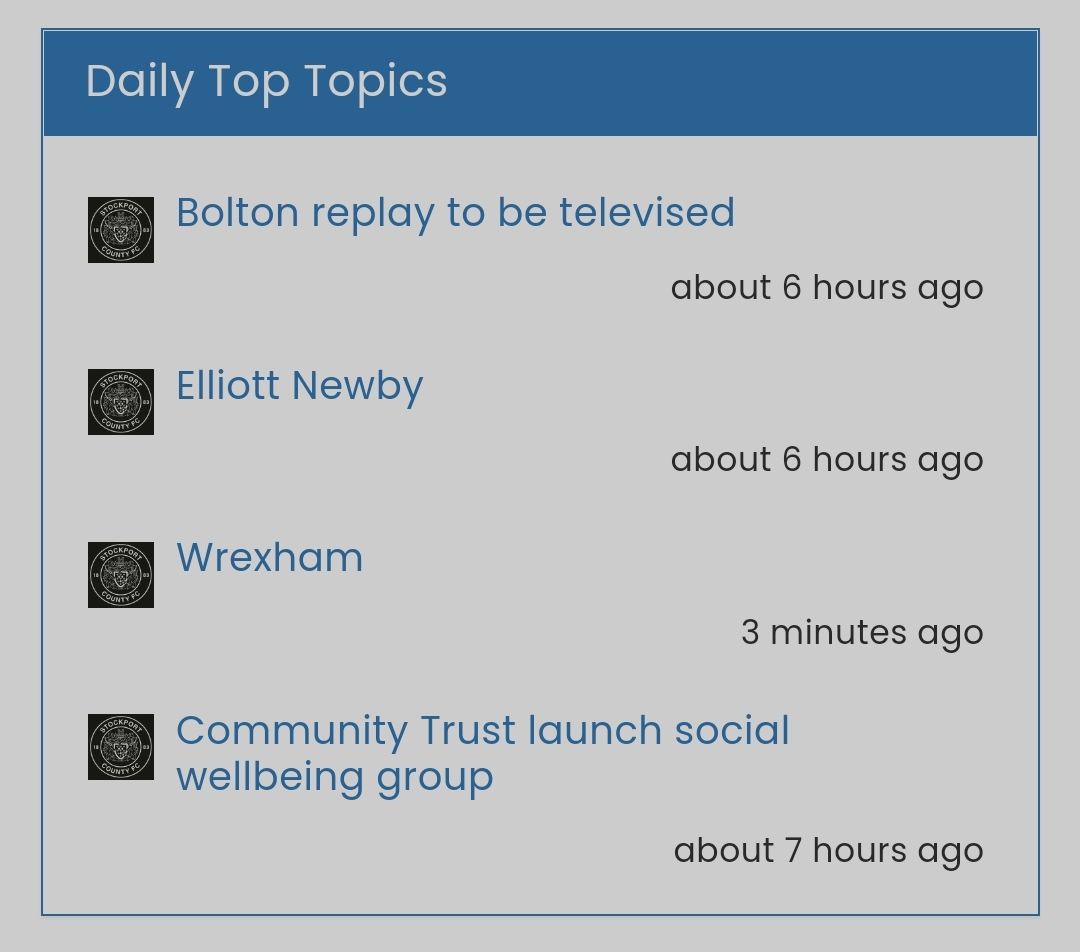
What about doing the reverse of the ‘forum stats’ widget?
Many thanks as always.
-
@jac just looking at other little bits to improve then…
What about doing the reverse of the ‘forum stats’ widget?
Many thanks as always.
@jac Like this ?
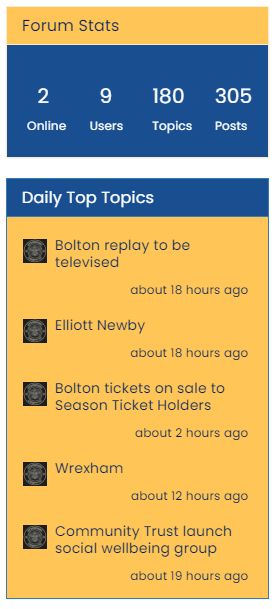
Revised and simplified CSS
.custom {
    background: #ffc557 !important;
    color: #00205c!important
}
.custom a {
    color: #00205c !important;
}
.custom2 {
    background: #194F90 !important;
    color: #ffffff;
}
.custom2 small {
    color: #ffffff;
    font-size: 40%;
}
Mark Cutting also advises organisations as a Fractional CIO, Fractional CISO and Executive Advisor, helping boards improve technology governance, cyber resilience and executive decision making. Learn more at Gratmore Ltd
-
@jac Like this ?
Revised and simplified CSS
.custom { background: #ffc557 !important; color: #00205c!important } .custom a { color: #00205c !important; } .custom2 { background: #194F90 !important; color: #ffffff; } .custom2 small { color: #ffffff; font-size: 40%; }@phenomlab brilliant mate, thanks very much for that
 .
. -
@phenomlab brilliant mate, thanks very much for that
.I wonder if it’s possible to see a preview of what the post titles (header) looks like without the yellow and with blue font?
-
I wonder if it’s possible to see a preview of what the post titles (header) looks like without the yellow and with blue font?
@jac said in NodeBB customisation:
I wonder if it’s possible to see a preview of what the post titles (header) looks like without the yellow and with blue font?
Either that or the blue background and white writing?
-
@jac said in NodeBB customisation:
I wonder if it’s possible to see a preview of what the post titles (header) looks like without the yellow and with blue font?
Either that or the blue background and white writing?
@jac I know we thought it would clash with the header but it’d certainly be interesting to see how it looks.
-
@jac I know we thought it would clash with the header but it’d certainly be interesting to see how it looks.
Mark Cutting also advises organisations as a Fractional CIO, Fractional CISO and Executive Advisor, helping boards improve technology governance, cyber resilience and executive decision making. Learn more at Gratmore Ltd
-
@phenomlab said in NodeBB customisation:
@jac Here you go
Blue font
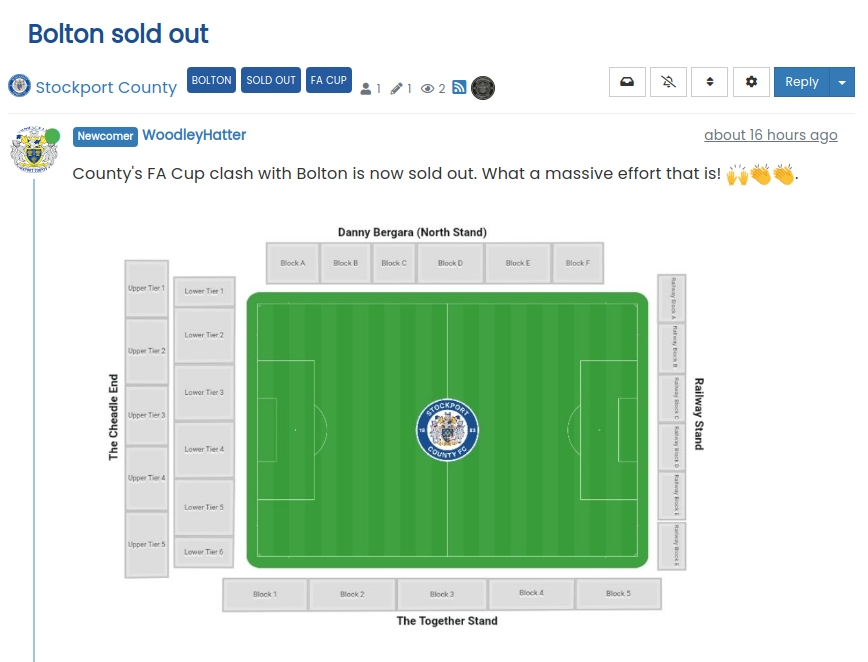
Blue background, writing font
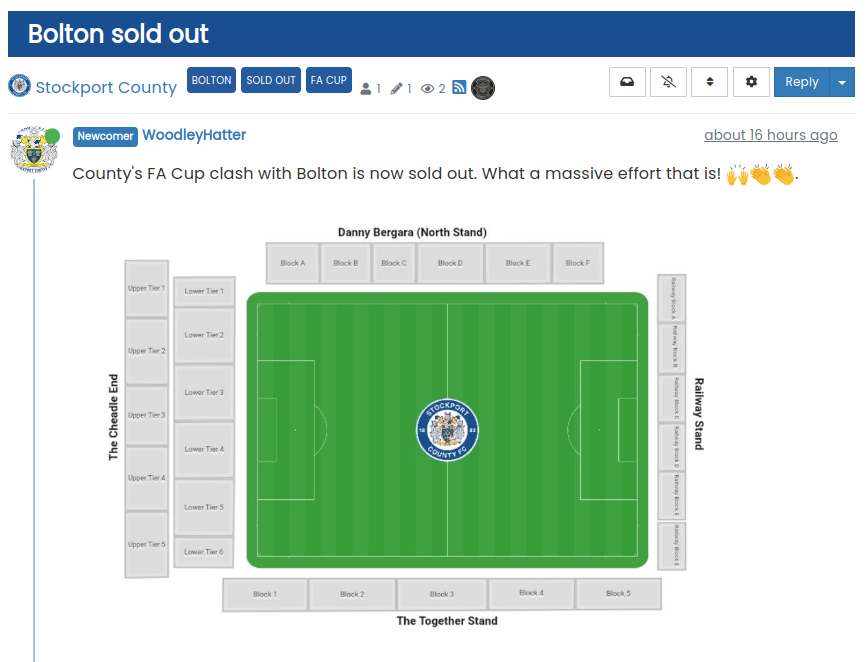
The blue with white coloured font does look good!
-
@phenomlab said in NodeBB customisation:
Blue background, writing font
Definitely matches the team’s first colours better anyway
how do I override the yellow Mark? -
@phenomlab said in NodeBB customisation:
Blue background, writing font
Definitely matches the team’s first colours better anyway
how do I override the yellow Mark?@jac It’s done mate.
Mark Cutting also advises organisations as a Fractional CIO, Fractional CISO and Executive Advisor, helping boards improve technology governance, cyber resilience and executive decision making. Learn more at Gratmore Ltd
-
-
Hi Mark,
How do get an image to show at the top of the the page? I think I discussed this in a previous thread or possibly this one, to have like Stockport fans at the top of the page or a big banner that reflects what the forum is about.
-
Hi Mark,
How do get an image to show at the top of the the page? I think I discussed this in a previous thread or possibly this one, to have like Stockport fans at the top of the page or a big banner that reflects what the forum is about.
@jac Like this ?

Mark Cutting also advises organisations as a Fractional CIO, Fractional CISO and Executive Advisor, helping boards improve technology governance, cyber resilience and executive decision making. Learn more at Gratmore Ltd
-
@phenomlab yes but without copying, so possibly somehow different
 . If not possible don’t worry.
Have requested the logo from @katos and once the logo is added and a banner or something like what you sent me it will look fantastic!
-
@phenomlab yes but without copying, so possibly somehow different
. If not possible don’t worry.Have requested the logo from @katos and once the logo is added and a banner or something like what you sent me it will look fantastic!
@jac said in NodeBB customisation:
@phenomlab yes but without copying, so possibly somehow different
. If not possible don’t worry.Have requested the logo from @katos and once the logo is added and a banner or something like what you sent me it will look fantastic!
But believe me although your ideas are fantastic and what you can do to customise the look and feel etc really is brilliant but it is not my intention to copy everything so please accept my apology if it comes across that way Mark.
-
@jac said in NodeBB customisation:
@phenomlab yes but without copying, so possibly somehow different
. If not possible don’t worry.Have requested the logo from @katos and once the logo is added and a banner or something like what you sent me it will look fantastic!
But believe me although your ideas are fantastic and what you can do to customise the look and feel etc really is brilliant but it is not my intention to copy everything so please accept my apology if it comes across that way Mark.
@jac Not all all.
Mark Cutting also advises organisations as a Fractional CIO, Fractional CISO and Executive Advisor, helping boards improve technology governance, cyber resilience and executive decision making. Learn more at Gratmore Ltd
-
-
@jac Like this ?
Revised and simplified CSS
.custom { background: #ffc557 !important; color: #00205c!important } .custom a { color: #00205c !important; } .custom2 { background: #194F90 !important; color: #ffffff; } .custom2 small { color: #ffffff; font-size: 40%; }@phenomlab said in NodeBB customisation:
@jac Like this ?
Revised and simplified CSS
.custom {
    background: #ffc557 !important;
    color: #00205c!important
}
.custom a {
    color: #00205c !important;
}
.custom2 {
    background: #194F90 !important;
    color: #ffffff;
}
.custom2 small {
    color: #ffffff;
    font-size: 40%;
}
I have a new stats widget at the bottom of the forum.
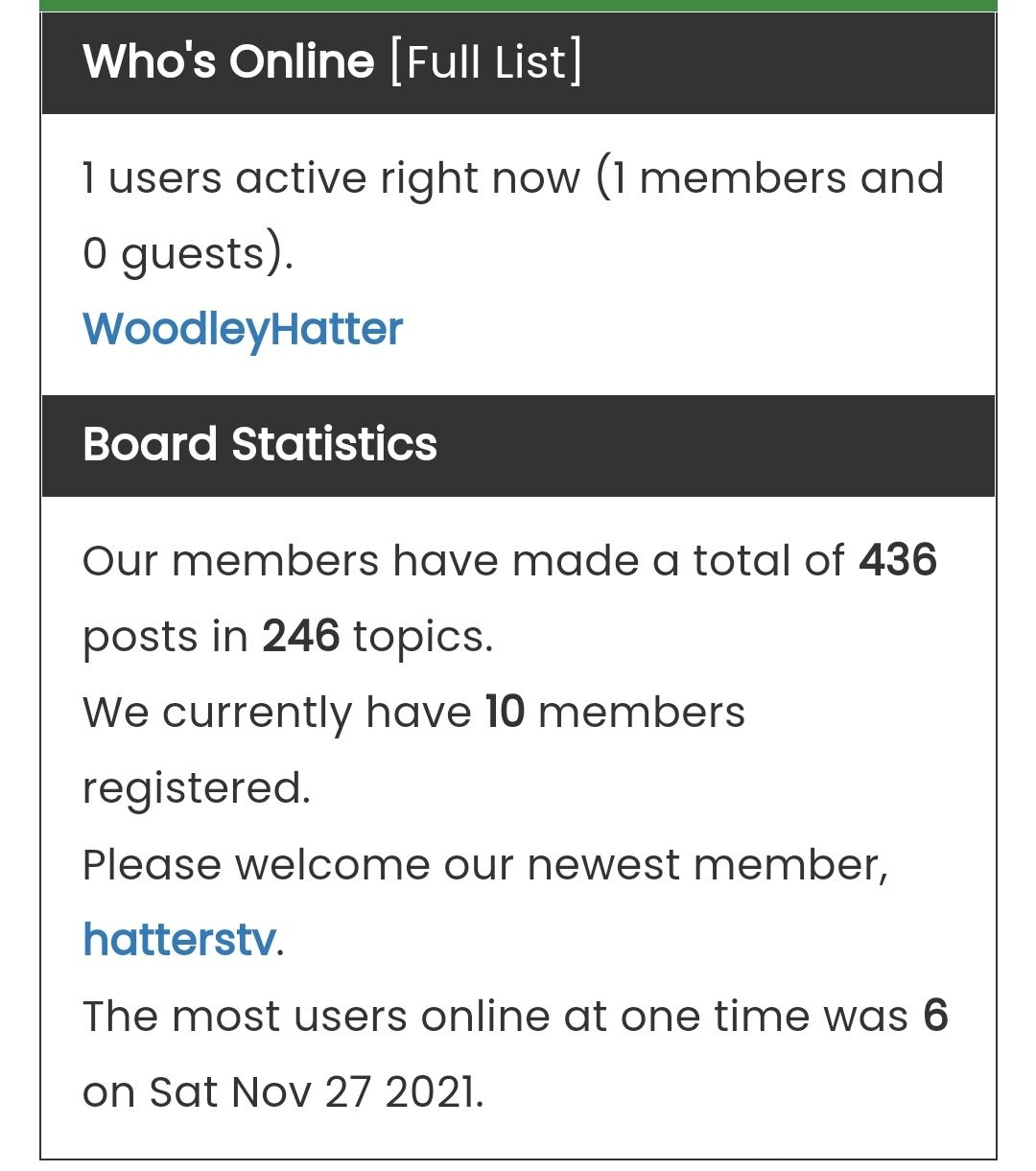
How do I style the widget so like you have done with the others?
Many thanks
-
@phenomlab said in NodeBB customisation:
@jac Like this ?
Revised and simplified CSS
.custom {
    background: #ffc557 !important;
    color: #00205c!important
}
.custom a {
    color: #00205c !important;
}
.custom2 {
    background: #194F90 !important;
    color: #ffffff;
}
.custom2 small {
    color: #ffffff;
    font-size: 40%;
}
I have a new stats widget at the bottom of the forum.
How do I style the widget so like you have done with the others?
Many thanks
@jac said in NodeBB customisation:
@phenomlab said in NodeBB customisation:
@jac Like this ?
Revised and simplified CSS
.custom {
    background: #ffc557 !important;
    color: #00205c!important
}
.custom a {
    color: #00205c !important;
}
.custom2 {
    background: #194F90 !important;
    color: #ffffff;
}
.custom2 small {
    color: #ffffff;
    font-size: 40%;
}
I have a new stats widget at the bottom of the forum.
How do I style the widget so like you have done with the others?
Many thanks
But if possible with white writing if it makes it easier to see.
Many thanks.
-
@jac said in NodeBB customisation:
@phenomlab said in NodeBB customisation:
@jac Like this ?
Revised and simplified CSS
.custom {
    background: #ffc557 !important;
    color: #00205c!important
}
.custom a {
    color: #00205c !important;
}
.custom2 {
    background: #194F90 !important;
    color: #ffffff;
}
.custom2 small {
    color: #ffffff;
    font-size: 40%;
}
I have a new stats widget at the bottom of the forum.
How do I style the widget so like you have done with the others?
Many thanks
But if possible with white writing if it makes it easier to see.
Many thanks.
There is also an issue with the page styling.
Despite entering a new line the text wants to be bunched up together, I presume this is just an issue with the styling to correct it.
After the first full stop it the second part should be understood in smaller font realistically.


Hello! It looks like you're interested in this conversation, but you don't have an account yet.
Getting fed up of having to scroll through the same posts each visit? When you register for an account, you'll always come back to exactly where you were before, and choose to be notified of new replies (either via email, or push notification). You'll also be able to save bookmarks and upvote posts to show your appreciation to other community members.
With your input, this post could be even better 💗
Register LoginRelated Topics
-
-
-
-
NodeBB Footer
Solved Customisation -
-
-
-
Customising NodeBB
Locked Customisation