SEO and Nodebb
-
I see more comments about Nodebb forums and the difficulty getting indexed.
Search Engine Optimisation is a whole field in itself, and I do hear empirically that NodeBB forums dont seem to do so well. Thats not a criticism of NodeBB, just an indicator of the complexity of SEO.@phenomlab is your site indexing better now?
-
I see more comments about Nodebb forums and the difficulty getting indexed.
Search Engine Optimisation is a whole field in itself, and I do hear empirically that NodeBB forums dont seem to do so well. Thats not a criticism of NodeBB, just an indicator of the complexity of SEO.@phenomlab is your site indexing better now?
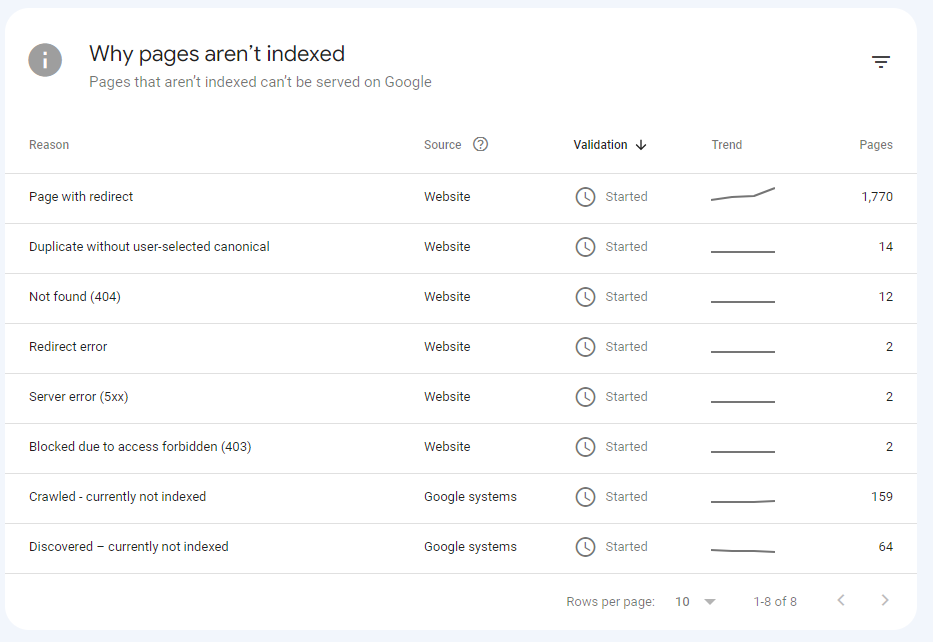
@Panda It’s the best it’s ever been to be honest. I’ve used a myriad of systems in the past - most notably, WordPress, and then Flarum (which for SEO, was absolutely dire - they never even had SEO out of the box, and relied on a third party extension to do it), and NodeBB easily fares the best - see below example
However, this was not without significant effort on my part once I’d migrated from COM to ORG - see below posts
https://community.nodebb.org/topic/17286/google-crawl-error-after-site-migration/17?_=1688461250365
And also
https://support.google.com/webmasters/thread/221027803?hl=en&msgid=221464164
It was painful to say the least - as it turns out, there was an issue in NodeBB core that prevented spiders from getting to content, which as far as I understand, is now fixed. SEO in itself is a dark art - a black box that nobody really fully understands, and it’s essentially going to boil down to one thing - “content”.
Google’s algorithm for indexing has also changed dramatically over the years. They only now crawl content that has value, so if it believes that your site has nothing to offer, it will simply skip it.
-
 undefined phenomlab marked this topic as a regular topic on

Hello! It looks like you're interested in this conversation, but you don't have an account yet.
Getting fed up of having to scroll through the same posts each visit? When you register for an account, you'll always come back to exactly where you were before, and choose to be notified of new replies (either via email, or push notification). You'll also be able to save bookmarks and upvote posts to show your appreciation to other community members.
With your input, this post could be even better 💗
Register Login