NodeBB customisation
-
@jac @phenomlab
Sorry Mark, another question for you…
Is there a way to change the header font whilst leaving body text the same?
@jac Yes, you can use this CSS
.topic [component="post/header"] {
    font-family: "Arial";
Note that
font-familyis an example. It can be any font you desire as long as it is available on the site.Mark Cutting also advises organisations as a Fractional CIO, Fractional CISO and Executive Advisor, helping boards improve technology governance, cyber resilience and executive decision making. Learn more at Gratmore Ltd
-
@phenomlab said in NodeBB customisation:
#194F90
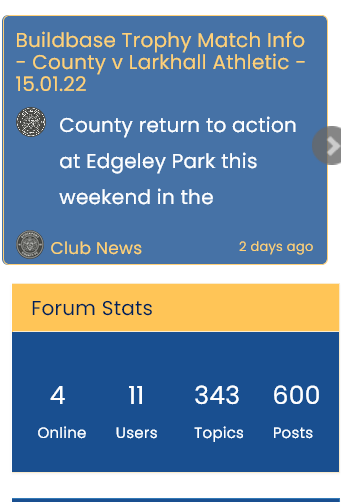
The nav bar is fine mate, it’s the cards I wish to change mate. Having a nightmate too with the reading progress meter change too. I’ve followed all instructions but can’t get it to show.
Going back to the cards although I’ve chosen the same colour as the nav bar the colours simply don’t match.
Apologies in advance mate I don’t want this to become an issue where you get annoyed


@jac said in NodeBB customisation:
I don’t want this to become an issue where you get annoyed
Just seen this - I don’t get annoyed. The entire purpose of Sudonix is to help you.
Mark Cutting also advises organisations as a Fractional CIO, Fractional CISO and Executive Advisor, helping boards improve technology governance, cyber resilience and executive decision making. Learn more at Gratmore Ltd
-
@jac said in NodeBB customisation:
I don’t want this to become an issue where you get annoyed
Just seen this - I don’t get annoyed. The entire purpose of Sudonix is to help you.
@phenomlab said in NodeBB customisation:
@jac said in NodeBB customisation:
I don’t want this to become an issue where you get annoyed
Just seen this - I don’t get annoyed. The entire purpose of Sudonix is to help you.
Thank you Mark, much appreciated.
-
@jac Yes, you can use this CSS
.topic [component="post/header"] {
    font-family: "Arial";
Note that
font-familyis an example. It can be any font you desire as long as it is available on the site.@phenomlab said in NodeBB customisation:
@jac Yes, you can use this CSS
.topic [component="post/header"] {
    font-family: "Arial";
Note that
font-familyis an example. It can be any font you desire as long as it is available on the site.Thanks mate, how would I know generally which fonts are available sorry?
-
@phenomlab said in NodeBB customisation:
@jac Yes, you can use this CSS
.topic [component="post/header"] {
    font-family: "Arial";
Note that
font-familyis an example. It can be any font you desire as long as it is available on the site.Thanks mate, how would I know generally which fonts are available sorry?
@phenomlab sorry for the many posts.
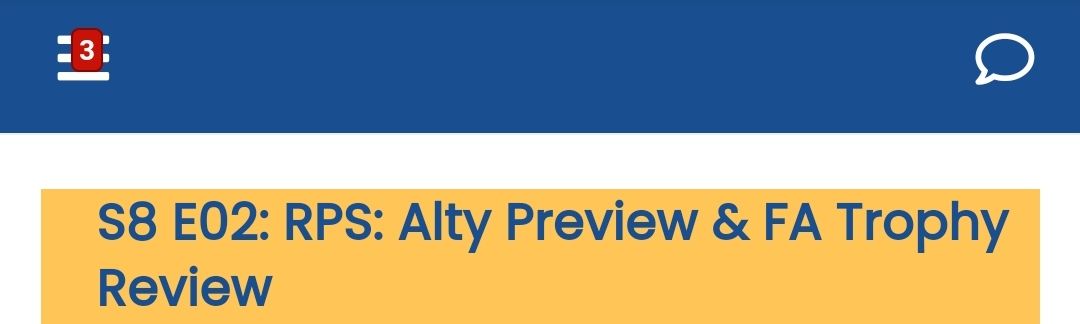
I’ve just looked on mobile view and realised the notification icon is placed over the menu icon?
-
@phenomlab sorry for the many posts.
I’ve just looked on mobile view and realised the notification icon is placed over the menu icon?
test that:
@media (max-width: 1199px)
.header .navbar-toggle .notification-icon {
    left: auto;
    right: -8px;
    top: 10px;
}
PW and WS Spirit alive
-
test that:
@media (max-width: 1199px) .header .navbar-toggle .notification-icon { left: auto; right: -8px; top: 10px; }@downpw said in NodeBB customisation:
test that:
@media (max-width: 1199px)
.header .navbar-toggle .notification-icon {
    left: auto;
    right: -8px;
    top: 10px;
}
Thanks, will try that pal

 .
. -
@downpw said in NodeBB customisation:
test that:
@media (max-width: 1199px)
.header .navbar-toggle .notification-icon {
    left: auto;
    right: -8px;
    top: 10px;
}
Thanks, will try that pal
.@jac said in NodeBB customisation:
@downpw said in NodeBB customisation:
test that:
@media (max-width: 1199px)
.header .navbar-toggle .notification-icon {
    left: auto;
    right: -8px;
    top: 10px;
}
Thanks, will try that pal
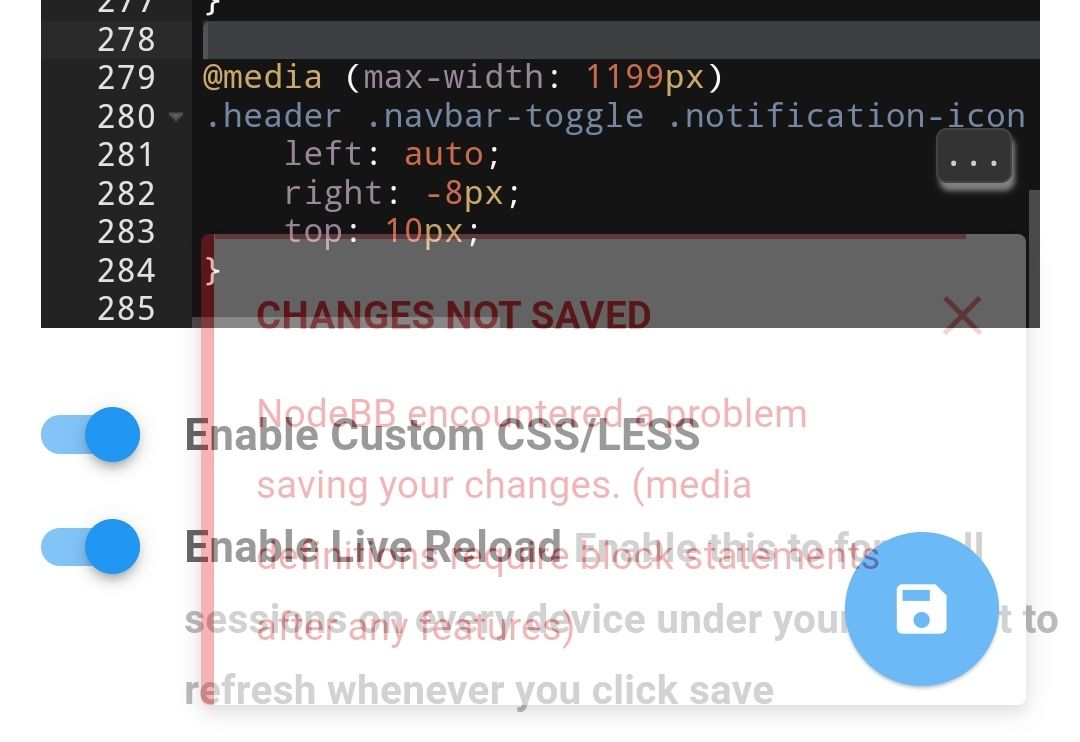
.Returns error mate.
-
@jac said in NodeBB customisation:
@downpw said in NodeBB customisation:
test that:
@media (max-width: 1199px)
.header .navbar-toggle .notification-icon {
    left: auto;
    right: -8px;
    top: 10px;
}
Thanks, will try that pal
.Returns error mate.
whoops sorry, forget {}
@media (max-width: 1199px)
{
.header .navbar-toggle .notification-icon {
        left: auto;
        right: -8px;
        top: 10px;
    }
}
PW and WS Spirit alive
-
whoops sorry, forget {}
@media (max-width: 1199px) { .header .navbar-toggle .notification-icon { left: auto; right: -8px; top: 10px; } }@downpw said in NodeBB customisation:
whoops sorry, forget {}
@media (max-width: 1199px)
{
.header .navbar-toggle .notification-icon {
        left: auto;
        right: -8px;
        top: 10px;
    }
}
Many thanks mate
 .
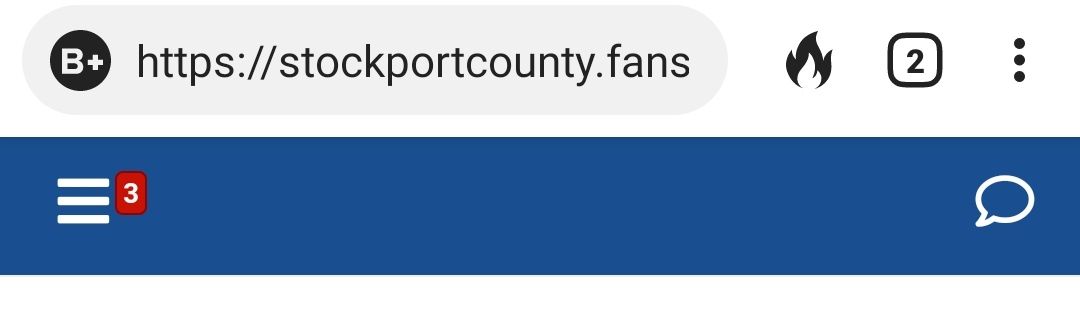
.How does that look now?
-
Yeah play with code for obtain that you want
PW and WS Spirit alive
-
@downpw Thanks
-
@phenomlab said in NodeBB customisation:
@jac Yes, you can use this CSS
.topic [component="post/header"] {
    font-family: "Arial";
Note that
font-familyis an example. It can be any font you desire as long as it is available on the site.Thanks mate, how would I know generally which fonts are available sorry?
@jac said in NodeBB customisation:
@phenomlab said in NodeBB customisation:
@jac Yes, you can use this CSS
.topic [component="post/header"] {
    font-family: "Arial";
Note that
font-familyis an example. It can be any font you desire as long as it is available on the site.Thanks mate, how would I know generally which fonts are available sorry?
Can fonts be imported? Looking for a bold font for titles.
-
@jac said in NodeBB customisation:
@phenomlab said in NodeBB customisation:
@jac Yes, you can use this CSS
.topic [component="post/header"] {
    font-family: "Arial";
Note that
font-familyis an example. It can be any font you desire as long as it is available on the site.Thanks mate, how would I know generally which fonts are available sorry?
Can fonts be imported? Looking for a bold font for titles.
@jac yes, they can. Here’s an example of how that would work
https://www.w3docs.com/snippets/css/how-to-import-google-fonts-in-css-file.html
Mark Cutting also advises organisations as a Fractional CIO, Fractional CISO and Executive Advisor, helping boards improve technology governance, cyber resilience and executive decision making. Learn more at Gratmore Ltd
-
@jac yes, they can. Here’s an example of how that would work
https://www.w3docs.com/snippets/css/how-to-import-google-fonts-in-css-file.html
@phenomlab said in NodeBB customisation:
@jac yes, they can. Here’s an example of how that would work
https://www.w3docs.com/snippets/css/how-to-import-google-fonts-in-css-file.html
Thanks mate, will check this out over the weekend
. -
@phenomlab said in NodeBB customisation:
@jac yes, they can. Here’s an example of how that would work
https://www.w3docs.com/snippets/css/how-to-import-google-fonts-in-css-file.html
Thanks mate, will check this out over the weekend
.@jac said in NodeBB customisation:
@phenomlab said in NodeBB customisation:
@jac yes, they can. Here’s an example of how that would work
https://www.w3docs.com/snippets/css/how-to-import-google-fonts-in-css-file.html
Thanks mate, will check this out over the weekend
. how would this work if I just wanted to change the title font?
 -
@jac said in NodeBB customisation:
@phenomlab said in NodeBB customisation:
@jac yes, they can. Here’s an example of how that would work
https://www.w3docs.com/snippets/css/how-to-import-google-fonts-in-css-file.html
Thanks mate, will check this out over the weekend
. how would this work if I just wanted to change the title font?@jac You’d need to target the element you want, and change the font being called - an example
h1.title {
font-family: "mygooglefont";
}
Mark Cutting also advises organisations as a Fractional CIO, Fractional CISO and Executive Advisor, helping boards improve technology governance, cyber resilience and executive decision making. Learn more at Gratmore Ltd
-
@jac You’d need to target the element you want, and change the font being called - an example
h1.title { font-family: "mygooglefont"; } -
@phenomlab Thank you, I’ll take a look
@phenomlab without taking every idea from yourself…
The banner effect that you have in place was it easy to do?
This is something I wanted to do originally with photos, but the general look and feel of the wide banner effect with the font on does look really impressive.
I’m wondering if it would look any better than what I currently have?


-
@phenomlab without taking every idea from yourself…
The banner effect that you have in place was it easy to do?
This is something I wanted to do originally with photos, but the general look and feel of the wide banner effect with the font on does look really impressive.
I’m wondering if it would look any better than what I currently have?
@jac Do you mean this part ?

Mark Cutting also advises organisations as a Fractional CIO, Fractional CISO and Executive Advisor, helping boards improve technology governance, cyber resilience and executive decision making. Learn more at Gratmore Ltd



Hello! It looks like you're interested in this conversation, but you don't have an account yet.
Getting fed up of having to scroll through the same posts each visit? When you register for an account, you'll always come back to exactly where you were before, and choose to be notified of new replies (either via email, or push notification). You'll also be able to save bookmarks and upvote posts to show your appreciation to other community members.
With your input, this post could be even better 💗
Register LoginRelated Topics
-
-
-
-
Forum Icons NodeBB
Solved Customisation -
-
-
-
Customising NodeBB
Locked Customisation