
Hello there
-
@kurulumu-net Don’t be so sure. If the native sockets does not work, it’ll fall back to
XMLHTTPbut that also means push won’t work as intended - including the keyboard typing indicator.Is there anything being reported in the console, and can you share your
nginx.conffile ?EDIT - I see this on your site in the console

100% Cloudflare issue. Disable it, and I bet it works

https://community.nodebb.org/topic/16058/nginx-cloudlflare-socket-io-502-errors?_=1637944040248
Here’s a workaround
@phenomlab my nginx.conf;
server {
    listen 443 ssl http2;
    listen [::]:443 ssl http2;

	add_header Strict-Transport-Security "max-age=31536000; includeSubDomains" always;

	ssl_certificate /etc/ssl/kurcert.pem;
    ssl_certificate_key /etc/ssl/kurkey.pem;
	ssl_client_certificate /etc/ssl/cloudflare.crt;

    server_name www.kurulumu.net;

    location / {
        proxy_set_header X-Real-IP $remote_addr;
        proxy_set_header X-Forwarded-For $proxy_add_x_forwarded_for;
        proxy_set_header X-Forwarded-Proto $scheme;
        proxy_set_header Host $http_host;
        proxy_set_header X-NginX-Proxy true;

        proxy_pass http://127.0.0.1:4567;
        proxy_redirect off;

        # Socket.IO Support
        proxy_http_version 1.1;
        proxy_set_header Upgrade $http_upgrade;
        proxy_set_header Connection "upgrade";
    }
	location /ads.txt {
     root /home/nodes/nodebb/public/;
}


}

server {
    listen 443 ssl http2;
    listen [::]:443 ssl http2;

	add_header Strict-Transport-Security "max-age=31536000; includeSubDomains" always;

	ssl_certificate /etc/ssl/kurcert.pem;
    ssl_certificate_key /etc/ssl/kurkey.pem;
	ssl_client_certificate /etc/ssl/cloudflare.crt;

	server_name kurulumu.net;
	return 301 https://www.kurulumu.net$request_uri;
}
server {
    listen 80;
    listen [::]:80;

    server_name kurulumu.net www.kurulumu.net;
	return 301 https://www.kurulumu.net$request_uri;
}
An internet explorer who is fond of forum software.
-
@phenomlab my nginx.conf;
server { listen 443 ssl http2; listen [::]:443 ssl http2; add_header Strict-Transport-Security "max-age=31536000; includeSubDomains" always; ssl_certificate /etc/ssl/kurcert.pem; ssl_certificate_key /etc/ssl/kurkey.pem; ssl_client_certificate /etc/ssl/cloudflare.crt; server_name www.kurulumu.net; location / { proxy_set_header X-Real-IP $remote_addr; proxy_set_header X-Forwarded-For $proxy_add_x_forwarded_for; proxy_set_header X-Forwarded-Proto $scheme; proxy_set_header Host $http_host; proxy_set_header X-NginX-Proxy true; proxy_pass http://127.0.0.1:4567; proxy_redirect off; # Socket.IO Support proxy_http_version 1.1; proxy_set_header Upgrade $http_upgrade; proxy_set_header Connection "upgrade"; } location /ads.txt { root /home/nodes/nodebb/public/; } } server { listen 443 ssl http2; listen [::]:443 ssl http2; add_header Strict-Transport-Security "max-age=31536000; includeSubDomains" always; ssl_certificate /etc/ssl/kurcert.pem; ssl_certificate_key /etc/ssl/kurkey.pem; ssl_client_certificate /etc/ssl/cloudflare.crt; server_name kurulumu.net; return 301 https://www.kurulumu.net$request_uri; } server { listen 80; listen [::]:80; server_name kurulumu.net www.kurulumu.net; return 301 https://www.kurulumu.net$request_uri; }@kurulumu-net Looks good. Try disabling CF and let me know the result.
Mark – Founder, Phenomlab Ltd
Executive IT & Security Leadership
Phenomlab Ltd -
@phenomlab now CF is disabled. Do you still see websocket error in console? I couldn’t see the error you see in my browser when CF was enabled.
An internet explorer who is fond of forum software.
-
@phenomlab now CF is disabled. Do you still see websocket error in console? I couldn’t see the error you see in my browser when CF was enabled.
@kurulumu-net I can’t see it now, no.
-
@phenomlab now CF is disabled. Do you still see websocket error in console? I couldn’t see the error you see in my browser when CF was enabled.
@kurulumu-net any developments ?
Mark – Founder, Phenomlab Ltd
Executive IT & Security Leadership
Phenomlab Ltd -
@phenomlab Unfortunately not. Could I have changed a setting related to this in admin cp? I was using FullStrick SSL in CF. I installed Lets E. SSL in case it’s related to this, but the result is the same.
An internet explorer who is fond of forum software.
-
@phenomlab Unfortunately not. Could I have changed a setting related to this in admin cp? I was using FullStrick SSL in CF. I installed Lets E. SSL in case it’s related to this, but the result is the same.
@kurulumu-net have you restarted NodeBB ? Let’s try that first.
Mark – Founder, Phenomlab Ltd
Executive IT & Security Leadership
Phenomlab Ltd -
@phenomlab
nodebb-plugin-browsing-users@2.0.0
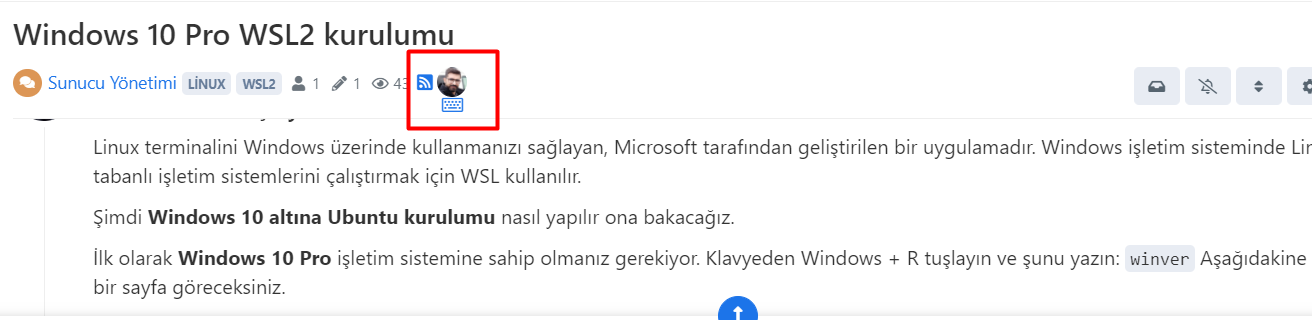
It’s this plugin that shows a keyboard icon when you start typing and what you can find on that topic at that moment.An internet explorer who is fond of forum software.
-
@phenomlab
nodebb-plugin-browsing-users@2.0.0
It’s this plugin that shows a keyboard icon when you start typing and what you can find on that topic at that moment.@kurulumu-net ah - I completely forgot about that. Does it work as intended ? I’m sure it still requires an active socket.
Mark – Founder, Phenomlab Ltd
Executive IT & Security Leadership
Phenomlab Ltd -
@kurulumu-net ah - I completely forgot about that. Does it work as intended ? I’m sure it still requires an active socket.
@phenomlab Yes it works. Websocket is already active.
An internet explorer who is fond of forum software.
-
@phenomlab Yes it works. Websocket is already active.
@kurulumu-net great news. Thanks for the confirmation.
Mark – Founder, Phenomlab Ltd
Executive IT & Security Leadership
Phenomlab Ltd -
@phenomlab Did you make any changes to the blog-comment plugin? Or is the current plugin working?
An internet explorer who is fond of forum software.
-
@phenomlab Did you make any changes to the blog-comment plugin? Or is the current plugin working?
@kurulumu-net can you open a new topic for this ? Thanks


Hello! It looks like you're interested in this conversation, but you don't have an account yet.
Getting fed up of having to scroll through the same posts each visit? When you register for an account, you'll always come back to exactly where you were before, and choose to be notified of new replies (either via email, or push notification). You'll also be able to save bookmarks and upvote posts to show your appreciation to other community members.
With your input, this post could be even better 💗
Register Login

