Skip to content

nodebb-plugin-customize error

Solved Customisation
25 2 8.8k 1
  • Ich habe darüber versucht das cover image von der gruppe selbst anzupassen so wie du es mit dem profil cover gemacht hast, because I couldn’t do that with css

    [MOD-EDIT]: I tried to adapt the cover image of the group itself like you did with the profile cover, because I couldn’t do that with css

    backround-size: auto;
    

    89ae447b-c9fe-4923-b3b1-4be30707ad0e-image.png

  • Ich habe darüber versucht das cover image von der gruppe selbst anzupassen so wie du es mit dem profil cover gemacht hast, because I couldn’t do that with css

    [MOD-EDIT]: I tried to adapt the cover image of the group itself like you did with the profile cover, because I couldn’t do that with css

    backround-size: auto;
    

    89ae447b-c9fe-4923-b3b1-4be30707ad0e-image.png

    @riekmedia You could use negative CSS for this ?

    .groups.list {
        margin-top: -10px;
    }
    

    Adjust -10px to the negative value you want

  • @riekmedia You could use negative CSS for this ?

    .groups.list {
        margin-top: -10px;
    }
    

    Adjust -10px to the negative value you want

    @phenomlab
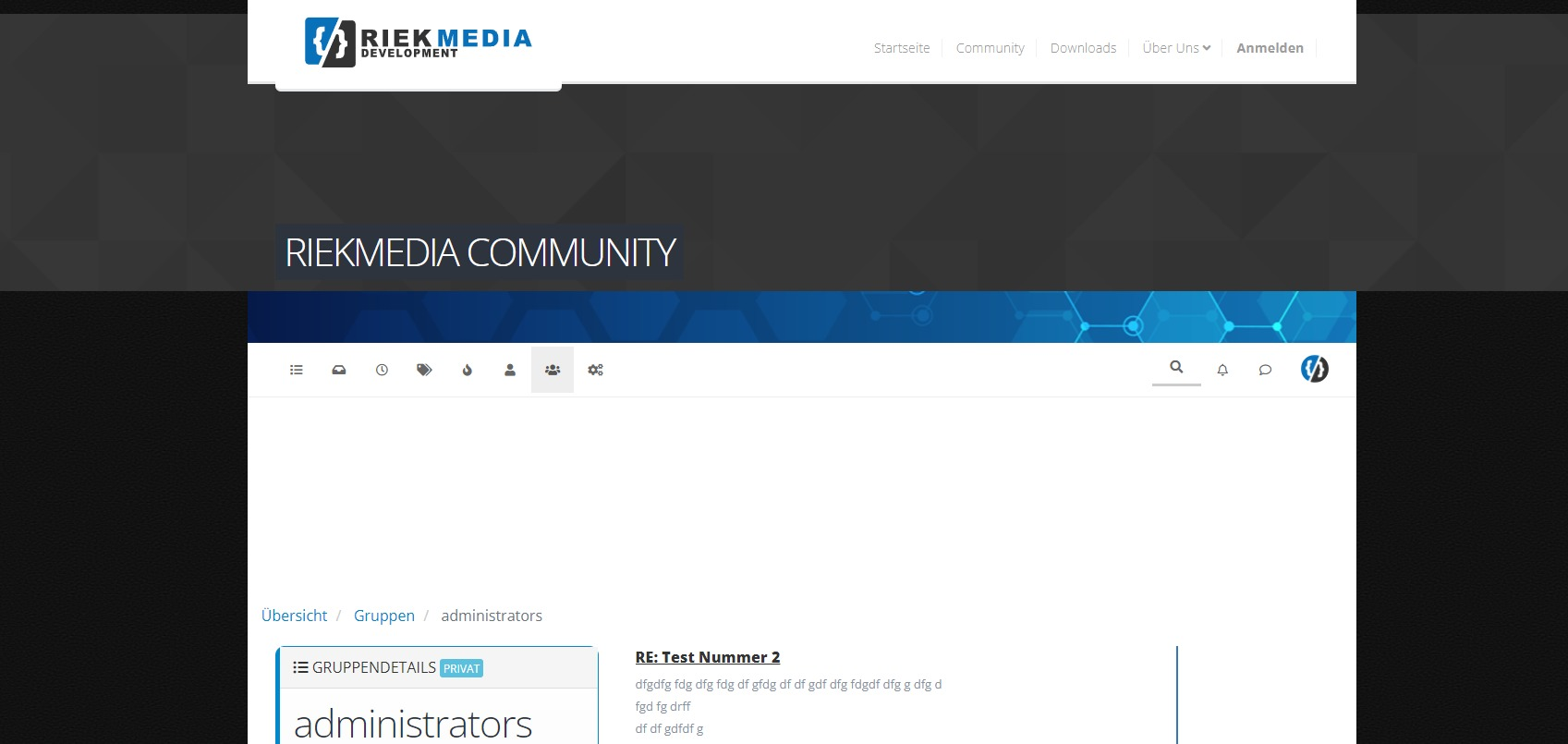
    You get me wrong, it’s not just about me, it’s about the picture above. The dark gray default cover picture.

    I’m trying to fit the picture to the width, height

    We had the same problem with our own profile, so if you remember, we solved it with backround-size auto.

    I am now trying to do the same with the cover pictures of the groups. Go on a group on it with a browser then you will see it live. That shatters the whole theme 🙂

    Look at the screenshoot.

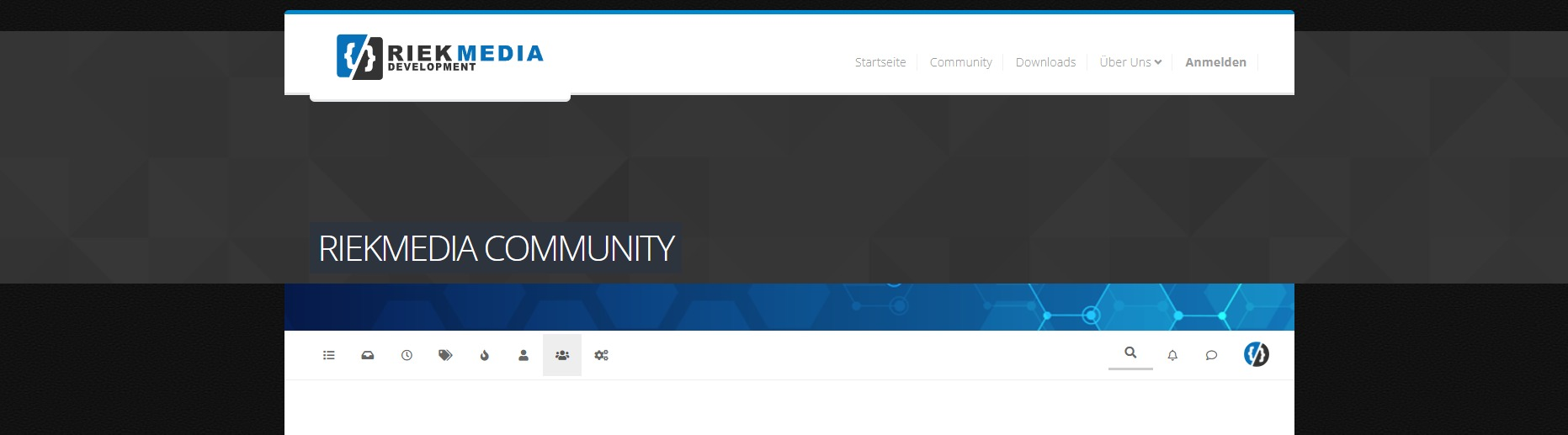
    My Profile cover fixed
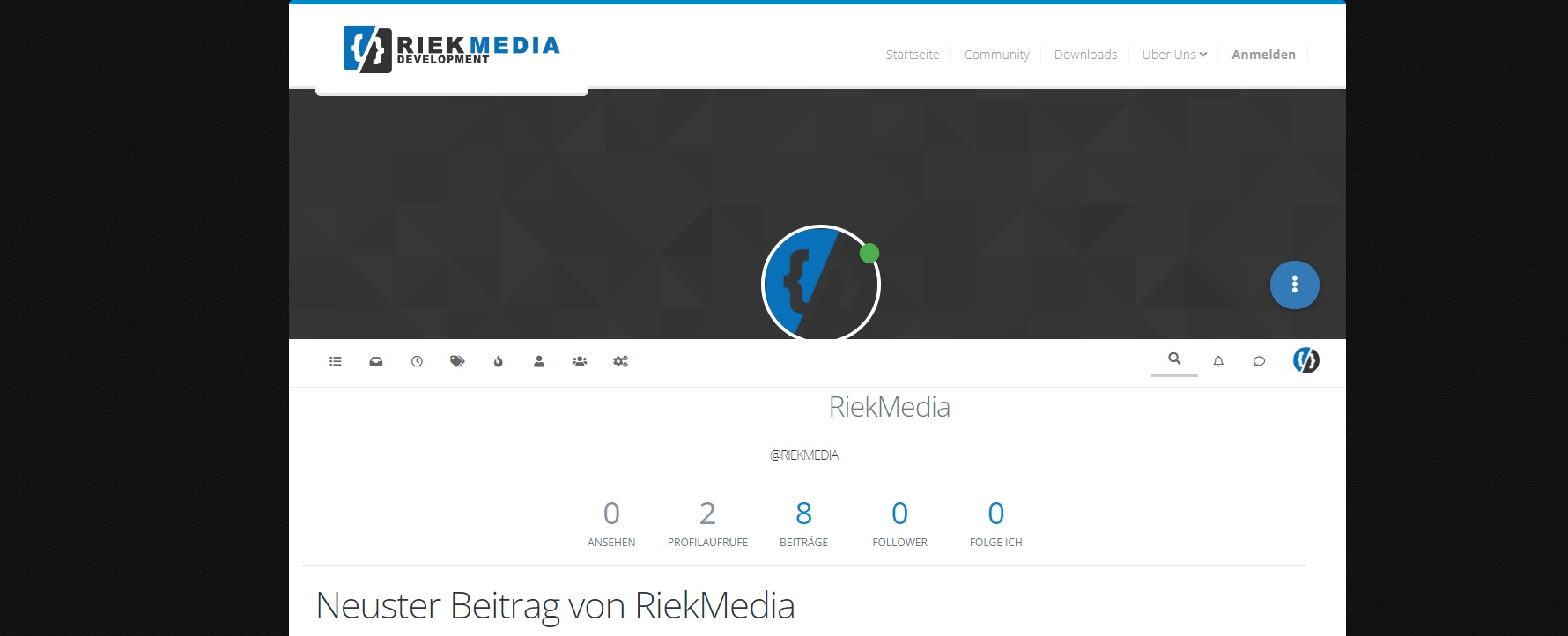
    fc4f3d94-1798-4619-b551-00df2ba7009c-image.png

    Groupdetails cover not fixed

    e3019fcb-43b4-4fcd-81a2-3fdc46351d73-image.png

    And I don’t mean the group list but the group details

  • @phenomlab
    You get me wrong, it’s not just about me, it’s about the picture above. The dark gray default cover picture.

    I’m trying to fit the picture to the width, height

    We had the same problem with our own profile, so if you remember, we solved it with backround-size auto.

    I am now trying to do the same with the cover pictures of the groups. Go on a group on it with a browser then you will see it live. That shatters the whole theme 🙂

    Look at the screenshoot.

    My Profile cover fixed

    fc4f3d94-1798-4619-b551-00df2ba7009c-image.png

    Groupdetails cover not fixed

    e3019fcb-43b4-4fcd-81a2-3fdc46351d73-image.png

    And I don’t mean the group list but the group details

    @riekmedia First things first 🙂

    You may notice that in the profile page, you cannot click the dropdown menu (the button with the three dots)

    32aec8f1-6ce4-4232-936b-1cd483e4e776-image.png

    Clicking this button does nothing because the element sits behind the image meaning it is no longer clickable. The below CSS will fix that

    .btn-group.account-fab {
        z-index: 1000;
    }
    

    For the Groups issue, try this. Note that the background-image section of this will remove the actual image added by NodeBB, but will leave yours intact.

    @media (min-width: 992px) {
    .groups.details [component="groups/cover"] {
        background-size: auto;
        background-image: none !important;
    }
    }
    [component="groups/container"] {
        margin-top: 0px !important;
    }
  • @riekmedia First things first 🙂

    You may notice that in the profile page, you cannot click the dropdown menu (the button with the three dots)

    32aec8f1-6ce4-4232-936b-1cd483e4e776-image.png

    Clicking this button does nothing because the element sits behind the image meaning it is no longer clickable. The below CSS will fix that

    .btn-group.account-fab {
        z-index: 1000;
    }
    

    For the Groups issue, try this. Note that the background-image section of this will remove the actual image added by NodeBB, but will leave yours intact.

    @media (min-width: 992px) {
    .groups.details [component="groups/cover"] {
        background-size: auto;
        background-image: none !important;
    }
    }
    [component="groups/container"] {
        margin-top: 0px !important;
    }

    @phenomlab it work, thanks 🙂

  • phenomlabundefined phenomlab has marked this topic as solved on

Did this solution help you?
Did you find the suggested solution useful? Support 💗 Sudonix with a coffee
If your organisation needs deeper expertise around infrastructure, security, or technology leadership, learn more about Phenomlab Ltd. Many of the deeper technical guides behind Sudonix are published there.

Related Topics
  • Q&A Plugin Changes NodeBB

    Solved Customisation nodebb q&a plugin
    25
    1
    6 Votes
    25 Posts
    6k Views
    @phenomlab said in Q&A Plugin Changes NodeBB: float: right; left: 10px; } worked thank you
  • How to downgrade plugin version on NodeBB

    Solved Customisation downgrade nodebb
    11
    3 Votes
    11 Posts
    2k Views
    @cagatay no problems
  • Recent Cards plugin customization

    Solved Customisation nodebb
    21
    1
    13 Votes
    21 Posts
    7k Views
    @pobojmoks that’s easily done by modifying the code provided here so that it targets background rather than border In essence, the below should work $(document).ready(function() { $(window).on('action:ajaxify.end', function(data) { $('.recent-card-container').each(function(i) { var dataId = $(this).attr("data-cid"); var color = $('[role="presentation"]', this).css("background-color"); console.log("data-cid " + dataId + " is " + color); $('[data-cid="' + dataId + '"] .recent-card').attr("style", "background-color: " + color); }); }); });
  • [NODEBB] Help for my custom CSS

    Solved Customisation nodebb css bugfix
    237
    49 Votes
    237 Posts
    82k Views
    @baris said: You should change your selectors so it doesn’t look at the entire document. You probably only want to apply fancybox to stuff inside the #content element which is what changes when the user navigates around the page. So use $('#content a').... for your selectors then the forum logo in the header won’t be selected. I modified the JS Fancybox code now and this code and it seem better // --------------------------------------------- // Fancybox Media Reader (Without Website Logo) // --------------------------------------------- if (top.location.pathname !== '/login') { $(window).on('action:posts.loaded', function(data) { console.log("Polling DOM for lazyLoaded images to apply Fancybox"); $(document).ready(function() { $('#content a').not('.forum-logo').not(".avatar").not(".emoji").not(".bmac-noanimate").each(function() { $('#content a[href*=".jpg"], #content a[href*=".jpeg"], #content a[href*=".png"], #content a[href*=".gif"], #content a[href*=".webp"]').addClass("noanimate"); }); }); }); } if (top.location.pathname !== '/login') { $(document).ready(function() { $(window).on('action:ajaxify.end', function(data) { $('#content a').not('.logo').not(".avatar").not(".emoji").not(".bmac-noanimate").each(function() { $('#content a[href*=".jpg"], #content a[href*=".jpeg"], #content a[href*=".png"], #content a[href*=".gif"], #content a[href*=".webp"]').addClass("noanimate"); data.preventDefault() // Strip out the images contained inside blockquotes as this looks nasty :) $('#content blockquote img').remove(); }); Fancybox.bind( '#content a[href*=".jpg"], #content a[href*=".jpeg"], #content a[href*=".png"], #content a[href*=".gif"], #content a[href*=".webp"]', { groupAll: true, } ); }); }); } // Chat fancybox - fires when chat module loaded and AJAX calls new chat $(document).ready(function() { $(window).on('action:chat.loaded', function(data) { // >>> Se limiter au contenu principal uniquement <<< $('#content img').not('.forum-logo').not(".avatar").not(".emoji").not(".bmac-noanimate").each(function() { var newHref = $(this).attr("src"); $(this).wrap("<a class='fancybox' href='" + newHref + "'/>"); $('#content a[href*=".jpg"], #content a[href*=".jpeg"], #content a[href*=".png"], #content a[href*=".gif"], #content a[href*=".webp"]').addClass("noanimate"); data.preventDefault(); // Strip out the images contained inside blockquotes as this looks nasty :) $('#content blockquote img').remove(); }); Fancybox.bind( '#content a[href*=".jpg"], #content a[href*=".jpeg"], #content a[href*=".png"], #content a[href*=".gif"], #content a[href*=".webp"]', { groupAll: true, } ); }); }); For the logo, I must use overflow: visible !important; on [component="brand/logo"] /* --- Logo --- */ [component="brand/logo"] { max-height: 50px; width: auto; height: auto; max-width: 100%; display: block; object-fit: contain; object-position: left center; overflow: visible !important; } Better result !!
  • [NodeBB] Import custom Font

    Solved Customisation custom fonts nodebb css
    12
    3 Votes
    12 Posts
    3k Views
    @cagatay you’ll need to define this in the body tag (or another element if you want greater or more granular targets) - for example body { font-family: "Poppins"; font-size: 16px; } Essentially, you use the font-size CSS directive.
  • [NODEBB] Stats

    Unsolved Customisation plugin stats script
    20
    1
    2 Votes
    20 Posts
    4k Views
    @phenomlab said in [NODEBB] Stats: @jac or I land up fixing it I wouldn’t put it past you
  • NodeBB Discord Plugins

    Unsolved Customisation nodebb discord plugin
    7
    0 Votes
    7 Posts
    2k Views
    @RiekMedia hi. Just following up on this thread (I know it’s old) but was curious to understand if it’s still an issue or not ?
  • NodeBB customisation

    Locked Customisation
    332
    27 Votes
    332 Posts
    137k Views
    @jac Given your departure away from your previous project, I’m going to close this thread…