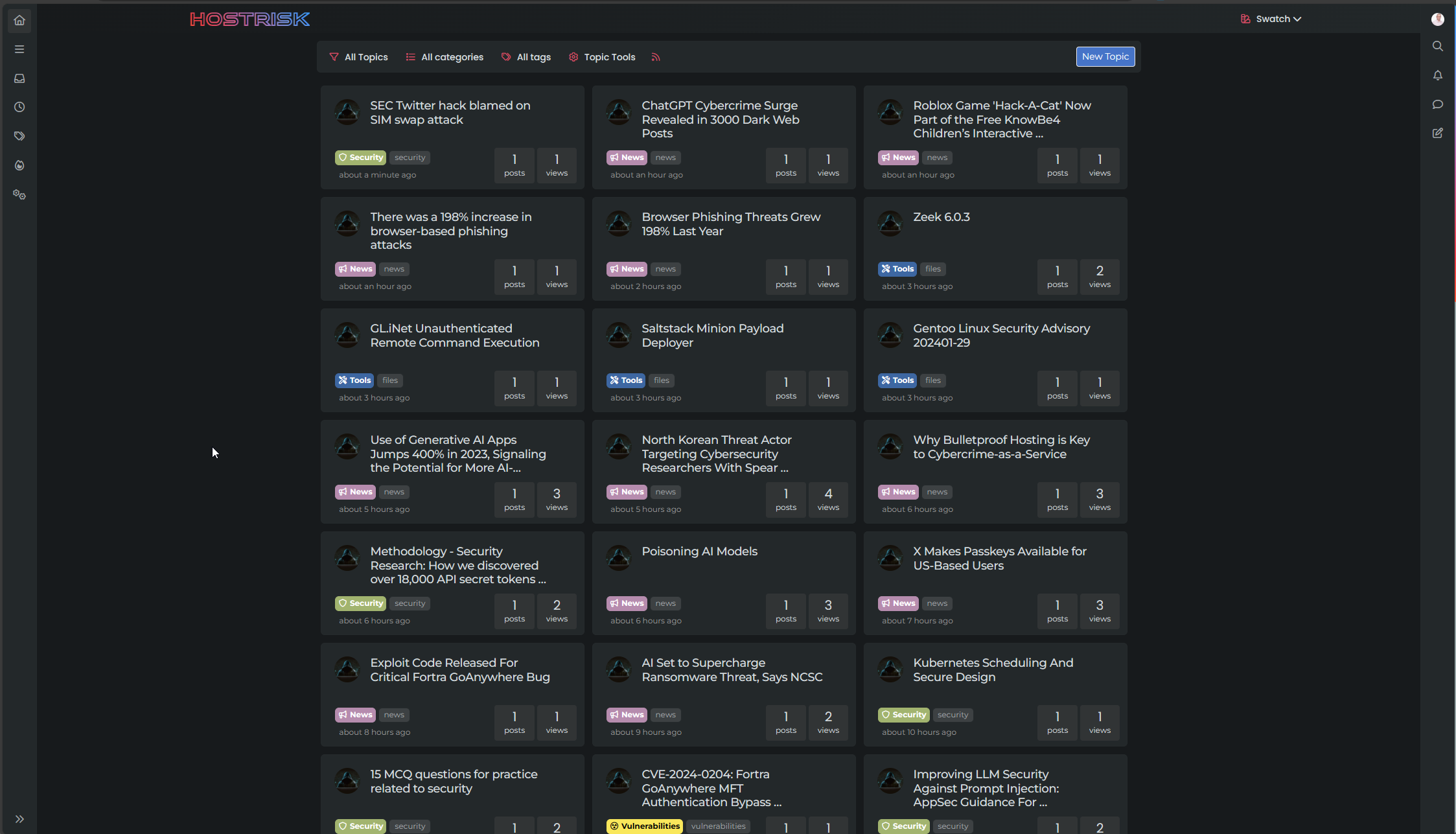
Switch between list and card view function
-
@DownPW does it resolve itself if you click the home button again? I’ve seen this in dev but can’t reproduce it in prod.
@phenomlab said in Switch between list and card view function:
@DownPW does it resolve itself if you click the home button again? I’ve seen this in dev but can’t reproduce it in prod.
nope, the bug persist.
it seem problem with
.category-card .lastpost a imgbut what’s strange is that it doesn’t do it for all topicsPW and WS Spirit alive
-
@phenomlab said in Switch between list and card view function:
@DownPW does it resolve itself if you click the home button again? I’ve seen this in dev but can’t reproduce it in prod.
nope, the bug persist.
it seem problem with
.category-card .lastpost a imgbut what’s strange is that it doesn’t do it for all topics@DownPW yes, it seems to be an issue with the
ajaxcallback but not sure where currently it originates from.Does it happen on page load also?
Mark Cutting also advises organisations as a Fractional CIO, Fractional CISO and Executive Advisor, helping boards improve technology governance, cyber resilience and executive decision making. Learn more at Gratmore Ltd
-
@DownPW yes, it seems to be an issue with the
ajaxcallback but not sure where currently it originates from.Does it happen on page load also?
@phenomlab said in Switch between list and card view function:
@DownPW yes, it seems to be an issue with the
ajaxcallback but not sure where currently it originates from.Does it happen on page load also?
can you be more specific?
If I refresh the page while keeping Card View activated it’s the same.
Same if I deactivate/reactivate Card ViewHere, we see, we have not
.category-card .lastpost a imgadd to class
PW and WS Spirit alive
-
@phenomlab said in Switch between list and card view function:
@DownPW yes, it seems to be an issue with the
ajaxcallback but not sure where currently it originates from.Does it happen on page load also?
can you be more specific?
If I refresh the page while keeping Card View activated it’s the same.
Same if I deactivate/reactivate Card ViewHere, we see, we have not
.category-card .lastpost a imgadd to class@DownPW the class you’re referring to in the screenshot isn’t supposed to be applied to that specific element, as there is no
imgto be applied against.What I meant about the
ajaxcallback is that not all of the styles seem to be applied. It’s almost as though they are being added to the DOM when they aren’t loaded yet. -
Arf Ok sorry.
For information, I have the same things on my test server (actually, it’s a clone of prod) if you want to see in details or playPW and WS Spirit alive
-
Arf Ok sorry.
For information, I have the same things on my test server (actually, it’s a clone of prod) if you want to see in details or play@DownPW thanks. The really odd thing here is that I can’t reproduce this issue at all in prod - where I developed it originally in fact.
I think I’m missing something somewhere, but unsure as to where it is currently.
-
no problem dude. I’m not sure I’ll be much help on this one.
PW and WS Spirit alive
-
@DownPW no problems. Your review and findings are a great help already.
-
@DownPW I found the bug. It’s CloudFlare

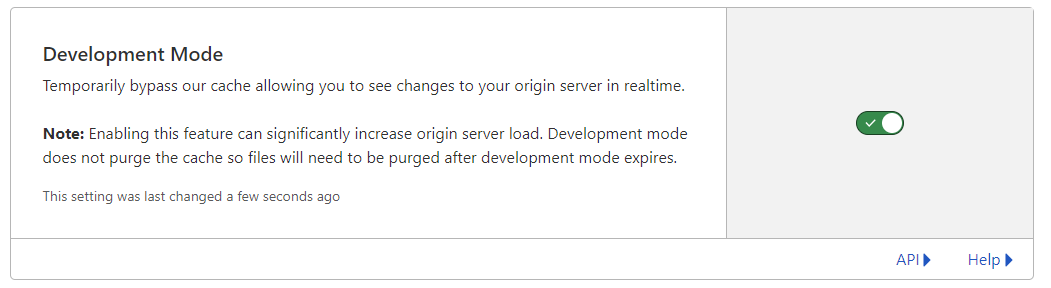
Setting the cache to bypass resolves the issue. This explains why I cannot replicate it in PROD (for me) as I only use CF for DNS resolution.
I have modified the CSS file slightly also, so you’ll need to pick up the latest code.
https://github.com/phenomlab/harmony-card-view/blob/main/card.css
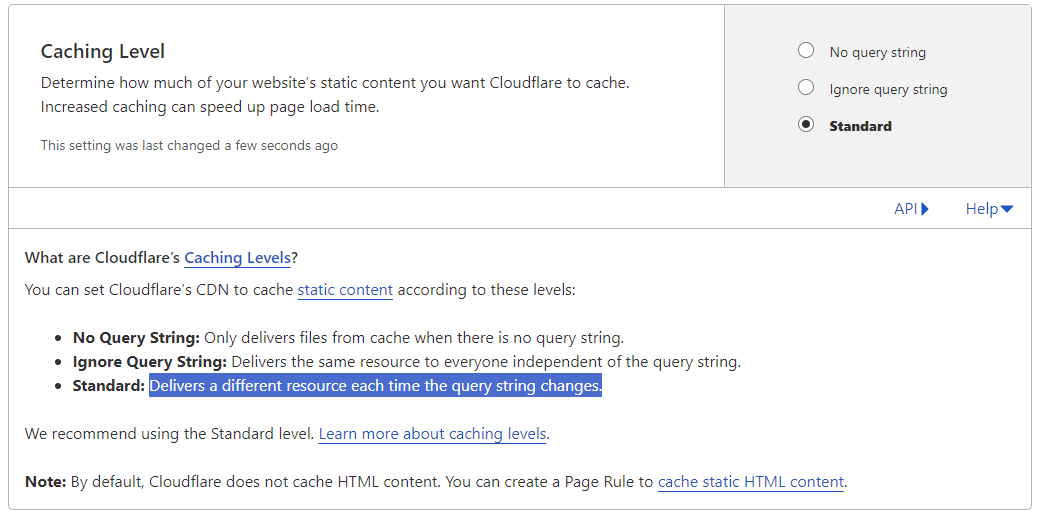
Not entirely sure why CF seems to think this file never changes - it’s different on each page load and suffixed with a random string! The setting in CF should also respect that - but doesn’t. So much for that
-
Ok @phenomlab Thanks to you for find the solution for this problem
so what is the good parameters in CF for this script ?
Maybe include this on your github ?PW and WS Spirit alive
-
Ok @phenomlab Thanks to you for find the solution for this problem
so what is the good parameters in CF for this script ?
Maybe include this on your github ?@DownPW yes, absolutely, although I’m not entirely sure why CF behaves in this manner as in most cases, a present query string that changes frequently (on each page load) should not present itself as an issue.
Still checking.
-
It’s a shame to do without the CF cache in my opinion.
Do you just have to activate development mode in CF?
PW and WS Spirit alive
-
It’s a shame to do without the CF cache in my opinion.
Do you just have to activate development mode in CF?
@DownPW yes, in my testing, just enable development mode and then reload the site a few times and you’ll notice it works as intended.
-
hmm I think they was other thing.
I have not update the css file, I have just :
- activated development mode in CF,
- purge everything cache in CF,
- and test in new incognito windows on firefox
and I have the bug.
Edit : Same with the CSS updated
PW and WS Spirit alive
-
hmm I think they was other thing.
I have not update the css file, I have just :
- activated development mode in CF,
- purge everything cache in CF,
- and test in new incognito windows on firefox
and I have the bug.
Edit : Same with the CSS updated
@DownPW is this in your dev environment? I checked that earlier and the bug wasn’t present.
-
yes the bug is in my dev environment
PW and WS Spirit alive
-
@DownPW yes, correct.
-
yes the bug is in my dev environment. tested now
PW and WS Spirit alive
-
@DownPW it wasn’t there when I tested incognito.
-
I do all my tets in incognito too
I will test with another accountYou must scroll down a little to see
PW and WS Spirit alive


Hello! It looks like you're interested in this conversation, but you don't have an account yet.
Getting fed up of having to scroll through the same posts each visit? When you register for an account, you'll always come back to exactly where you were before, and choose to be notified of new replies (either via email, or push notification). You'll also be able to save bookmarks and upvote posts to show your appreciation to other community members.
With your input, this post could be even better 💗
Register Login