WordPress site
-
@phenomlab said in WordPress site:
@jac Pretty simple. We just stop the NodeBB instance so it’s not available anymore. Then yes, perform a backup of the database, plus all files. The server will of course remain.
Great to hear it’s that simple
 🤪
🤪@jac said in WordPress site:
@phenomlab said in WordPress site:
@jac Pretty simple. We just stop the NodeBB instance so it’s not available anymore. Then yes, perform a backup of the database, plus all files. The server will of course remain.
Great to hear it’s that simple
🤪Some advice needed, would you do a football site as discussed earlier? Or something else that you have an interest in?
-
@jac said in WordPress site:
@phenomlab said in WordPress site:
@jac Pretty simple. We just stop the NodeBB instance so it’s not available anymore. Then yes, perform a backup of the database, plus all files. The server will of course remain.
Great to hear it’s that simple
🤪Some advice needed, would you do a football site as discussed earlier? Or something else that you have an interest in?
@jac Honestly, something else. It’s going to be niche to a far greater degree than football. Remember, you’re taking the most popular sport in the world by far and attempting to make ripples in an enormous sea that nobody is likely to see with the QE2 of forums ripping through the waves…
How’s that for an analogy ?

Mark – Founder, Phenomlab Ltd
Executive IT & Security Leadership
Phenomlab Ltd -
@jac Honestly, something else. It’s going to be niche to a far greater degree than football. Remember, you’re taking the most popular sport in the world by far and attempting to make ripples in an enormous sea that nobody is likely to see with the QE2 of forums ripping through the waves…
How’s that for an analogy ?
@phenomlab said in WordPress site:
How’s that for an analogy ?
Very good
 .
.I’ll have think of something else…

Right so I need to back the site up? And turn off node.js? Apologies if wrong, on mobile.
Happy to take above steps if I know how to do it

 🤪.
🤪. -
@jac For the time being, I’ve put the site into maintenance mode

Gives you enough time to work on backups etc.
Mark – Founder, Phenomlab Ltd
Executive IT & Security Leadership
Phenomlab Ltd -
@jac For the time being, I’ve put the site into maintenance mode
Gives you enough time to work on backups etc.
@phenomlab thanks mate.
-
@jac For the time being, I’ve put the site into maintenance mode
Gives you enough time to work on backups etc.
@phenomlab said in WordPress site:
@jac For the time being, I’ve put the site into maintenance mode
Gives you enough time to work on backups etc.
So in order to perform a backup, is it a snapshot I need to do via Hetzner CP?
-
@phenomlab said in WordPress site:
@jac For the time being, I’ve put the site into maintenance mode
Gives you enough time to work on backups etc.
So in order to perform a backup, is it a snapshot I need to do via Hetzner CP?
@jac said in WordPress site:
@phenomlab said in WordPress site:
@jac For the time being, I’ve put the site into maintenance mode
Gives you enough time to work on backups etc.
So in order to perform a backup, is it a snapshot I need to do via Hetzner CP?
I think last time a snapshot was done, but of course this time I need a full backup
-
@jac said in WordPress site:
@phenomlab said in WordPress site:
@jac For the time being, I’ve put the site into maintenance mode
Gives you enough time to work on backups etc.
So in order to perform a backup, is it a snapshot I need to do via Hetzner CP?
I think last time a snapshot was done, but of course this time I need a full backup
@jac that will backup the entire machine, so if you decide to use the server for something else (and I’m guessing this is going to be the case) and then you decide you need the files or database from that snapshot, you’ll need to recover it into another instance.
This isn’t the optimum way. It’s better to backup the database and the files individually.
Mark – Founder, Phenomlab Ltd
Executive IT & Security Leadership
Phenomlab Ltd -
@jac that will backup the entire machine, so if you decide to use the server for something else (and I’m guessing this is going to be the case) and then you decide you need the files or database from that snapshot, you’ll need to recover it into another instance.
This isn’t the optimum way. It’s better to backup the database and the files individually.
@phenomlab said in WordPress site:
@jac that will backup the entire machine, so if you decide to use the server for something else (and I’m guessing this is going to be the case) and then you decide you need the files or database from that snapshot, you’ll need to recover it into another instance.
This isn’t the optimum way. It’s better to backup the database and the files individually.
Thanks mate. Is that via FTP?
-
@phenomlab said in WordPress site:
@jac that will backup the entire machine, so if you decide to use the server for something else (and I’m guessing this is going to be the case) and then you decide you need the files or database from that snapshot, you’ll need to recover it into another instance.
This isn’t the optimum way. It’s better to backup the database and the files individually.
Thanks mate. Is that via FTP?
@jac yes, or better, via VirtualMin
Mark – Founder, Phenomlab Ltd
Executive IT & Security Leadership
Phenomlab Ltd -
@phenomlab said in WordPress site:
@jac yes, or better, via VirtualMin
Thanks mate. I’ll do this tomorrow. Ideally save the files to a zip file?
-
@phenomlab said in WordPress site:
@jac yes, or better, via VirtualMin
Thanks mate. I’ll do this tomorrow. Ideally save the files to a zip file?
@jac you’ll need a script to backup the database as this won’t be included in the files by default.
Mark – Founder, Phenomlab Ltd
Executive IT & Security Leadership
Phenomlab Ltd -
@jac you’ll need a script to backup the database as this won’t be included in the files by default.
@phenomlab said in WordPress site:
@jac you’ll need a script to backup the database as this won’t be included in the files by default.
I see mate, unfortunately you’ve lost me there, I do apologise. I’m sure tomorrow I can achieve this.
-
@phenomlab said in WordPress site:
@jac you’ll need a script to backup the database as this won’t be included in the files by default.
I see mate, unfortunately you’ve lost me there, I do apologise. I’m sure tomorrow I can achieve this.
@jac I can help you of course.
Mark – Founder, Phenomlab Ltd
Executive IT & Security Leadership
Phenomlab Ltd -
@phenomlab said in WordPress site:
@jac I can help you of course.
Many thanks Mark!
Happy to proceed…
-
@phenomlab said in WordPress site:
@jac I can help you of course.
Many thanks Mark!
Happy to proceed…
@jac Final DB backup completed
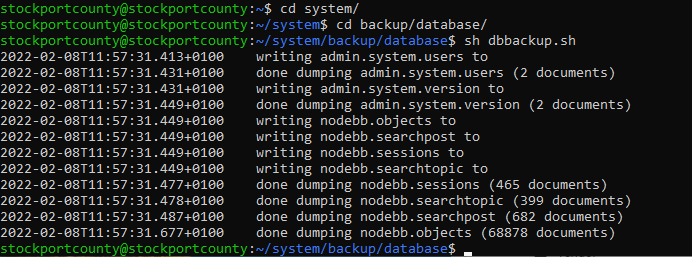
I’ve also created a bundled archive of the entire site - all files, folders, and database, located here
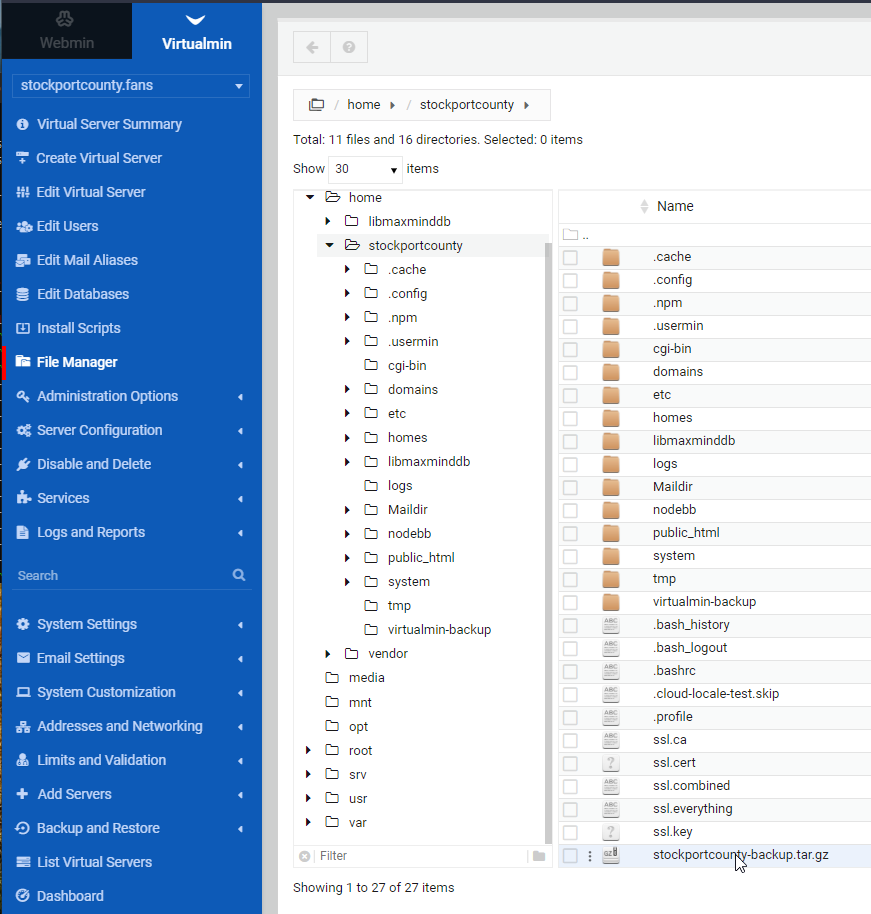
You should download this file for backup and storage purposes (right-click the file and then you can download it)
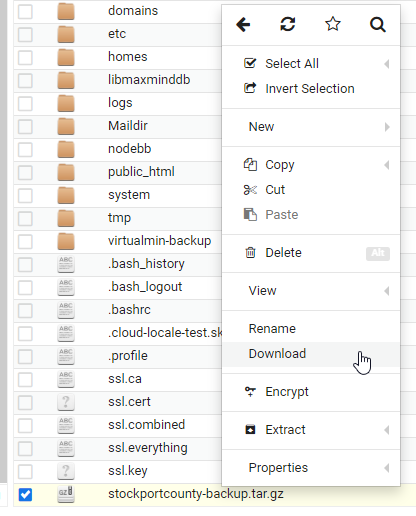
The server can remain as is - unless you are looking to shut that down altogether which kind of defeats the object if you want to continue with another project and domain. I personally would take a snapshot of the server, and also check the backup status - from memory, I set this to backup each night and if that is the case, you’re good to go once you’ve downloaded the
.tar.gzfile (which can be opened with 7Zip by the way)Mark – Founder, Phenomlab Ltd
Executive IT & Security Leadership
Phenomlab Ltd -
@jac Final DB backup completed
I’ve also created a bundled archive of the entire site - all files, folders, and database, located here
You should download this file for backup and storage purposes (right-click the file and then you can download it)
The server can remain as is - unless you are looking to shut that down altogether which kind of defeats the object if you want to continue with another project and domain. I personally would take a snapshot of the server, and also check the backup status - from memory, I set this to backup each night and if that is the case, you’re good to go once you’ve downloaded the
.tar.gzfile (which can be opened with 7Zip by the way)@phenomlab said in WordPress site:
You should download this file for backup and storage purposes (right-click the file and then you can download it)
Done

-
@jac Final DB backup completed
I’ve also created a bundled archive of the entire site - all files, folders, and database, located here
You should download this file for backup and storage purposes (right-click the file and then you can download it)
The server can remain as is - unless you are looking to shut that down altogether which kind of defeats the object if you want to continue with another project and domain. I personally would take a snapshot of the server, and also check the backup status - from memory, I set this to backup each night and if that is the case, you’re good to go once you’ve downloaded the
.tar.gzfile (which can be opened with 7Zip by the way)@phenomlab said in WordPress site:
I personally would take a snapshot of the server, and also check the backup status - from memory, I set this to backup each night and if that is the case, you’re good to go once you’ve downloaded the .tar.gz file (which can be opened with 7Zip by the way)
Thank you very much Mark, just checking this now.
I don’t think there are any backups made, but I’ll check now.
-
@phenomlab said in WordPress site:
I personally would take a snapshot of the server, and also check the backup status - from memory, I set this to backup each night and if that is the case, you’re good to go once you’ve downloaded the .tar.gz file (which can be opened with 7Zip by the way)
Thank you very much Mark, just checking this now.
I don’t think there are any backups made, but I’ll check now.
@jac said in WordPress site:
@phenomlab said in WordPress site:
I personally would take a snapshot of the server, and also check the backup status - from memory, I set this to backup each night and if that is the case, you’re good to go once you’ve downloaded the .tar.gz file (which can be opened with 7Zip by the way)
Thank you very much Mark, just checking this now.
I don’t think there are any backups made, but I’ll check now.
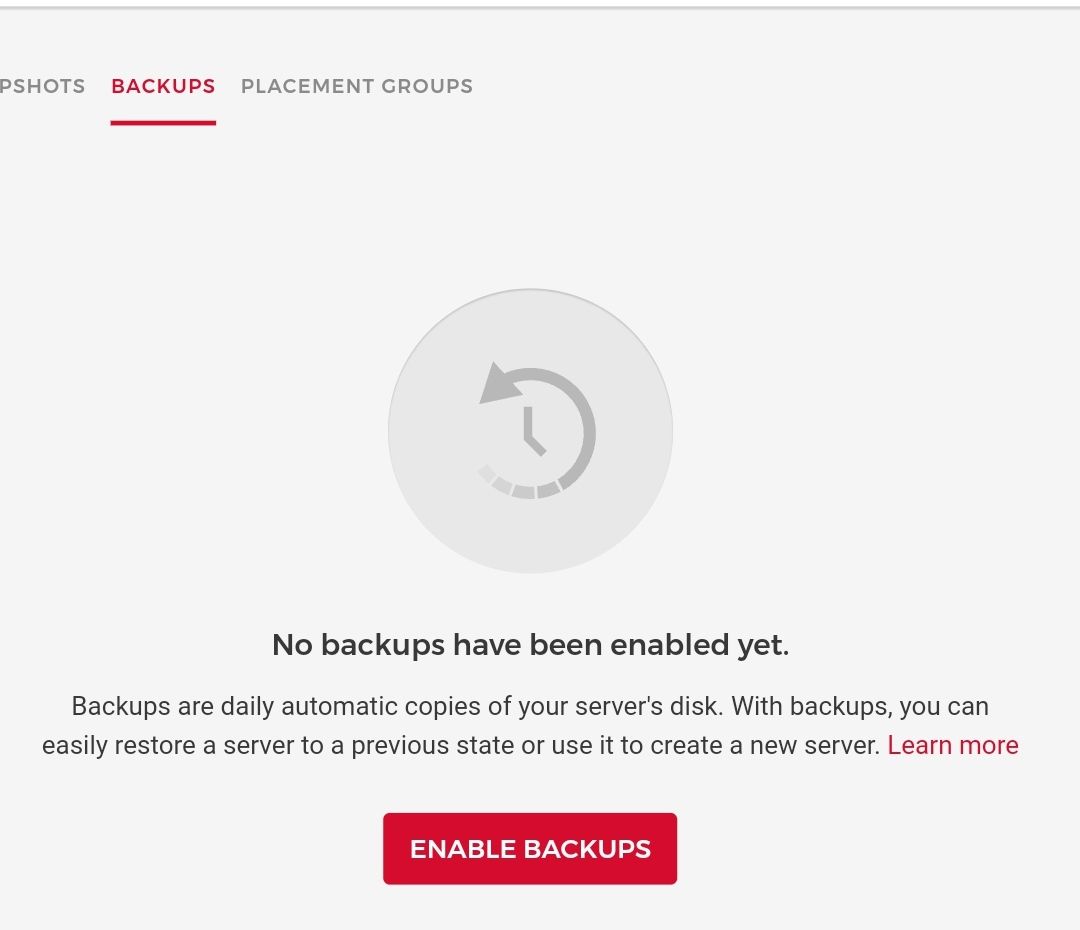
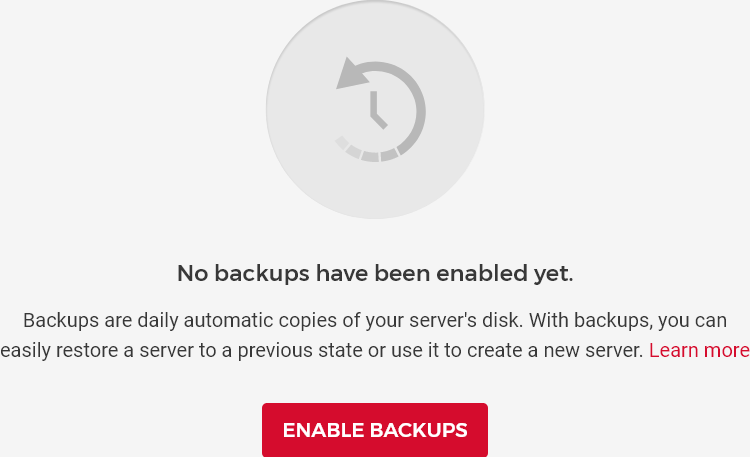
There is a snapshot but no backup.

-
@jac said in WordPress site:
@phenomlab said in WordPress site:
I personally would take a snapshot of the server, and also check the backup status - from memory, I set this to backup each night and if that is the case, you’re good to go once you’ve downloaded the .tar.gz file (which can be opened with 7Zip by the way)
Thank you very much Mark, just checking this now.
I don’t think there are any backups made, but I’ll check now.
There is a snapshot but no backup.
@jac Let’s click “Enable Backups”. This way, you don’t need to worry about it, and they are very cheap.
Mark – Founder, Phenomlab Ltd
Executive IT & Security Leadership
Phenomlab Ltd


Hello! It looks like you're interested in this conversation, but you don't have an account yet.
Getting fed up of having to scroll through the same posts each visit? When you register for an account, you'll always come back to exactly where you were before, and choose to be notified of new replies (either via email, or push notification). You'll also be able to save bookmarks and upvote posts to show your appreciation to other community members.
With your input, this post could be even better 💗
Register Login