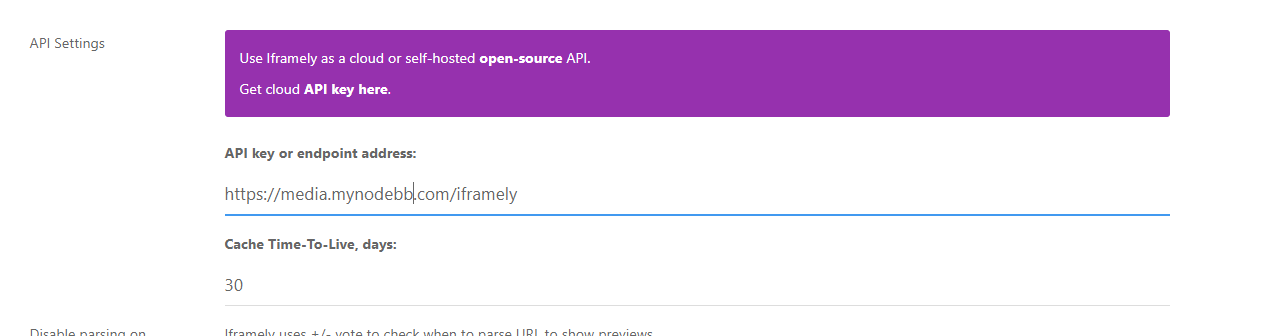
How to install a self-hosted instance of iFramely for use with NodeBB

-
thanks a lot @phenomlab , if it is OK for you, I would like to share our custom CSS codes with self-hosted iframely…
The free version looks quite bigger than the paid version, so we improved the look with these CSS changes… It is still not as pretty as the original iframely embeds, but I believe it is still better than the default one.
Of course, feel free to change/edit it as you like:
.iframely-link .iframely-container { .img-responsive { height:120px !important; width: auto !important; overflow: hidden !important; } .iframely-meta { display: none !important; } .media { float: left !important; padding: 0 5px 0 0 !important; } .media-heading { margin-top: 5px; margin-bottom: 2px; } .description { position: relative !important; top: 10px !important; } .panel-iframely .iframely-embed .one-line { white-space: normal; } .panel-body { padding: 5px; } }@crazycells thanks for this. I too changed the default layout, but will certainly have a look at your CSS mods because they might be better than mine!

-
thanks a lot @phenomlab , if it is OK for you, I would like to share our custom CSS codes with self-hosted iframely…
The free version looks quite bigger than the paid version, so we improved the look with these CSS changes… It is still not as pretty as the original iframely embeds, but I believe it is still better than the default one.
Of course, feel free to change/edit it as you like:
.iframely-link .iframely-container { .img-responsive { height:120px !important; width: auto !important; overflow: hidden !important; } .iframely-meta { display: none !important; } .media { float: left !important; padding: 0 5px 0 0 !important; } .media-heading { margin-top: 5px; margin-bottom: 2px; } .description { position: relative !important; top: 10px !important; } .panel-iframely .iframely-embed .one-line { white-space: normal; } .panel-body { padding: 5px; } }@crazycells I tried this CSS, and it looks a little “cramped” to me - why not post some screenshots ?
-
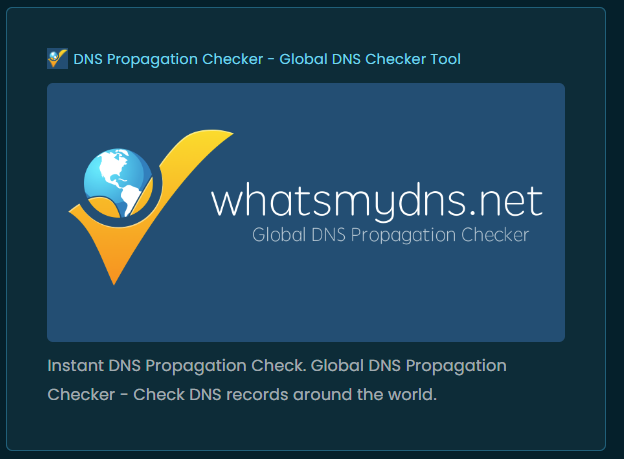
here is an example… Since previews are just previews and do not give the whole info, we prefer to see them in the text as a small banner with some info in it… free iframely takes a much larger unnecessary space from the post…

-
here is an example… Since previews are just previews and do not give the whole info, we prefer to see them in the text as a small banner with some info in it… free iframely takes a much larger unnecessary space from the post…
@crazycells looks like you’re using a 100% width there which would explain the cramped look on here as I set a static
max-width
Mark Cutting also advises organisations as a Fractional CIO, Fractional CISO and Executive Advisor, helping boards improve technology governance, cyber resilience and executive decision making. Learn more at Gratmore Ltd
-
@crazycells looks like you’re using a 100% width there which would explain the cramped look on here as I set a static
max-width@phenomlab yes, you have very customized themes here; so I guess CSS codes will need some adjustments for a similar look…
-
Thanks @crazycells for your code, I will test it, for sure

@phenomlab Resources level, do you know to what extent the CPU will be impacted by Iframely?
Generally speaking, our forum uses between 20 and 50% of the CPU. With peaks at 80-90 which return an excess load and unavailability to the forum (a few seconds).
PW and WS Spirit alive
-
Thanks @crazycells for your code, I will test it, for sure
@phenomlab Resources level, do you know to what extent the CPU will be impacted by Iframely?
Generally speaking, our forum uses between 20 and 50% of the CPU. With peaks at 80-90 which return an excess load and unavailability to the forum (a few seconds).
@DownPW iFramely is multi threaded and runs as a cluster, so will spread itself across the amount of cores you have. If you run
pm2 statusyou’ll see how many cores it’s using, plus the memory usage.I’ve never had an issue with it and I know that thousands of sites have it installed with no performance degradation. It scales very well and only seems to occupy a small selection of CPU and memory.
Mark Cutting also advises organisations as a Fractional CIO, Fractional CISO and Executive Advisor, helping boards improve technology governance, cyber resilience and executive decision making. Learn more at Gratmore Ltd
-
@DownPW iFramely is multi threaded and runs as a cluster, so will spread itself across the amount of cores you have. If you run
pm2 statusyou’ll see how many cores it’s using, plus the memory usage.I’ve never had an issue with it and I know that thousands of sites have it installed with no performance degradation. It scales very well and only seems to occupy a small selection of CPU and memory.
Ok @phenomlab
Thanks for your answer but with pm2 status command, I see a % of CPU used but not the number of CPU core used…
PW and WS Spirit alive
-
Ok @phenomlab
Thanks for your answer but with pm2 status command, I see a % of CPU used but not the number of CPU core used…
@DownPW how many cores do you have ?
Mark Cutting also advises organisations as a Fractional CIO, Fractional CISO and Executive Advisor, helping boards improve technology governance, cyber resilience and executive decision making. Learn more at Gratmore Ltd
-
PW and WS Spirit alive
-
@DownPW OMG

-
ha ha, i’m tired voila

you say this:
if you are using Cloudflare, this particular port (8061) isn’t routable with the free plan, so something to be aware of
@phenomlab
I’m using a free plan from CloudFlare, will this bother me for use Iframely on my server?PW and WS Spirit alive
-
ha ha, i’m tired voila
you say this:
if you are using Cloudflare, this particular port (8061) isn’t routable with the free plan, so something to be aware of
@phenomlab
I’m using a free plan from CloudFlare, will this bother me for use Iframely on my server?@DownPW only if you choose to not proxy the traffic (grey cloud only, which is just DNS rather than the default orange cloud)
-
ha ha, i’m tired voila
you say this:
if you are using Cloudflare, this particular port (8061) isn’t routable with the free plan, so something to be aware of
@phenomlab
I’m using a free plan from CloudFlare, will this bother me for use Iframely on my server?@DownPW you will win this war
-
PW and WS Spirit alive
-
@DownPW no. It needs to be an A record. CNAME is canonical meaning that traffic sent to it will land up at your main nginx site. The A record will sent headers which nginx can use to route the traffic correctly.
CNAME records do not have this and will resolve to the underlying host which will cause you problems. Useful for WWW and non-WWW, but that’s about it.
Essentially, it’s an alias and not a record in it’s own right.
Mark Cutting also advises organisations as a Fractional CIO, Fractional CISO and Executive Advisor, helping boards improve technology governance, cyber resilience and executive decision making. Learn more at Gratmore Ltd
-
@DownPW no. It needs to be an A record. CNAME is canonical meaning that traffic sent to it will land up at your main nginx site. The A record will sent headers which nginx can use to route the traffic correctly.
CNAME records do not have this and will resolve to the underlying host which will cause you problems. Useful for WWW and non-WWW, but that’s about it.
Essentially, it’s an alias and not a record in it’s own right.
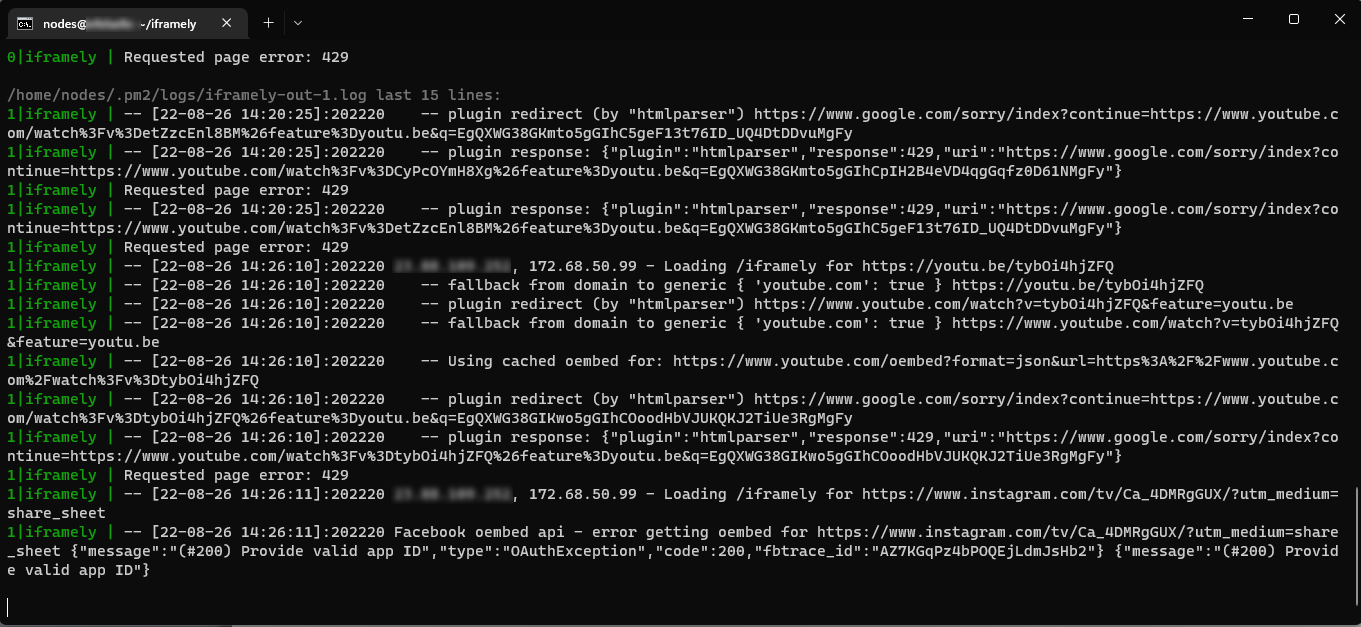
@phenomlab i think my ifamely started to not work i dont know why
 youtube embed not working
[PM2][ERROR] Process or Namespace iframely not found
[PM2][WARN] Current process list is not synchronized with saved list. App iframely iframely differs. Type ‘pm2 save’ to synchronize. -
@cagatay is the
iframelyservice started ? That error message would indicate it’s not runningMark Cutting also advises organisations as a Fractional CIO, Fractional CISO and Executive Advisor, helping boards improve technology governance, cyber resilience and executive decision making. Learn more at Gratmore Ltd
-
@cagatay is the
iframelyservice started ? That error message would indicate it’s not running@phenomlab as a result of ps -x i cant see iframely service pid id so i think its not working automaticly when i rebooted the server. How can i start it?
-
@phenomlab as a result of ps -x i cant see iframely service pid id so i think its not working automaticly when i rebooted the server. How can i start it?
@cagatay try
pm2 start pm2.jsonwhich needs to be executed from the directory of the iFramely domain where it is installed. See previous documentation I provided after the installation.A quicker route would be to reboot your VPS to see if that resolves the issue.
Mark Cutting also advises organisations as a Fractional CIO, Fractional CISO and Executive Advisor, helping boards improve technology governance, cyber resilience and executive decision making. Learn more at Gratmore Ltd






Hello! It looks like you're interested in this conversation, but you don't have an account yet.
Getting fed up of having to scroll through the same posts each visit? When you register for an account, you'll always come back to exactly where you were before, and choose to be notified of new replies (either via email, or push notification). You'll also be able to save bookmarks and upvote posts to show your appreciation to other community members.
With your input, this post could be even better 💗
Register LoginRelated Topics
-
Nodebb to Xenforo
Solved Configure -
-
-
NodeBB: Consent page
Solved Configure -
-
Gettin Erors NodeBB
Solved Configure -
-
iFramely self host help
Solved Configure