
setting up Matomo
-
@phenomlab said in setting up Matomo:
@jac Unsurprising. There are two ways to do this
- Create a CNAME record called WWW and have it point to the subdomain in DNS
- Create a custom request for LE so that it ignores the www value, and only processes the actual domain you want
VirtualMin -> Server Configuration -> SSL Certificate

Let’s Encrypt
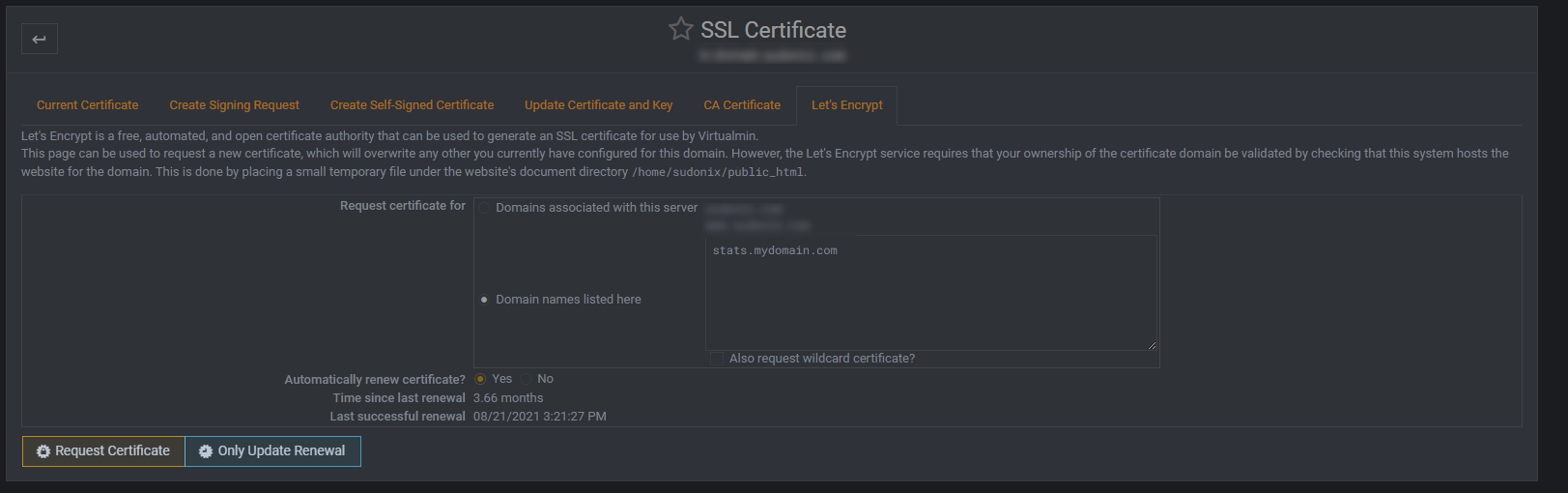
Set as per the example, so you only request the domain you want. Ensure that “Automatically renew certificate” is selected, then “Request Certificate”
Thanks,
which is the best solution?

@jac Well, depending on configuration, they are as simple as each other. If you choose the first, then you need to add DNS records, and ensure your server is capable of handling them on arrival (it should be by default).
If you choose the second, it’s the easiest (and probably laziest
 ), but it will work. We just then need to set a redirect so that all traffic lands up at https://site.domain.com even if we try with or without the www prefix.
Mark Cutting also advises organisations as a Fractional CIO, Fractional CISO and Executive Advisor, helping boards improve technology governance, cyber resilience and executive decision making. Learn more at Gratmore Ltd
-
@jac Well, depending on configuration, they are as simple as each other. If you choose the first, then you need to add DNS records, and ensure your server is capable of handling them on arrival (it should be by default).
If you choose the second, it’s the easiest (and probably laziest
), but it will work. We just then need to set a redirect so that all traffic lands up at https://site.domain.com even if we try with or without the www prefix.
@phenomlab said in setting up Matomo:
If you choose the second, it’s the easiest (and probably laziest ), but it will work. We just then need to set a redirect so that all traffic lands up at https://site.domain.com even if we try with or without the www prefix.
Will try this now mate
-
@phenomlab said in setting up Matomo:
If you choose the second, it’s the easiest (and probably laziest ), but it will work. We just then need to set a redirect so that all traffic lands up at https://site.domain.com even if we try with or without the www prefix.
Will try this now mate
@jac As per PM, this has been completed.
Mark Cutting also advises organisations as a Fractional CIO, Fractional CISO and Executive Advisor, helping boards improve technology governance, cyber resilience and executive decision making. Learn more at Gratmore Ltd
-
phenomlab marked this topic as a question on
-
phenomlab has marked this topic as solved on
-
@phenomlab said in setting up Matomo:
@jac As per PM, this has been completed.
Can’t thank you enough for that Mark! - Superb yet again!
-
@phenomlab said in setting up Matomo:
@jac As per PM, this has been completed.
Can’t thank you enough for that Mark! - Superb yet again!
-
@jac You need to wait for 24 hours

Mark Cutting also advises organisations as a Fractional CIO, Fractional CISO and Executive Advisor, helping boards improve technology governance, cyber resilience and executive decision making. Learn more at Gratmore Ltd
-
@phenomlab said in setting up Matomo:
@jac You need to wait for 24 hours
Thanks mate
was wondering if it should work real-time when someone visits. I do remember this being the case last time I used it. -
@phenomlab said in setting up Matomo:
@jac You need to wait for 24 hours
Thanks mate
was wondering if it should work real-time when someone visits. I do remember this being the case last time I used it. -
-
@jac said in setting up Matomo:
VPN connected to Holland… Stats site shows UK. Oh dear…

 .
This now makes me think, is the VPN really reliable or is the Matomo stats really good at showing the IP of where you really are

@jac Matomo should only record what is being presented by the browser. Is the VPN actually enabled in the browser session ?
Typically, this is via an add on or extension, or have you enabled it at system level via an application ?
Mark Cutting also advises organisations as a Fractional CIO, Fractional CISO and Executive Advisor, helping boards improve technology governance, cyber resilience and executive decision making. Learn more at Gratmore Ltd
-
@jac Matomo should only record what is being presented by the browser. Is the VPN actually enabled in the browser session ?
Typically, this is via an add on or extension, or have you enabled it at system level via an application ?
@phenomlab said in setting up Matomo:
@jac Matomo should only record what is being presented by the browser. Is the VPN actually enabled in the browser session ?
Typically, this is via an add on or extension, or have you enabled it at system level via an application ?
This was connected to express VPN via mobile phone app. I also tried the same with Nord & repeated both on the Nvidia Shield yielding the same result (showing UK) despite being connected to Germany, France etc.
-
@phenomlab said in setting up Matomo:
@jac Matomo should only record what is being presented by the browser. Is the VPN actually enabled in the browser session ?
Typically, this is via an add on or extension, or have you enabled it at system level via an application ?
This was connected to express VPN via mobile phone app. I also tried the same with Nord & repeated both on the Nvidia Shield yielding the same result (showing UK) despite being connected to Germany, France etc.
@jac Another example…
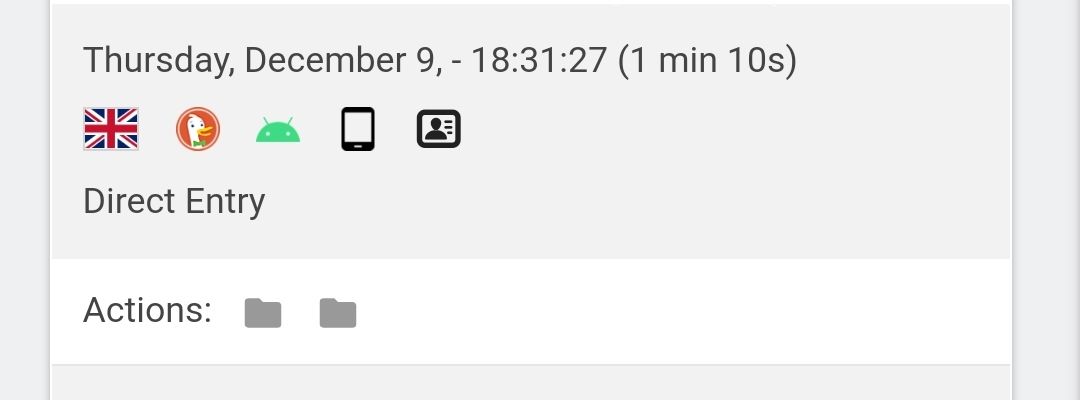
I’ve just connected to Finland and it shows I’m viewing the site from USA? I know this is an issue you can’t fix, I’m just bringing to your attention that possibly it’s not as reliable as we thought?
I wonder if GA is any better? or am I getting too ahead of myself?

-
@jac Another example…
I’ve just connected to Finland and it shows I’m viewing the site from USA? I know this is an issue you can’t fix, I’m just bringing to your attention that possibly it’s not as reliable as we thought?
I wonder if GA is any better? or am I getting too ahead of myself?
@jac said in setting up Matomo:
I wonder if GA is any better? or am I getting too ahead of myself?
You’re getting ahead of yourself. Don’t forget that Matomo is fully GDPR compliant, and will take into account the privacy side of things, and (possibly) anonymises information before it is presented to you. Another reason could be the IP GEO settings, which I’ll have a look at now.
-
Mark Cutting also advises organisations as a Fractional CIO, Fractional CISO and Executive Advisor, helping boards improve technology governance, cyber resilience and executive decision making. Learn more at Gratmore Ltd
-
@phenomlab said in setting up Matomo:
@jac yep - as I suspected
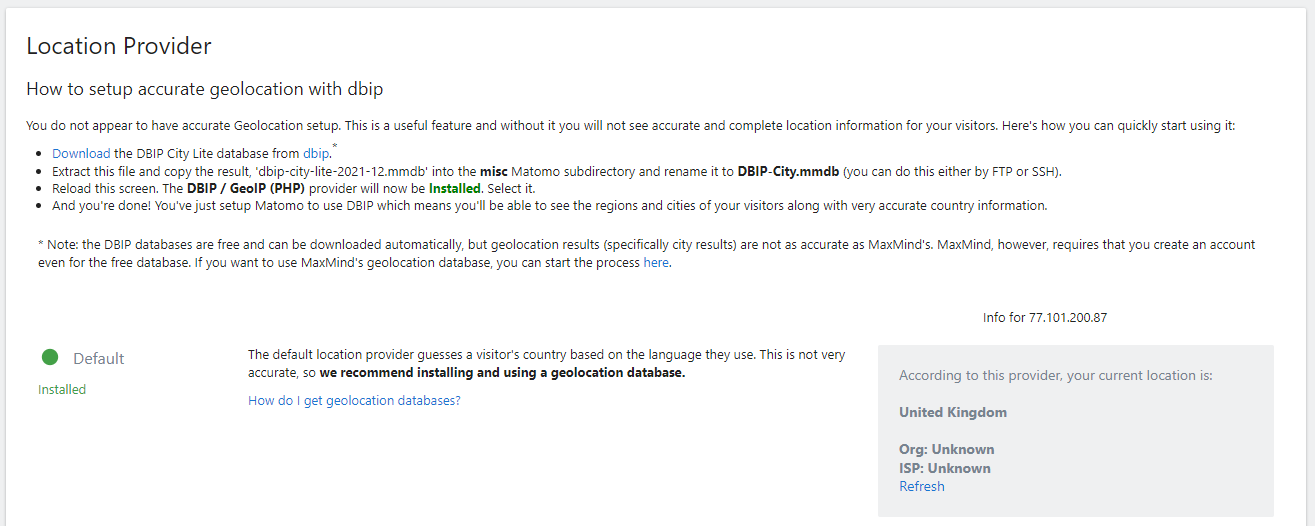
You’re using the default, so we need to change this. I’ll do this now
Understood

Thanks pal, many thanks for that
-
@phenomlab said in setting up Matomo:
@jac yep - as I suspected
You’re using the default, so we need to change this. I’ll do this now
The aim is for this to portray accurate data? so going off the VPN location rather than just IP?
-
@phenomlab said in setting up Matomo:
@jac yep - as I suspected
You’re using the default, so we need to change this. I’ll do this now
The aim is for this to portray accurate data? so going off the VPN location rather than just IP?
@jac Essentially, yes - if a VPN is active, this will be the chosen address as it’s what you are connecting with. Also, browsers these days have the ability to opt out of tracking, so if it does work, then the results might not be what you expected either.
Neither Matomo or GA is going to be the holy grail I’m afraid because of privacy constraints.
Geo IP2 is now active

Mark Cutting also advises organisations as a Fractional CIO, Fractional CISO and Executive Advisor, helping boards improve technology governance, cyber resilience and executive decision making. Learn more at Gratmore Ltd
-
@jac Essentially, yes - if a VPN is active, this will be the chosen address as it’s what you are connecting with. Also, browsers these days have the ability to opt out of tracking, so if it does work, then the results might not be what you expected either.
Neither Matomo or GA is going to be the holy grail I’m afraid because of privacy constraints.
Geo IP2 is now active
@phenomlab said in setting up Matomo:
@jac Essentially, yes - if a VPN is active, this will be the chosen address as it’s what you are connecting with. Also, browsers these days have the ability to opt out of tracking, so if it does work, then the results might not be what you expected either.
Neither Matomo or GA is going to be the holy grail I’m afraid because of privacy constraints.
Geo IP2 is now active
Many thanks mate, makes perfect sense!
Thanks for the explanation

-
@phenomlab said in setting up Matomo:
@jac Essentially, yes - if a VPN is active, this will be the chosen address as it’s what you are connecting with. Also, browsers these days have the ability to opt out of tracking, so if it does work, then the results might not be what you expected either.
Neither Matomo or GA is going to be the holy grail I’m afraid because of privacy constraints.
Geo IP2 is now active
Many thanks mate, makes perfect sense!
Thanks for the explanation
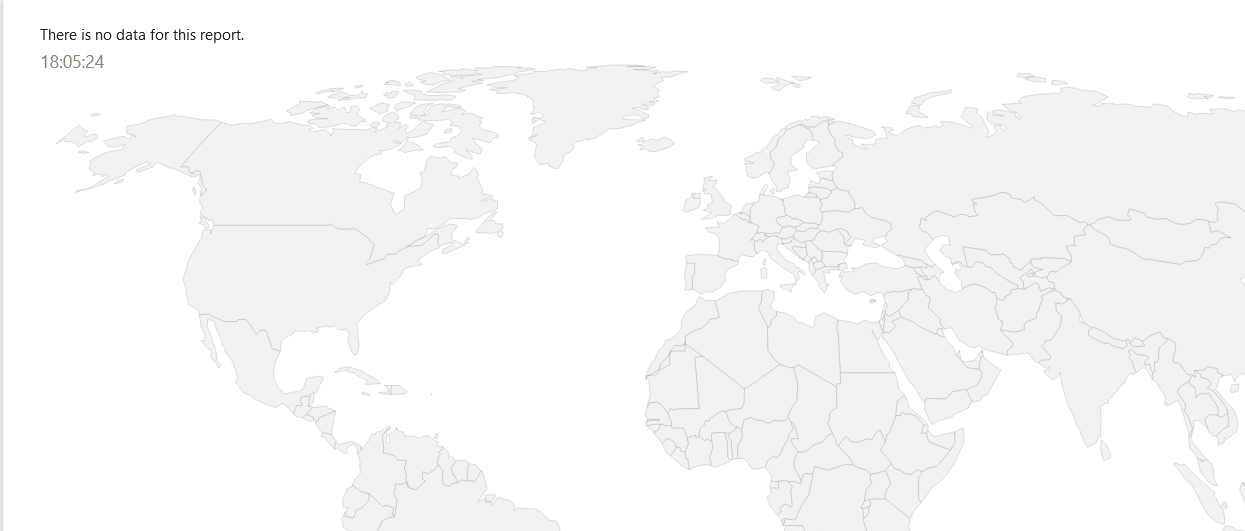
@jac No problems. The Real-Time map is also working now

Mark Cutting also advises organisations as a Fractional CIO, Fractional CISO and Executive Advisor, helping boards improve technology governance, cyber resilience and executive decision making. Learn more at Gratmore Ltd
-
@phenomlab said in setting up Matomo:
@jac No problems. The Real-Time map is also working now
Many thanks for that mate, I do keep logging in to check it.
I need some more members
Hello! It looks like you're interested in this conversation, but you don't have an account yet.
Getting fed up of having to scroll through the same posts each visit? When you register for an account, you'll always come back to exactly where you were before, and choose to be notified of new replies (either via email, or push notification). You'll also be able to save bookmarks and upvote posts to show your appreciation to other community members.
With your input, this post could be even better 💗
Register Login

