
Is no cpanel on host normal?
-

I bought Godaddy hosting few years before and had no issues getting to FileManager.
Bought hosting package today…
Logging in, and avoiding the links to use their ‘site-builder on a 7 day trial’, I found there is no cpanel, and no access to Files!
After some time chatting to support, they set up a cpanel link, which is at mysitename /cpanel.
So its at the website domain; Its not part of godaddy login, and needs another username and password to access.
Is this how things are these days? Is different way of doing it than in past. -
I bought Godaddy hosting few years before and had no issues getting to FileManager.
Bought hosting package today…
Logging in, and avoiding the links to use their ‘site-builder on a 7 day trial’, I found there is no cpanel, and no access to Files!
After some time chatting to support, they set up a cpanel link, which is at mysitename /cpanel.
So its at the website domain; Its not part of godaddy login, and needs another username and password to access.
Is this how things are these days? Is different way of doing it than in past.
@Panda it really depends on what hosting package you decide to go with. You’re right though - it’s usual for cPanel or in some cases, Plesk etc to accompany hosting packages.
However, if you order a vps package, it’s quite common for this to be nothing more than a Linux server with no control panel whatsoever.
Which package did you order?
Mark Cutting also advises organisations as a Fractional CIO, Fractional CISO and Executive Advisor, helping boards improve technology governance, cyber resilience and executive decision making. Learn more at Gratmore Ltd
-
@Panda it really depends on what hosting package you decide to go with. You’re right though - it’s usual for cPanel or in some cases, Plesk etc to accompany hosting packages.
However, if you order a vps package, it’s quite common for this to be nothing more than a Linux server with no control panel whatsoever.
Which package did you order?
@phenomlab I ordered a full website hosting package, but there seems to be a real push to use their ‘web builder tools’ which require subscription.
Cant get to file manager from godaddy login at all.
It wasnt like this in the past.
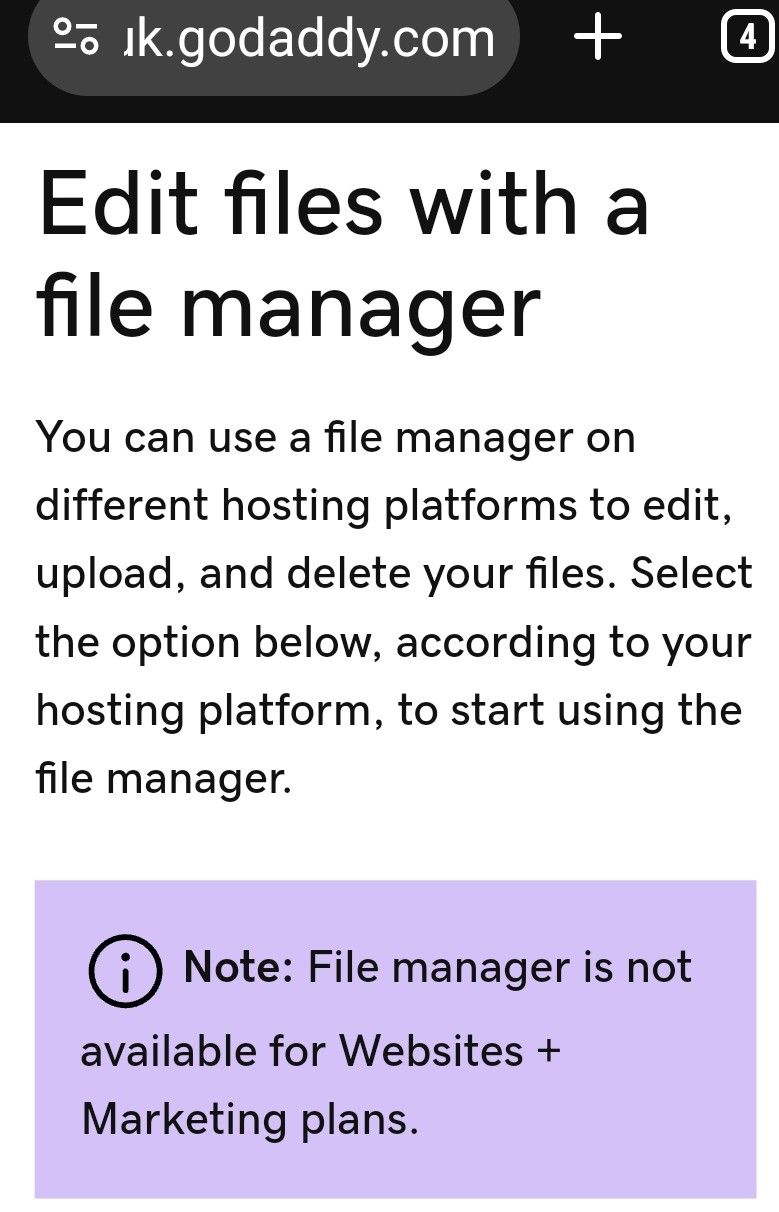
So what seemed at first to be good value hosting, requires a permanent extra subscription to keep any site built with the web-builder?!?
-
@phenomlab I ordered a full website hosting package, but there seems to be a real push to use their ‘web builder tools’ which require subscription.
Cant get to file manager from godaddy login at all.
It wasnt like this in the past.
So what seemed at first to be good value hosting, requires a permanent extra subscription to keep any site built with the web-builder?!?
-
@Panda it really depends on what hosting package you decide to go with. You’re right though - it’s usual for cPanel or in some cases, Plesk etc to accompany hosting packages.
However, if you order a vps package, it’s quite common for this to be nothing more than a Linux server with no control panel whatsoever.
Which package did you order?
@phenomlab the £3.99 a month
-
@phenomlab the £3.99 a month
@Panda this alone in their own description should say it all
Get industry-standard cPanel to install apps, manage backups and security.
If the cPanel was missing that’s their error as it’s clearly states it’s provided!
Mark Cutting also advises organisations as a Fractional CIO, Fractional CISO and Executive Advisor, helping boards improve technology governance, cyber resilience and executive decision making. Learn more at Gratmore Ltd
-
@Panda this alone in their own description should say it all
Get industry-standard cPanel to install apps, manage backups and security.
If the cPanel was missing that’s their error as it’s clearly states it’s provided!
@phenomlab
‘Get’ is the keyword there, you have to get it, which I did after some process with the support people. And as mentioned it was added as a subdirectory on the website, not part of the godaddy login! -
Panda has marked this topic as solved on
-
@phenomlab
‘Get’ is the keyword there, you have to get it, which I did after some process with the support people. And as mentioned it was added as a subdirectory on the website, not part of the godaddy login!
Hello! It looks like you're interested in this conversation, but you don't have an account yet.
Getting fed up of having to scroll through the same posts each visit? When you register for an account, you'll always come back to exactly where you were before, and choose to be notified of new replies (either via email, or push notification). You'll also be able to save bookmarks and upvote posts to show your appreciation to other community members.
With your input, this post could be even better 💗
Register LoginDid this solution help you?
Related Topics
-

Email Service Recommendation
Unsolved Hosting -

-
-
-
Is nginx necessary to use?
Moved Solved Hosting -

iFramely self host help
Solved Configure -
-